
MCP Weather Server - Java implementation
About
A simple weather MCP server implementation in Java
Details
- Author
- chrischiedo
- Downloads
- 163
- Categories
- Media
Jump to
- Get current weather for any location using wttr.in
- Compatible with Claude Desktop and other MCP clients
- Uses the free wttr.in weather API (no API key required)
- Built with Java 17, Spring Boot, and Spring AI MCP starter
Clone the repository, then build the server with ./mvnw clean install -DskipTests. Run the jar with java -jar target/weather-mcp-server-0.0.1-SNAPSHOT.jar. For integration with Claude Desktop, add the server configuration to the claude_desktop_config.json file, specifying the java command and path to the jar.
MCP Weather Server - Java implementation
A simple Model Context Protocol (MCP) server that provides weather information for any location.
Accompanying blog post: Building a simple MCP Server in Java.
What is MCP?
The Model Context Protocol (MCP) is a standardized way for AI applications and agents to connect with data sources and tools. It allows AI models like Claude to interact with your local system, external services, and custom tools through a standardized interface.
Project Features
- Get current weather information for any location
- Compatible with Claude Desktop and other MCP clients
- Uses the free wttr.in weather API (no API key required)
Project Requirements
- Java 17 or later
- Maven 3.6 or later
- Spring Boot 3.3.x or later
- Claude for Desktop for AI assistant integration (used as an MCP Client)
Dependencies
This project relies on the following key components:
<dependencies>
    <dependency>
        <groupId>org.springframework.ai</groupId>
        <artifactId>spring-ai-starter-mcp-server</artifactId>
    </dependency>
<dependency>

        <groupId>org.springframework</groupId>

        <artifactId>spring-web</artifactId>

    </dependency>

</dependencies>
Building and Running
The server uses STDIO transport mode and is typically started automatically by the client.
Clone the repository
The first step is to clone the project:git clone https://github.com/chrischiedo/weather-mcp-server-java.git
cd weather-mcp-server-java
Build the project
To build the server jar, use:./mvnw clean install -DskipTests
This will create a jar file in the target directory.
Run tests
To run tests, use:./mvnw test
Usage
Running the server
Execute the jar file to start the MCP server:java -jar target/weather-mcp-server-0.0.1-SNAPSHOT.jar
Claude Desktop Integration
To integrate the MCP server with Claude Desktop, add the following configuration to your Claude Desktop config settings:
{
  "mcpServers": {
    "mcp-weather-server": {
      "command": "java",
      "args": [
        "-Dspring.ai.mcp.server.stdio=true",
        "-jar",
        "/absolute/path/to/weather-mcp-server-0.0.1-SNAPSHOT.jar"
      ]
    }
  }
}
Note: On MacOS, the config settings file can be opened using:
vi ~/Library/Application\ Support/Claude/claude_desktop_config.json
Note: Remember to replace /absolute/path/to/ with the actual path to your built jar file.
Example prompts for Claude Desktop
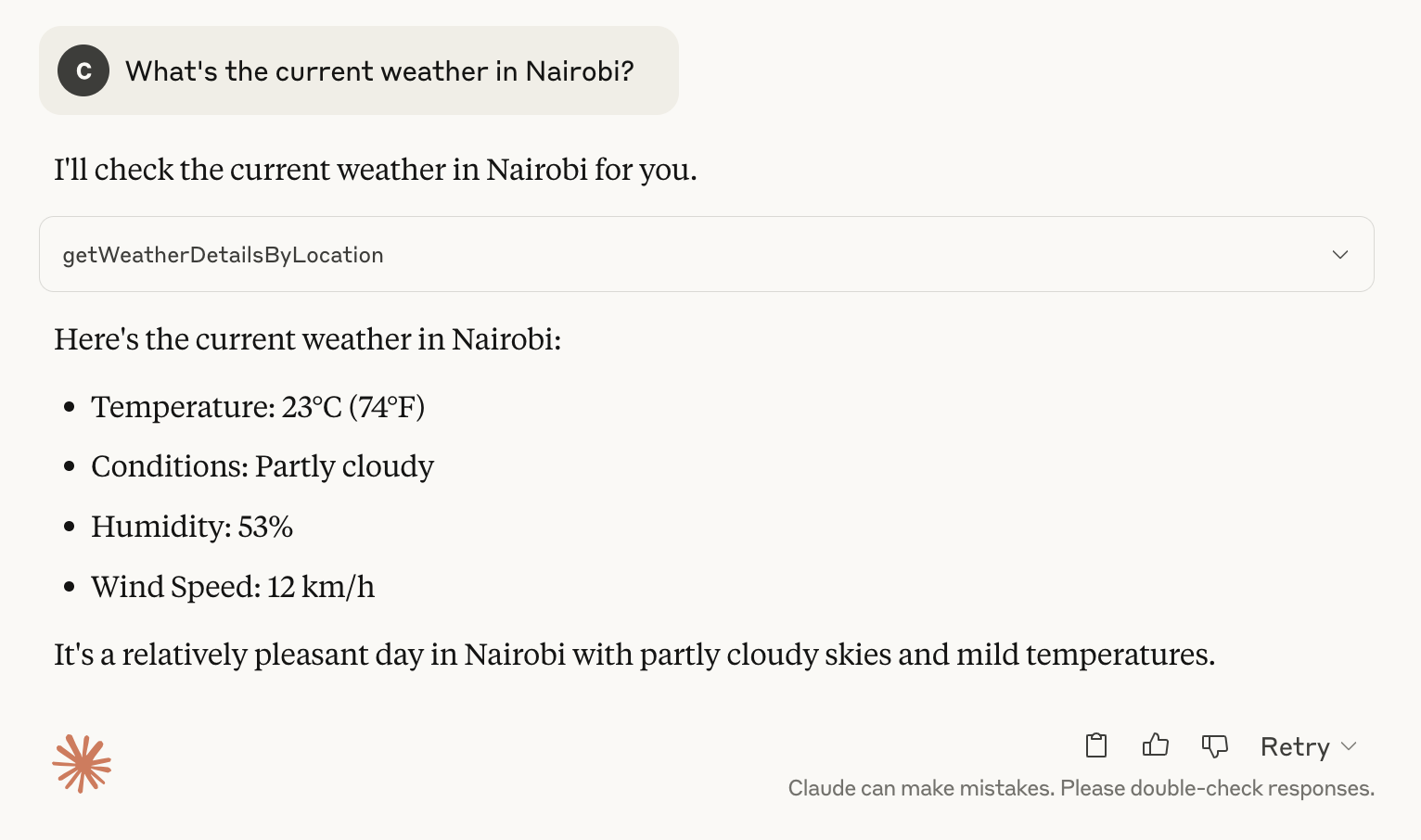
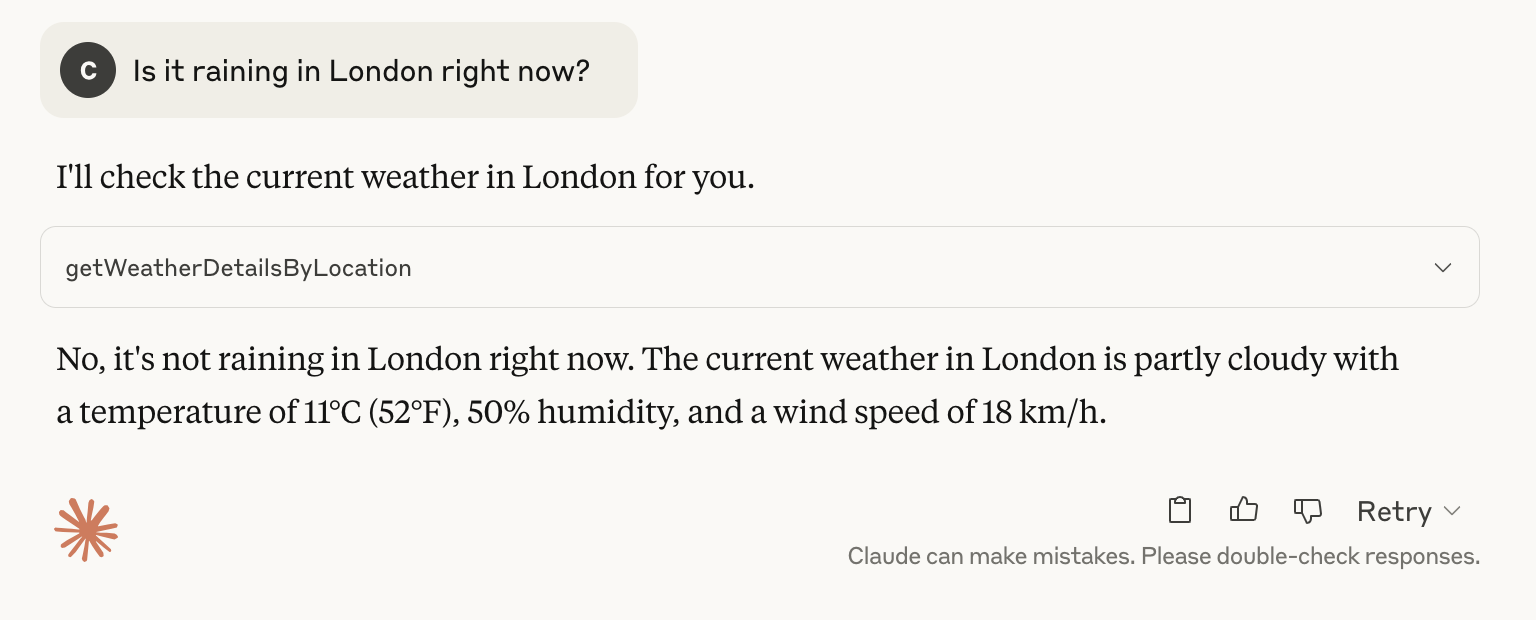
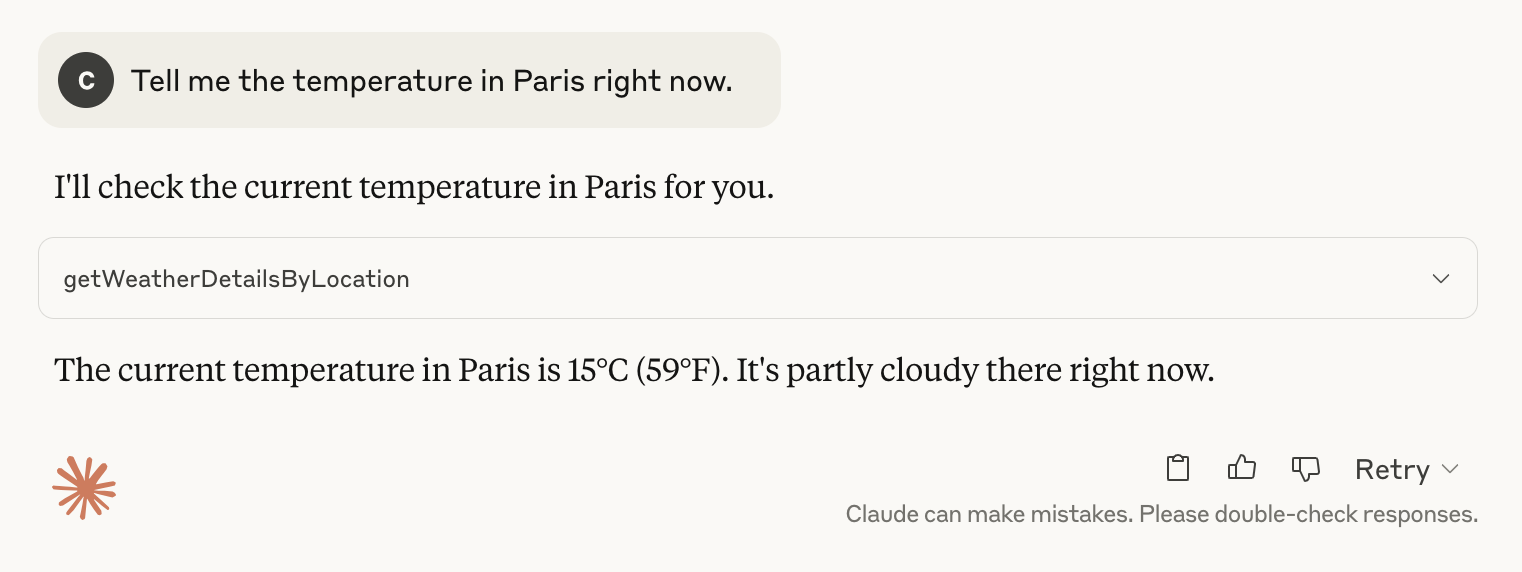
Once connected, you can ask Claude to use the weather tool:
<details>
<summary>1. "What's the current weather in Nairobi?"</summary>
</details>
<details>
<summary>2. "Is it raining in London right now?"</summary>
</details>
<details>
<summary>3. "Tell me the temperature in Paris right now."</summary>
</details>
Note: The prompts above were issued on _4th May 2025_.
How it works
This server implements the Model Context Protocol to provide a tool that fetches weather data from the wttr.in API. When Claude or another MCP client connects to this server, they can use the getWeatherDetailsByLocation tool to retrieve current weather conditions for any location.
Extending the server
You can extend this server by:
1. Adding more weather-related tools (forecasts, alerts, historical data, etc.)
2. Implementing other MCP capabilities like resources or prompts
3. Using a different weather API with more features (for example, wunderground)
License
This project is open source and available under the MIT License.
Further Resources
- Introducing the Model Context Protocol
- Model Context Protocol Specification
- MCP Server Boot Starter
Sign in to leave a review
Use Google, GitHub, or an email account so ratings stay tied to real people.
No reviews posted yet.




