
OpenWeather MCP Server
About
A simple weather forecast MCP (Model Control Protocol) server that provides global weather forecasts and current weather conditions by integrating with the OpenWeatherMap API.
Details
- Author
- Zippland
- GitHub stars
- 7
- Downloads
- 606
- Categories
- Media
Jump to
- No separate configuration file required; API key via environment variable or parameter.
- Query weather conditions anywhere in the world.
- Provides both current weather and future forecast.
- Detailed info: temperature, humidity, wind speed, etc.
- Supports different time zones via an offset parameter.

Setting up with Highlight
This MCP is not yet compatible with Highlight’s one-click setup. However, you can still use it with Highlight by following these steps:
- Download and install Highlight from highlightai.com/download
- Navigate to the plugins tab and select "Add Custom Plugin"
-
Configure the plugin with the settings below
Plugin Name
OpenWeather MCP ServerCommand (node, npx, python, etc.)Please refer to the README for specific instructions on how to obtain API keys or other required environment variables.
- Enable "Start Automatically" if you want the plugin to start when Highlight launches





From the repository
Install dependencies with pip install mcp-server requests pydantic, obtain a free API key from OpenWeatherMap, then run the server (python weather_mcp_server.py) providing the API key either as an environment variable (OPENWEATHER_API_KEY) or as a parameter when calling the tools. Add the server configuration to your MCP-enabled client.
Claude Desktop / Cursor
Paste into your MCP client config file to install this server.
{
    "mcpServers": {
        "openweather mcp server": {
            "weather-mcp": {
                "command": "python",
                "args": [
                    "weather_mcp_server.py"
                ]
            }
        }
    }
}McpServers
{
    "weather-mcp": {
        "command": "python",
        "args": [
            "weather_mcp_server.py"
        ]
    }
}
OpenWeather MCP Server
English | 中文版
A simple weather forecast MCP (Model Control Protocol) server providing global weather forecasts and current weather conditions.
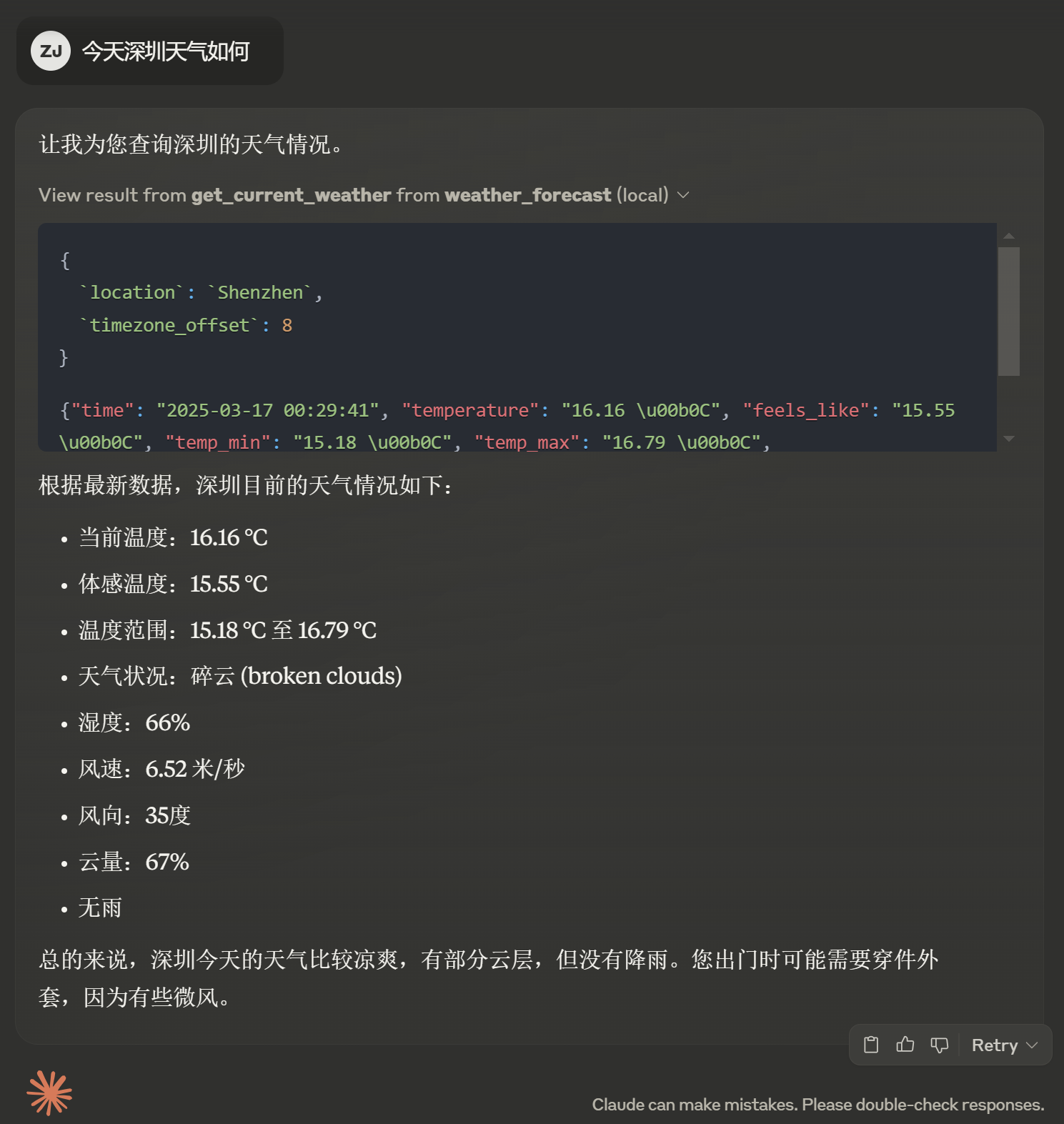
Screenshot of Claude Desktop using the MCP Weather Service
Features
- No separate configuration file needed; API key can be passed directly through environment variables or parameters
- Support for querying weather conditions anywhere in the world
- Provides current weather and future forecasts
- Detailed weather information including temperature, humidity, wind speed, etc.
- Support for different time zones
Installation Requirements
pip install mcp-server requests pydantic
Usage
1. Get an OpenWeatherMap API Key
Visit OpenWeatherMap and register an account to obtain an API key.
2. Run the Server
There are two ways to provide the API key:
Method 1: Using Environment Variables
```bash
Sign in to leave a review
Use Google, GitHub, or an email account so ratings stay tied to real people.
No reviews posted yet.




