
Weather Forecast MCP Server
About
weather-forecast-server, MCP server, without api key, free. Get weather for cities around the world. 免费天气预报MCP工具。
Details
- Author
- shibing624
- GitHub stars
- 4
- Downloads
- 369
- Categories
- Media
Jump to
- Get current weather for any location
- Get multi-day weather forecasts (up to 3 days)
- Support for Chinese/English and other language location names
- Easy integration with MCP client applications

Setting up with Highlight
This MCP is not yet compatible with Highlight’s one-click setup. However, you can still use it with Highlight by following these steps:
- Download and install Highlight from highlightai.com/download
- Navigate to the plugins tab and select "Add Custom Plugin"
-
Configure the plugin with the settings below
Plugin Name
Weather Forecast MCP ServerCommand (node, npx, python, etc.)Please refer to the README for specific instructions on how to obtain API keys or other required environment variables.
- Enable "Start Automatically" if you want the plugin to start when Highlight launches





From the repository
Install via pip (pip install weather-forecast-server) or from source. Run as a standalone server with stdio transport using uvx weather-forecast-server or python -m weather_forecast_server. Then use with any MCP client that supports stdio transport. The available tool is get_weather, which returns current weather conditions for a location (up to 3 days).
Claude Desktop / Cursor
Paste into your MCP client config file to install this server.
{
    "mcpServers": {
        "weather forecast mcp server": {
            "weather-forecast-server": {
                "command": "uv",
                "args": [
                    "pip",
                    "install",
                    "weather-forecast-server"
                ]
            }
        }
    }
}McpServers
{
    "weather-forecast-server": {
        "command": "uv",
        "args": [
            "pip",
            "install",
            "weather-forecast-server"
        ]
    }
}
Weather Forecast MCP Server
A Model Context Protocol (MCP) server for retrieving weather information using the wttr.in service.
Overview
This MCP server provides tools for accessing current weather conditions and forecasts for locations worldwide.
It can be easily integrated with MCP clients, including Claude and other LLM applications supporting the MCP protocol.
Features
- Get current weather for any location
- Get multi-day weather forecasts (up to 3 days)
- Support for both Chinsee/English and other language location names
- Easy integration with MCP client applications
Installation
From pip
You can install the MCP Weather Server usinguv:
uv pip install weather-forecast-server
Or using pip:
pip install weather-forecast-server
From source
git clone https://github.com/shibing624/mcp-server-weather.git
cd weather-forecast-server
pip install -e .
Usage
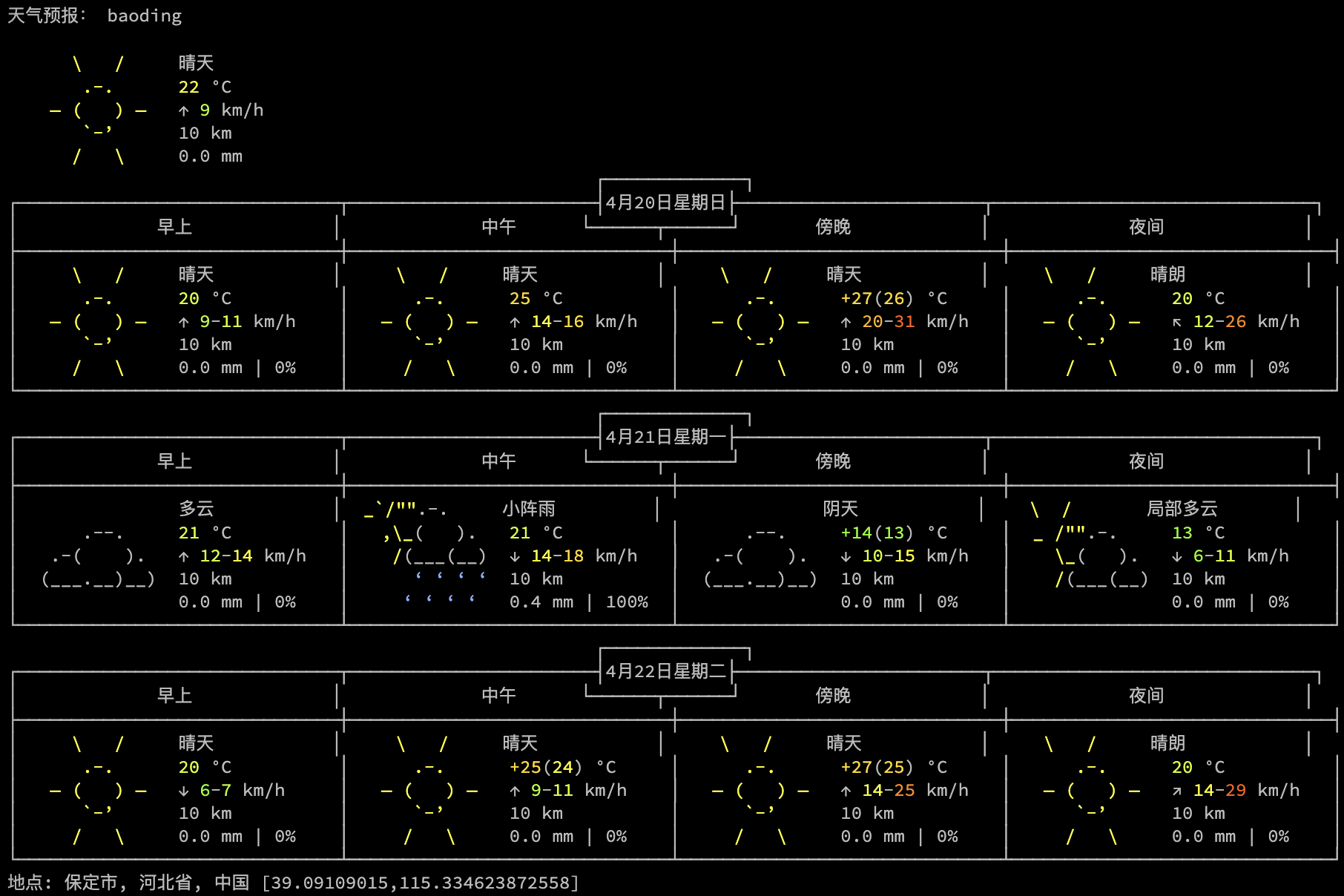
Python Demo
from weather_forecast_server import get_weather
print(get_weather('baoding')) # can be "baoding" or "保定"
Running as a standalone MCP server
Run the server with the stdio transport:
uvx weather-forecast-server
or
uv run weather-forecast-server
or
python -m weather_forecast_server
Then, you can use the server with any MCP client that supports stdio transport.
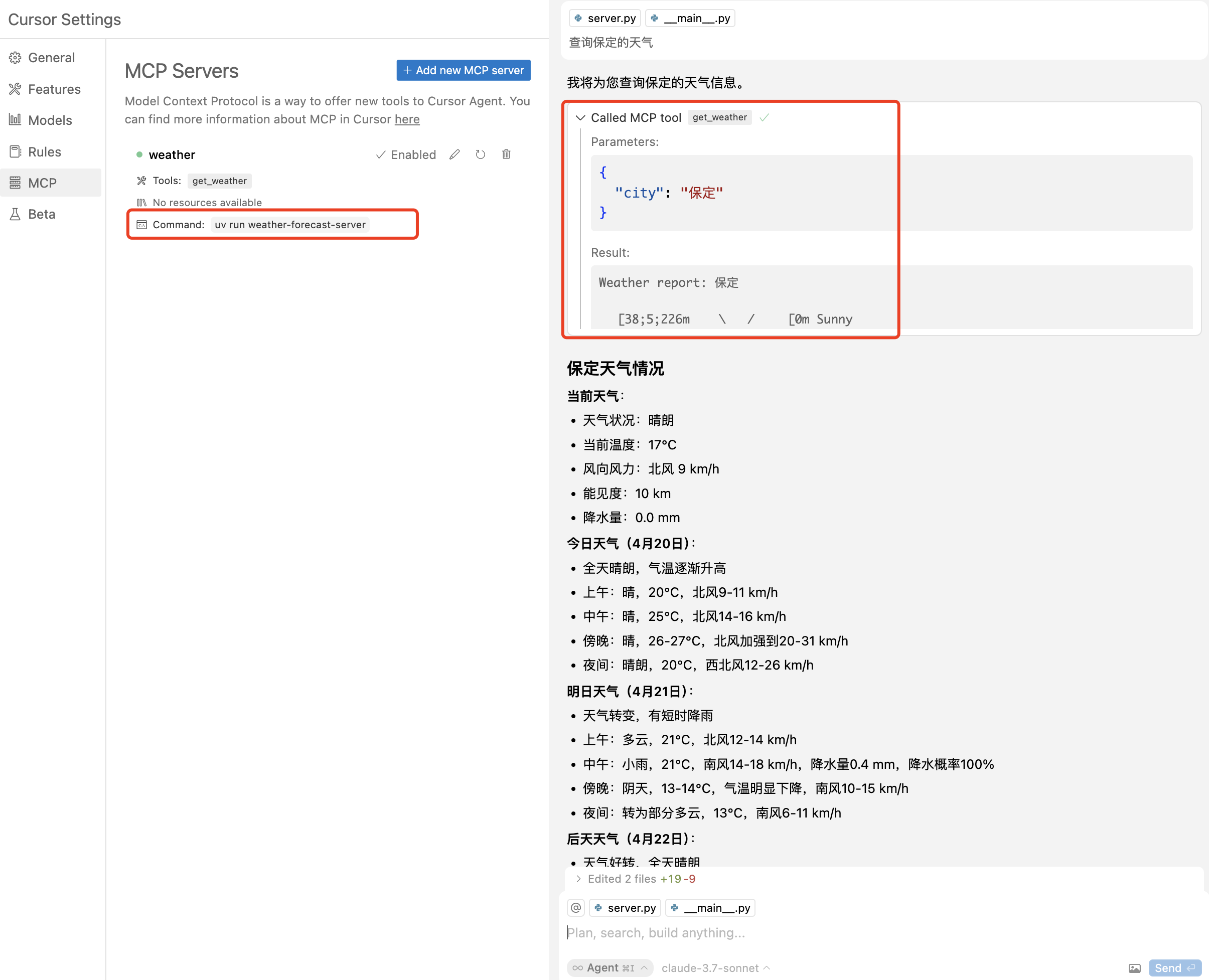
Integrating with Cursor
To add the weather MCP server to Cursor, add stdio MCP with command:
uv run weather-forecast-server
Tools available
- get_weather - Get current weather conditions for a location (up to 3 days)
Contact
- Issues and suggestions: 
- Email: xuming624@qq.com
- WeChat: Add me (WeChat ID: xuming624) with the message: "Name-Company-NLP" to join our NLP discussion group.

License
This project is licensed under The Apache License 2.0 and can be used freely for commercial purposes.
Please include a link to the weather-forecast-server project and the license in your product description.
Contribute
We welcome contributions to improve this project! Before submitting a pull request, please:
1. Add appropriate unit tests in the tests directory
2. Run python -m pytest to ensure all tests pass
3. Submit your PR with clear descriptions of the changes
Acknowledgements
- Weather data provided by wttr.in
- Built with MCP Python SDK
Sign in to leave a review
Use Google, GitHub, or an email account so ratings stay tied to real people.
No reviews posted yet.




