
Temporal Durable Mcp Weather Sample
About
The purpose of this repo is to demonstrate how easy it is to leverage workflows as tools for MCP servers by taking modelcontext.io's weather example and making it durable by implementing the MCP tools as Temporal workflows
Details
- Author
- Aslan11
- GitHub stars
- 10
- Downloads
- 353
- Categories
- Media
Jump to

Setting up with Highlight
This MCP is not yet compatible with Highlight’s one-click setup. However, you can still use it with Highlight by following these steps:
- Download and install Highlight from highlightai.com/download
- Navigate to the plugins tab and select "Add Custom Plugin"
-
Configure the plugin with the settings below
Plugin Name
Temporal Durable Mcp Weather SampleCommand (node, npx, python, etc.)Please refer to the README for specific instructions on how to obtain API keys or other required environment variables.
- Enable "Start Automatically" if you want the plugin to start when Highlight launches





From the repository
Clone the repo, create a virtual environment with
Claude Desktop / Cursor
Paste into your MCP client config file to install this server.
{
    "mcpServers": {
        "temporal durable mcp weather sample": {
            "weather": {
                "command": "uv",
                "args": [
                    "--directory",
                    "/ABSOLUTE/PATH/TO/PARENT/FOLDER/temporal-durable-mcp-weather-sample",
                    "run",
                    "weather.py"
                ]
            }
        }
    }
}McpServers
{
    "weather": {
        "command": "uv",
        "args": [
            "--directory",
            "/ABSOLUTE/PATH/TO/PARENT/FOLDER/temporal-durable-mcp-weather-sample",
            "run",
            "weather.py"
        ]
    }
}
Temporal & Durable MCP
The purpose of this repo is to demonstrate how easy it is to leverage workflows as tools for MCP servers by taking modelcontext.io's weather example and making it durable by implementing the MCP tools as Temporal workflows
---
Prerequisites:
- Python3+
- uv (curl -LsSf https://astral.sh/uv/install.sh | sh)
- Temporal Local Setup Guide
- Claude for Desktop
---
Getting Started
1. First step - clone me
2. cd temporal-durable-mcp-weather-sample
3. uv venv (create virtual env)
4. source .venv/bin/activate
5. uv pip install pyproject.toml
6. Start Temporal Server: temporal server start-dev
7. Start Worker: python worker.py
8. Edit your Claude for Desktop Config:
- Open Claude for Desktop
- Click Settings in the toolbar
- Click Developer
- Click Edit Config (this should open up a finder window that points to a file called claude_desktop_config.json)
- Open the file mentioned above in your editor of choice and modify it to look like the following
-
       {

         "mcpServers": {

           "weather": {

             "command": "uv",

             "args": [

               "--directory",

               "/ABSOLUTE/PATH/TO/PARENT/FOLDER/temporal-durable-mcp-weather-sample",

               "run",

               "weather.py"

             ]

           }

         }

       }
- Validate that the tools exposed by the server (
get_alerts, get_forecast) show up in Search and Tools by clicking the slider icon in the chat box of Claude for Desktop9. Ask Claude for any weather alerts and the forecast for a particular city - it should leverage the tools. If it doesn't, try prompting it again encouraging it to use MCP tools that it has access to.
Results
Here we can see Claude is using the tools intelligently to look for weather alerts while getting me weather information: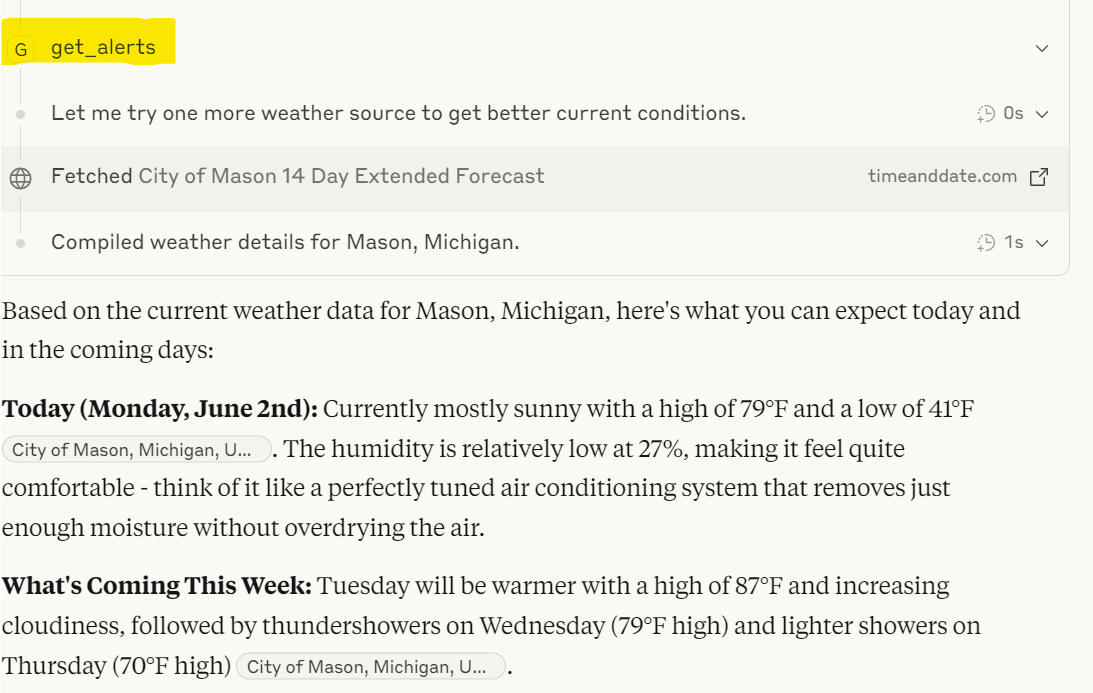
What's Cool About This
This demonstrates how tools in MCP can be implemented as workflows, adding durability. Per Claude: > Traditional MCP tool implementations are like having a single phone conversation - if the line cuts out at any point, you lose everything and have to start over from scratch. When an AI agent is performing complex, multi-step operations (like processing a large dataset, coordinating multiple API calls, or handling a lengthy business process), a single failure anywhere in the chain means complete failure.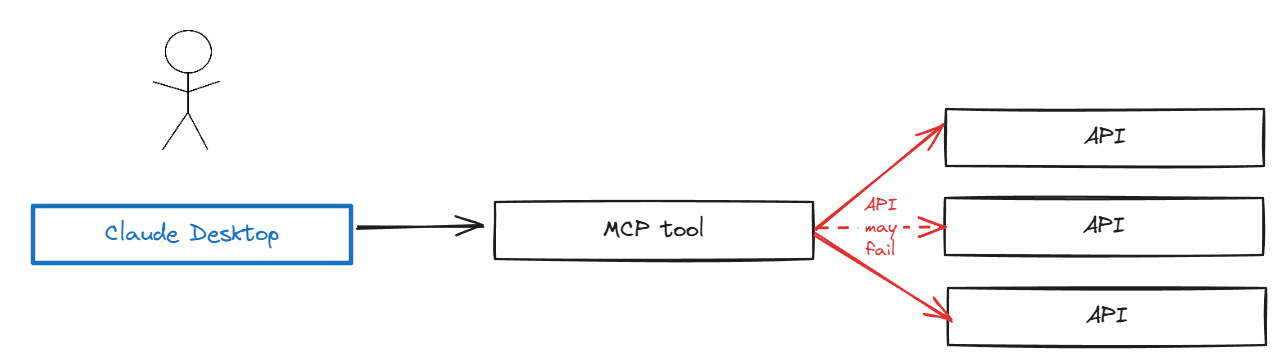
>Temporal workflows act like a detailed journal that remembers exactly where you left off. Think of it as having a conversation with someone who takes meticulous notes - even if you both get interrupted and come back hours later, you can pick up exactly where you left off without missing a beat.
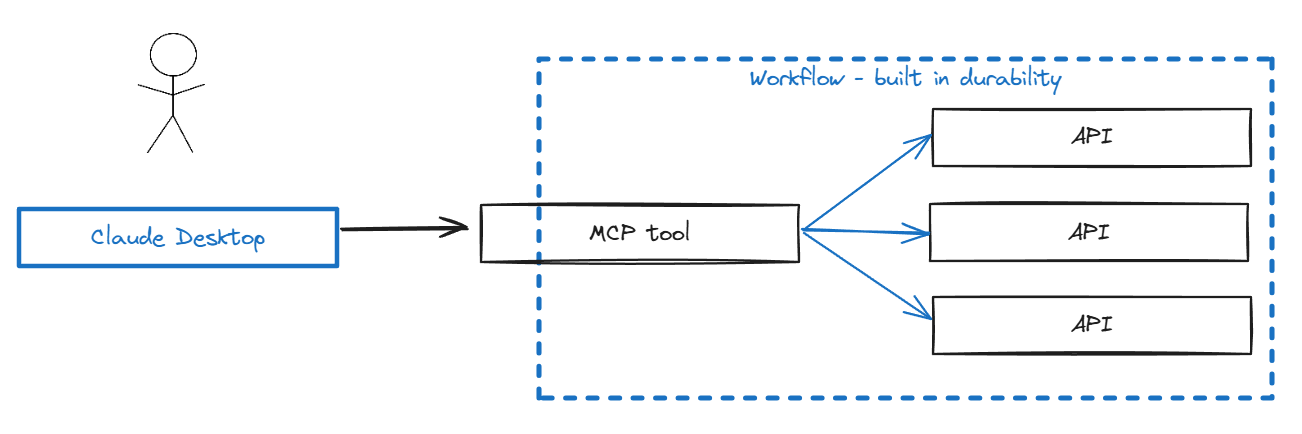
This demonstrates what we're calling "tools as workflows" - a tool is implemented as a Temporal Workflow, with the benefits of durability, state management, and retries built in.
Sign in to leave a review
Use Google, GitHub, or an email account so ratings stay tied to real people.
No reviews posted yet.




