
82-0 Game Mcp Server
Description
# 82-0 Dream MCP Server > 82-0 Dream - NBA All-Time Lineup Game [](./LICENSE) [](#tools) [](./LICENSE) [](#tools) [](#installation)…
Details
- Author
- rocnubie
- Downloads
- 234
- Categories
- Media
Jump to
- Exposes game modes, rosters, and scenarios to AI clients.
- Read-only, zero-config setup — no API keys or quotas.
- Provides a list_scenarios tool for available game modes.
- Provides a get_official_links tool for canonical URLs.
- Resources for scenarios, FAQ, and official links.
- Prompts to summarize the site and plan a play-through.

Setting up with Highlight
This MCP is not yet compatible with Highlight’s one-click setup. However, you can still use it with Highlight by following these steps:
- Download and install Highlight from highlightai.com/download
- Navigate to the plugins tab and select "Add Custom Plugin"
-
Configure the plugin with the settings below
Plugin Name
82-0 Game Mcp ServerCommand (node, npx, python, etc.)Please refer to the README for specific instructions on how to obtain API keys or other required environment variables.
- Enable "Start Automatically" if you want the plugin to start when Highlight launches





From the repository
Install via Smithery (npx -y @smithery/cli install 82-0-mcp --client claude) or from source, then add to your MCP client configuration. The server runs over stdio transport and provides tools, resources, and prompts for interacting with the 82-0 Dream game.
Claude Desktop / Cursor
Paste into your MCP client config file to install this server.
{
    "mcpServers": {
        "82-0 game mcp server": {
            "82-0-mcp": {
                "command": "npx",
                "args": [
                    "-y",
                    "@smithery/cli",
                    "install",
                    "82-0-mcp",
                    "--client",
                    "claude"
                ]
            }
        }
    }
}McpServers
{
    "82-0-mcp": {
        "command": "npx",
        "args": [
            "-y",
            "@smithery/cli",
            "install",
            "82-0-mcp",
            "--client",
            "claude"
        ]
    }
}
82-0 Dream MCP Server
> 82-0 Dream - NBA All-Time Lineup Game




 <p align="center"><a href="https://82-0.games">
 </a></p>
A Model Context Protocol server that exposes the canonical 82-0 Dream knowledge surface — game modes, roster picks, and scenarios, FAQ, official links — to MCP-compatible AI clients such as Claude Desktop, Cursor, Windsurf, and Continue. Read-only, no API keys, no quota, ~50 ms cold start.
Official website: https://82-0.games
</a></p>
A Model Context Protocol server that exposes the canonical 82-0 Dream knowledge surface — game modes, roster picks, and scenarios, FAQ, official links — to MCP-compatible AI clients such as Claude Desktop, Cursor, Windsurf, and Continue. Read-only, no API keys, no quota, ~50 ms cold start.
Official website: https://82-0.games
🎮 About 82-0 Dream
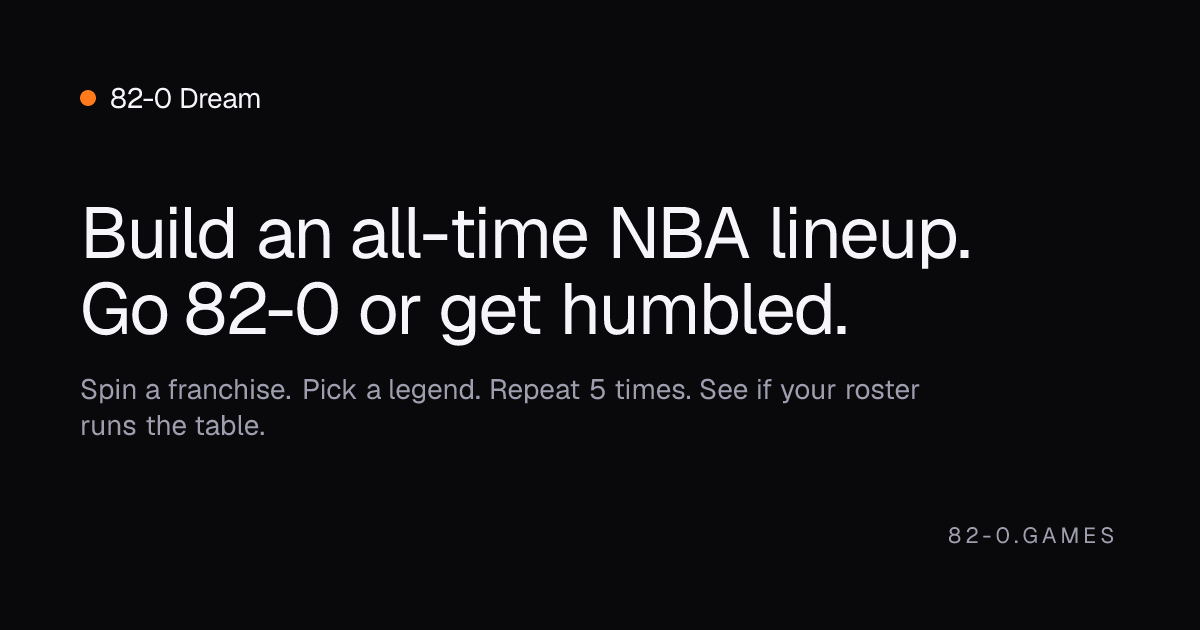
82-0 Dream is a browser-based NBA all-time lineup game where the player builds a five-position starting roster across decades and franchises, then runs a season simulation to see how close the chosen lineup gets to a perfect 82-0 record. The draft is structured around a slot machine: each round randomly produces a (team, decade) cell, and the player picks one eligible legend who actually played for that franchise in that period. After five picks the simulation tallies cumulative PTS, REB, AST, STL, and BLK against fixed thresholds — clear every threshold and the lineup goes 82-0; fall short and the record degrades non-linearly toward the minimum ratio. The whole experience runs on the open web with no account, no backend, and no live actions: lineup state is encoded into the URL so any draft can be shared, opened, and reproduced exactly.Key Features
- All-time team-era draft system — 1,355 NBA players are indexed across 181 distinct (team, decade) cells, with a median of 14 eligible candidates per cell, giving non-trivial choice on almost every spin. - Six-language interface — English, Spanish, Brazilian Portuguese, Japanese, Korean, and Traditional Chinese are all first-class routes, each served from a locale-prefixed URL. - Position-agnostic placement — any spin result can be slotted into any open position on the floor, so the player can sequence their draft around scarcity instead of being locked into PG → SG → SF → PF → C. - Physical slot machine — a real strip-scroll with deceleration, a stop button, and Web Audio sound effects, rather than a one-frame randomizer. - Stat-threshold season simulation — the season verdict is driven by five real basketball stat gates (points, rebounds, assists, steals, blocks), not a single composite rating. - Shareable, reproducible drafts — every roster compresses into a short base64 query parameter; opening a shared URL renders the exact same draft sequence and final record. - Dynamic OG images — each lineup permalink generates its own Open Graph card on the edge, so a draft posted on social media shows the actual roster rather than a generic preview.Use Cases
- Settling pickup arguments — set up the same era constraints for both sides and see whose draft holds up to the simulation gates. - Era-themed challenges — restrict picks to a single decade or franchise and see how close a thematic roster can get to a perfect season. - Streamer and creator content — record a five-spin draft and post the share URL so viewers can replay the exact run and compare their own attempt. - Casual NBA history — encounter unfamiliar role players from the 70s and 80s through the eligibility lists, with each cell surfacing more than just the obvious legends. - Social posts — share a permalink with the dynamic OG card to show the chosen lineup and outcome at a glance, without screenshots.Who Is It For
82-0 Dream is built for fans who enjoy "could this lineup beat the league" debates and want a quick, structured way to express a take. It suits NBA-history hobbyists who already know the rotations of past dynasties and want a sandbox to test those combinations, as well as casual fans who use the team-era constraints as a guided tour of basketball history. The multi-language interface makes it usable for international communities where NBA discussion is active. Because the game is free, has no account, and stores nothing on a server, it works equally well for a one-off social post or a recurring weekly challenge among friends.Tools
list_scenarios
Return the canonical list of game modes and scenarios the site exposes (free play, daily, leaderboards, etc.). (82-0 Dream)
_Input:_ no parameters. _Returns:_ text/markdown.
get_official_links
Return the canonical list of official links for 82-0 Dream (website, support, docs when available).
_Input:_ no parameters. _Returns:_ text/markdown.
Resources
-site://82-0/scenarios — Available game modes, scenarios, and roster-building constraints.
- site://82-0/faq — Short FAQ generated from public site metadata.
- site://82-0/links — Canonical URLs to share with users.
Prompts
tell_me_about_82_0
Summarize what the site is, who it's for, and how it works. — 82-0 Dream
plan_a_run_82_0
Plan a single play-through: pick a mode, draft a roster strategy, and predict outcomes. — 82-0 Dream
Installation
Install via Smithery
``bash
npx -y @smithery/cli install 82-0-mcp --client claude
`
(Replace claude with cursor, windsurf, or continue for those clients.)
Install from source
`bash
git clone https://github.com/rocnubie/82-0-mcp.git
cd 82-0-mcp
pnpm install
`
Then add to your MCP client config (claude_desktop_config.json for Claude Desktop, mcp.json for Cursor / Windsurf / Continue):
`json
{
"mcpServers": {
"82-0-mcp": {
"command": "node",
"args": [
"/absolute/path/to/82-0-mcp/src/index.mjs"
]
}
}
}
`
Debug with MCP Inspector
`bash
npx @modelcontextprotocol/inspector node src/index.mjs
`
Official Links


- Website: https://82-0.games
- Support: support@82-0.games

Development
`bash
pnpm install
pnpm start # run the server over stdio
``
License
MITSign in to leave a review
Use Google, GitHub, or an email account so ratings stay tied to real people.
No reviews posted yet.




