
🍠 YAMCP - A Model Context Workspace Manager
About
Organize your MCP servers in local workspaces, share them as Yet-Another-MCP through a single command
Details
- Author
- hamidra
- GitHub stars
- 66
- Downloads
- 345
- Categories
- Other
Jump to
- Organize MCP servers into named workspaces
- Connect multiple AI apps via a single gateway
- Centralized communication logging for debugging
- Command-line interface for servers and workspaces
- Optional web UI for visual management
- Supports both stdio (local) and SSE (remote) servers

Setting up with Highlight
This MCP is not yet compatible with Highlight’s one-click setup. However, you can still use it with Highlight by following these steps:
- Download and install Highlight from highlightai.com/download
- Navigate to the plugins tab and select "Add Custom Plugin"
-
Configure the plugin with the settings below
Plugin Name
🍠 YAMCP - A Model Context Workspace ManagerCommand (node, npx, python, etc.)Please refer to the README for specific instructions on how to obtain API keys or other required environment variables.
- Enable "Start Automatically" if you want the plugin to start when Highlight launches





From the repository
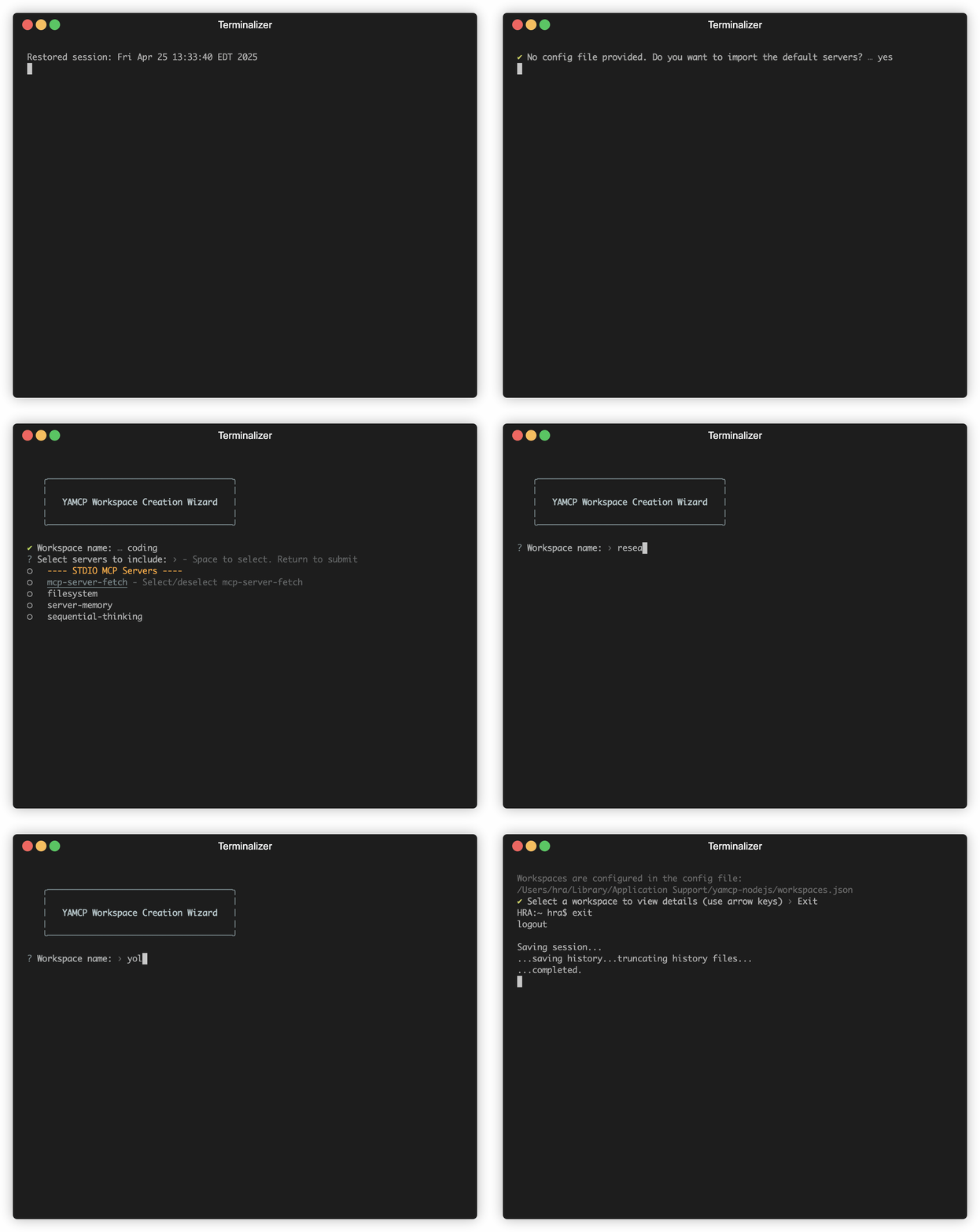
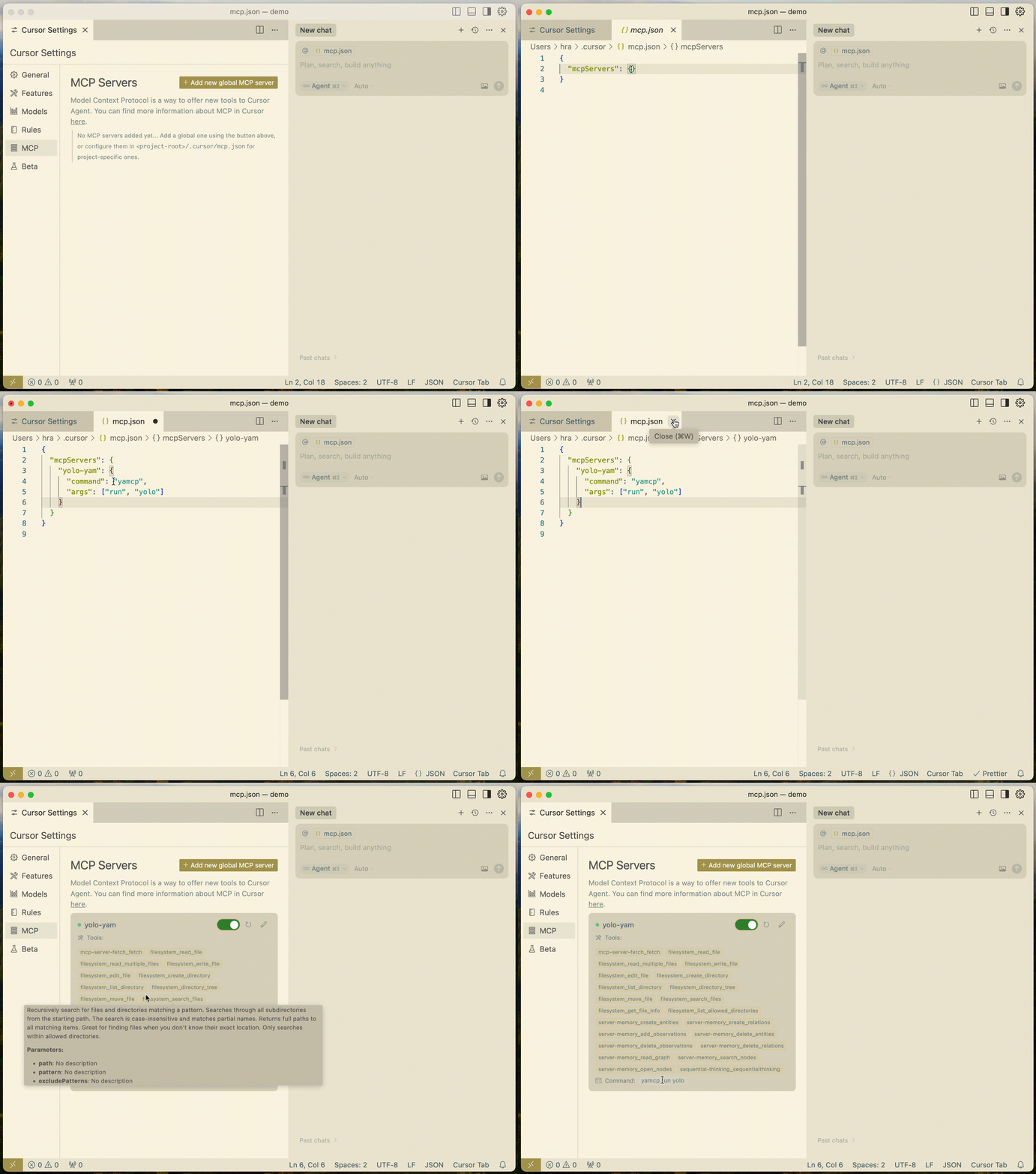
Install globally via npm install -g yamcp (or use npx yamcp). Import or add servers with yamcp server import [config] or yamcp server add, then create a workspace with yamcp yam create. Finally run the gateway for an AI app using yamcp run <workspace-name>.
Claude Desktop / Cursor
Paste into your MCP client config file to install this server.
{
    "mcpServers": {
        "\ud83c\udf60 yamcp - a model context workspace manager": {
            "yamcp": {
                "command": "npx",
                "args": [
                    "yamcp-ui"
                ]
            }
        }
    }
}McpServers
{
    "yamcp": {
        "command": "npx",
        "args": [
            "yamcp-ui"
        ]
    }
}
🍠 YAMCP - A Model Context Workspace Manager
YAMCP (YAM-C-P) is a command-line tool for organizing and managing MCP servers as local workspaces. It seamlessly connects to multiple MCP servers, local or remote, grouping them into a unified workspace exposed as Yet Another MCP server (YAM) for AI applications. You can create dedicated workspaces based on specific functionality (e.g., a YAM workspace for coding, design, research, ...) or based on the AI apps that consume servers (e.g., a YAM for Cursor, Claude, Windsurf) or any other combination in between. In addition, it simplifies monitoring and debugging MCP servers by centralizing all server communication logs in a single store, eliminating the need to dig through each AI client app’s logs separately.
Import and Create Workspaces
<div align="center">
</div>
Connect All Bundled Servers in a Workspace to Your AI Apps with One Config
<div align="center">
</div>
🚀 Quick Start
```bash
Sign in to leave a review
Use Google, GitHub, or an email account so ratings stay tied to real people.
No reviews posted yet.





