
Xperience Community MCP Server
About
ASP.NET Core MCP server for Xperience by Kentico projects
Details
- Author
- seangwright
- GitHub stars
- 11
- Downloads
- 151
- Categories
- Other
Jump to
- Exposes documented tools to AI agents in VS Code
- Installed as a NuGet package for Xperience by Kentico
- Uses HTTP streaming transport (requires VS Code v1.100+)
- Works with Xperience by Kentico versions >= 30.4.1
- Provides structured context about project content types
- Integrates with GitHub Copilot agent mode
Install the NuGet package, add services and middleware in Program.cs, start the application, and configure the server in VS Code’s MCP settings using an HTTP streaming endpoint (e.g., http://localhost:<port>/xperience-mcp). Then use the exposed tools in GitHub Copilot agent mode.
Xperience Community MCP Server


Description
> [!WARNING]
> This package has been deprecated. Use the following native Xperience by Kentico AI capabilities instead:
>
> - Content type management API + MCP server
> - Documentation MCP server
> - Content Modeling MCP Server
An MCP Server built with the .NET MCP Server SDK tailored for Xperience by Kentico projects and installed as a NuGet package.
Why use this library? By exposing a discrete set of documented tools to an AI agent in an Xperience by Kentico project, that agent has more well structured context and capabilities. This means it can be a better copilot to developers building features for marketers using Xperience by Kentico.
For a more detailed explanation of this project, read the blog post _Turn your Xperience by Kentico application into an MCP Server_.
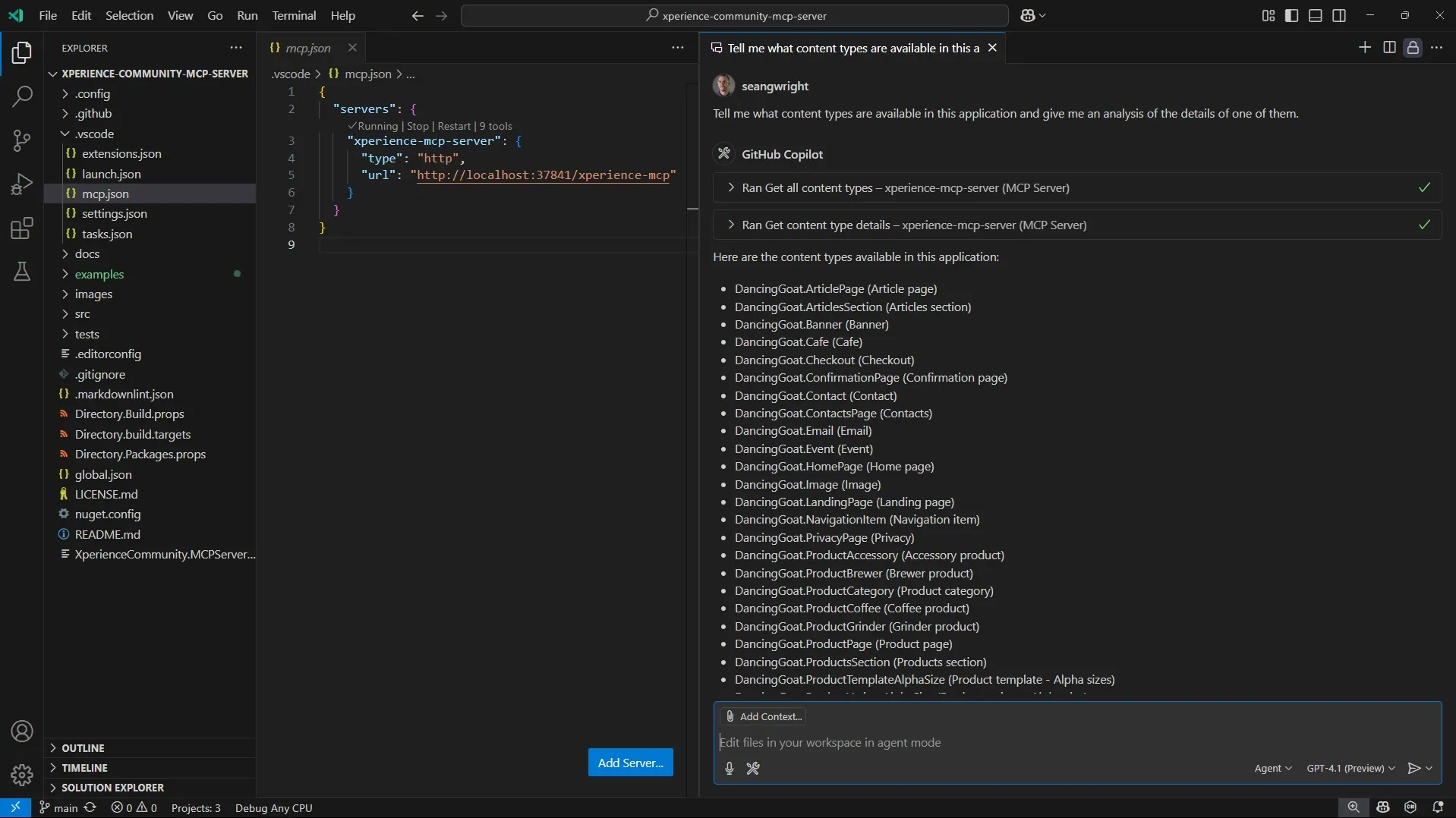
Screenshots
<a href="https://raw.githubusercontent.com/seangwright/xperience-community-mcp-server/main/images/mcp-server-vs-code-xperience-dancing-goat.png">
</a>
Requirements
Library Version Matrix
| Xperience Version | Library Version |
| ----------------- | --------------- |
| >= 30.6.1 | 2.0.x |
| >= 30.4.1 | 1.0.0 |
Dependencies
- ASP.NET Core 8.0
- Xperience by Kentico
Other requirements
- The latest April 2025 release of VS Code (v1.100) or newer, which supports MCP Servers using HTTP streaming.
Package Installation
Add the package to your application using the .NET CLI
dotnet add package XperienceCommunity.MCPServer
Quick Start
1. Once the package is installed, update your Xperience by Kentico application Program.cs
   // Program.cs
// ...
// Adds the MCP dependencies

   if (builder.Environment.IsDevelopment())

   {

       builder.Services.AddXperienceMCPServer();

   }
// ...
// Adds the MCP endpoint

   if (builder.Environment.IsDevelopment())

   {

       app.UseXperienceMCPServer();

   }
app.Kentico().MapRoutes();
// ...
1. Start your Xperience by Kentico application.
1. Set up your MCP Server configuration VS Code
   {
     "servers": {
       "xperience-mcp-server": {
         "type": "http",
         "url": "http://localhost:<your-port-here>/xperience-mcp"
       }
     }
   }
You can use the .vscode/mcp.json configuration as an example. The scheme, domain, and port come from the examples/DancingGoat/Properties/launchSettings.json file since the DancingGoat Xperience by Kentico application also runs the MCP Server. The default MCP Server path prefix is /xperience-mcp.
You can use the VS Code command palette to manage and start your MCP Server or you can click the "Start" action above your server configuration in mcp.json.
Note: VS Code's MCP client does not yet support self-signed certificates, so you will need to add an http:// binding in your ASP.NET Core launchSettings.json file if you have been using https:// and dev-certs for your Xperience application. This binding can be any unused localhost port. Ex: http://localhost:34543. After you add the binding, update your mcp.json to use the http:// URL.
1. Use the tools exposed by the Xperience Community MCP Server in agent mode in VS Code with a prompt in GitHub Copilot chat.
Tell me about some of the web page content types in this project and a summary of their structure and relationships. For example, let me know if some of these web page content types have references to content items of other types as part of their field definition.
Full Instructions
View the Usage Guide for more detailed instructions and examples.
Contributing
To see the guidelines for Contributing to Kentico open source software, please see Kentico's CONTRIBUTING.md for more information and follow the Kentico's CODE_OF_CONDUCT.
Instructions and technical details for contributing to this project can be found in Contributing Setup.
License
Distributed under the MIT License. See LICENSE.md for more information.
Security
For any security issues see SECURITY.md.
Sign in to leave a review
Use Google, GitHub, or an email account so ratings stay tied to real people.
No reviews posted yet.





