
Vizro MCP
About
MCP server to help with chat and dashboard creation.
Details
- Author
- mckinsey
- Downloads
- 206
- Categories
- Other, Design
Jump to
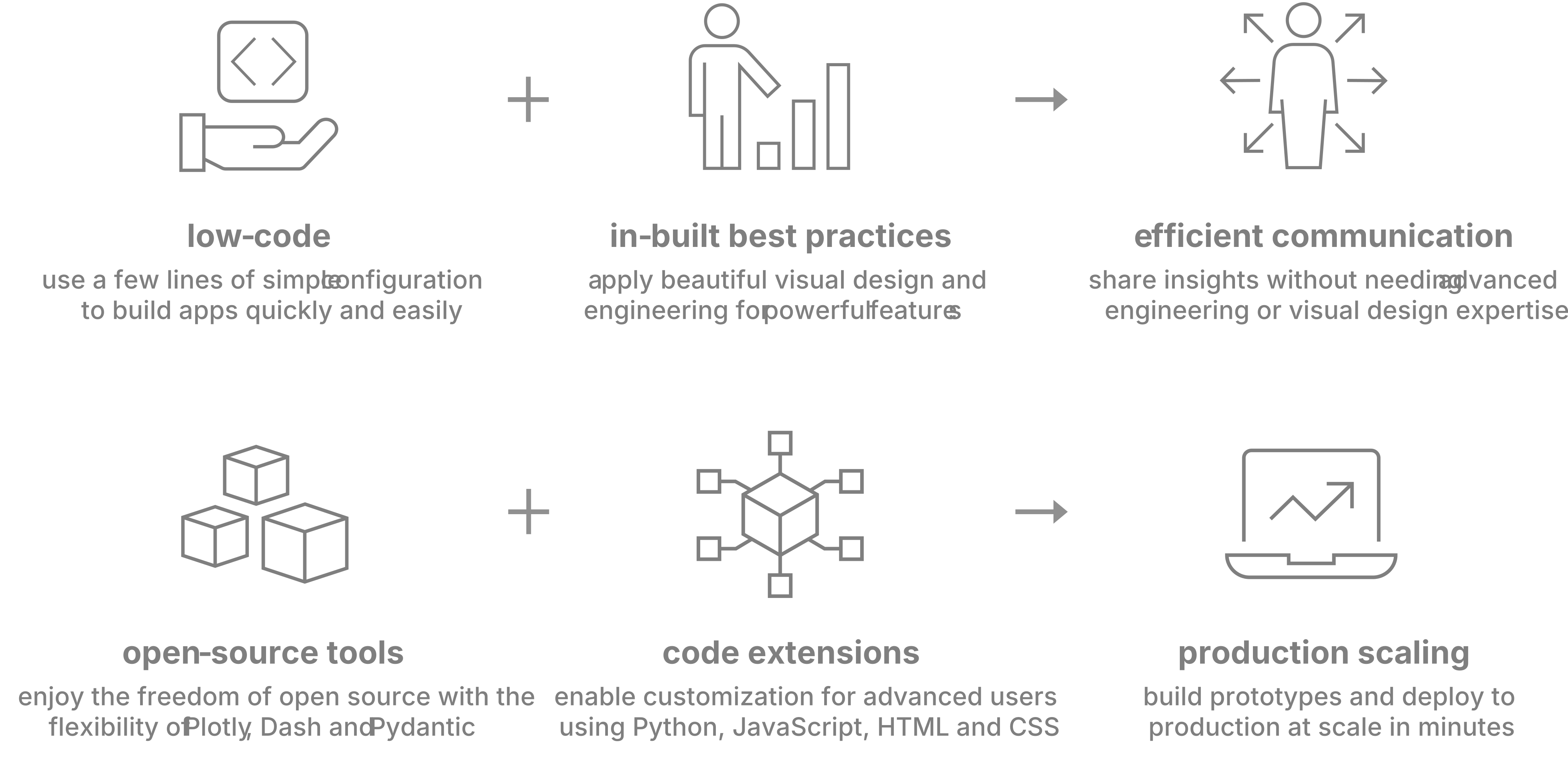
- Build beautiful multi-page apps with low-code configuration.
- In-built visual design best practices.
- Powered by trusted open-source packages: Plotly, Dash, Pydantic.
- Extendable with Python, JavaScript, HTML, and CSS code.
- Rapid prototyping to production deployment.
- Includes Vizro-AI for generating charts/dashboards via LLMs.

Setting up with Highlight
This MCP is not yet compatible with Highlight’s one-click setup. However, you can still use it with Highlight by following these steps:
- Download and install Highlight from highlightai.com/download
- Navigate to the plugins tab and select "Add Custom Plugin"
-
Configure the plugin with the settings below
Plugin Name
Vizro MCPCommand (node, npx, python, etc.)Please refer to the README for specific instructions on how to obtain API keys or other required environment variables.
- Enable "Start Automatically" if you want the plugin to start when Highlight launches





From the repository
Install the package with pip install vizro, then configure dashboards using a few lines of simple low-code configuration (via Pydantic models, JSON, YAML, or Python dictionaries). See the get started documentation for creating your first dashboard.
Claude Desktop / Cursor
Paste into your MCP client config file to install this server.
{
    "mcpServers": {
        "vizro mcp": {
            "vizro-mcp": {
                "command": "uvx",
                "args": [
                    "vizro-mcp"
                ]
            }
        }
    }
}McpServers
{
    "vizro-mcp": {
        "command": "uvx",
        "args": [
            "vizro-mcp"
        ]
    }
}
What is Vizro?
Vizro is an open-source Python-based toolkit.
Use it to build beautiful and powerful data visualization apps quickly and easily, without needing advanced engineering or visual design expertise.
Then customize and deploy your app to production at scale.
<div align="center">
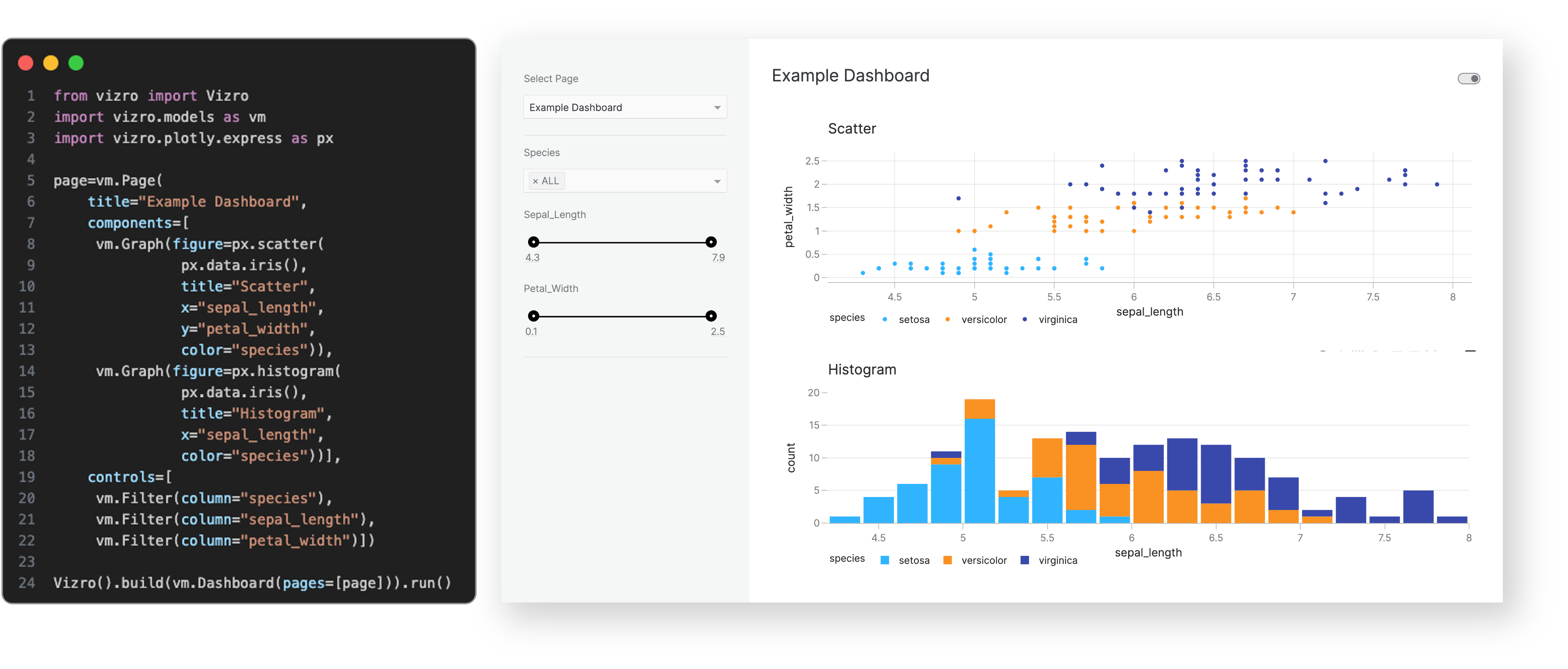
Use a few lines of simple low-code configuration, with in-built visual design best practices, to assemble high-quality
multi-page prototypes.
</div>
<br>
The benefits of the Vizro toolkit include:
<div align="center">
</div>
<br>
Visit our "How-to guides" for a more detailed explanation of Vizro features.
Sign in to leave a review
Use Google, GitHub, or an email account so ratings stay tied to real people.
No reviews posted yet.





