
Undesirables Mcp Server
About
Zero-trust, local-first FastMCP core for The Undesirables. 35+ offline AI agent tools: TCG card grading, conformal risk forecasts (Safe-Hold/Momentum grades), on-chain soul personalities, x402-payable oracle, TTS + 3D forging. No telemetry. BSL 1.1.
Details
- Author
- sailorpepe
- GitHub stars
- 1
- Downloads
- 347
- Categories
- Other, AI
Jump to
- 35+ local compute tools for AI agents
- Zero cloud dependency; all processing runs locally
- NFT soul integration for personalized agent behavior
- Free conformal 30-day price forecast tool
- On-chain purchase bridge via EVM transaction payload
- Verified on Glama.ai with 3.8/5 quality score

Setting up with Highlight
This MCP is not yet compatible with Highlight’s one-click setup. However, you can still use it with Highlight by following these steps:
- Download and install Highlight from highlightai.com/download
- Navigate to the plugins tab and select "Add Custom Plugin"
-
Configure the plugin with the settings below
Plugin Name
Undesirables Mcp ServerCommand (node, npx, python, etc.)Please refer to the README for specific instructions on how to obtain API keys or other required environment variables.
- Enable "Start Automatically" if you want the plugin to start when Highlight launches





From the repository
Install via pip install undesirables-mcp-server or clone the repository and set up a virtual environment. Boot the server with python server.py --workspace "/path/to/soul_folder" (requires Ollama running and Python 3.10+). Connect to a chat front-end by configuring an MCP client (e.g., Claude Desktop) with the server command and workspace path.
Claude Desktop / Cursor
Paste into your MCP client config file to install this server.
{
    "mcpServers": {
        "undesirables mcp server": {
            "undesirables": {
                "command": "python3",
                "args": [
                    "-m",
                    "server"
                ],
                "env": []
            }
        }
    }
}McpServers
{
    "undesirables": {
        "command": "python3",
        "args": [
            "-m",
            "server"
        ],
        "env": []
    }
}
<!-- mcp-name: io.github.sailorpepe/undesirables-mcp-server -->
<div align="center">




35+ local compute tools for AI agents — zero cloud dependency
</div>
<div align="center">
</div>
---
Quick Install
pip install undesirables-mcp-server
> Turn any Undesirable NFT into an MCP-compatible AI agent with 35+ local compute tools.
---
Table of Contents
- What It Does
- What's New in v1.1.8
- Prerequisites
- Full Setup
- Boot The Server
- Connect Your Chat Front-End
- Local Image Generation
- Troubleshooting
- Technical Architecture
- Agent Framework Integration
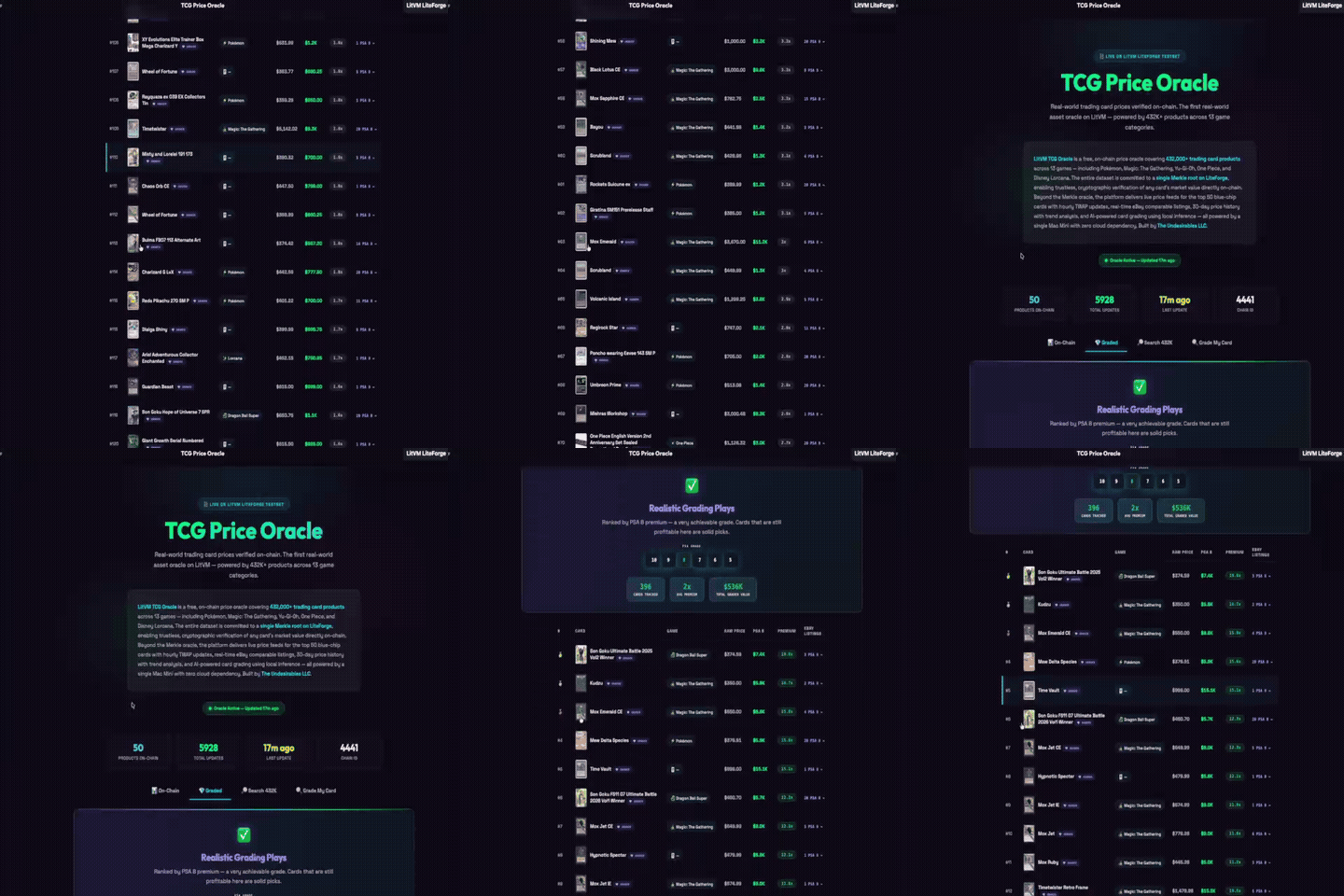
- LitVM TCG Oracle
- Ecosystem
- License & Commercial Use
---
What It Does
- 🎴 Vision AI Card Grading — PSA/Beckett prediction via Qwen VL
- 📊 Conformal Risk Forecast — calibrated VaR/CVaR + Safe-Hold & Momentum letter grades (Monte Carlo GBM/Merton opt-in)
- 🎵 AI Music Generation — ACE Step on Apple Silicon
- 🎬 Video Clipping & Beat Sync Editing — FFmpeg
- 🖼️ Local Image Generation — MLX Flux on Mac, DirectML on Windows, CUDA on Linux
- 🗣️ Text to Speech Voice Engine — Kokoro TTS
- 🧠 Persistent RAG Memory Graphs — CRM node mapping
- 🔍 Zero Token Web Search — DuckDuckGo
- 🔒 SAST Code Security Auditing
- 📈 Financial Analytics Oracle — TCGCSV + eBay depth analysis
---
<details>
<summary><strong>What's New in v1.1.8</strong></summary>
v1.1.8 adds the FREE card_forecast(card_name | product_id) tool — one call returns the conformal 30-day price forecast plus Safe-Hold & Momentum letter grades and a one-line plain-English read (e.g. _"~12% chance it's below $Y in 30 days; Safe-Hold B, Momentum A"_). No payment required.
The conformal-calibrated risk forecast is the default model — regime-aware split-conformal bands with honest VaR/CVaR, plus Safe-Hold & Momentum letter grades. Monte Carlo (GBM / Merton Jump-Diffusion) remains available opt-in via model=. Also: corrected license badge and full ecosystem integration.
Key Features:
- purchase_undesirables_license_key — Returns an unsigned EVM transaction payload (Ethereum Mainnet, chainId 1) for autonomous agents to mint directly from the Scatter.art contract
- verify_soul_initialization — Verifies on chain purchase via public RPC and initializes the cryptographic soul matrix, unlocking all local compute engines
- Verified on Glama.ai with a 3.8/5 quality score across 36 tools
- Listed on 9+ MCP directories including the Official MCP Registry
</details>
---
🛑 Prerequisites (Read Carefully)
If you've never used Python or run AI Models locally, you must do this first: 1. Download Python (Version 3.10 or higher). 2. Download Ollama. CRITICAL: You cannot just download the app and leave it in your downloads folder. You must double-click the Ollama app to physically run it. You should see a little llama icon in your Mac menu bar or Windows system tray for this server to work.---
🛠️ Step 1: Install & Clone
First, open your Terminal or Command Prompt and clone this repository. After cloning, you must activate a "Virtual Environment" (a sandbox folder just for this codebase).
🍎 On Mac / Linux
git clone https://github.com/sailorpepe/undesirables-mcp-server.git
cd undesirables-mcp-server
python3 -m venv venv
source venv/bin/activate
pip install -r requirements.txt
🪟 On Windows
git clone https://github.com/sailorpepe/undesirables-mcp-server.git
cd undesirables-mcp-server
python -m venv venv
venv\Scripts\activate
pip install -r requirements.txt
---
🚀 Step 2: Boot The Server
Every single time you want to run this server later, you must open your terminal and make sure your Virtual Environment is activated (venv) first!
If you already downloaded your Soul Workspace from the website:
# Make sure to point to your EXACT soul folder path

python server.py --workspace "/Users/username/Desktop/soul_folder/0420"
---
🔌 Step 3: Connect Your Chat Front-End
The MCP Server doesn't have a chat window; it runs invisibly in the background of your terminal! To actually talk to your agent, you must connect it to a desktop application like Claude or Cursor.
Claude Desktop Connection
1. Open the Claude Desktop application on your computer. 2. Go to Settings > Developer > Edit Config. 3. Paste this into your config file, making absolutely sure you replace thecwd (Current Working Directory) with your exact folder path:
{
  "mcpServers": {
    "undesirables": {
      "command": "python",
      "args": ["server.py", "--workspace", "/Users/yourname/Desktop/soul_folder/0420"],
      "cwd": "/Users/yourname/Documents/undesirables-mcp-server"
    }
  }
}
---
🎨 Step 4: Setup Local Image Generation (Optional)
If you want your agent to physically generate memes and illustrations 100% offline natively on your computer, the MCP Server uses the massively powerful 16GB FLUX.1-schnell model.
If you do not complete this step, or if your computer is too weak (< 12GB RAM), the server will automatically fallback and generate memes for you silently via the free Pollinations.ai cloud network.
🍏 Authenticating Apple Silicon (Mac M1/M2/M3/M4)
Apple Silicon specifically usesmflux, which strictly requires a Hugging Face token to bypass Black Forest Labs' legal compliance gate.
1. Navigate to black-forest-labs/FLUX.1-schnell, create a free Hugging Face account, and click Agree and Access.
2. Go to Hugging Face Tokens and generate a new Read token.
3. Open your Mac terminal, activate your virtual environment, and log in:
cd undesirables-mcp-server
source venv/bin/activate
python -c "import huggingface_hub; huggingface_hub.login()"
…
Sign in to leave a review
Use Google, GitHub, or an email account so ratings stay tied to real people.
No reviews posted yet.





