
🧠 Ultimate MCP Server
About
Comprehensive MCP server exposing dozens of capabilities to AI agents: multi-provider LLM delegation, browser automation, document processing, vector ops, and cognitive memory systems
Details
- Author
- Dicklesworthstone
- GitHub stars
- 154
- Downloads
- 687
- Categories
- Knowledge Base, AI
Jump to
- Native MCP protocol integration with standardized tool framework
- Intelligent task delegation across multiple LLM providers
- Multi-provider support for OpenAI, Anthropic, Google, DeepSeek, and more
- Advanced multi-level caching with persistent disk storage
- Comprehensive document processing with smart chunking and summarization
- Secure filesystem operations with path validation and symlink security

Setting up with Highlight
This MCP is not yet compatible with Highlight’s one-click setup. However, you can still use it with Highlight by following these steps:
- Download and install Highlight from highlightai.com/download
- Navigate to the plugins tab and select "Add Custom Plugin"
-
Configure the plugin with the settings below
Plugin Name
🧠 Ultimate MCP ServerCommand (node, npx, python, etc.)Please refer to the README for specific instructions on how to obtain API keys or other required environment variables.
- Enable "Start Automatically" if you want the plugin to start when Highlight launches





From the repository
The server is built entirely on the Model Context Protocol and all functionality is exposed through standardized MCP tools that can be directly called by AI agents like Claude. For setup instructions, refer to the Getting Started section in the full README.
Claude Desktop / Cursor
Paste into your MCP client config file to install this server.
{
    "mcpServers": {
        "\ud83e\udde0 ultimate mcp server": {
            "ultimate_mcp_server": {
                "command": "uv",
                "args": [
                    "venv",
                    "--python",
                    "3.13"
                ]
            }
        }
    }
}McpServers
{
    "ultimate_mcp_server": {
        "command": "uv",
        "args": [
            "venv",
            "--python",
            "3.13"
        ]
    }
}
🧠 Ultimate MCP Server
<div align="center">



A comprehensive Model Context Protocol (MCP) server providing advanced AI agents with dozens of powerful capabilities for cognitive augmentation, tool use, and intelligent orchestration
Getting Started • Key Features • Usage Examples • Architecture
</div>
---
🤖 What is Ultimate MCP Server?
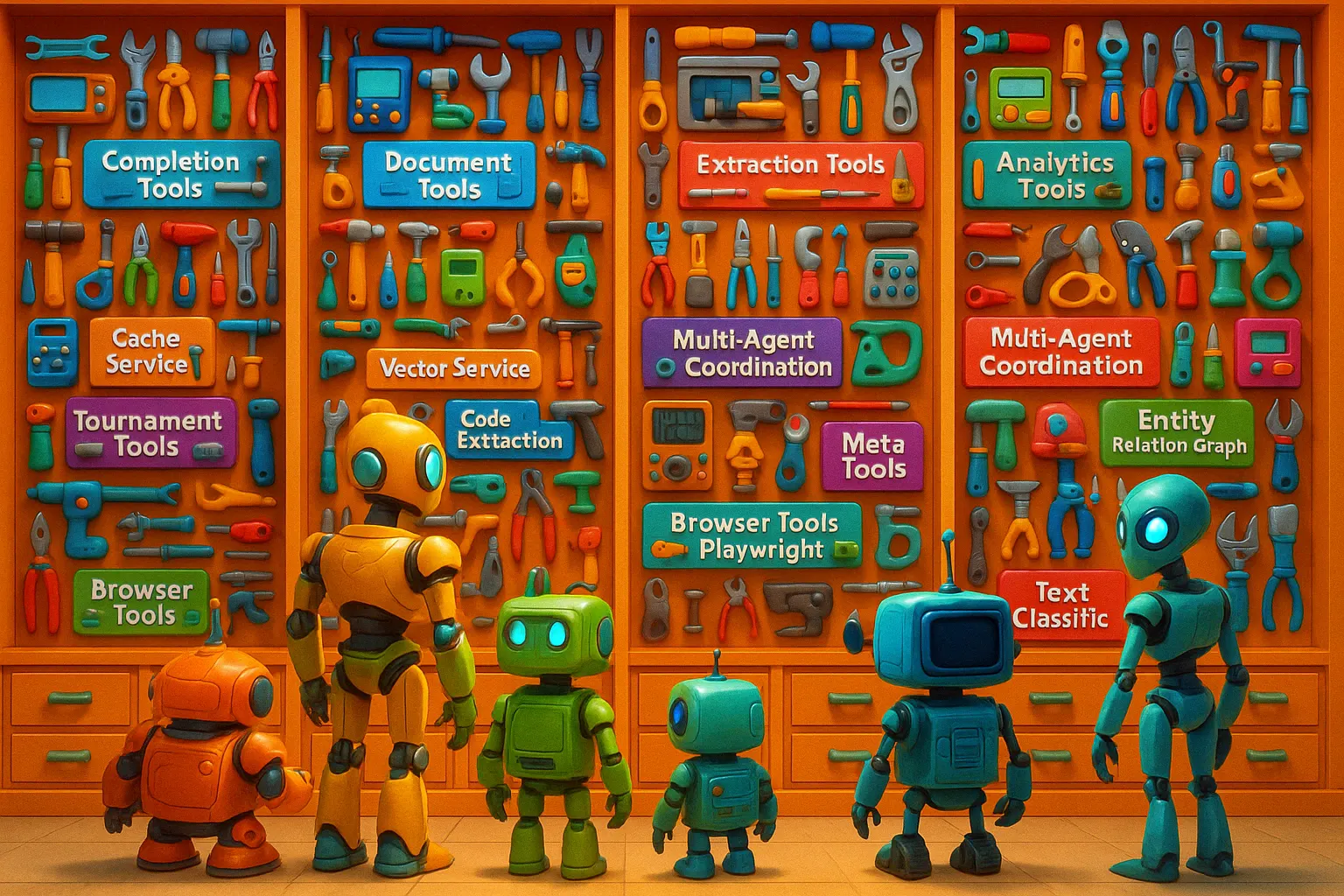
Ultimate MCP Server is a comprehensive MCP-native system that serves as a complete AI agent operating system. It exposes dozens of powerful capabilities through the Model Context Protocol, enabling advanced AI agents to access a rich ecosystem of tools, cognitive systems, and specialized services.
While it includes intelligent task delegation from sophisticated models (e.g., Claude 3.7 Sonnet) to cost-effective ones (e.g., Gemini Flash 2.0 Lite), this is just one facet of its extensive functionality. The server provides unified access to multiple LLM providers while optimizing for cost, performance, and quality.
The system offers integrated cognitive memory systems, browser automation, Excel manipulation, database interactions, document processing, command-line utilities, dynamic API integration, OCR capabilities, vector operations, entity relation graphs, SQL database interactions, audio transcription, and much more. These capabilities transform an AI agent from a conversational interface into a powerful autonomous system capable of complex, multi-step operations across digital environments.
<div align="center">
</div>
---## 🎯 Vision: The Complete AI Agent Operating System
At its core, Ultimate MCP Server represents a fundamental shift in how AI agents operate in digital environments. It serves as a comprehensive operating system for AI, providing:
- 🧠 A unified cognitive architecture that enables persistent memory, reasoning, and contextual awareness
- ⚙️ Seamless access to dozens of specialized tools spanning web browsing, document processing, data analysis, and more
- 💻 Direct system-level capabilities for filesystem operations, database interactions, and command-line utilities
- 🔄 Dynamic workflow capabilities for complex multi-step task orchestration and execution
- 🌐 Intelligent integration of various LLM providers with cost, quality, and performance optimization
- 🚀 Advanced vector operations, knowledge graphs, and retrieval-augmented generation for enhanced AI capabilities
This approach mirrors how sophisticated operating systems provide applications with access to hardware, services, and resources - but designed specifically for augmenting AI agents with powerful new capabilities beyond their native abilities.
---
🔌 MCP-Native Architecture
The server is built entirely on the Model Context Protocol (MCP), making it specifically designed to work with AI agents like Claude. All functionality is exposed through standardized MCP tools that can be directly called by these agents, creating a seamless integration layer between AI agents and a comprehensive ecosystem of capabilities, services, and external systems.
---
🧬 Core Use Cases: AI Agent Augmentation and Ecosystem
The Ultimate MCP Server transforms AI agents like Claude 3.7 Sonnet into autonomous systems capable of sophisticated operations across digital environments:
                        interacts with
┌─────────────┐ ────────────────────────► ┌───────────────────┐         ┌──────────────┐
│ Claude 3.7  │                           │   Ultimate MCP     │ ───────►│ LLM Providers│
│   (Agent)   │ ◄──────────────────────── │     Server        │ ◄───────│ External     │
└─────────────┘      returns results      └───────────────────┘         │ Systems      │
                                                │                        └──────────────┘
                                                ▼
                      ┌─────────────────────────────────────────────┐
                      │ Cognitive Memory Systems                    │
                      │ Web & Data: Browser, DB, RAG, Vector Search │
                      │ Documents: Excel, OCR, PDF, Filesystem      │
                      │ Analysis: Entity Graphs, Classification     │
                      │ Integration: APIs, CLI, Audio, Multimedia   │
                      └─────────────────────────────────────────────┘
Example workflow:
1. An AI agent receives a complex task requiring multiple capabilities beyond its native abilities
2. The agent uses the Ultimate MCP Server to access specialized tools and services as needed
3. The agent can leverage the cognitive memory system to maintain state and context across operations
4. Complex tasks like research, data analysis, document creation, and multimedia processing become possible
5. The agent can orchestrate multi-step workflows combining various tools in sophisticated sequences
6. Results are returned in standard MCP format, enabling the agent to understand and work with them
7. One important benefit is cost optimization through delegating appropriate tasks to more efficient models
This integration unlocks transformative capabilities that enable AI agents to autonomously complete complex projects while intelligently utilizing resources - including potentially saving 70-90% on API costs by using specialized tools and cost-effective models where appropriate.
---
💡 Why Use Ultimate MCP Server?
🧰 Comprehensive AI Agent Toolkit
A unified hub enabling advanced AI agents to access an extensive ecosystem of tools: - 🌐 Perform complex web automation tasks (Playwright integration). - 📊 Manipulate and analyze Excel spreadsheets with deep integration. - 🧠 Access rich cognitive memory systems for persistent agent state. - 💾 Interact securely with the filesystem. - 🗄️ Interact with databases through SQL operations. - 🖼️ Process documents with OCR capabilities. - 🔍 Perform sophisticated vector search and RAG operations. - 🏷️ Utilize specialized text processing and classification. - ⌨️ Leverage command-line tools like ripgrep, awk, sed, jq. - 🔌 Dynamically integrate external REST APIs. - ✨ Use meta tools for self-discovery, optimization, and documentation refinement.💵 Cost Optimization
API costs for advanced models can be substantial. Ultimate MCP Server helps reduce costs by: - 📉 Routing appropriate tasks to cheaper models (e.g., $0.01/1K tokens vs $0.15/1K tokens). - ⚡ Implementing advanced caching (exact, semantic, task-aware) to avoid redundant API calls. - 💰 Tracking and optimizing costs across providers. - 🧭 Enabling cost-aware task routing decisions. - 🛠️ Handling routine processing with specialized non-LLM tools (filesystem, CLI utils, etc.).🌐 Provider Abstraction
Avoid provider lock-in with a unified interface: - 🔗 Standard API for OpenAI, Anthropic (Claude), Google (Gemini), xAI (Grok), DeepSeek, OpenRouter, and local OpenAI-compatible servers (Ollama, llama.cpp, mistral.rs, vLLM, LM Studio). - 🏠 Free local inference: a single configurablelocal provider talks to any OpenAI-compatible local server via base_url, and is accounted at $0 cost so the cost optimizer prefers it for delegated work.
- ⚙️ Consistent parameter handling and response formatting.
- 🔄 Ability to swap providers without changing application code.
- 🛡️ Protection against provider-specific outages and limitations through fallback mechanisms.
📑 Comprehensive Document and Data Processing
Process documents and data efficiently: - ✂️ Break documents into semantically meaningful chunks. - 🚀 Process chunks in parallel across multiple models. - 📊 Extract structured data (JSON, tables, key-value) from unstructured text. - ✍️ Generate summaries and insights from large texts. - 🔁 Convert formats (HTML to Markdown, documents to structured data). - 👁️ Apply OCR to images and PDFs with optional LLM enhancement.---
🚀 Key Features
🔌 MCP Protocol Integration
- Native MCP Server: Built on the Model Context Protocol for seamless AI agent integration. - MCP Tool Framework: All functionality exposed through standardized MCP tools with clear schemas. - Tool Composition: Tools can be combined in workflows using dependencies. - Tool Discovery: Supports dynamic listing and capability discovery for agents.🤖 Intelligent Task Delegation
- Task Routing: Analyzes tasks and routes to appropriate models or specialized tools. - Provider Selection: Chooses provider/model based on task requirements, cost, quality, or speed preferences. - Cost-Performance Balancing: Optimizes delegation strategy. - Delegation Tracking: Monitors delegation patterns, costs, and outcomes (via Analytics).🌍 Provider Integration
- Multi-Provider Support: First-class support for OpenAI, Anthropic, Google, DeepSeek, xAI (Grok), OpenRouter, and local OpenAI-compatible servers (Ollama, llama.cpp, mistral.rs, vLLM, LM Studio) via a single configurablelocal provider. Extensible architecture.
- Free Local Inference: The local provider is cost-accounted at $0, so the intelligent delegation / cost-optimization layer will route cost-sensitive work (summarization, extraction, simple Q&A, formatting) to your own hardware when a capable local model is configured.
- Model Management: Handles different model capabilities, context windows, and pricing. Automatic selection and fallback mechanisms.
💾 Advanced Caching
- Multi-level Caching: Exact match, semantic similarity, and task-aware strategies. - Persistent Cache: Disk-based persistence (e.g., DiskCache) with fast in-memory access layer. - Cache Analytics: Tracks cache hit rates, estimated cost savings.📄 Document Tools
- Smart Chunking: Token-based, semantic boundary detection, structural analysis methods. Configurable overlap. - Document Operations: Summarization (paragraph, bullets), entity extraction, question generation, batch processing.📁 Secure Filesystem Operations
- Path Management: Robust validation, normalization, symlink security checks, configurable allowed directories. - File Operations: Read/write with encoding handling, smart text editing/replacement, metadata retrieval. - Directory Operations: Creation, listing, tree visualization, secure move/copy. - Search Capabilities: Recursive search with pattern matching and filtering. - Security Focus: Designed to prevent directory traversal and enforce boundaries.✨ Autonomous Tool Documentation Refiner
- Automated Improvement: Systematically analyzes, tests, and refines MCP tool documentation (docstrings, schemas, examples). - Agent Simulation: Identifies ambiguities from an LLM agent's perspective. - Adaptive Testing: Generates and executes schema-aware test cases. - Failure Analysis: Uses LLM ensembles to diagnose documentation weaknesses. - Iterative Refinement: Continuously improves documentation quality. - (See dedicated section for more details)🌐 Browser Automation with Playwright
- Full Control: Navigate, click, type, scrape data, screenshots, PDFs, file up/download, JS execution. - Research: Automate searches across engines, extract structured data, monitor sites. - Synthesis: Combine findings from multiple web sources into reports.🧠 Cognitive & Agent Memory System
- Memory Hierarchy: Working, episodic, semantic, procedural levels. - Knowledge Management: Store/retrieve memories with metadata, relationships, importance tracking. - Workflow Tracking: Record agent actions, reasoning chains, artifacts, dependencies. - Smart Operations: Memory consolidation, reflection generation, relevance-based optimization, decay.📊 Excel Spreadsheet Automation
- Direct Manipulation: Create, modify, format Excel files via natural language or structured instructions. Analyze formulas. - Template Learning: Learn from examples, adapt templates, apply formatting patterns. - VBA Macro Generation: Generate VBA code from instructions for complex automation.🏗️ Structured Data Extraction
- JSON Extraction: Extract structured JSON with schema validation. - Table Extraction: Extract tables in multiple formats (JSON, CSV, Markdown). - Key-Value Extraction: Simple K/V pair extraction. - Semantic Schema Inference: Attempt to generate schemas from text.⚔️ Tournament Mode
- Model Competitions: Run head-to-head comparisons for code or text generation tasks. - Multi-Model Evaluation: Compare outputs from different models/providers simultaneously. - Performance Metrics: Evaluate correctness, efficiency, style, etc. Persist results.🗄️ SQL Database Interactions
- Query Execution: Run SQL queries against various DB types (SQLite, PostgreSQL, etc. via SQLAlchemy). - Schema Analysis: Analyze schemas, suggest optimizations (using LLM). - Data Exploration: Browse tables, visualize contents. - Query Generation: Generate SQL from natural language descriptions.🔗 Entity Relation Graphs
- Entity Extraction: Identify entities (people, orgs, locations, etc.). - Relationship Mapping: Discover and map connections between entities. - Knowledge Graph Construction: Build persistent graphs (e.g., using NetworkX). - Graph Querying: Extract insights using graph traversal or LLM-based queries.🔎 Advanced Vector Operations
- Semantic Search: Find similar content using vector embeddings. - Vector Storage Integration: Interfaces with vector databases or local stores. - Hybrid Search: Combines keyword and semantic search (e.g., via Marqo integration). - Batched Processing: Efficient embedding generation and searching for large datasets.📚 Retrieval-Augmented Generation (RAG)
- Contextual Generation: Augments prompts with relevant retrieved documents/chunks. - Accuracy Improvement: Reduces hallucinations by grounding responses in provided context. - Workflow Integration: Seamlessly combines retrieval (vector/keyword search) with generation. Customizable strategies.🎙️ Audio Transcription
- Speech-to-Text: Convert audio files (e.g., WAV, MP3) to text using models like Whisper. - Speaker Diarization: Identify different speakers (if supported by the model/library). - Transcript Enhancement: Clean and format transcripts using LLMs. - Multi-language Support: Handles various languages based on the underlying transcription model.🏷️ Text Classification
- Custom Classifiers: Apply text classification models (potentially fine-tuned or using zero-shot LLMs). - Multi-label Classification: Assign multiple categories. - Confidence Scoring: Provide probabilities for classifications. - Batch Processing: Classify large document sets efficiently.👁️ OCR Tools
- PDF/Image Extraction: Uses Tesseract or other OCR engines, enhanced with LLM correction/formatting. - Preprocessing: Image denoising, thresholding, deskewing options. - Structure Analysis: Extracts PDF metadata and structure. - Batch Processing: Handles multiple files concurrently. - (Requiresocr extra dependencies: uv pip install -e ".[ocr]")
📝 Text Redline Tools
- HTML Redline Generation: Visual diffs (insertions, deletions, moves) between text/HTML. Standalone HTML output. - Document Comparison: Compares various formats with intuitive highlighting.🔄 HTML to Markdown Conversion
- Intelligent Conversion: Detects content type, uses libraries likereadability-lxml, trafilatura, markdownify.
- Content Extraction: Filters boilerplate, preserves structure (tables, links).
- Markdown Optimization: Cleans and normalizes output.
📈 Workflow Optimization Tools
- Cost Estimation/Comparison: Pre-execution cost estimates, model cost comparisons. - Model Selection Guidance: Recommends models based on task, budget, performance needs. - Workflow Execution Engine: Runs multi-stage pipelines with dependencies, parallel execution, variable passing.💻 Local Text Processing Tools (CLI Integration)
- Offline Power: Securely wrap and expose command-line tools likeripgrep (fast regex search), awk (text processing), sed (stream editor), jq (JSON processing) as MCP tools. Process text locally without API calls.
⏱️ Model Performance Benchmarking
- Empirical Measurement: Tools to measure actual speed (tokens/sec), latency across providers/models. - Performance Profiles: Generate comparative reports based on real-world performance. - Data-Driven Optimization: Use benchmark data to inform routing decisions.📡 Multiple Transport Modes
- Streamable-HTTP (Recommended): Modern HTTP transport with streaming request/response bodies, optimal for HTTP-based MCP clients. - Server-Sent Events (SSE): Legacy HTTP transport using server-sent events for real-time streaming. - Standard I/O (stdio): Direct process communication for embedded integrations. - Real-time Streaming: Token-by-token updates for LLM completions across all HTTP transports. - Progress Monitoring: Track progress of long-running jobs (chunking, batch processing). - Event-Based Architecture: Subscribe to specific server events.✨ Multi-Model Synthesis
- Comparative Analysis: Analyze outputs from multiple models side-by-side. - Response Synthesis: Combine best elements, generate meta-responses, create consensus outputs. - Collaborative Reasoning: Implement workflows where different models handle different steps.🧩 Extended Model Support
- Grok Integration: Native support for xAI's Grok. - DeepSeek Support: Optimized handling for DeepSeek models. - OpenRouter Integration: Access a wide variety via OpenRouter API key. - Local / Self-Hosted Integration: A single configurablelocal provider for any OpenAI-compatible local server — Ollama, llama.cpp's llama-server, mistral.rs, vLLM, and LM Studio — point it at a base_url and run free ($0-cost) inference on your own hardware.
- Gemini Integration: Comprehensive support for Google's Gemini models.
- Anthropic Integration: Full support for Claude models including Claude 3.5 Sonnet and Haiku.
- OpenAI Integration: Complete support for GPT-3.5, GPT-4.0, and newer models.
🔧 Meta Tools for Self-Improvement & Dynamic Integration
- Tool Discovery: Agents can query available tools, parameters, descriptions (list_tools).
- Usage Recommendations: Get AI-driven advice on tool selection/combination for tasks.
- External API Integration: Dynamically register REST APIs via OpenAPI specs, making endpoints available as callable MCP tools (register_api, call_dynamic_tool).
- Documentation Generation: Part of the Autonomous Refiner feature.
📊 Analytics and Reporting
- Usage Tracking: Monitors tokens, costs, requests, success/error rates per provider/model/tool. - Real-Time Monitoring: Live dashboard or stream of usage stats. - Detailed Reporting: Generate historical cost/usage reports, identify trends, export data. - Optimization Insights: Helps identify expensive operations or inefficient patterns.📜 Prompt Templates and Management
- Jinja2 Templates: Create reusable, dynamic prompts with variables, conditionals, includes. - Prompt Repository: Store, retrieve, categorize, and version control prompts. - Metadata: Add descriptions, authorship, usage examples to templates. - Optimization: Test and compare template performance and token usage.🛡️ Error Handling and Resilience
- Intelligent Retries: Automatic retries with exponential backoff for transient errors (rate limits, network issues). - Fallback Mechanisms: Configurable provider fallbacks on primary failure. - Detailed Error Reporting: Captures comprehensive error context for debugging. - Input Validation: Pre-flight checks for common issues (e.g., token limits, required parameters).⚙️ System Features
- Rich Logging: Colorful, informative console logs viaRich.
- Health Monitoring: /healthz endpoint for readiness checks.
- Command-Line Interface: umcp CLI for management and interaction.
---
📦 Getting Started
🧪 Install
```bash
Sign in to leave a review
Use Google, GitHub, or an email account so ratings stay tied to real people.
No reviews posted yet.





