
Trellis MCP Server
About
Model Context Protocol(MCP) for TRELLIS(SOTA text-to-3d/image-to-3d) models
Details
- Author
- FishWoWater
- GitHub stars
- 9
- Downloads
- 461
- Categories
- Other
Jump to
- Generates 3D assets from text prompts
- Imports generated meshes directly into Blender
- Free and open-source, no API costs
- Runs locally with 8GB+ VRAM (memory-efficient)
- Fast generation (~15 seconds with sufficient VRAM)

Setting up with Highlight
This MCP is not yet compatible with Highlight’s one-click setup. However, you can still use it with Highlight by following these steps:
- Download and install Highlight from highlightai.com/download
- Navigate to the plugins tab and select "Add Custom Plugin"
-
Configure the plugin with the settings below
Plugin Name
Trellis MCP ServerCommand (node, npx, python, etc.)Please refer to the README for specific instructions on how to obtain API keys or other required environment variables.
- Enable "Start Automatically" if you want the plugin to start when Highlight launches





From the repository
Install the Trellis Blender Addon, deploy your own Trellis API backend (using the provided scripts), and configure the MCP server in your AI client (e.g., Windsurf, Cursor, or Claude) with the command uvx trellis-mcp. Then in Blender, start the MCP server via the View3D sidebar.
Claude Desktop / Cursor
Paste into your MCP client config file to install this server.
{
    "mcpServers": {
        "trellis mcp server": {
            "trellis-blender": {
                "command": "uvx",
                "args": [
                    "trellis-mcp"
                ]
            }
        }
    }
}McpServers
{
    "trellis-blender": {
        "command": "uvx",
        "args": [
            "trellis-mcp"
        ]
    }
}
Trellis MCP Server
Trellis MCP provides an interface between AI assistants and Trellis via Model Context Protocol (MCP).
Disclaimer
This project shows a very minimal integration of MCP with Trellis: a lightweight and opensource text-to-3d/image-to-3d 3DAIGC model. Compared with existing rodin integration in blender-mcp and tripo integration, it has following advantages: Faster and memory-efficient: You can deploy TRELLIS locally with only 8GPU+ VRAM, while can generate a textured mesh from text in only ~15s(10s with more vram). FREE: You DON'T have to pay expensive API from Rodin/Meshy/Tripo.BUT IT HAS FOLLOWING LIMITATIONS:
Trellis is open-source and there is no off-the-shelf API model providers, you have to deploy it by yourself (refer to README).
The API/Prompt has NOT been fully tested/tuned, may suffer from stability issues.
So use it at your own risk.
Demo
> A minimal demo for generating a single object, more complicated prompt with blender-mcp is under tuning.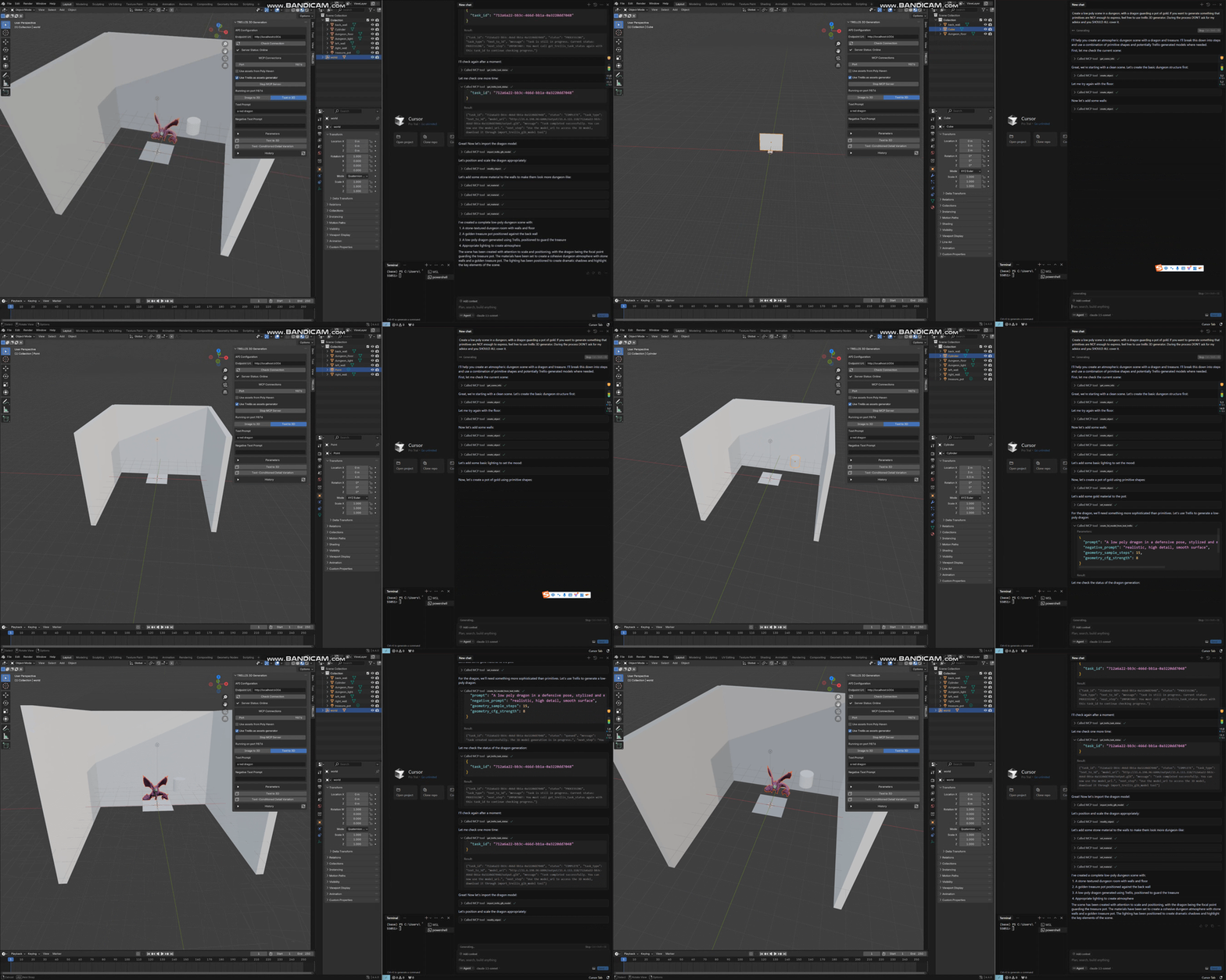
Features
- [x] Generate 3D asset from natural language(TEXT) using Trellis API and import into blender
- [ ] Generate texture/materials from natural language(TEXT) for a given 3D mesh using Trellis API and import into blender
Roadmap
Prerequisites
- Python 3.10+ - Blender - Trellis Blender Addon - Trellis API Backend - Claude / Cursor(SUGGESTED) / WindsurfInstallation
1. Trellis blender addon
1. Download Trellis Blender Addon from here 2. Open Blender -> Edit -> Preferences -> Add-ons -> Install from file -> Select the downloaded addon -> Install 3. In 3D Viewport -> View3D > Sidebar > TRELLIS -> Start MCP Server2. Configure API backend
> As trellis is a free open-source text-to-3d model, you need to deploy your own trellis API backend with reference to README ``` shellSign in to leave a review
Use Google, GitHub, or an email account so ratings stay tied to real people.
No reviews posted yet.





