
TRELLIS Blender Plugin
About
Blender plugin for TRELLIS and TRELLIS.2 (3D AIGC Model, Text-to-3D, Image-to-3D)
Details
- Author
- FishWoWater
- GitHub stars
- 64
- Downloads
- 548
- Categories
- Developer Tools
Jump to

Setting up with Highlight
This MCP is not yet compatible with Highlight’s one-click setup. However, you can still use it with Highlight by following these steps:
- Download and install Highlight from highlightai.com/download
- Navigate to the plugins tab and select "Add Custom Plugin"
-
Configure the plugin with the settings below
Plugin Name
TRELLIS Blender PluginCommand (node, npx, python, etc.)Please refer to the README for specific instructions on how to obtain API keys or other required environment variables.
- Enable "Start Automatically" if you want the plugin to start when Highlight launches





From the repository
{
"mcpServers": {
"trellis": {
"command": "uvx",
"args": [
"trellis-mcp"
]
}
}
}
Claude Desktop / Cursor
Paste into your MCP client config file to install this server.
{
    "mcpServers": {
        "trellis blender plugin": {
            "trellis": {
                "command": "uvx",
                "args": [
                    "trellis-mcp"
                ]
            }
        }
    }
}McpServers
{
    "trellis": {
        "command": "uvx",
        "args": [
            "trellis-mcp"
        ]
    }
}
TRELLIS & TRELLIS.2 Blender Addon
Update: add support for TRELLIS.2A Blender addon that integrates the 3D generation capabilities of TRELLIS and TRELLIS2 into blender.
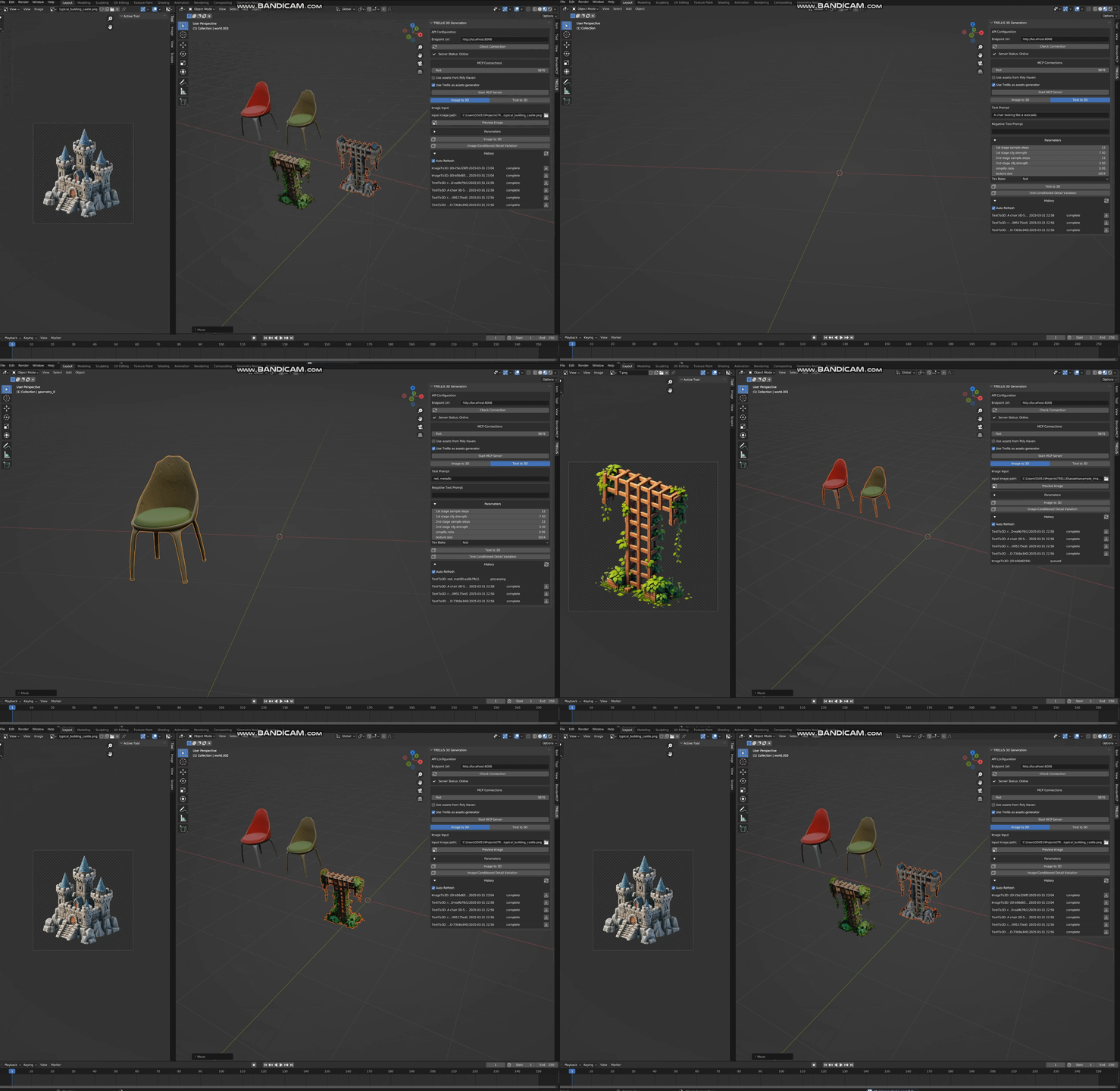
Features
TRELLIS
Text-to-3D: native generation of textured 3D mesh from text Image-to-3D: native generation of textured 3D mesh from a single RGB image Text-conditioned Detail Variation: generating textures for a mesh given text Image-conditioned Detail Variation: generating textures for a mesh given a single RGB imageTRELLIS2
Text-to-3D: generation of textured 3D mesh from text (t2i using z-image-turbo, and then image2mesh using trellis.2) Image-to-3D: native generation of textured 3D mesh from a single RGB image (native trellis.2)MCP integration
Integrates with MCP and can communicate with Cursor/Windsurf. Refer to Trellis MCPInstallation
Requirements
- Blender 3.6.0 or higher - [Option1] Running TRELLIS API server (Refer to my TreLLIS fork) - [Option2] Running TRELLIS.2 API server (Refer to my TreLLIS.2 fork)You can also start both servers and switch the backend in the blender addon.
Enable the plugin
1. Download the plugin files (clone this repo) 2. In Blender, go to Edit > Preferences > Add-ons 3. Click "Install" and select thetrellis_for_blender.py file
4. Enable the addon by checking the box next to "3D View: TRELLIS"
Native Workflow
1. Access the panel (open 3d viewport and press n to open sidebar), find TRELLIS. 2. (Optionally) Select an object in the scene, select an image as conditional input. 3. Adjust generation parameters (empirically can use fewer steps) 4. The plugin will upload both the object(if selected) and the image/text to the API backend. 5. When finished, the model can be downloaded and imported into the scene.You can see the historical requests in the main panel
MCP Workflow
1. Access the panel (open 3d viewport and press n to open sidebar), find TRELLIS, clickStart MCP Server
2. Open Claude/Cursor/Windsurf, paste following configuration:
`` text
"mcpServers": {
"trellis": {
"command": "uvx",
"args": [
"trellis-mcp"
]
}
}
``
Generation Parameters
- Sparse Structure Settings
- Sample Steps (sampling steps for structure diffusion, by default 12)
- CFG Strength (classifier-free-guidance, by default 7.5, higher value will better align the input image)
- Structured Latent Settings
- Sample Steps (sampling steps for SLAT diffusion, by default 12)
- CFG Strength (classifier-free-guidance, by default 7.5, higher value will better align the input image)
- Postprocessing Mesh Options
- Simplify Ratio (# of triangles to remove, by default 0.95)
- Texture Size (by default 1024, can set to 2048 for higher quality, but slower)
- Texture Bake Mode ('fast' or 'opt', 'opt' can be slow but has higher quality)
Any issue/discussion/contribution is welcomed!
Sign in to leave a review
Use Google, GitHub, or an email account so ratings stay tied to real people.
No reviews posted yet.





