
Traa Mcp
Description
# TRAA MCP Server TRAA MCP Server is a screen capture server based on the Model Context Protocol (MCP). It provides functionality for enumerating system screens and windows, as well as capturing screenshots. The server communicates with clients through the MCP protocol…
About
# TRAA MCP Server TRAA MCP Server is a screen capture server based on the Model Context Protocol (MCP). It provides functionality for enumerating system screens and windows, as well as capturing screenshots. The server communicates with clients through the MCP protocol, supporting both standard input/output (stdio)…
Details
- Author
- opentraa
- GitHub stars
- 6
- Downloads
- 284
- Categories
- Other
Jump to
- Enumerate all available system displays and windows.
- Capture screenshots of any display or window.
- Customizable screenshot dimensions and image quality.
- Supports JPEG and PNG image formats.
- Automatic directory creation when saving screenshots.

Setting up with Highlight
This MCP is not yet compatible with Highlight’s one-click setup. However, you can still use it with Highlight by following these steps:
- Download and install Highlight from highlightai.com/download
- Navigate to the plugins tab and select "Add Custom Plugin"
-
Configure the plugin with the settings below
Plugin Name
Traa McpCommand (node, npx, python, etc.)Please refer to the README for specific instructions on how to obtain API keys or other required environment variables.
- Enable "Start Automatically" if you want the plugin to start when Highlight launches





From the repository
Configure the server in your MCP client (e.g., Claude Desktop) by adding a JSON entry with the uv command pointing to the traa_mcp_server module. Alternatively, run the server directly in stdio mode (uv run traa_mcp_server) or SSE mode with a specific port (uv run traa_mcp_server-sse --port 3001). A client-side CLI is also available (uv run traa_mcp_client) for interactive tool access.
Claude Desktop / Cursor
Paste into your MCP client config file to install this server.
{
    "mcpServers": {
        "traa mcp": {
            "traa-mcp": {
                "command": "uv",
                "args": [
                    "run",
                    "traa_mcp_server"
                ]
            }
        }
    }
}McpServers
{
    "traa-mcp": {
        "command": "uv",
        "args": [
            "run",
            "traa_mcp_server"
        ]
    }
}
TRAA MCP Server
TRAA MCP Server is a screen capture server based on the Model Context Protocol (MCP). It provides functionality for enumerating system screens and windows, as well as capturing screenshots. The server communicates with clients through the MCP protocol, supporting both standard input/output (stdio) and Server-Sent Events (SSE) transport methods.
Features
- Screen and Window Source Enumeration
- List all available displays in the system
- List all available windows in the system
- Each source includes ID, title, type (display/window), and position information
- Screen Capture
- Capture screenshots of any display or window
- Customizable screenshot dimensions
- Support for both JPEG and PNG formats
- Configurable image quality settings
- Automatic directory creation for saving files
Tools
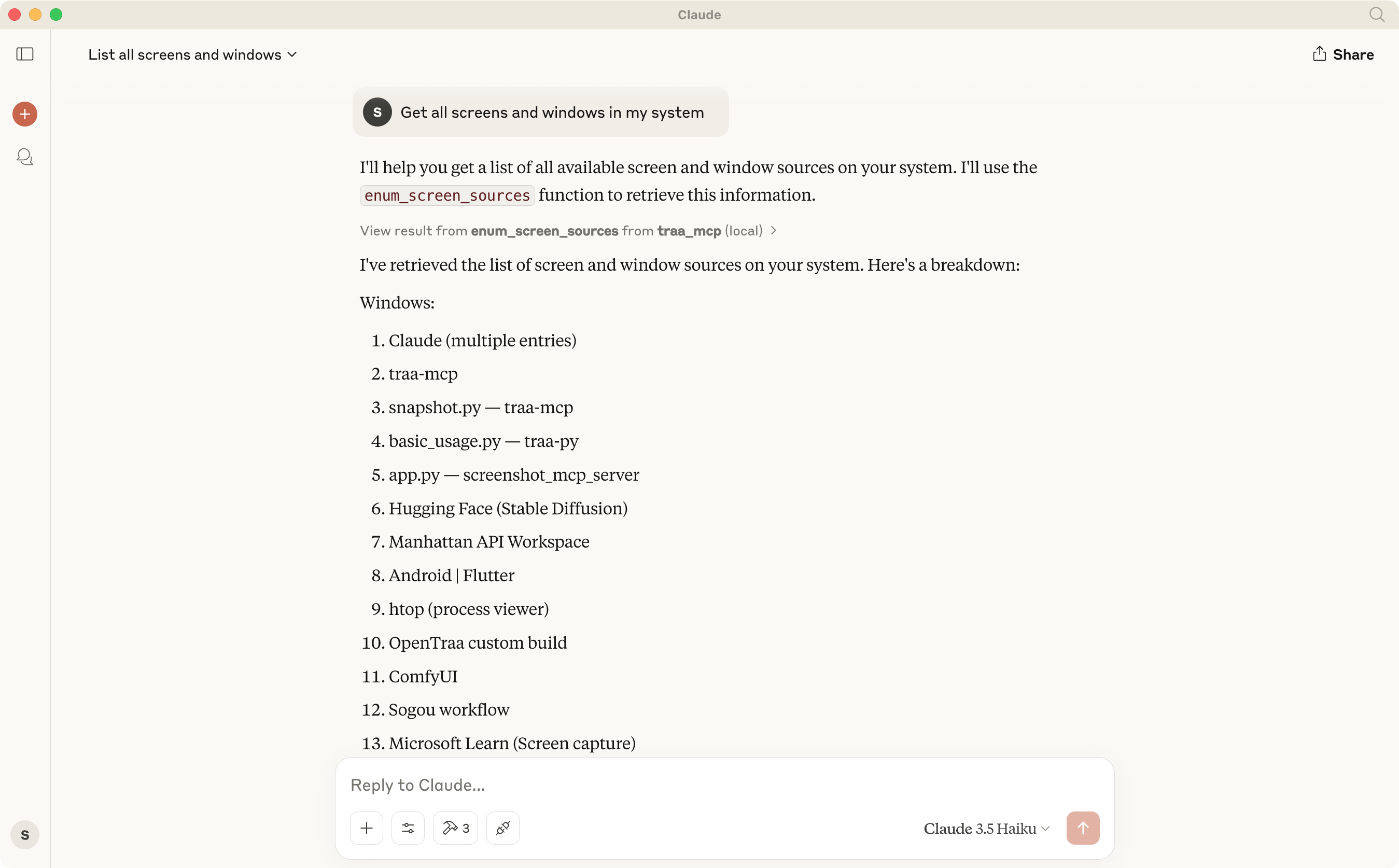
1. enum_screen_sources
- Enumerate all screen and window sources available on the system and return a list of SimpleScreenSourceInfo
- Returns: list[SimpleScreenSourceInfo]
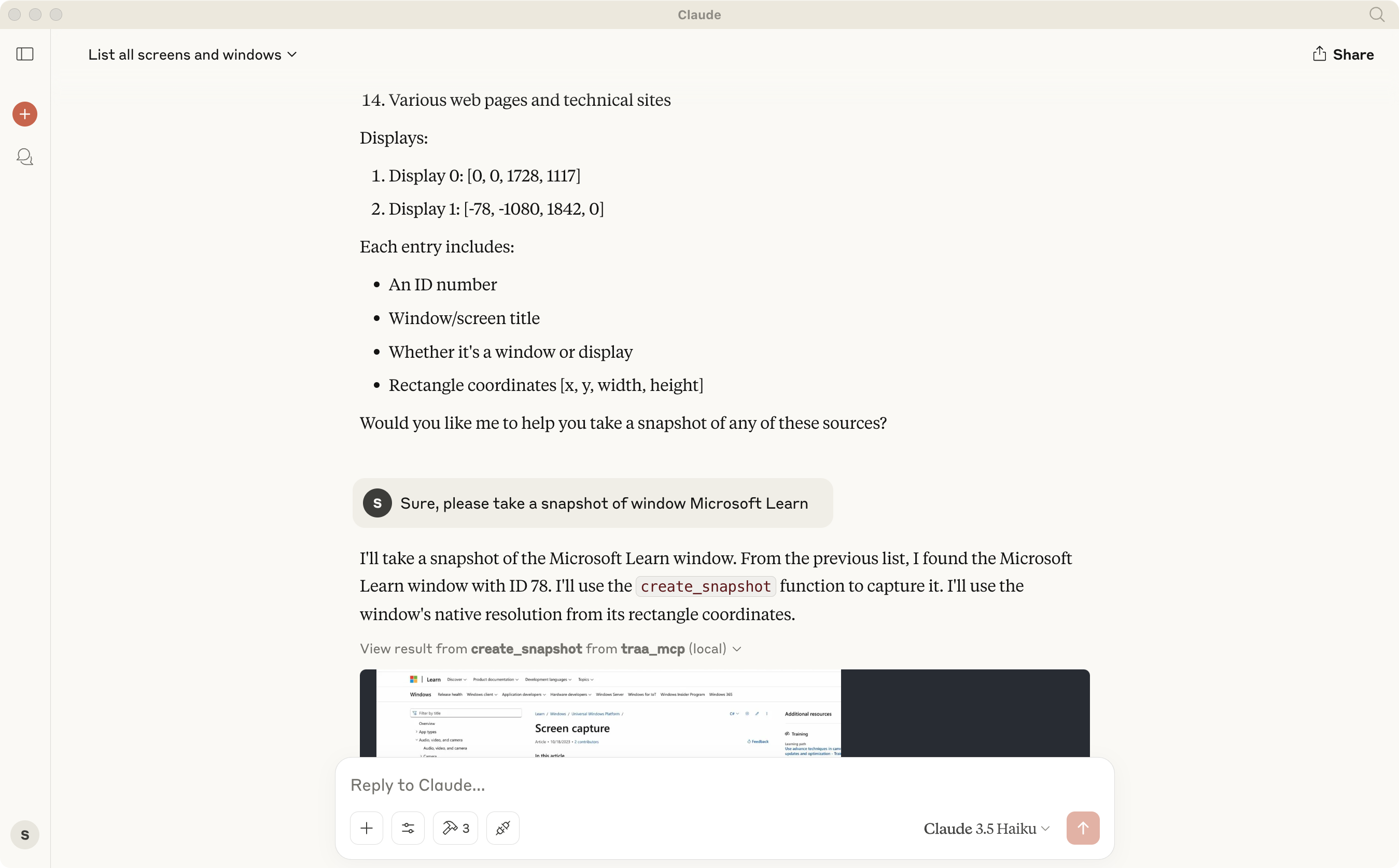
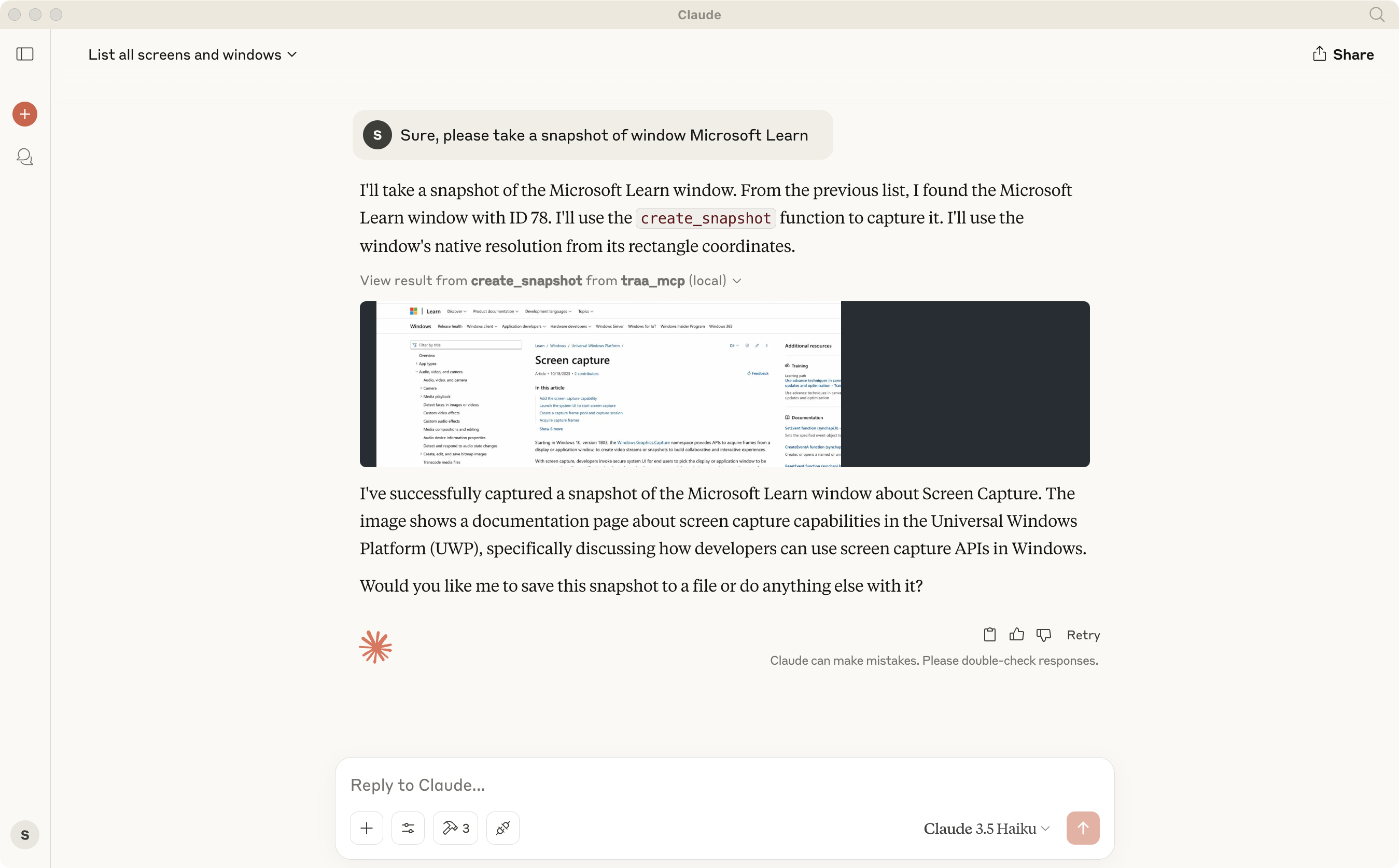
2. create_snapshot
- Create a snapshot of the screen source with the given ID and return it as an image
- Inputs:
- source_id: int
- snapshot_size: tuple[int, int]
- Returns: Image
3. save_snapshot
- Save a snapshot of the screen source with the given ID to a file
- Inputs:
- source_id: int
- snapshot_size: tuple[int, int]
- file_path: str
- Returns: None
Example
Usage
Configure MCP Servers
Claude Desktop or other AI agents
{
    "mcpServers": {
        "traa_mcp": {
            "command": "absolute/path/to/uv",
            "args": [
                "--directory",
                "absolute/path/to/traa-mcp",
                "run",
                "traa_mcp_server"
            ]
        }
    }
}
Server Side
The server supports two running modes:
1. stdio mode (default):
uv run traa_mcp_server
2. SSE mode (with port specification):
uv run traa_mcp_server-sse --port 3001(default)
Client Side
The client provides an interactive command-line interface for easy access to server functionality:
uv run traa_mcp_client
After starting, the client displays a list of all available tools. You can:
1. Use enum_screen_sources to view all available screen and window sources
2. Use create_snapshot to capture screenshots and get image data
3. Use save_snapshot to save screenshots directly to files
Image Format Support
- JPEG Format
- Best for screenshots with many colors
- Smaller file size
- Quality setting available (1-100)
- Automatically converts to RGB color space
- PNG Format
- Best for screenshots with text or sharp edges
- Lossless compression
- Supports transparency (RGBA)
- Larger file size but better quality
Dependencies
- Python >= 3.10
- mcp >= 1.0.0
- anyio >= 4.5
- traa >= 0.1.5
- pillow >= 11.1.0 (for image processing)
Notes
- For MCP model compatibility, JPEG format with quality=60 is used by default to keep file sizes under 1MB
- When saving files, parent directories are automatically created if they don't exist
- Error handling includes detailed messages for easier troubleshooting
License
See the LICENSE file for details.
Sign in to leave a review
Use Google, GitHub, or an email account so ratings stay tied to real people.
No reviews posted yet.





