
Termux-API-Tools-MCP-Server 项目说明
About
Termux-API-Tools-MCP-Server is a project that enables remote control of Android devices by running Termux-API commands through an MCP client. It provides sensitive operations including retrieving phone information, call logs, SMS records, and making calls or sending messages.
Details
- Author
- hyhAsma
- GitHub stars
- 12
- Downloads
- 538
- Categories
- Developer Tools
Jump to
- Retrieve Android device information (may include sensitive data)
- Fetch call logs and SMS records
- Make phone calls and send SMS messages
- Remote control via MCP client over local network
- Operates through Termux API and SSH connection

Setting up with Highlight
This MCP is not yet compatible with Highlight’s one-click setup. However, you can still use it with Highlight by following these steps:
- Download and install Highlight from highlightai.com/download
- Navigate to the plugins tab and select "Add Custom Plugin"
-
Configure the plugin with the settings below
Plugin Name
Termux-API-Tools-MCP-Server 项目说明Command (node, npx, python, etc.)Please refer to the README for specific instructions on how to obtain API keys or other required environment variables.
- Enable "Start Automatically" if you want the plugin to start when Highlight launches





From the repository
1. Import the JSON configuration (shown in the README) into an MCP client (e.g., Cherry Studio, Claude). 2. Modify args to point to the local path of the termux-api-tools-mcp-server.py script. 3. Install required Python packages via pip install. 4. Fill in the env fields (SSH host, port, user, password) after ensuring Termux has SSHD enabled and the server can reach Termux over the network.
Claude Desktop / Cursor
Paste into your MCP client config file to install this server.
{
    "mcpServers": {
        "termux-api-tools-mcp-server \u9879\u76ee\u8bf4\u660e": {
            "termux-api-mcp-tools": {
                "name": "termux-api-mcp-tools",
                "type": "stdio",
                "isActive": true,
                "tags": [
                    "termux",
                    "android",
                    "mobile"
                ],
                "command": "python.exe",
                "args": [
                    "D:\\test\\termux-api-mcp\\termux-api-tools-mcp-server.py"
                ],
                "env": {
                    "TERMUX_SSH_HOST": "192.168.x.xx",
                    "TERMUX_SSH_PORT": "xxxx",
                    "TERMUX_SSH_USER": "username",
                    "TERMUX_SSH_PASSWORD": "password"
                }
            }
        }
    }
}McpServers
{
    "termux-api-mcp-tools": {
        "name": "termux-api-mcp-tools",
        "type": "stdio",
        "isActive": true,
        "tags": [
            "termux",
            "android",
            "mobile"
        ],
        "command": "python.exe",
        "args": [
            "D:\\test\\termux-api-mcp\\termux-api-tools-mcp-server.py"
        ],
        "env": {
            "TERMUX_SSH_HOST": "192.168.x.xx",
            "TERMUX_SSH_PORT": "xxxx",
            "TERMUX_SSH_USER": "username",
            "TERMUX_SSH_PASSWORD": "password"
        }
    }
}
Termux-API-Tools-MCP-Server 项目说明
目录
- 项目概述
- 功能特性
- 工作逻辑
- 如何使用
- 测试截图
- 已知问题
- 免责声明
- 未来计划
项目概述
本项目是一个基于 Termux-API 的新人练手项目,主要用于通过 MCP 客户端操控 Android 设备。它提供了部分敏感操作功能,包括获取手机信息和执行电话/短信相关操作。
> 注意:本项目涉及敏感功能,使用时请谨慎,建议敏感信息处理尽量使用本地 LLM。
功能特性
- 获取手机相关信息(部分功能可能涉及敏感数据)
- 获取通话记录、获取短信记录等功能(敏感操作)
- 拨打电话、发送短信等功能(敏感操作)
- 通过 MCP 客户端进行远程控制
工作逻辑
项目采用以下工作逻辑:
1. Android 设备(Termux 环境)与 MCP 客户端处于同一局域网;
2. Termux开启SSHD,并配置远程登陆;
3. termux-api-tools-mcp-server.py可以链接的到Termux;
4. 通过MCP客户端 JSON 配置建立连接:
``json `
{
"termux-api-mcp-tools": {
"name": "termux-api-mcp-tools",
"type": "stdio",
"isActive": true,
"tags": [
"termux",
"android",
"mobile"
],
"command": "python.exe",
"args": [
"D:\\test\\termux-api-mcp\\termux-api-tools-mcp-server.py"
],
"env": {
"TERMUX_SSH_HOST": "192.168.x.xx",
"TERMUX_SSH_PORT": "xxxx",
"TERMUX_SSH_USER": "username",
"TERMUX_SSH_PASSWORD": "password"
}
}
}
如何使用
1. 将上述JSON导入cherry studio或claude等MCP客户端;
2. 修改其termux-api-tools-mcp-server.py位置为自己本地文件位置
3. pip install 相关包
4. 填写env相关信息(前提是termux开启sshd,termux-api-tools-mcp-server.py可以通过网络请求的到termux)
测试截图
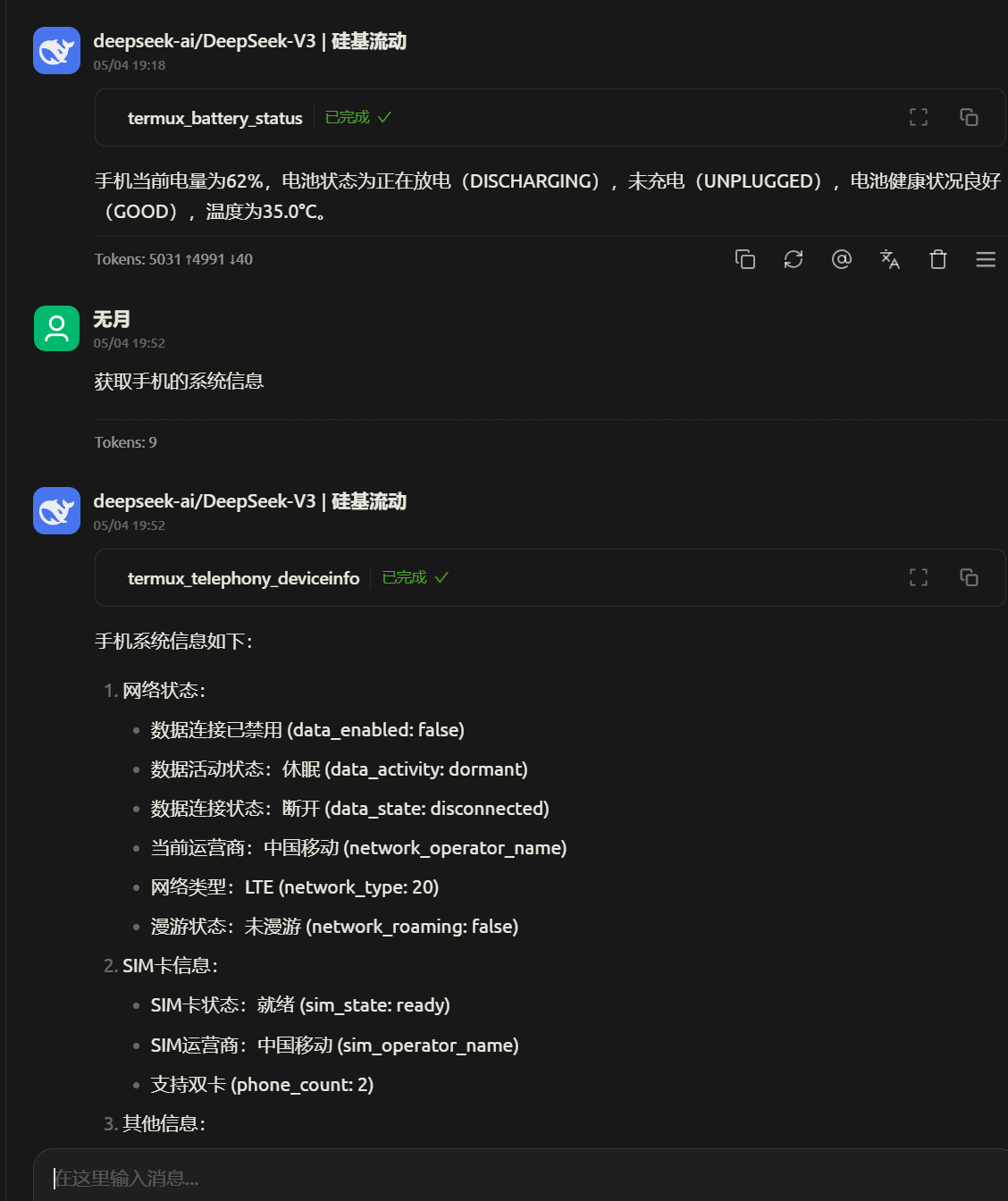
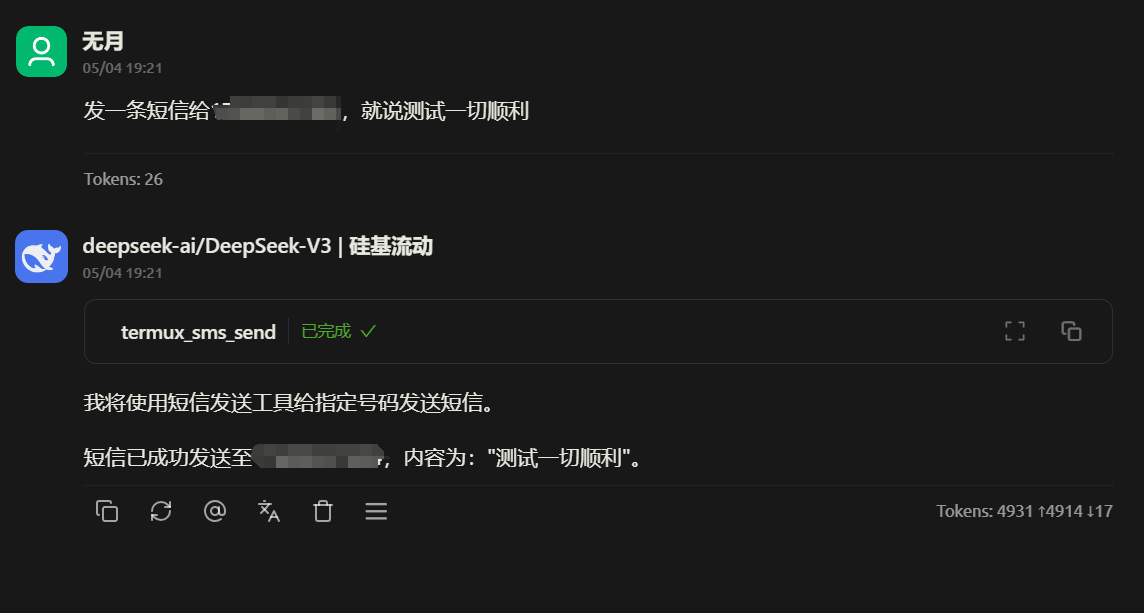
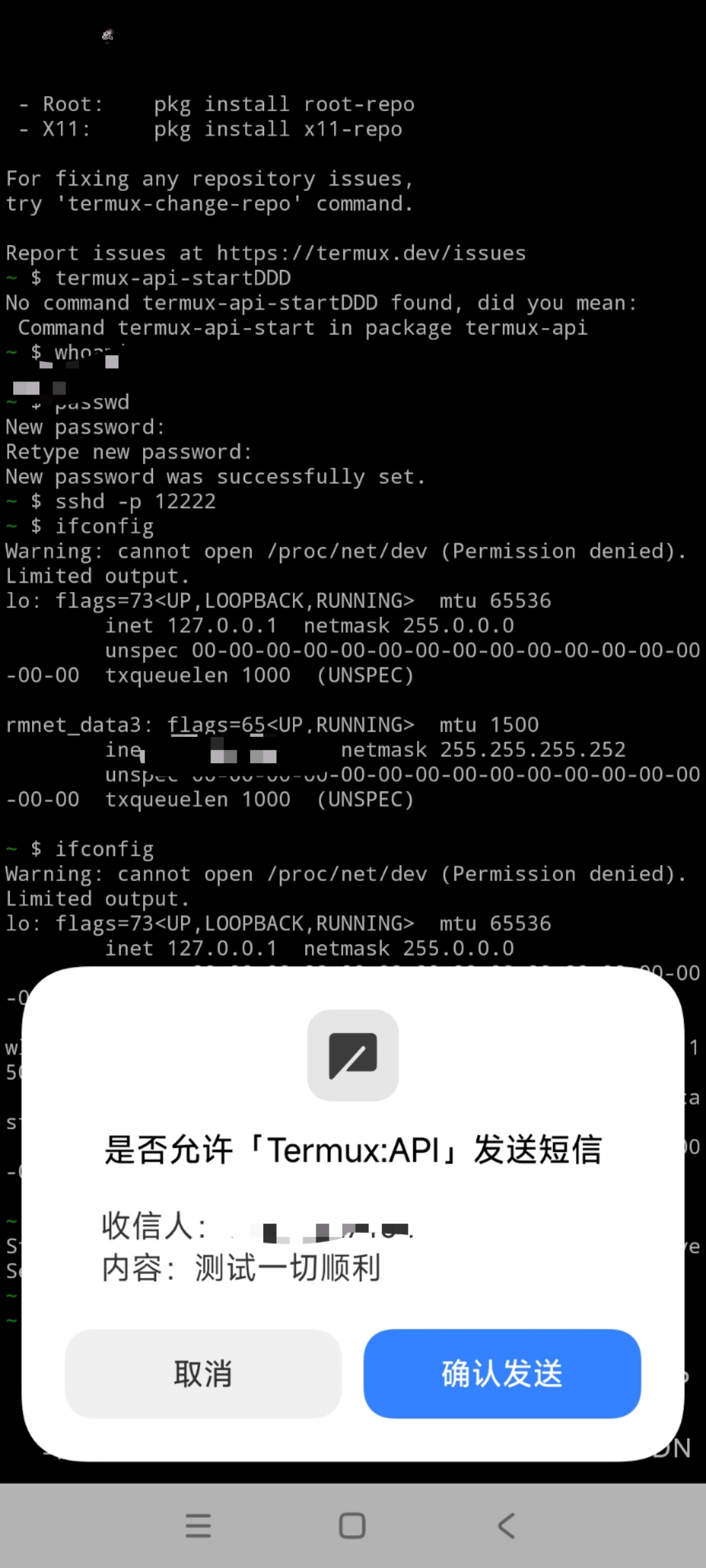
已知问题
- 获取设备上所有无线电模块 (termux-telephony-cellinfo) 有点问题cell`功能存在异常
- cherry stduio调用电话
- 其他偶发的调用失败情况(可能是手机兼容性问题)
- 还有几个不常用的API未通过本地测试故没有添加进项目
免责声明
本项目为学习练习用途,开发者对使用本项目可能造成的任何后果不承担责任。涉及敏感操作的功能请谨慎使用,并遵守当地法律法规。
未来计划
- 完善代码异常处理
- ~~增加更多设备控制功能~~如需更多Android信息可以参考ADB-MCP-Server
- 提高代码质量和安全性
新人练手项目,请多包涵!联系作者:B站@忘月沁
Sign in to leave a review
Use Google, GitHub, or an email account so ratings stay tied to real people.
No reviews posted yet.





