
🚀 Tabby-MCP-Server
About
A Tabby plugin implementing an MCP server for AI-powered terminal control and automation.
Details
- Author
- thuanpham582002
- GitHub stars
- 82
- Downloads
- 355
- Categories
- Developer Tools, AI, Other
Jump to
- Terminal session discovery – list local and SSH-backed Tabby tabs
- Command execution in a selected terminal tab
- Robust output capture with exit-code parsing
- Terminal buffer access – read visible and history ranges
- Long output pagination via outputId
- Optional pair programming mode with confirmation dialogs

Setting up with Highlight
This MCP is not yet compatible with Highlight’s one-click setup. However, you can still use it with Highlight by following these steps:
- Download and install Highlight from highlightai.com/download
- Navigate to the plugins tab and select "Add Custom Plugin"
-
Configure the plugin with the settings below
Plugin Name
🚀 Tabby-MCP-ServerCommand (node, npx, python, etc.)Please refer to the README for specific instructions on how to obtain API keys or other required environment variables.
- Enable "Start Automatically" if you want the plugin to start when Highlight launches





From the repository
Install via the Tabby Plugin Store (Settings → Plugins) or by cloning the repository and running a Docker build with make build-dist followed by the provided install script. After restarting Tabby, MCP clients connect to the SSE endpoint at http://localhost:3001/sse using configuration such as {"mcpServers":{"tabby-mcp":{"type":"sse","url":"http://localhost:3001/sse"}}}.
Claude Desktop / Cursor
Paste into your MCP client config file to install this server.
{
    "mcpServers": {
        "\ud83d\ude80 tabby-mcp-server": {
            "tabby-mcp": {
                "type": "sse",
                "url": "http://localhost:3001/sse"
            }
        }
    }
}McpServers
{
    "tabby-mcp": {
        "type": "sse",
        "url": "http://localhost:3001/sse"
    }
}
Tabby MCP Server


A Tabby Terminal plugin that exposes your active terminal sessions through the Model Context Protocol (MCP). It lets MCP-compatible AI clients discover terminal tabs, execute commands, read terminal buffers, and retrieve long command output.
> Tabby stays the terminal UI. Your AI client connects to Tabby through MCP.
Highlights
- MCP server inside Tabby — exposes an SSE endpoint at http://localhost:3001/sse
- Terminal session discovery — list local and SSH-backed Tabby terminal sessions
- Command execution — run commands in a selected Tabby terminal tab
- Robust output capture — simple marker protocol with exit-code parsing
- Terminal buffer access — read visible/history buffer ranges from a tab
- Long output pagination — retrieve full command output by outputId
- Pair programming mode — optional confirmation dialogs and user feedback
- Docker-based build — reproducible local plugin builds for Tabby
Demo
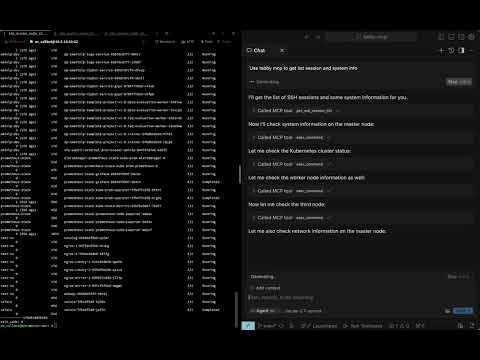
Table of Contents
- Requirements
- Installation
- Quick Start
- Connecting MCP Clients
- SSE clients
- Claude Code
- Codex / OpenAI Codex CLI
- Tools
- Configuration
- Development
- License
Requirements
- Tabby Terminal installed and running
- Docker, for local builds
- macOS for the provided install script path
- An MCP-compatible client with SSE support, such as Claude Code, Cursor, Windsurf, Codex, or another SSE-capable MCP client
Installation
Option 1: Tabby Plugin Store
1. Open Tabby
2. Go to Settings → Plugins
3. Install Tabby MCP
4. Restart Tabby
5. Open Settings → Plugins → MCP and confirm the server configuration
Option 2: Local Docker Build
git clone https://github.com/thuanpham582002/tabby-mcp-server.git
cd tabby-mcp-server
make build-dist

bash scripts/copy_to_plugin_folder.sh
The install script copies the plugin to:
~/Library/Application Support/tabby/plugins/node_modules/tabby-mcp
Restart Tabby after installing or updating the plugin.
If your local Tabby installation requires bundled plugin dependencies, build the full package:
make build-dist-with-deps
bash scripts/copy_to_plugin_folder.sh
Quick Start
1. Start or restart Tabby
2. Open at least one terminal tab
3. Verify the MCP server is running:
```bash
curl http://localhost:3001/health
Sign in to leave a review
Use Google, GitHub, or an email account so ratings stay tied to real people.
No reviews posted yet.





