
Sweet Home 3D MCP Server
About
MCP server plugin for Sweet Home 3D that lets AI assistants create walls, place furniture, apply textures, and render 3D interior designs — 42 tools, zero external dependencies.
Details
- Author
- grimashevich
- GitHub stars
- 17
- Downloads
- 341
- Categories
- Other, Design
Jump to
- 42 commands across 12 categories (scene, walls, furniture, rooms, etc.)
- Runs entirely inside Sweet Home 3D — no external proxy needed
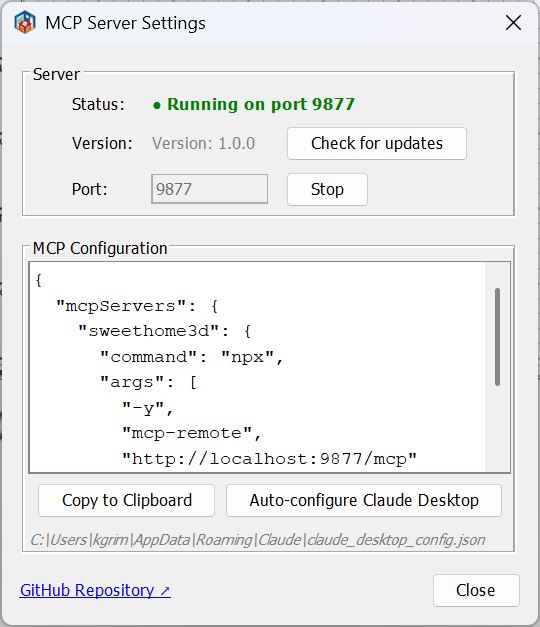
- Automatic startup on port 9877 with a settings dialog
- Supports undo timeline via in-memory snapshots (checkpoints)
- Batch command execution and auto‑registration of new command handlers
- Stable UUIDs for all objects; coordinate system in centimeters

Setting up with Highlight
This MCP is not yet compatible with Highlight’s one-click setup. However, you can still use it with Highlight by following these steps:
- Download and install Highlight from highlightai.com/download
- Navigate to the plugins tab and select "Add Custom Plugin"
-
Configure the plugin with the settings below
Plugin Name
Sweet Home 3D MCP ServerCommand (node, npx, python, etc.)Please refer to the README for specific instructions on how to obtain API keys or other required environment variables.
- Enable "Start Automatically" if you want the plugin to start when Highlight launches





From the repository
Download the latest .sh3p file from Releases, copy it to your Sweet Home 3D plugins folder (see README for OS-specific paths), then restart Sweet Home 3D. The MCP server starts automatically on port 9877. Configure Claude Desktop or Claude Code with the HTTP endpoint http://localhost:9877/mcp. The plugin also has an auto-configure button under Tools → MCP Server.
Claude Desktop / Cursor
Paste into your MCP client config file to install this server.
{
    "mcpServers": {
        "sweet home 3d mcp server": {
            "sweethome3d": {
                "type": "http",
                "url": "http://localhost:9877/mcp"
            }
        }
    }
}McpServers
{
    "sweethome3d": {
        "type": "http",
        "url": "http://localhost:9877/mcp"
    }
}
Sweet Home 3D MCP Plugin



A plugin for Sweet Home 3D that embeds an MCP (Model Context Protocol) server directly inside the application. Lets Claude and other AI assistants control Sweet Home 3D over HTTP — create walls, place furniture, render photos, and more — without any external proxy or separate server process.
Claude Desktop / Claude Code
         │  HTTP (JSON-RPC 2.0)
         ▼
┌─────────────────────────────────────┐
│  Sweet Home 3D  +  MCP Plugin       │
│  Built-in HTTP server on port 9877  │
│  http://127.0.0.1:9877/mcp         │
└─────────────────────────────────────┘
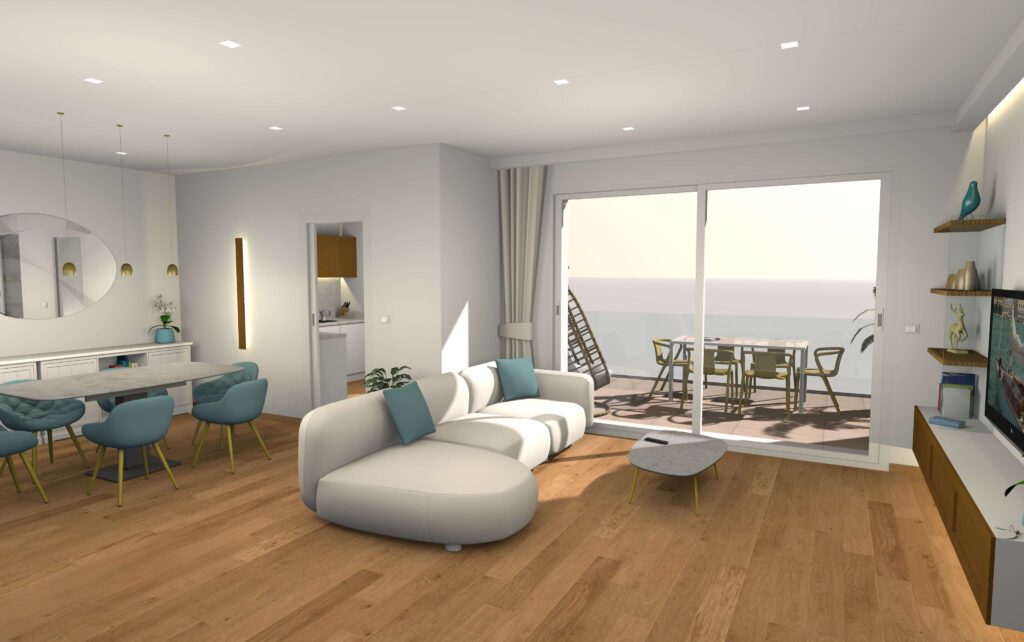
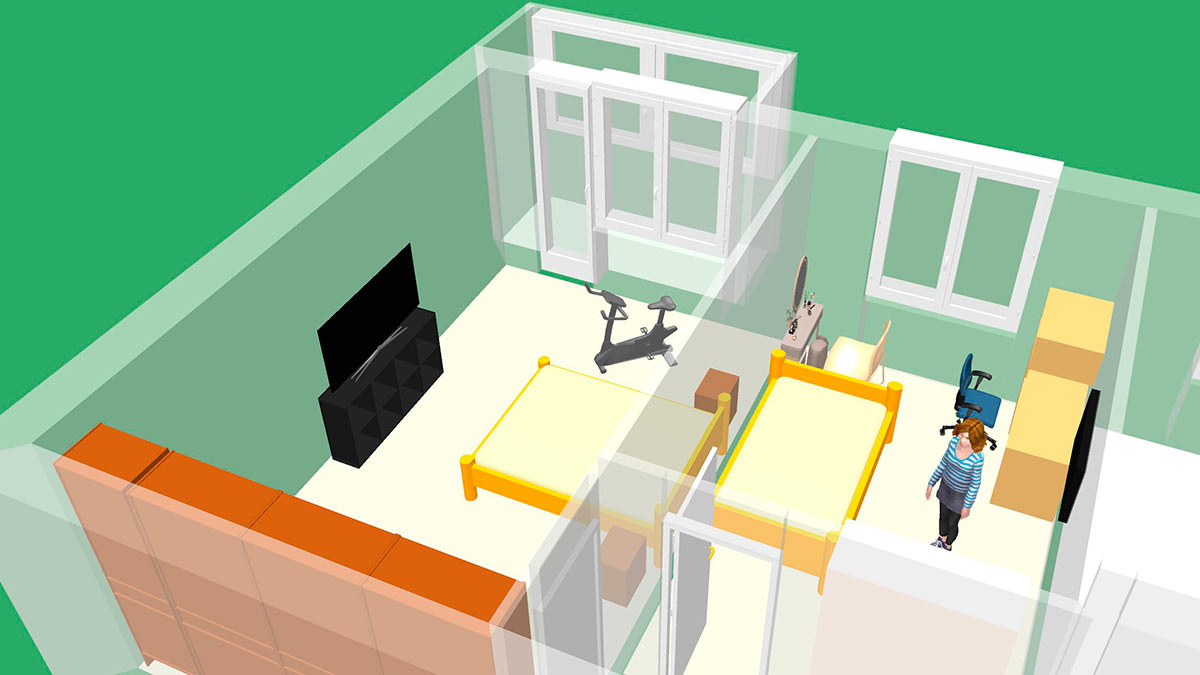
Screenshots
Requirements
| Requirement | Version |
|-------------|---------|
| Sweet Home 3D | 6.0 or newer |
| Java (bundled with SH3D or system) | 11 or newer |
> Note: Sweet Home 3D ships with a bundled JRE. Make sure it is Java 11+. Very old SH3D builds (32-bit Windows installer with JRE 1.8) will silently fail to load the plugin due to UnsupportedClassVersionError.
Installation
Step 1. Download the latest .sh3p file from Releases.
Step 2. Copy it to your Sweet Home 3D plugins folder:
| OS | Plugins folder |
|----|----------------|
| Windows | %APPDATA%\eTeks\Sweet Home 3D\plugins\ |
| macOS | ~/Library/Application Support/eTeks/Sweet Home 3D/plugins/ |
| Linux | ~/.sweethome3d/plugins/ |
Step 3. (Re)start Sweet Home 3D. The MCP server starts automatically on port 9877.
> You can verify it is running: Tools → MCP Server... shows the server status.
Troubleshooting
macOS: the MCP server won't start (cannot open port)
The Mac App Store build of Sweet Home 3D is sandboxed and ships without the
com.apple.security.network.server entitlement, so it is not allowed to open a
listening socket. Because the plugin listens on port 9877, the MCP server
cannot start under that build.
Fix: use a non-sandboxed build of Sweet Home 3D — the standalone "Java
version" / installer from sweethome3d.com
instead of the Mac App Store version.
Claude Configuration
Add to your Claude Desktop claude_desktop_config.json:
{
  "mcpServers": {
    "sweethome3d": {
      "type": "http",
      "url": "http://localhost:9877/mcp"
    }
  }
}
For Claude Code, create .mcp.json in your project directory:
{
  "mcpServers": {
    "sweethome3d": {
      "type": "http",
      "url": "http://localhost:9877/mcp"
    }
  }
}
> The plugin also has a built-in "Auto-configure Claude Desktop" button in Tools → MCP Server... that writes this config automatically.
Available Commands
42 commands across 12 categories.
Scene
| Command | Description |
|---------|-------------|
| get_state | Full scene state: walls, furniture, rooms, camera, labels, levels |
| clear_scene | Remove all objects from the scene |
Walls
| Command | Description |
|---------|-------------|
| create_wall | Single wall between two points |
| create_walls | Rectangular room (4 connected walls) |
| modify_wall | Change height, thickness, color, arc, coordinates |
| delete_wall | Delete wall by ID |
| connect_walls | Connect two walls for correct corner rendering |
Rooms
| Command | Description |
|---------|-------------|
| create_room_polygon | Room from an array of polygon points |
| modify_room | Change name, floor/ceiling color, visibility |
| delete_room | Delete room by ID |
Furniture
| Command | Description |
|---------|-------------|
| list_categories | All furniture catalog categories with item counts |
| list_furniture_catalog | Browse catalog; filter by name, category, or type |
| place_furniture | Place a catalog item in the scene |
| modify_furniture | Move, rotate, resize, recolor furniture by ID |
| delete_furniture | Delete furniture by ID |
| duplicate_objects | Duplicate one or more objects by ID |
| group_furniture | Group multiple pieces into one object |
| ungroup_furniture | Split a group back into individual pieces |
Doors & Windows
| Command | Description |
|---------|-------------|
| place_door_or_window | Place from catalog into a wall (auto-computes position and angle) |
Textures & Appearance
| Command | Description |
|---------|-------------|
| list_textures_catalog | Browse texture catalog; filter by name or category |
| apply_texture | Apply catalog texture to wall side or room surface |
| set_environment | Ground/sky colors, lighting, wall transparency, drawing mode |
3D Shapes
| Command | Description |
|---------|-------------|
| generate_shape | Create custom 3D geometry: primitives (box, sphere, cylinder, cone, wedge, arch, stairs, torus, hemisphere, pipe), extrude, mesh, and CSG boolean operations (union, subtract, intersect) |
Annotations
| Command | Description |
|---------|-------------|
| add_label | Text annotation on the 2D floor plan |
| add_dimension_line | Measurement line with auto-offset |
Camera
| Command | Description |
|---------|-------------|
| set_camera | Switch to top/observer mode; set position, lookAt point, or target object |
| store_camera | Save the current viewpoint as a named bookmark |
| get_cameras | List all saved camera viewpoints |
Multi-level
| Command | Description |
|---------|-------------|
| add_level | Add a new level (floor/storey) |
| list_levels | List all levels; shows which is currently selected |
| set_selected_level | Switch the active level |
| delete_level | Delete a level and all its objects |
Rendering & Export
| Command | Description |
|---------|-------------|
| render_photo | Ray-traced 3D render (Sunflow); standard or overhead bird's-eye view; inline JPEG or saved PNG |
| export_plan_image | 2D floor plan as PNG |
| export_svg | 2D floor plan as SVG |
| export_to_obj | 3D scene as Wavefront OBJ (ZIP: OBJ + MTL + textures) |
Save / Load
| Command | Description |
|---------|-------------|
| save_home | Save the scene to a .sh3d file |
| load_home | Load a .sh3d file, replacing the current scene |
Checkpoints (undo timeline)
| Command | Description |
|---------|-------------|
| checkpoint | Save an in-memory snapshot (optional description) |
| restore_checkpoint | Restore from a snapshot (supports force mode) |
| list_checkpoints | List all snapshots with the current undo cursor position |
Batch
| Command | Description |
|---------|-------------|
| batch_commands | Execute multiple commands in one request |
Coordinate System
- Units: centimeters (500 = 5 meters)
- X axis: right, Y axis: down (screen coordinates)
- All object IDs are stable UUIDs — safe to use across multiple calls
Building from Source
Prerequisites: Java 11+, Maven 3.6+ (or use the included mvnw wrapper).
# 1. Clone
git clone https://github.com/grimashevich/sweethome3d-mcp-server.git
cd sweethome3d-mcp-server
2. Obtain SweetHome3D.jar (copies from your SH3D installation or downloads it)
./scripts/setup-dev.sh        # macOS / Linux / Git Bash on Windows
scripts\setup-dev.bat       # Windows Command Prompt
3. Build
./mvnw clean package
4. Run tests
./mvnw test
The plugin artifact is at:
target/sh3d-mcp-plugin-1.0.0.sh3p
> Why the setup script? SweetHome3D.jar is a 46 MB binary excluded from git.
> The script first checks your local Sweet Home 3D installation (fastest, works offline),
> then falls back to downloading from SourceForge.
> The three Java3D JARs (j3dcore, j3dutils, vecmath) are included in lib/ directly.
Architecture
The plugin is a single self-contained component with no external runtime dependencies:
- plugin — Entry point (SH3DMcpPlugin), settings dialog
- http — Streamable HTTP MCP server (JSON-RPC 2.0, port 9877)
- command — 42 command handlers, auto-registered via CommandRegistry
- bridge — Thread-safe Sweet Home 3D API wrapper (HomeAccessor via EDT, CheckpointManager, ObjectResolver)
- protocol — Hand-written JSON parser (zero external dependencies)
- config — Plugin settings, Claude Desktop auto-configurator
See ARCHITECTURE.md for the full design, ADR decisions, and sequence diagrams.
Adding a New Command
One class is all it takes — the registry picks it up automatically:
public class MyCommandHandler implements CommandHandler, CommandDescriptor {
@Override

    public Response execute(Request request, HomeAccessor accessor) {

        // All Home mutations must run on the Event Dispatch Thread:

        Object result = accessor.runOnEDT(() -> {

            Home home = accessor.getHome();

            // ... do something

            return "done";

        });

        return Response.success(result);

    }
@Override

    public String getDescription() { return "Does something useful."; }
@Override

    public Map<String, Object> getSchema() {

        return SchemaBuilder.object()

            .prop("name", "string", "Object name")

            .required("name")

            .build();

    }

}
Then register it in SH3DMcpPlugin.createCommandRegistry():
registry.register("my_command", new MyCommandHandler());
See CONTRIBUTING.md for the full development guide.
License
GNU General Public License v2.0 — see LICENSE for details.
This plugin uses the Sweet Home 3D Plugin API (GPL v2) and Java3D (BSD / JOGL license).
Sign in to leave a review
Use Google, GitHub, or an email account so ratings stay tied to real people.
No reviews posted yet.





