
Mureka
About
generate lyrics, song and background music(instrumental)
Details
- Author
- SkyworkAI
- GitHub stars
- 104
- Downloads
- 239
- Categories
- Developer Tools, Other
Jump to
- Exposes 4 MCP tools for music generation.
- Generates lyrics, songs, and background music.
- Configurable timeout for song/bgm generation (default 60s).
- Integrates with Claude Desktop and OpenAI Agents.
- Uses Mureka's cloud API for processing.

Setting up with Highlight
This MCP is not yet compatible with Highlight’s one-click setup. However, you can still use it with Highlight by following these steps:
- Download and install Highlight from highlightai.com/download
- Navigate to the plugins tab and select "Add Custom Plugin"
-
Configure the plugin with the settings below
Plugin Name
MurekaCommand (node, npx, python, etc.)Please refer to the README for specific instructions on how to obtain API keys or other required environment variables.
- Enable "Start Automatically" if you want the plugin to start when Highlight launches





From the repository
Get an API key from platform.mureka.ai, install uv, then configure claude_desktop_config.json with the command uvx mureka-mcp and set the MUREKA_API_KEY, MUREKA_API_URL, and optionally TIME_OUT_SECONDS environment variables. Alternatively, use the OpenAI Agents SDK by running the provided example script.
Claude Desktop / Cursor
Paste into your MCP client config file to install this server.
{
    "mcpServers": {
        "mureka": {
            "Mureka": {
                "command": "uvx",
                "args": [
                    "mureka-mcp"
                ],
                "env": {
                    "MUREKA_API_KEY": "<insert-your-api-key-here>",
                    "MUREKA_API_URL": "https://api.mureka.ai",
                    "TIME_OUT_SECONDS": "300"
                }
            }
        }
    }
}McpServers
{
    "Mureka": {
        "command": "uvx",
        "args": [
            "mureka-mcp"
        ],
        "env": {
            "MUREKA_API_KEY": "<insert-your-api-key-here>",
            "MUREKA_API_URL": "https://api.mureka.ai",
            "TIME_OUT_SECONDS": "300"
        }
    }
}
<div class="title-block" style="text-align: center;" align="center">




</div>
<p align="center">
Official Mureka Model Context Protocol (MCP) server that enables interaction with powerful lyrics, song and bgm generating APIs. This server allows MCP clients like <a href="https://www.anthropic.com/claude">Claude Desktop</a>, <a href="https://github.com/openai/openai-agents-python">OpenAI Agents</a> and others to generate lyrics, song and background music(instrumental).
</p>
Quickstart with Claude Desktop
1. Get your API key from Mureka.
2. Install uv (Python package manager), install with curl -LsSf https://astral.sh/uv/install.sh | sh or see the uv repo for additional install methods.
3. Go to Claude > Settings > Developer > Edit Config > claude_desktop_config.json to include the following:
{
    "mcpServers": {
        "Mureka": {
            "command": "uvx",
            "args": [
                "mureka-mcp"
            ],
            "env": {
                "MUREKA_API_KEY": "<insert-your-api-key-here>",
                "MUREKA_API_URL": "https://api.mureka.ai",
                "TIME_OUT_SECONDS":"300"
            }
        }
    }
}
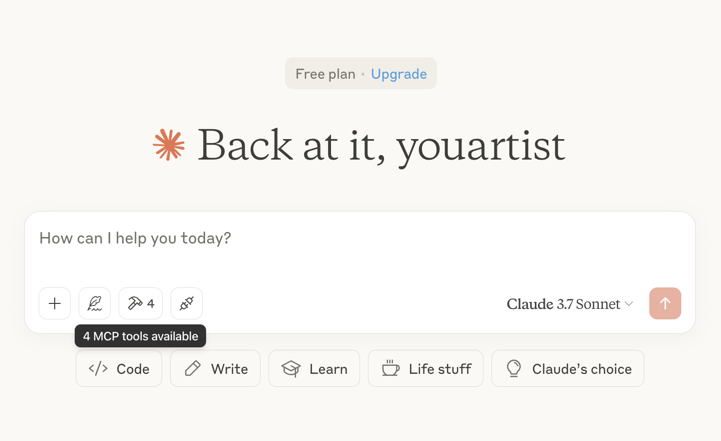
Then restart the Claude app and see 4 MCP tools available in the window, indicating successful loading
<div class="title-block" style="text-align: left;">
</div>
Optional features
You can add theTIME_OUT_SECONDS environment variable to the claude_desktop_config.json to set the timeout period for song or bgm generation waiting(Default 60s).
Example usage
⚠️ Warning: Mureka credits are needed to use these tools.
Try asking Claude:
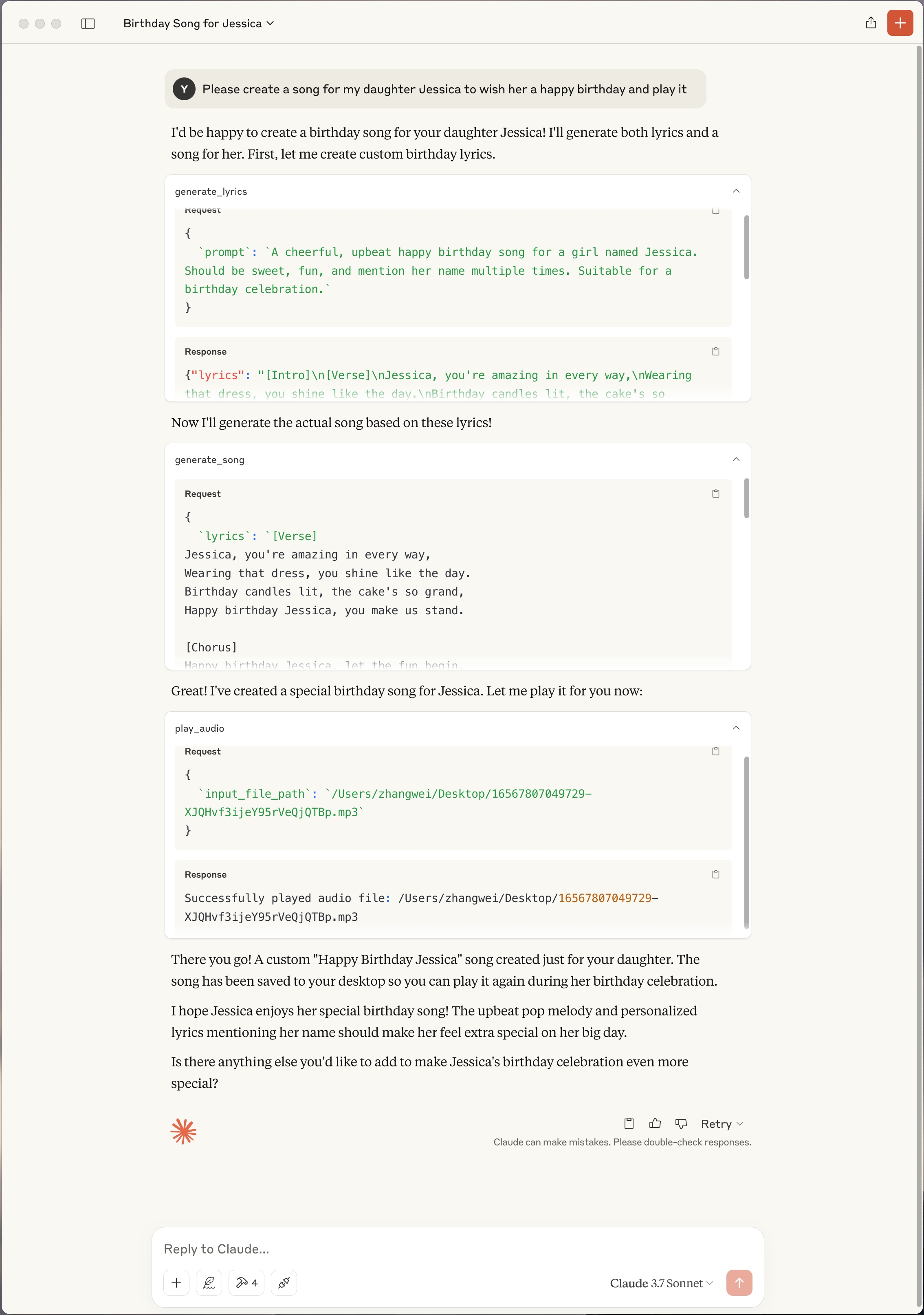
- "Please create a song for my daughter Jessica to wish her a happy birthday and play it"
<div class="title-block" style="text-align: left;">
</div>
- "Please generate lyrics about Christmas"
- "Please generate a song based on the lyrics just now"
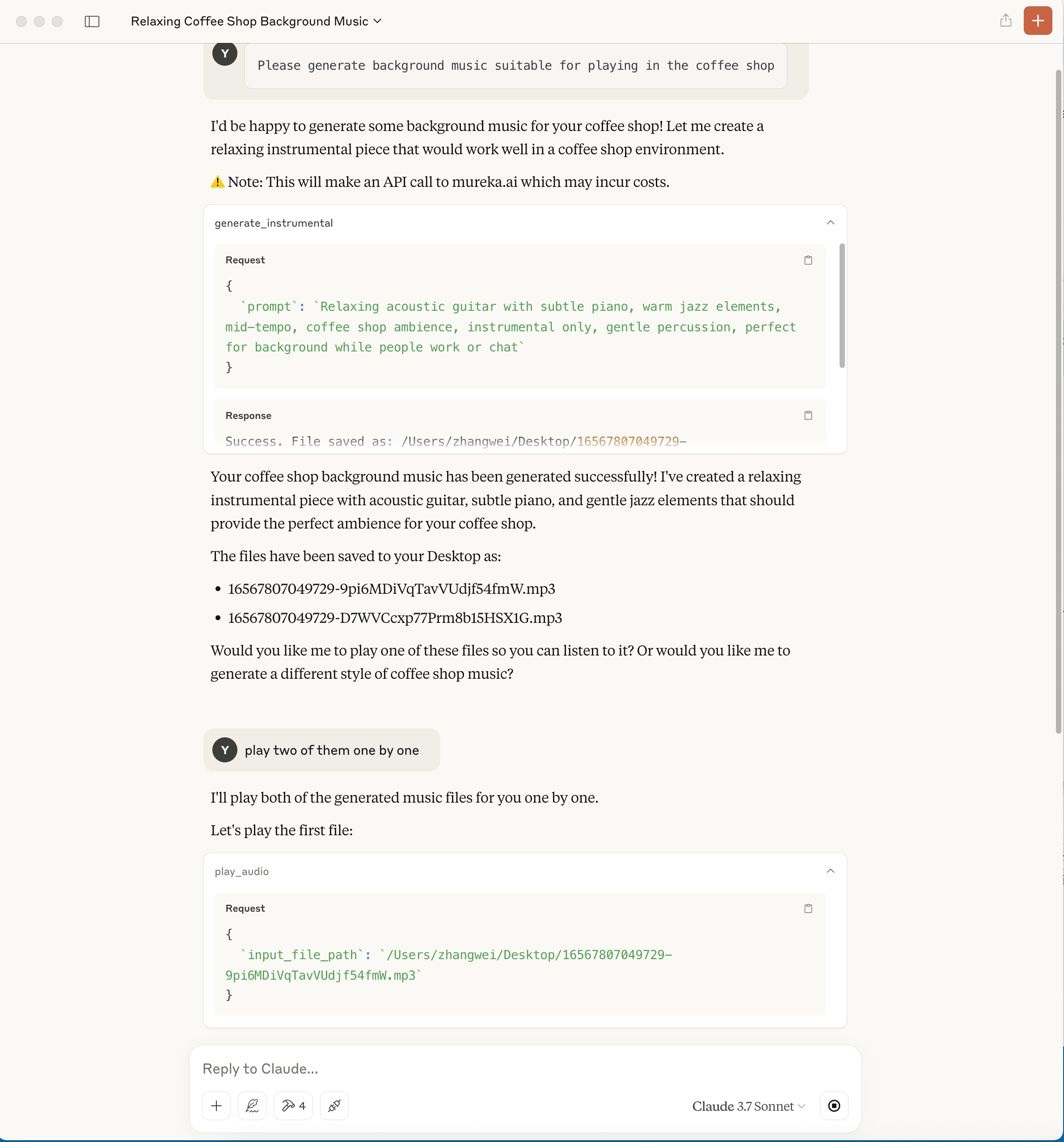
- "Please generate background music suitable for playing in the coffee shop"
<div class="title-block" style="text-align: left;">
</div>
Troubleshooting
Logs when running with Claude Desktop can be found at:
- Windows: %APPDATA%\Claude\logs\mcp-server-Mureka.log
- macOS: ~/Library/Logs/Claude/mcp-server-Mureka.log
Quickstart with Openai agents sdk
Install Agents SDKpip install openai-agents
Key is required to be filled in:
MUREKA_API_KEY = "<insert-your-api-key-here>"
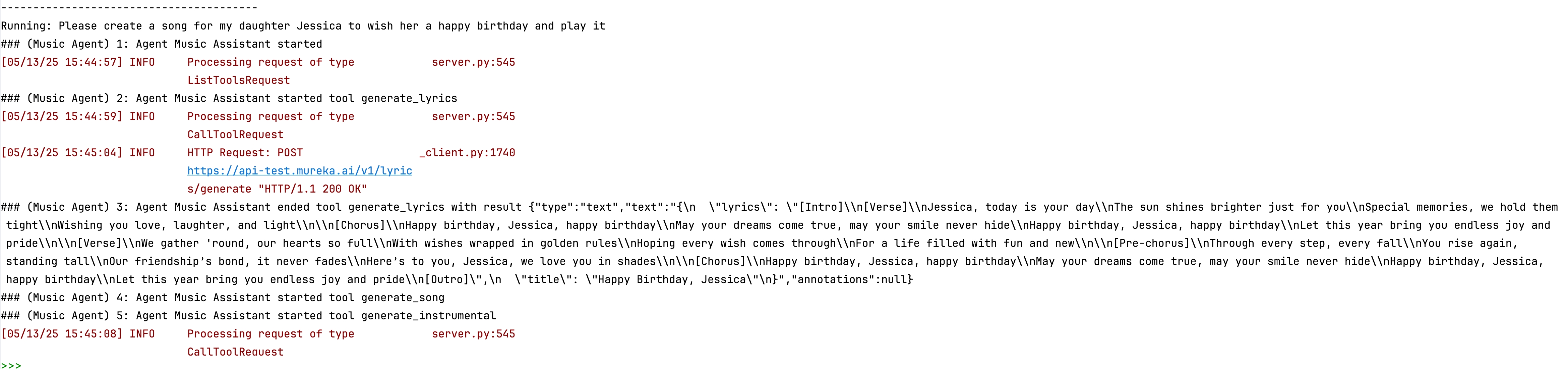
After running, you can see the composition process in the console
<div class="title-block" style="text-align: left;">
</div>
<div class="title-block" style="text-align: left;">

</div>
Sign in to leave a review
Use Google, GitHub, or an email account so ratings stay tied to real people.
No reviews posted yet.





