Skyvern
About
AI-powered browser automation MCP server — navigate sites, fill forms, extract data, and handle logins via Claude Code CLI
Details
- Author
- Skyvern-AI
- Downloads
- 525
- Categories
- Web Scraping, Automation, AI, Community, Other
Jump to
- Tasks: single browser automation requests with URL and prompt.
- Workflows: chain multiple tasks for complex processes.
- Livestreaming: view the browser viewport in real time.
- Form filling and data extraction with optional schema.
- File downloading with automatic block storage upload.
- Authentication support including 2FA (TOTP, email, SMS) and password managers (Bitwarden).
- Model Context Protocol (MCP) support for LLM integration.
- Integrations with Zapier, Make.com, and N8N.

Setting up with Highlight
This MCP is not yet compatible with Highlight’s one-click setup. However, you can still use it with Highlight by following these steps:
- Download and install Highlight from highlightai.com/download
- Navigate to the plugins tab and select "Add Custom Plugin"
-
Configure the plugin with the settings below
Plugin Name
SkyvernCommand (node, npx, python, etc.)Please refer to the README for specific instructions on how to obtain API keys or other required environment variables.
- Enable "Start Automatically" if you want the plugin to start when Highlight launches





From the repository
Install via pip install skyvern, then run skyvern quickstart to launch the server and UI locally. Tasks can be executed using the Python SDK with skyvern.local.run_task() or via Skyvern Cloud with an API key. Docker Compose and managed cloud options are also available.
Claude Desktop / Cursor
Paste into your MCP client config file to install this server.
{
    "mcpServers": {
        "skyvern": {
            "Skyvern": {
                "env": {
                    "SKYVERN_BASE_URL": "https://api.skyvern.com",
                    "SKYVERN_API_KEY": "YOUR_SKYVERN_API_KEY"
                },
                "command": "PATH_TO_PYTHON",
                "args": [
                    "-m",
                    "skyvern",
                    "run",
                    "mcp"
                ]
            }
        }
    }
}McpServers
{
    "Skyvern": {
        "env": {
            "SKYVERN_BASE_URL": "https://api.skyvern.com",
            "SKYVERN_API_KEY": "YOUR_SKYVERN_API_KEY"
        },
        "command": "PATH_TO_PYTHON",
        "args": [
            "-m",
            "skyvern",
            "run",
            "mcp"
        ]
    }
}
Skyvern Features
Skyvern Tasks
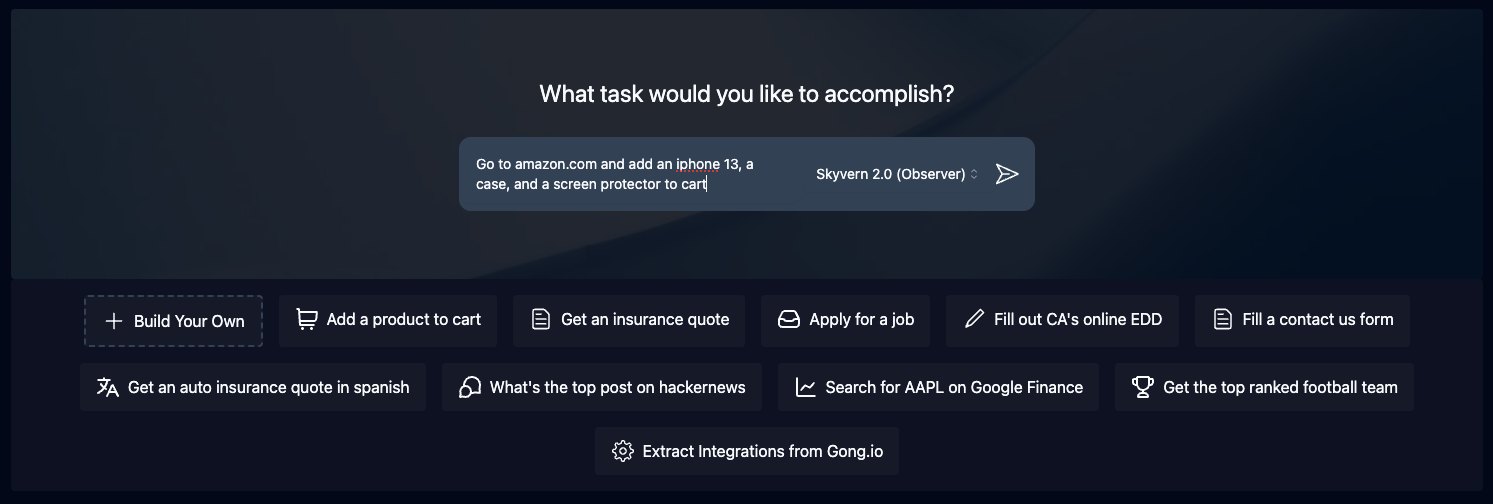
Tasks are the fundamental building block inside Skyvern. Each task is a single request to Skyvern, instructing it to navigate through a website and accomplish a specific goal.Tasks require you to specify a url, prompt, and can optionally include a data schema (if you want the output to conform to a specific schema) and error codes (if you want Skyvern to stop running in specific situations).
<p align="center">
</p>
Skyvern Workflows
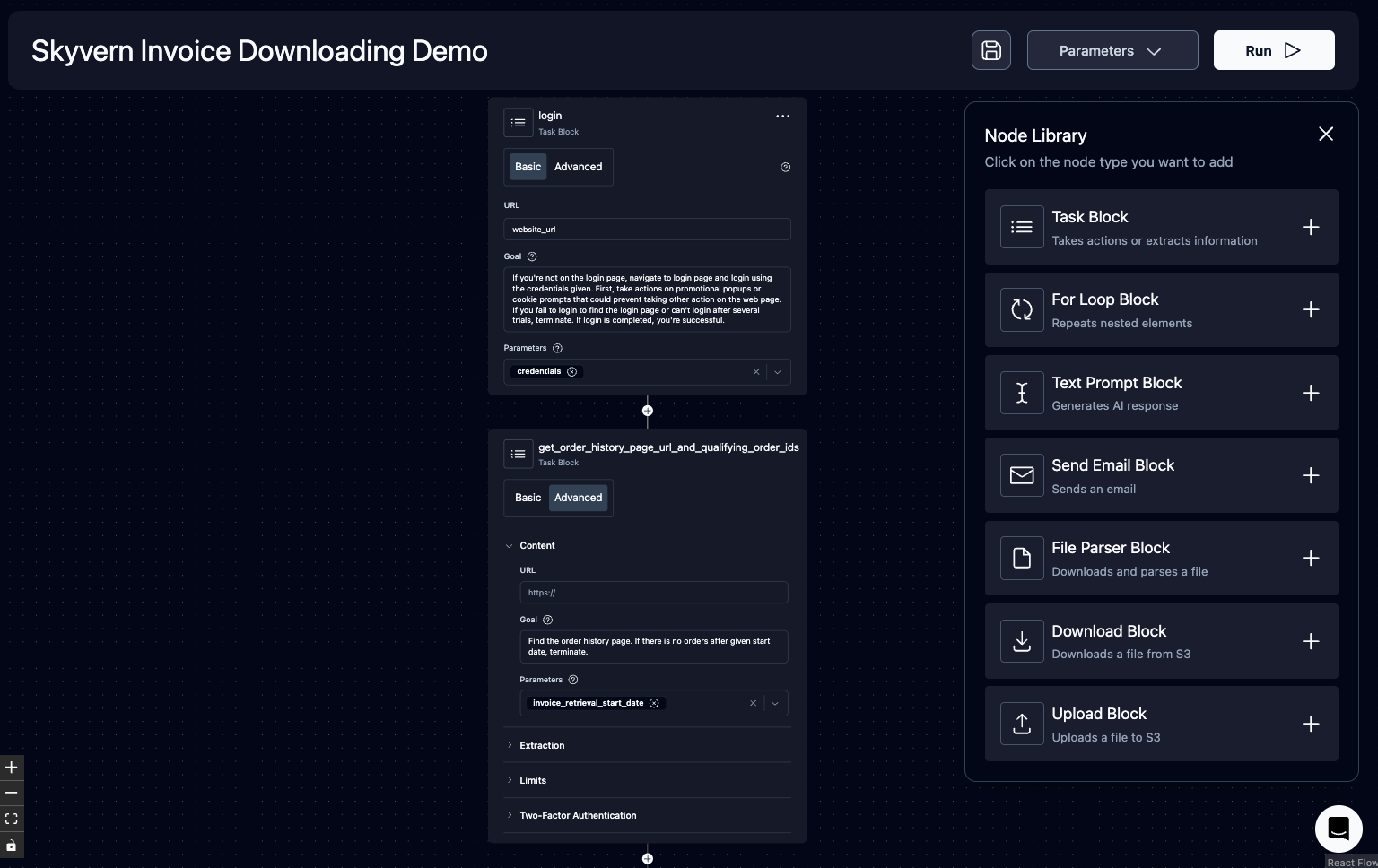
Workflows are a way to chain multiple tasks together to form a cohesive unit of work.For example, if you wanted to download all invoices newer than January 1st, you could create a workflow that first navigated to the invoices page, then filtered down to only show invoices newer than January 1st, extracted a list of all eligible invoices, and iterated through each invoice to download it.
Another example is if you wanted to automate purchasing products from an e-commerce store, you could create a workflow that first navigated to the desired product, then added it to a cart. Second, it would navigate to the cart and validate the cart state. Finally, it would go through the checkout process to purchase the items.
Supported workflow features include:
1. Navigation
1. Action
1. Data Extraction
1. Loops
1. File parsing
1. Uploading files to block storage
1. Sending emails
1. Text Prompts
1. Tasks (general)
1. (Coming soon) Conditionals
1. (Coming soon) Custom Code Block
<p align="center">
</p>
Livestreaming
Skyvern allows you to livestream the viewport of the browser to your local machine so that you can see exactly what Skyvern is doing on the web. This is useful for debugging and understanding how Skyvern is interacting with a website, and intervening when necessaryForm Filling
Skyvern is natively capable of filling out form inputs on websites. Passing in information via thenavigation_goal will allow Skyvern to comprehend the information and fill out the form accordingly.
Data Extraction
Skyvern is also capable of extracting data from a website.You can also specify a data_extraction_schema directly within the main prompt to tell Skyvern exactly what data you'd like to extract from the website, in jsonc format. Skyvern's output will be structured in accordance to the supplied schema.
File Downloading
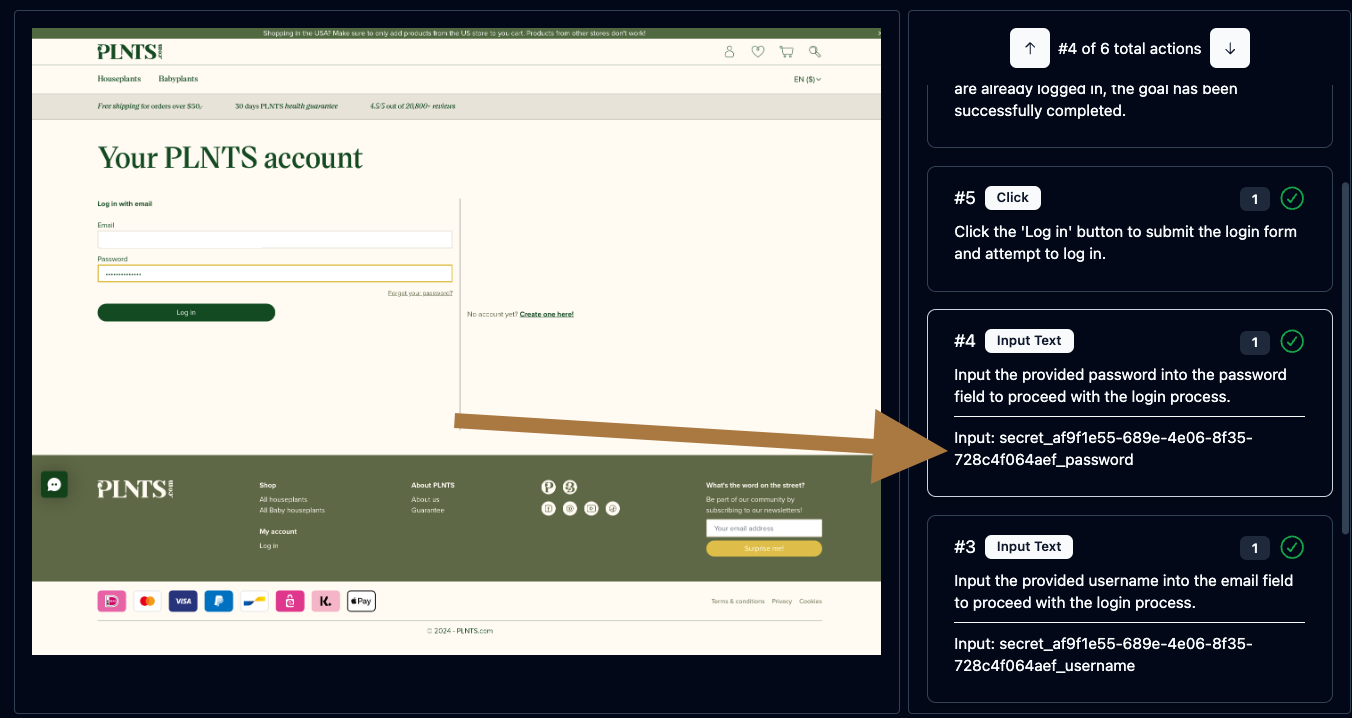
Skyvern is also capable of downloading files from a website. All downloaded files are automatically uploaded to block storage (if configured), and you can access them via the UI.Authentication
Skyvern supports a number of different authentication methods to make it easier to automate tasks behind a login. If you'd like to try it out, please reach out to us via email or discord.<p align="center">
</p>
🔐 2FA Support (TOTP)
Skyvern supports a number of different 2FA methods to allow you to automate workflows that require 2FA.Examples include:
1. QR-based 2FA (e.g. Google Authenticator, Authy)
1. Email based 2FA
1. SMS based 2FA
🔐 Learn more about 2FA support here.
Password Manager Integrations
Skyvern currently supports the following password manager integrations: - [x] Bitwarden - [ ] 1Password - [ ] LastPassModel Context Protocol (MCP)
Skyvern supports the Model Context Protocol (MCP) to allow you to use any LLM that supports MCP.See the MCP documentation here
Zapier / Make.com / N8N Integration
Skyvern supports Zapier, Make.com, and N8N to allow you to connect your Skyvern workflows to other apps.Sign in to leave a review
Use Google, GitHub, or an email account so ratings stay tied to real people.
No reviews posted yet.




