
A simple MCP Server
Description
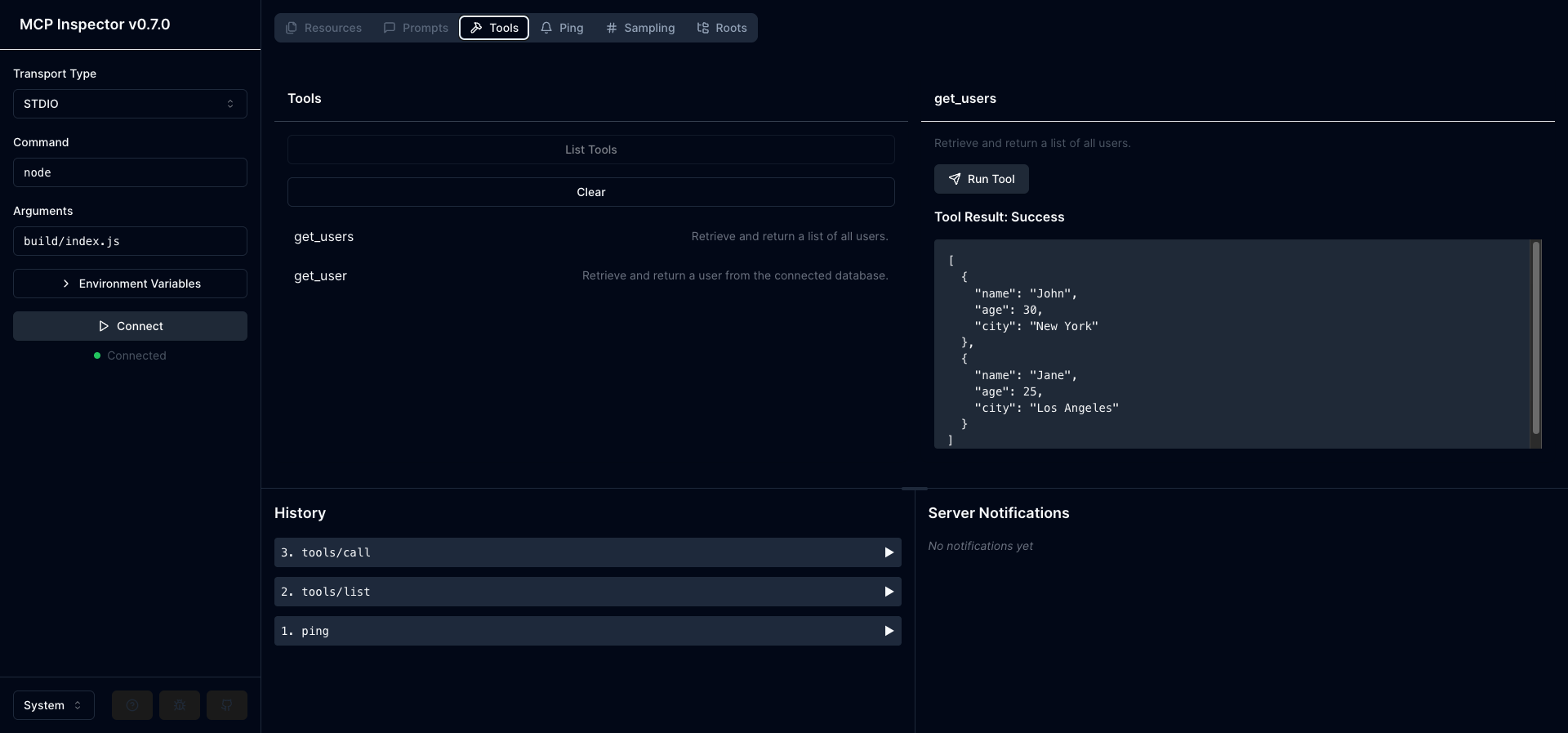
# A simple MCP Server A Model Context Protocol (MCP) server implementation that provides tools for user data management. <div align="center"> <img src="./inspector.png" alt="MCP Server Logo" width="100%"/> </div> ## Features - User data retrieval tools - TypeScript…
About
# A simple MCP Server A Model Context Protocol (MCP) server implementation that provides tools for user data management. <div align="center"> <img src="./inspector.png" alt="MCP Server Logo" width="100%"/> </div> ## Features - User data retrieval tools - TypeScript implementation - ES Modules support - Built-in…
Details
- Author
- fujahgabriel
- Downloads
- 103
- Categories
- Other
Jump to
- User data retrieval tools (get_users and get_user)
- TypeScript implementation with ES Modules
- Built-in TypeScript compilation
- Supports Node.js v20 or higher
Clone the repository, install dependencies with npm install, then build the TypeScript files using npm run build. To use with Cursor, add a configuration entry to ~/.cursor/mcp.json with the command node and arguments ["build/index.js"]. You can also test the server using the MCP Inspector by running npm run inspector after building.
A simple MCP Server
A Model Context Protocol (MCP) server implementation that provides tools for user data management.
<div align="center">
</div>
Features
- User data retrieval tools
- TypeScript implementation
- ES Modules support
- Built-in TypeScript compilation
Prerequisites
- Node.js (v20 or higher)
- npm (v9 or higher)
Installation
1. Clone the repository:
git clone https://github.com/fujahgabriel/simple-mcp-server.git

cd simple-mcp-server
2. Install dependencies:
npm install
Development
Building the Project
To build the TypeScript files:
npm run build
This will:
- Compile TypeScript files to JavaScript
- Output files to the build directory
- Set proper permissions on the output files
Development Mode
To watch for changes and automatically rebuild:
npm run watch
Using the MCP Inspector
To inspect and test your MCP server tools:
1. First build the project:
npm run build
2. Start the MCP Inspector:
npm run inspector
3. The inspector will be available at http://localhost:5173
MCP Configuration
To use this MCP server with Cursor, you need to configure it in your MCP settings. Add the following configuration to your ~/.cursor/mcp.json:
{
  "my-mcp-server": {
    "math": {
      "command": "node",
      "args": ["build/index.js"]
    }
  }
}
Make sure to:
1. Build the project first using npm run build
2. Use the correct path to the built JavaScript file
3. Restart Cursor after updating the configuration
Available Tools
get_users
Retrieves a list of all users.get_user
Retrieves a specific user by name.Parameters:
- user: string - The name of the user to retrieve
Project Structure
mcp-server/
├── build/           # Compiled JavaScript files
├── index.ts         # Main server implementation
├── package.json     # Project dependencies and scripts
└── tsconfig.json    # TypeScript configuration
Dependencies
- @modelcontextprotocol/sdk: MCP SDK for server implementation
- dotenv: Environment variable management
- typescript: TypeScript compiler
- zod: Runtime type validation
License
MIT
Sign in to leave a review
Use Google, GitHub, or an email account so ratings stay tied to real people.
No reviews posted yet.





