

Ros Mcp Server
About
Connect AI models like Claude & GPT with robots using MCP and ROS.
Details
- Author
- lpigeon
- GitHub stars
- 1,336
- Downloads
- 455
- Categories
- Other
Jump to
- No changes required to robot source code.
- Two-way communication: control and observe robots.
- Full ROS context: topics, services, actions, parameters.
- Automatic discovery of custom topic and service types.
- Compatible with any MCP client.
- Works across ROS 1 and ROS 2 distributions.
Install the rosbridge node on your existing ROS setup, then configure Ros Mcp Server with any MCP-compatible client such as Claude Code, ChatGPT, or Cursor. Refer to the installation guide for detailed steps.
ROS MCP Server 🧠⇄🤖








<!-- mcp-name: io.github.robotmcp/ros-mcp-server -->
<p align="center">
</p>
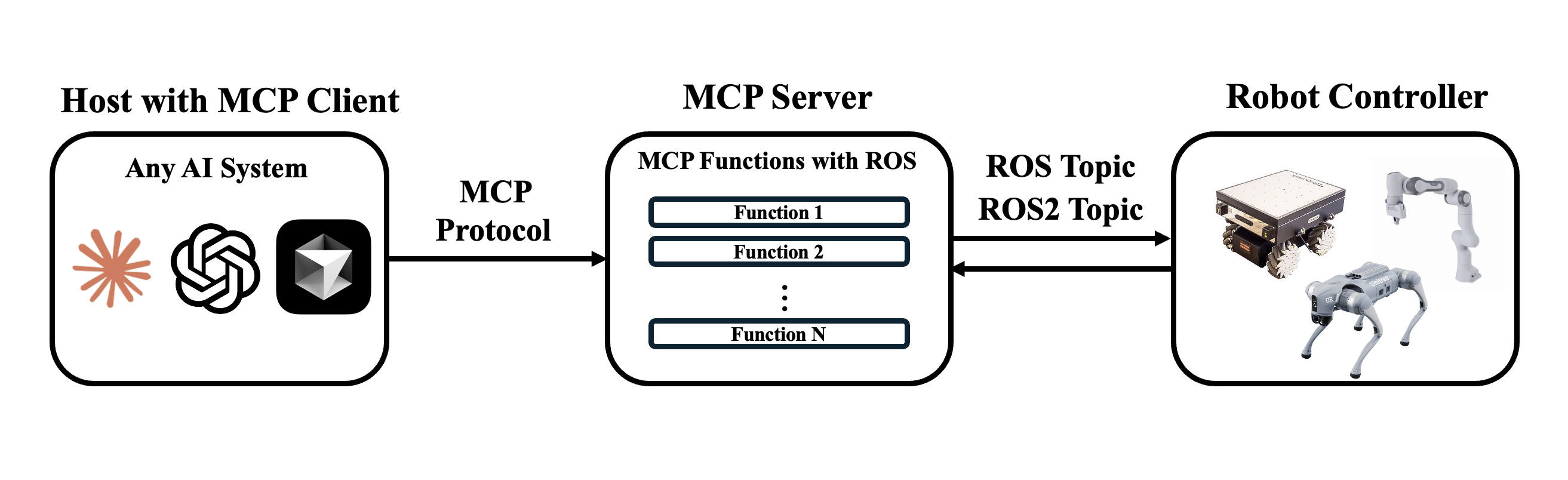
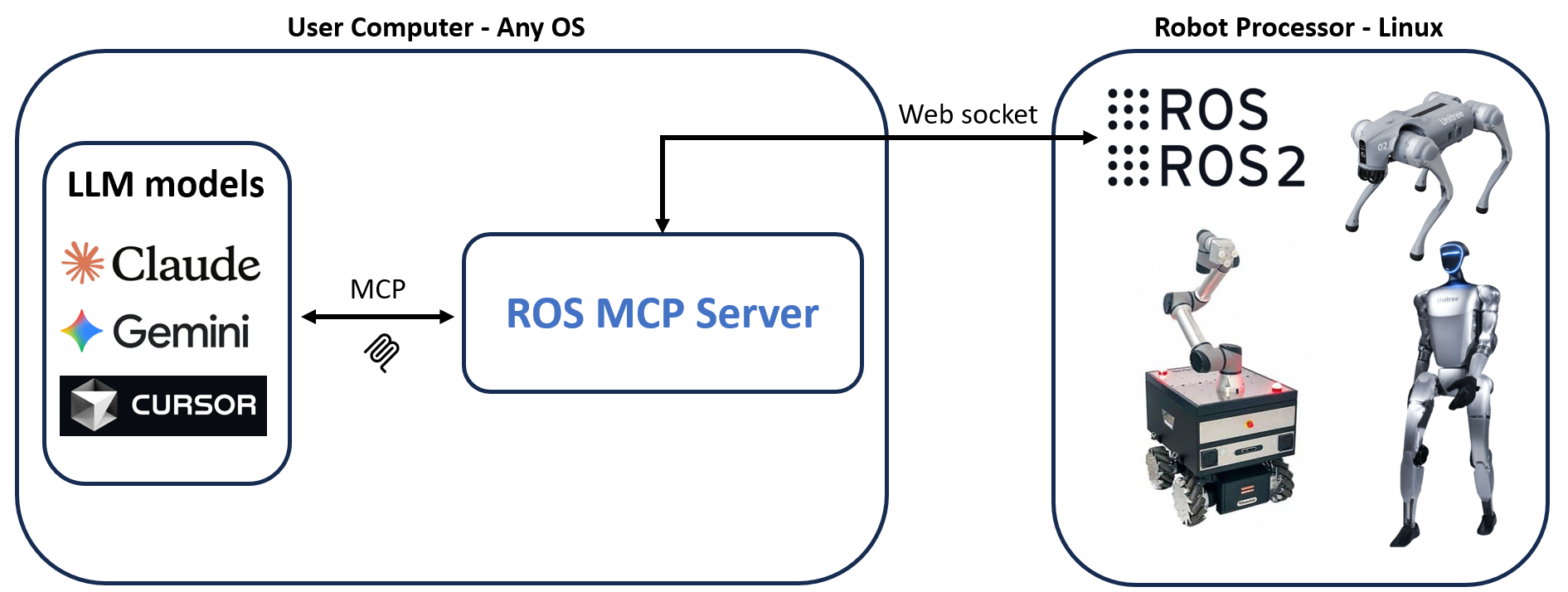
ROS-MCP-Server connects large language models (such as Claude, GPT, and Gemini) to robots, enabling bidirectional communication with no changes to existing robot source code.
Why ROS-MCP?
- No robot source code changes → just add the rosbridge node to your existing ROS setup.
- True two-way communication → LLMs can both control robots and observe everything happening on the Robot.
- Full context → publish & subscribe to topics, call services & actions, set parameters, read sensor data, and monitor robot state in real time.
- Deep ROS understanding → guides the LLM to discover available topics, services, actions, and their types (including custom ones) — enabling it to use them with the right syntax without manual configuration.
- Works with any MCP client → built on the open MCP standard, supporting Claude Code, Codex CLI, Gemini CLI, Claude Desktop, ChatGPT, Cursor, and more.
- Works across ROS versions → compatible across ROS 2 (Jazzy, Humble, and others) and ROS 1 distros.
---
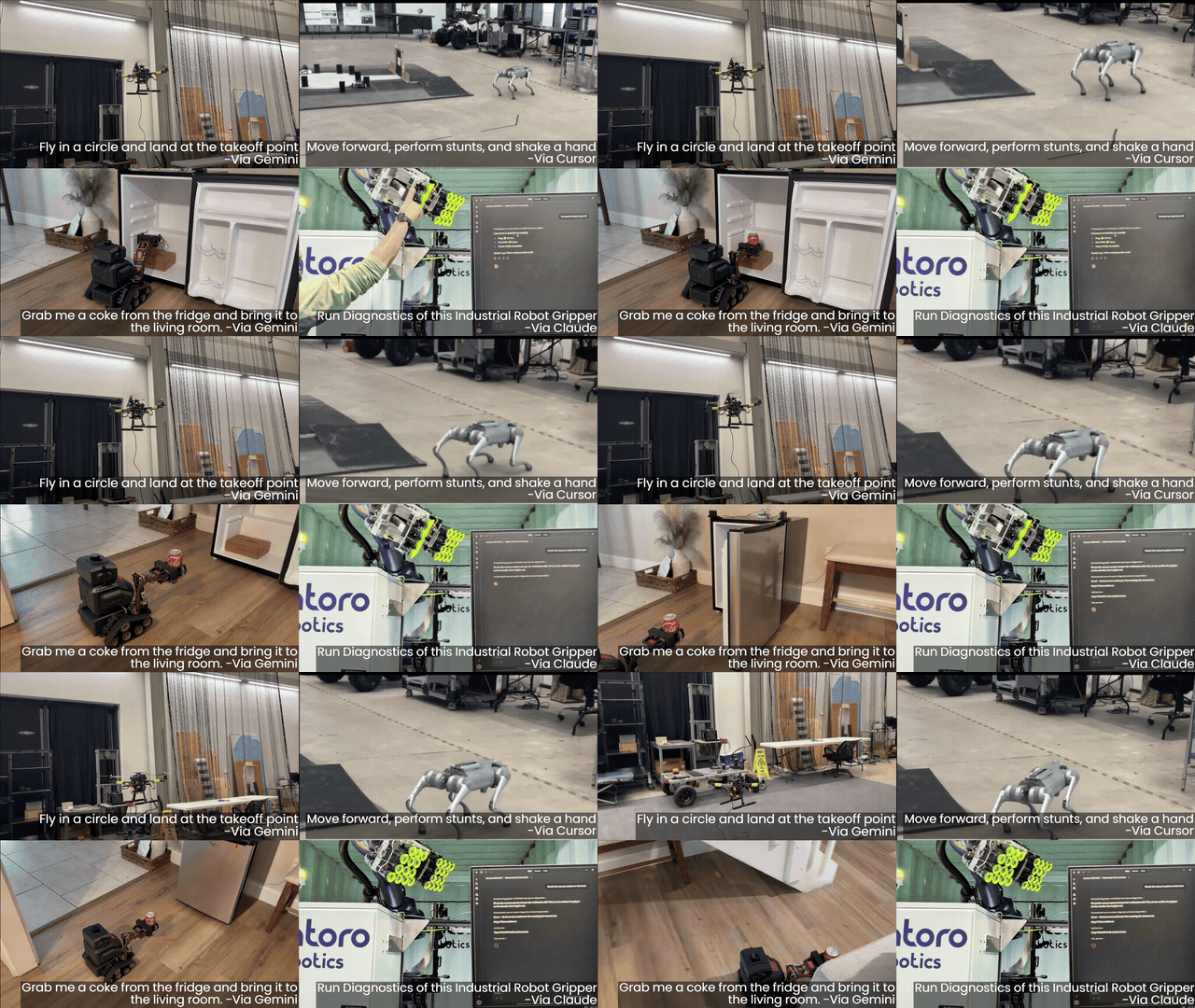
🎥 Examples in Action
<p align="center">
<a href="https://youtu.be/Yy1loJAn9sA">
</a>
</p>
---
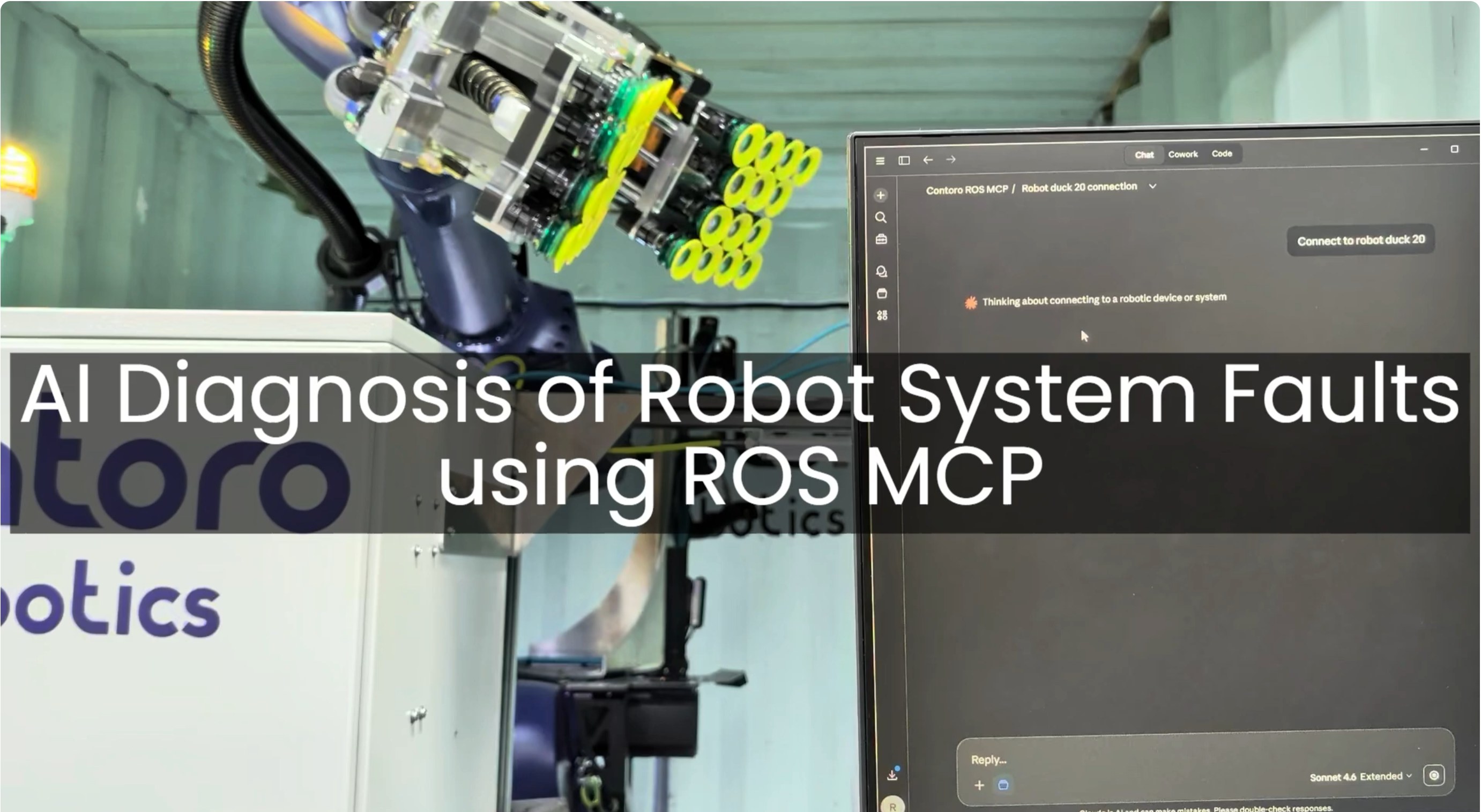
🏭 Example - AI Agent diagnosis of Industrial Robot End Effector (Video)
- The MCP server connects Claude to a production industrial robot, with only the technician manuals as reference.
- Claude discovers the robot's custom topic and service types and their syntax on its own.
- From a single prompt to test the gripper, it reads the manuals, runs its own tests, finds an anomaly, and reports the root cause.
<p align="center">
<a href="https://youtu.be/EhZNFULz9P4">
</a>
</p>
---
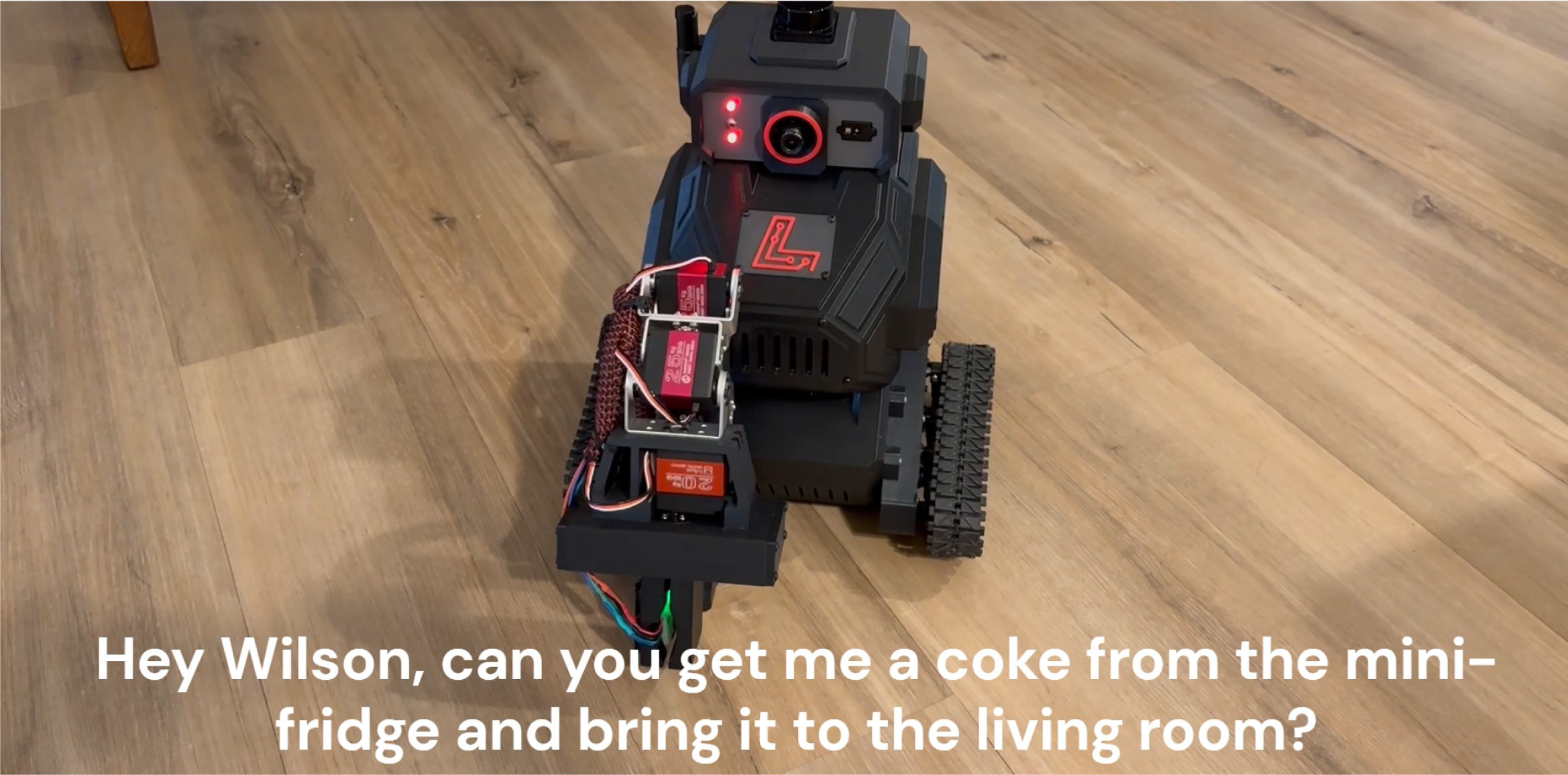
🤖 Example - Controlling "Wilson" with natural language (video)
From a single prompt — "Grab a Coke from the fridge & go to the living room." — Google Gemini uses the MCP server to navigate and manipulate autonomously. Built on ROS 2 with Nav2 (SLAM) for mapping and navigation, and MoveIt to command the manipulator.
<p align="center">
<a href="https://www.traceglarue.com/wilson">
</a>
</p>
---
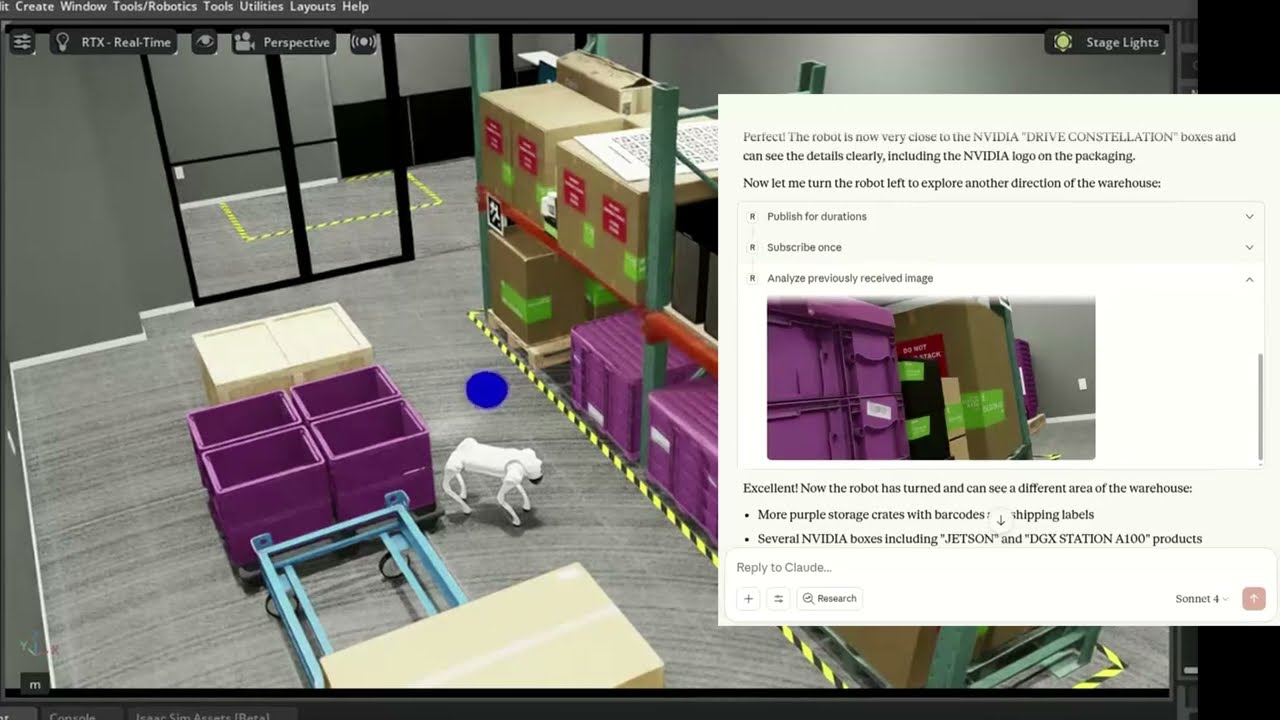
🐕 Example - Controlling Unitree Go2 in NVIDIA Isaac Sim (video)
The MCP server connects Claude to a simulated Unitree Go2 quadruped in NVIDIA Isaac Sim, interpreting natural language commands to navigate and control the robot.
<p align="center">
<a href="https://www.youtube.com/watch?v=9StFx4lnvmc">
</a>
</p>
---
🛠 Getting Started
Follow the installation guide to get started.
ROS-MCP works with Claude Code, Codex CLI, Gemini CLI, Claude Desktop, ChatGPT, Cursor, or any MCP-compatible client.
<p align="center">
</p>
---
📚 More Examples & Tutorials
Browse our examples to see the server in action.
We welcome community PRs with new examples and integrations!
---
🤝 Contributing
We love contributions of all kinds:
- Bug fixes and documentation updates
- New features (e.g., Action support, permissions)
- Additional examples and tutorials
Check out the contributing guidelines and see issues tagged good first issue to get started.
---
📜 License
This project is licensed under the Apache License 2.0.
Sign in to leave a review
Use Google, GitHub, or an email account so ratings stay tied to real people.
No reviews posted yet.





