
Rootly-AI-Labs/Rootly-MCP-server
About
MCP server for the incident management platform [Rootly](https://rootly.com/).
Details
- Author
- Rootly-AI-Labs
- GitHub stars
- 43
- Downloads
- 225
- Categories
- Productivity, Community, Other
Jump to
- Hosted and self-hosted deployment options
- Multiple transports: Streamable HTTP, SSE, Code Mode
- OAuth2 or API token authentication
- Full (200+ tools) and slim (~70 tools) profiles
- Write tools toggle (ROOTLY_MCP_ENABLE_WRITE_TOOLS)
- Workflow‑specific tool subsets (Incident Response, On‑Call, Monitoring)
- Supports Rootly CLI for standalone operations

Setting up with Highlight
This MCP is not yet compatible with Highlight’s one-click setup. However, you can still use it with Highlight by following these steps:
- Download and install Highlight from highlightai.com/download
- Navigate to the plugins tab and select "Add Custom Plugin"
-
Configure the plugin with the settings below
Plugin Name
Rootly-AI-Labs/Rootly-MCP-serverCommand (node, npx, python, etc.)Please refer to the README for specific instructions on how to obtain API keys or other required environment variables.
- Enable "Start Automatically" if you want the plugin to start when Highlight launches





From the repository
Use the hosted version by adding a URL (Streamable HTTP recommended: https://mcp.rootly.com/mcp) to your MCP client configuration. Authentication uses OAuth2 (automated browser login) or a Rootly API token. Optionally run locally with uv by setting ROOTLY_API_TOKEN. Tool availability can be narrowed with query parameters, headers, or environment variables.
Claude Desktop / Cursor
Paste into your MCP client config file to install this server.
{
    "mcpServers": {
        "rootly-ai-labs/rootly-mcp-server": {
            "Rootly-MCP-server": {
                "command": "uv",
                "args": [
                    "run",
                    "python",
                    "-m",
                    "rootly_mcp_server",
                    "--list-tools"
                ]
            }
        }
    }
}McpServers
{
    "Rootly-MCP-server": {
        "command": "uv",
        "args": [
            "run",
            "python",
            "-m",
            "rootly_mcp_server",
            "--list-tools"
        ]
    }
}
Rootly MCP Server



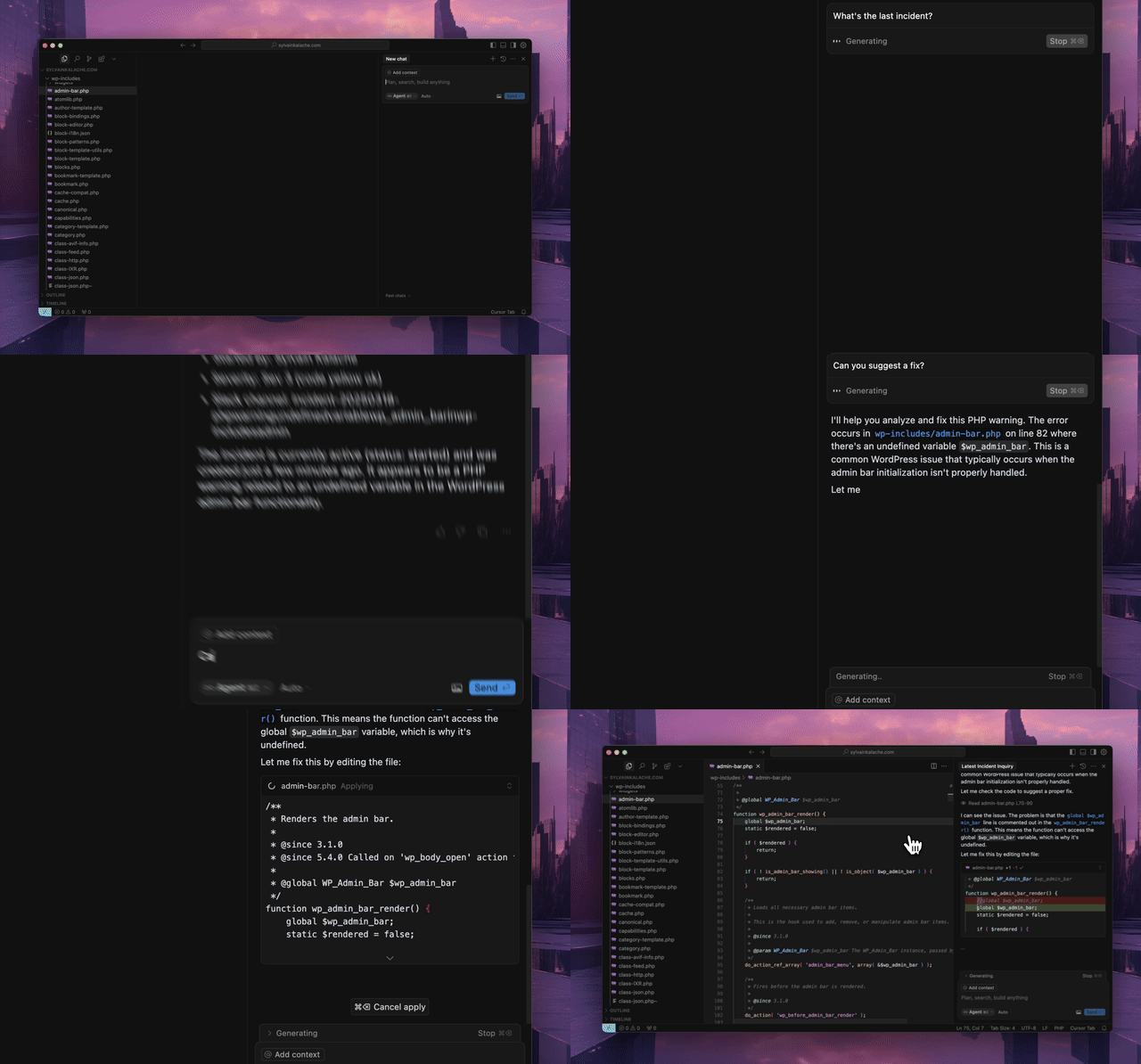
An MCP server for the Rootly API for Cursor, Windsurf, Claude, and other MCP clients.
Quick Start
Use the hosted MCP server. No local installation required.
Hosted Transport Options
- Streamable HTTP (recommended): https://mcp.rootly.com/mcp
- SSE (stable alternative): https://mcp.rootly.com/sse
- Code Mode: https://mcp.rootly.com/mcp-codemode
Hosted tool profiles:
- Full (default): use the URLs above as-is
- Slim (~70 tools): add ?tool_profile=slim to the hosted URL, for example https://mcp.rootly.com/mcp?tool_profile=slim
- Header alternative: send X-Rootly-Tool-Profile: slim
- Server-wide default: set ROOTLY_MCP_HOSTED_TOOL_PROFILE=full|slim
- Exact custom override: set ROOTLY_MCP_ENABLED_TOOLS=...
General Remote Setup
With OAuth2 (recommended):
{
  "mcpServers": {
    "rootly": {
      "url": "https://mcp.rootly.com/mcp"
    }
  }
}
Your MCP client handles OAuth2 login automatically — a browser window opens for you to authenticate with Rootly. No API token needed.
With API Token:
{
  "mcpServers": {
    "rootly": {
      "url": "https://mcp.rootly.com/mcp",
      "headers": {
        "Authorization": "Bearer YOUR_ROOTLY_API_TOKEN"
      }
    }
  }
}
SSE (alternative):
{
  "mcpServers": {
    "rootly": {
      "url": "https://mcp.rootly.com/sse"
    }
  }
}
Code Mode:
{
  "mcpServers": {
    "rootly": {
      "url": "https://mcp.rootly.com/mcp-codemode"
    }
  }
}
Agent Setup
<details>
<summary><strong>Claude Code</strong></summary>
<br>
With OAuth2 (recommended):
```bash
claude mcp add --transport http rootly https://mcp.rootly.com/mcp
Sign in to leave a review
Use Google, GitHub, or an email account so ratings stay tied to real people.
No reviews posted yet.





