
Security Audit
About
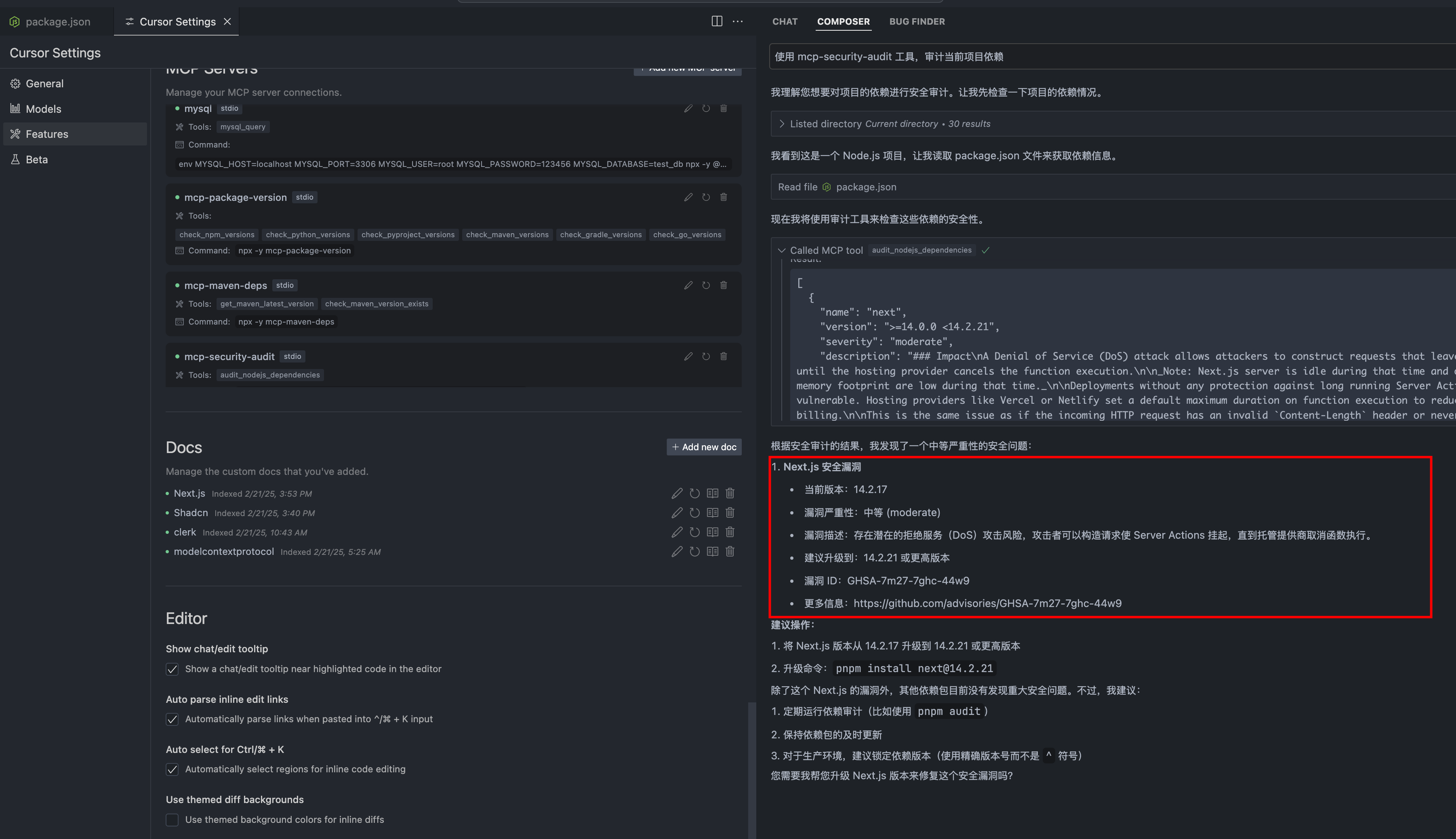
Integrates with npm-audit-report and npm-registry-fetch to analyze and report potential vulnerabilities in Node.js project dependencies, offering actionable security insights for development teams.
Details
- Author
- qianniuspace
- Repository
- qianniuspace/mcp-security-audit
- GitHub stars
- 24
- Downloads
- 1,154
- License
- MIT License
- Categories
- Developer Tools, Security, Infrastructure, Productivity, Design, Workplace, AI, Communication
- Tags
- #integration
Jump to
- 🔍 Real-time security vulnerability scanning
- 🚀 Remote npm registry integration
- 📊 Detailed vulnerability reports with severity levels
- 🛡️ Support for multiple severity levels (critical, high, moderate, low)
- 📦 Compatible with npm/pnpm/yarn package managers
- 🔄 Automatic fix recommendations
- 📋 CVSS scoring and CVE references

Setting up with Highlight
This MCP is not yet compatible with Highlight’s one-click setup. However, you can still use it with Highlight by following these steps:
- Download and install Highlight from highlightai.com/download
- Navigate to the plugins tab and select "Add Custom Plugin"
-
Configure the plugin with the settings below
Plugin Name
Security AuditCommand (node, npx, python, etc.)npxArguments-
Argument 1
-y -
Argument 2
mcp-security-audit
Please refer to the README for specific instructions on how to obtain API keys or other required environment variables.
-
Argument 1
- Enable "Start Automatically" if you want the plugin to start when Highlight launches





From the repository
To install Security Audit Tool for Claude Desktop automatically via Smithery:
npx -y @smithery/cli install @qianniuspace/mcp-security-audit --client claude
1. Clone the repository:
git clone https://github.com/qianniuspace/mcp-security-audit.git
cd mcp-security-audit
2. Install dependencies and build:
npm install
npm run build
3. Add MCP configuration to Cline /Cursor :
{
"mcpServers": {
"mcp-security-audit": {
"command": "npx",
"args": ["-y", "/path/to/mcp-security-audit/build/index.js"]
}
}
}
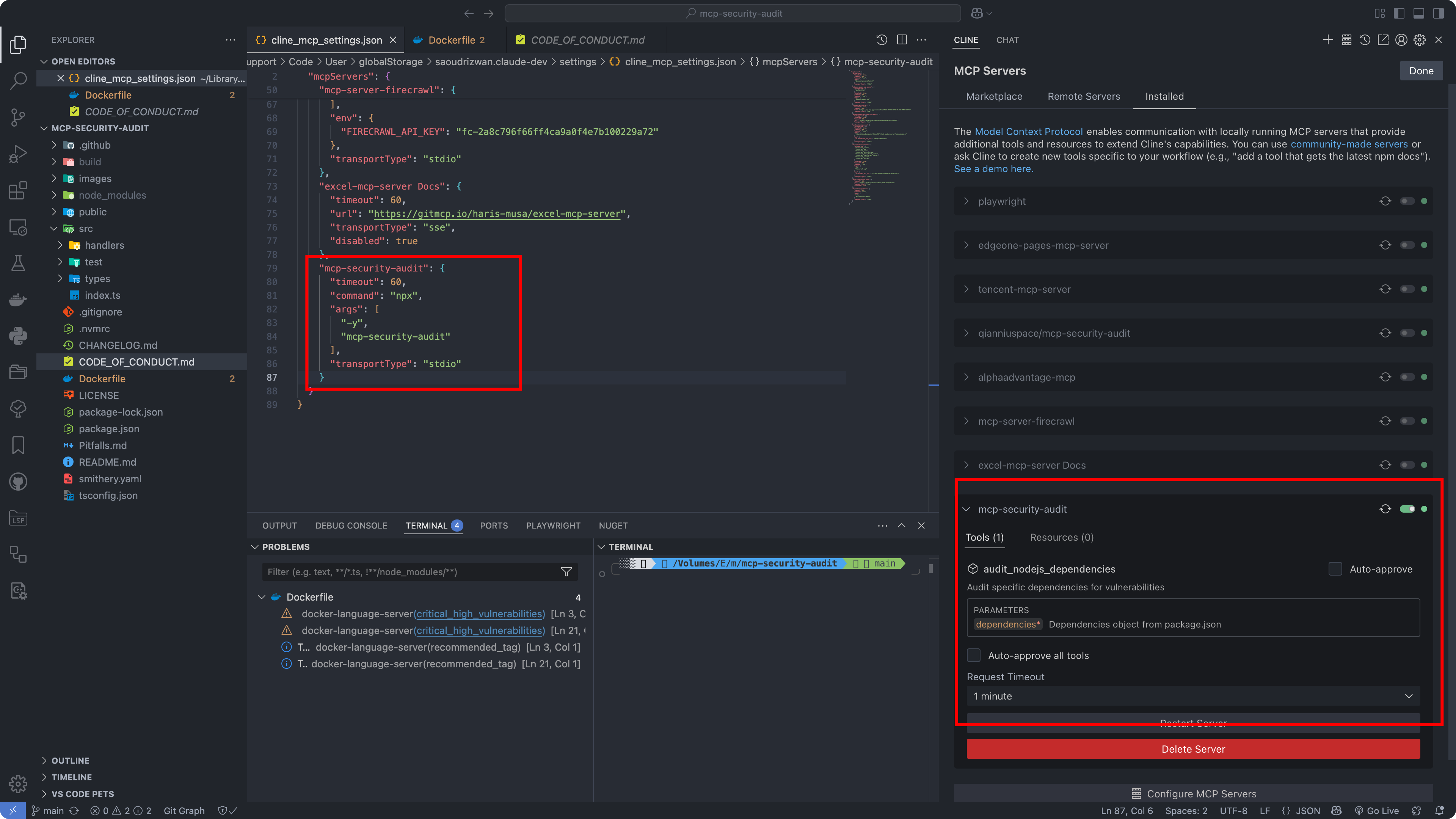
Claude Desktop / Cursor
Paste into your MCP client config file to install this server.
{
    "mcpServers": {
        "security audit": {
            "command": "npx",
            "args": [
                "-y",
                "mcp-security-audit"
            ],
            "env": {}
        }
    }
}Macos
{
"command": "npx",
"args": [
"-y",
"mcp-security-audit"
],
"env": []
}Windows
{
"command": "cmd",
"args": [
"/c",
"npx",
"-y",
"mcp-security-audit"
],
"env": []
}Linux
{
"command": "npx",
"args": [
"-y",
"mcp-security-audit"
],
"env": []
}Audits npm package dependencies for security vulnerabilities with real-time checks against a remote npm registry.
A powerful MCP (Model Context Protocol) Server that audits npm package dependencies for security vulnerabilities. Built with remote npm registry integration for real-time security checks.
- 🔍 Real-time security vulnerability scanning
- 🚀 Remote npm registry integration
- 📊 Detailed vulnerability reports with severity levels
- 🛡️ Support for multiple severity levels (critical, high, moderate, low)
- 📦 Compatible with npm/pnpm/yarn package managers
- 🔄 Automatic fix recommendations
- 📋 CVSS scoring and CVE references
To install Security Audit Tool for Claude Desktop automatically viaSmithery:
npx -y @smithery/cli install @qianniuspace/mcp-security-audit --client claude
{ "mcpServers": { "mcp-security-audit": { "command": "npx", "args": ["-y", "mcp-security-audit"] } } }
Option 2: Download Source Code and Configure Manually
git clone https://github.com/qianniuspace/mcp-security-audit.git

cd mcp-security-audit
- Add MCP configuration to Cline /Cursor :
{

  "mcpServers": {

    "mcp-security-audit": {

      "command": "npx",

      "args": ["-y", "/path/to/mcp-security-audit/build/index.js"]

    }

  }

}
The tool provides detailed vulnerability information including severity levels, fix recommendations, CVSS scores, and CVE references.
1. When Vulnerabilities Found (Severity-response.json)
{ "content": [{ "vulnerability": { "packageName": "lodash", "version": "4.17.15", "severity": "high", "description": "Prototype Pollution in lodash", "cve": "CVE-2020-8203", "githubAdvisoryId": "GHSA-p6mc-m468-83gw", "recommendation": "Upgrade to version 4.17.19 or later", "fixAvailable": true, "fixedVersion": "4.17.19", "cvss": { "score": 7.4, "vector": "CVSS:3.1/AV:N/AC:H/PR:N/UI:N/S:U/C:H/I:H/A:N" }, "cwe": ["CWE-1321"], "url": "https://github.com/advisories/GHSA-p6mc-m468-83gw" }, "metadata": { "timestamp": "2024-04-23T10:00:00.000Z", "packageManager": "npm" } }] }
2. When No Vulnerabilities Found (no-Severity-response.json)
{ "content": [{ "vulnerability": null, "metadata": { "timestamp": "2024-04-23T10:00:00.000Z", "packageManager": "npm", "message": "No known vulnerabilities found" } }] }
For development reference, check the example response files in thepublicdirectory:
- Severity-response.json: Example response when vulnerabilities are found (transformed from npm audit API response)
- no-Severity-response.json: Example response when no vulnerabilities are found (transformed from npm audit API response)
Note: The example responses shown above are transformed from the raw npm audit API responses to provide a more structured format. The original npm audit API responses contain additional metadata and may have a different structure.
Contributions are welcome! Please read ourContributing Guidefor details on our code of conduct and the process for submitting pull requests.
This project is licensed under the MIT License - see theLICENSEfile for details.
- GitHub Repository
- Issue Tracker
- Changelog
This is a web browser that enables your coding agent, such as Claude Code, to visit websites on your behalf and assist you in identifying bugs or creating UI test cases.
Boost security in your dev lifecycle via SAST, SCA, Secrets & IaC scanning with Cycode.
Enable AI agents to secure code with Semgrep.
An engineering governance and safety control plane for AI coding agents to enforce strict SDLC discipline, quality gates, and security branch protections.
AI-powered security scanning. Scans code, files, and git diffs for vulnerabilities in real-time using the Armis scanning API.
MCP server that vets LLM-emitted shell commands BEFORE execution. 30 detection rules across destructive file ops, package managers, system, database, git, network, exfiltration, privilege escalation. Sub-second, local, free.
Give your coding agent the dependency graph it is about to change: scan a source tree, SBOM, Git ref, or container image; explain why a package is present; diff two graphs; check findings against policy.
BoostSecurity MCP acts as a safeguard preventing agents from adding vulnerable packages into projects. It analyzes every package an AI agent introduces, flags unsafe dependencies, and recommends secure, maintained alternatives to keep projects protected.
A secure MCP server for executing controlled command-line operations with comprehensive security features.
Access the Codacy API to analyze code quality, coverage, and security for your repositories.
Execute pre-approved shell commands securely on a server.
Sign in to leave a review
Use Google, GitHub, or an email account so ratings stay tied to real people.
No reviews posted yet.





