
Qa Use
About
An MCP (Model Context Protocol) server that provides comprehensive browser automation and QA testing capabilities. This server integrates with desplega.ai to offer automated testing, session monitoring, batch test execution, and intelligent test guidance using AAA (Arrange-Act-As
Details
- Author
- desplega-ai
- Downloads
- 276
- Categories
- Productivity, Automation, Developer Tools, Other
Jump to
- Launch and control Playwright browser instances (headless/headed)
- Create public tunnels for browser WebSocket endpoints
- Create, monitor, and control multiple QA testing sessions
- Real‑time progress notifications with MCP timeout protection
- Run multiple automated tests simultaneously with dependency management
- Search and list automated tests with pagination and filtering
- View test execution history with performance metrics and flakiness scores
- Pre‑built AAA framework templates for common test scenarios

Setting up with Highlight
This MCP is not yet compatible with Highlight’s one-click setup. However, you can still use it with Highlight by following these steps:
- Download and install Highlight from highlightai.com/download
- Navigate to the plugins tab and select "Add Custom Plugin"
-
Configure the plugin with the settings below
Plugin Name
Qa UseCommand (node, npx, python, etc.)Please refer to the README for specific instructions on how to obtain API keys or other required environment variables.
- Enable "Start Automatically" if you want the plugin to start when Highlight launches





From the repository
Run with npx @desplega.ai/qa-use-mcp for stdio transport, or add --http --port 3000 for HTTP/SSE mode. Configure the server in your MCP client settings, setting the QA_USE_API_KEY environment variable with a desplega.ai API key. First-time setup requires either running init_qa_server with interactive=true or providing the API key.
ensure_installed
Ensure API key is set, validate authentication, and install Playwright browsers. Does not start browsers (lazy initialization on session start).
register_user
Register a new user and get API key
search_sessions
Search and list all sessions (automated tests and development sessions) with pagination and filtering
start_automated_session
Start an automated E2E test session for QA flows and automated testing. Returns sessionId (data.agent_id) for monitoring. URL is optional - uses app config base_url if not provided.
start_dev_session
Start an interactive development session for debugging and exploration. Session will not auto-pilot and allows manual browser interaction.
monitor_session
Monitor a session status. Keep calling until status is "closed". Will alert if session needs user input, is idle, or pending.
interact_with_session
Interact with a session - respond to questions, pause, or close the session
search_automated_tests
Search for automated tests by ID or query. If testId provided, returns detailed info for that test. Otherwise searches with optional query/pagination.
run_automated_tests
Execute multiple automated tests simultaneously. Uses the global browser WebSocket URL from init_qa_server.
search_automated_test_runs
Search automated test runs with optional filtering by test ID or run ID
update_configuration
Update application configuration settings including base URL, login credentials, and viewport type
get_configuration
Get the current application configuration details including base URL, login settings, and viewport
reset_browser_sessions
Reset and cleanup all active browser sessions. This will kill all browsers and tunnels. Use this when you hit the maximum session limit or need to free up resources.
Claude Desktop / Cursor
Paste into your MCP client config file to install this server.
{
    "mcpServers": {
        "qa use": {
            "desplega-qa": {
                "command": "npx",
                "args": [
                    "-y",
                    "@desplega.ai/qa-use-mcp@latest"
                ],
                "env": {
                    "QA_USE_API_KEY": "your-desplega-ai-api-key"
                }
            }
        }
    }
}McpServers
{
    "desplega-qa": {
        "command": "npx",
        "args": [
            "-y",
            "@desplega.ai/qa-use-mcp@latest"
        ],
        "env": {
            "QA_USE_API_KEY": "your-desplega-ai-api-key"
        }
    }
}
QA-Use MCP Server
An MCP (Model Context Protocol) server that provides comprehensive browser automation and QA testing capabilities. This server integrates with desplega.ai to offer automated testing, session monitoring, batch test execution, and intelligent test guidance using AAA (Arrange-Act-Assert) framework templates. Transport Modes: - 📟 stdio - Standard MCP transport for local integrations (default) - 🌐 HTTP/SSE - StreamableHTTP transport for remote access and web integrations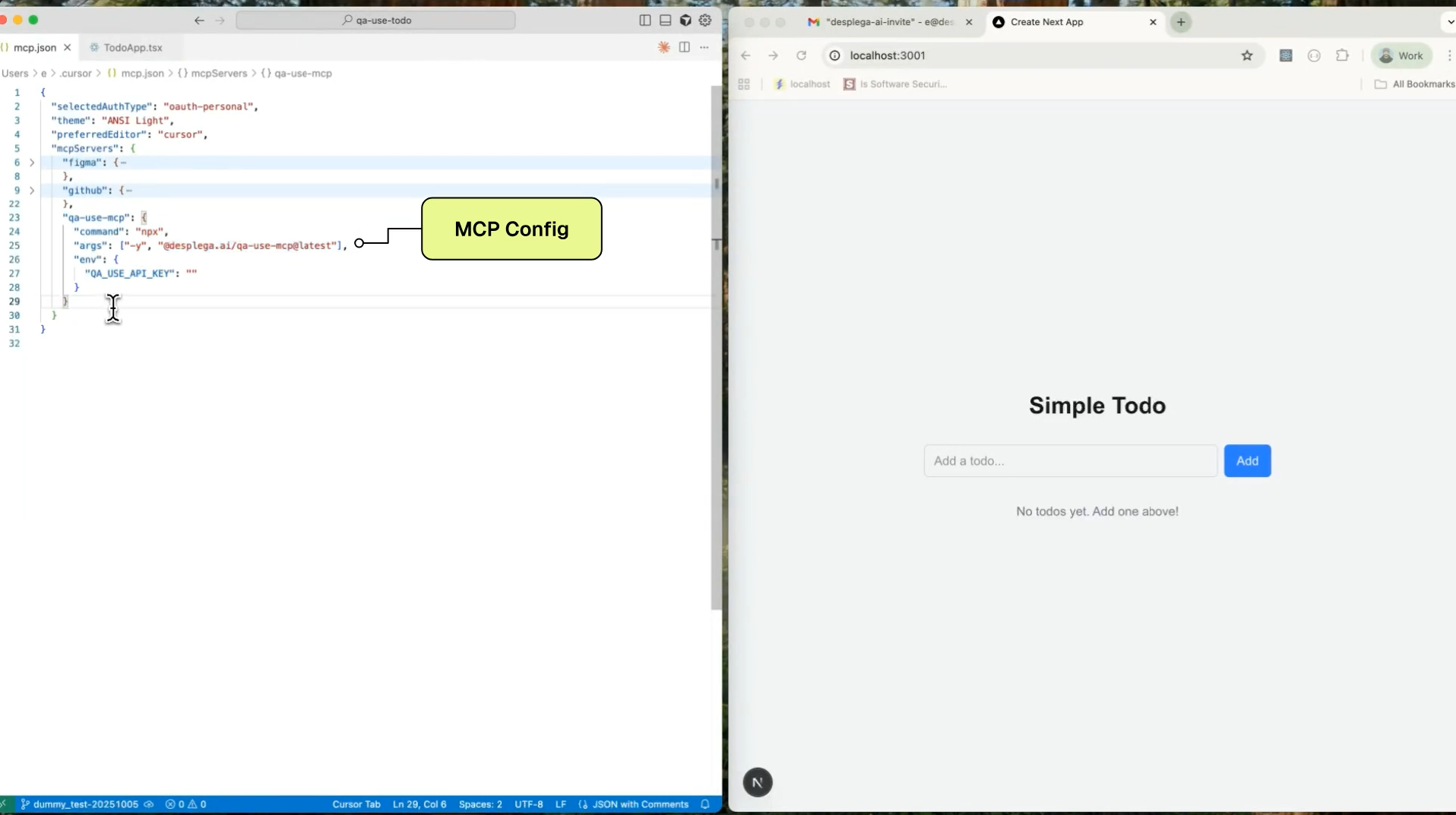 > Learn more: Check out our comprehensive MCP integration guide for detailed setup instructions and advanced usage patterns.
Quick Start
```bashSign in to leave a review
Use Google, GitHub, or an email account so ratings stay tied to real people.
No reviews posted yet.




