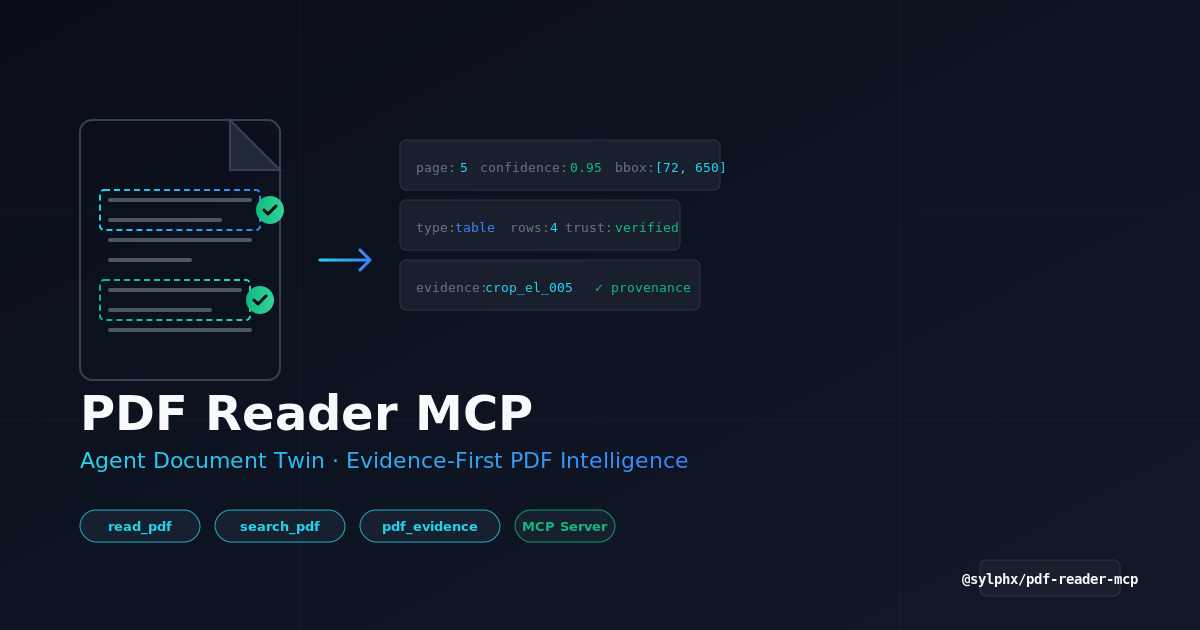

PDF Reader MCP Server (@shtse8/pdf-reader-mcp)
About
📄 The PDF intelligence layer for AI agents — Agent Document Twin, evidence-first extraction, visual crops, OCR provenance, trust reports, and benchmark-gated releases. MCP server for Claude, Cursor, VS Code, and any MCP client.
Details
- Author
- shtse8
- GitHub stars
- 810
- Downloads
- 1,120
- Categories
- Other, AI
Jump to
- One smart tool (read_pdf) that auto-inspects and reads PDFs
- Multi-layered Agent Document Twin: lossless PDF, visual, semantic, evidence, and agent layers
- Optional OCR and visual region analysis via provider adapters
- Built-in trust and accessibility reports for safety
- Evidence-first extraction with page numbers, bounding boxes, and crop IDs
- Benchmark-gated releases with deterministic quality checks

Setting up with Highlight
This MCP is not yet compatible with Highlight’s one-click setup. However, you can still use it with Highlight by following these steps:
- Download and install Highlight from highlightai.com/download
- Navigate to the plugins tab and select "Add Custom Plugin"
-
Configure the plugin with the settings below
Plugin Name
PDF Reader MCP Server (@shtse8/pdf-reader-mcp)Command (node, npx, python, etc.)Please refer to the README for specific instructions on how to obtain API keys or other required environment variables.
- Enable "Start Automatically" if you want the plugin to start when Highlight launches





From the repository
Install and run via npx: npx @sylphx/pdf-reader-mcp. Node.js 22.13 or higher is required. For Claude Desktop, add a configuration entry with the same command. A Docker image is also available from GitHub Container Registry. The default package works without any OCR models, vision models, or cloud credentials.
Claude Desktop / Cursor
Paste into your MCP client config file to install this server.
{
    "mcpServers": {
        "pdf reader mcp server (@shtse8/pdf-reader-mcp)": {
            "pdf-reader-mcp": {
                "command": "npx",
                "args": [
                    "@sylphx/pdf-reader-mcp"
                ]
            }
        }
    }
}McpServers
{
    "pdf-reader-mcp": {
        "command": "npx",
        "args": [
            "@sylphx/pdf-reader-mcp"
        ]
    }
}
📄 @sylphx/pdf-reader-mcp
> The PDF intelligence layer for AI agents that need source evidence, not just extracted text.





V3 smart tool surface · Agent Document Twin · Evidence-first extraction · Visual crops · OCR adapters · Tables, charts, formulas, figures · Trust & accessibility reports · Benchmark-gated releases
<a href="https://mseep.ai/app/SylphxAI-pdf-reader-mcp">

</a>
</div>
---
PDFs are not plain text files. They are layout, pixels, tables, hidden text,
permissions, annotations, scanned pages, and ambiguous reading order.
PDF Reader MCP turns that mess into an Agent Document Twin: a linked,
source-backed representation of the PDF that agents can inspect, search,
verify, crop, OCR, enrich, cite, and read with confidence.
If your agent has ever hallucinated from a PDF, lost a table, trusted hidden
text, missed a scanned page, or needed to cite the exact region that proves an
answer, this is the MCP server for that workflow.
Why Agents Use It
| Need | What PDF Reader MCP gives you |
| --- | --- |
| Read the document | Markdown, JSON, HTML, page text, metadata, chunks, and semantic AST. |
| Prove the answer | Page numbers, bounding boxes, evidence IDs, region crops, and source renders. |
| Handle scanned PDFs | Rendered pages routed through configured OCR providers with word boxes and provenance. |
| Recover tables | Selectable-text and OCR-derived tables with cells, geometry, confidence, warnings, and continuation hints. |
| See what text extraction misses | Visual page evidence, focused crops, and configured visual-region provider adapters. |
| Protect the agent | Trust reports for hidden text, prompt-injection-like content, visual spoofing, unsafe links, and redaction. |
| Route accessibility work | Tagged-PDF coverage, tag-visible coverage, headings, images, forms, links, permissions, and page grades. |
| Ship with proof | CI, package smoke, deterministic quality benchmarks, provider artifacts, and release gates. |
Quick Start
Claude Code
claude mcp add pdf-reader -- npx @sylphx/pdf-reader-mcp
Claude Desktop
Add this to claude_desktop_config.json:
{
  "mcpServers": {
    "pdf-reader": {
      "command": "npx",
      "args": ["@sylphx/pdf-reader-mcp"]
    }
  }
}
Any MCP Client
npx @sylphx/pdf-reader-mcp
Node.js >=22.13 is required. The default package works without downloading
OCR models, vision models, Ollama, LM Studio, llama.cpp, or cloud credentials.
Docker
```bash
Sign in to leave a review
Use Google, GitHub, or an email account so ratings stay tied to real people.
No reviews posted yet.





