
PDF Manipulation Toolkit
About
Comprehensive PDF manipulation toolkit. Merge, split, encrypt, optimize PDFs through natural language commands via MCP protocol.
Details
- Author
- Sohaib-2
- Downloads
- 404
- Categories
- Other
Jump to
- Merge, split, extract, and rotate PDF pages
- AES-256 and basic password encryption/decryption
- Optimize PDFs for web or email size
- Repair corrupted PDFs and validate integrity
- Extract embedded attachments and update metadata
- Download PDFs from URLs and preview via system viewer
- Flexible file path resolution with workspace configuration

Setting up with Highlight
This MCP is not yet compatible with Highlight’s one-click setup. However, you can still use it with Highlight by following these steps:
- Download and install Highlight from highlightai.com/download
- Navigate to the plugins tab and select "Add Custom Plugin"
-
Configure the plugin with the settings below
Plugin Name
PDF Manipulation ToolkitCommand (node, npx, python, etc.)Please refer to the README for specific instructions on how to obtain API keys or other required environment variables.
- Enable "Start Automatically" if you want the plugin to start when Highlight launches





From the repository
Clone the repository, create a Python virtual environment, install dependencies from requirements.txt, and install external tools PDFtk and QPDF. Then add the server to the Claude Desktop configuration file (claude_desktop_config.json) pointing to server.py. After restarting Claude Desktop, issue natural language commands like “Merge these 3 PDFs into one document” or “Encrypt my report with password protection”. Alternatively, call tools programmatically using their Python signatures.
Claude Desktop / Cursor
Paste into your MCP client config file to install this server.
{
    "mcpServers": {
        "pdf manipulation toolkit": {
            "pdf-tools": {
                "command": "python",
                "args": [
                    "path\\to\\pdf-mcp-server\\server.py"
                ]
            }
        }
    }
}McpServers
{
    "pdf-tools": {
        "command": "python",
        "args": [
            "path\\to\\pdf-mcp-server\\server.py"
        ]
    }
}
PDF MCP Server



> Transform PDF manipulation with AI-powered natural language commands through Claude integration
Comprehensive PDF toolkit that integrates seamlessly with Claude AI via MCP (Model Context Protocol). Perform complex PDF operations using simple conversational commands - merge, split, encrypt, optimize, and analyze PDFs effortlessly.
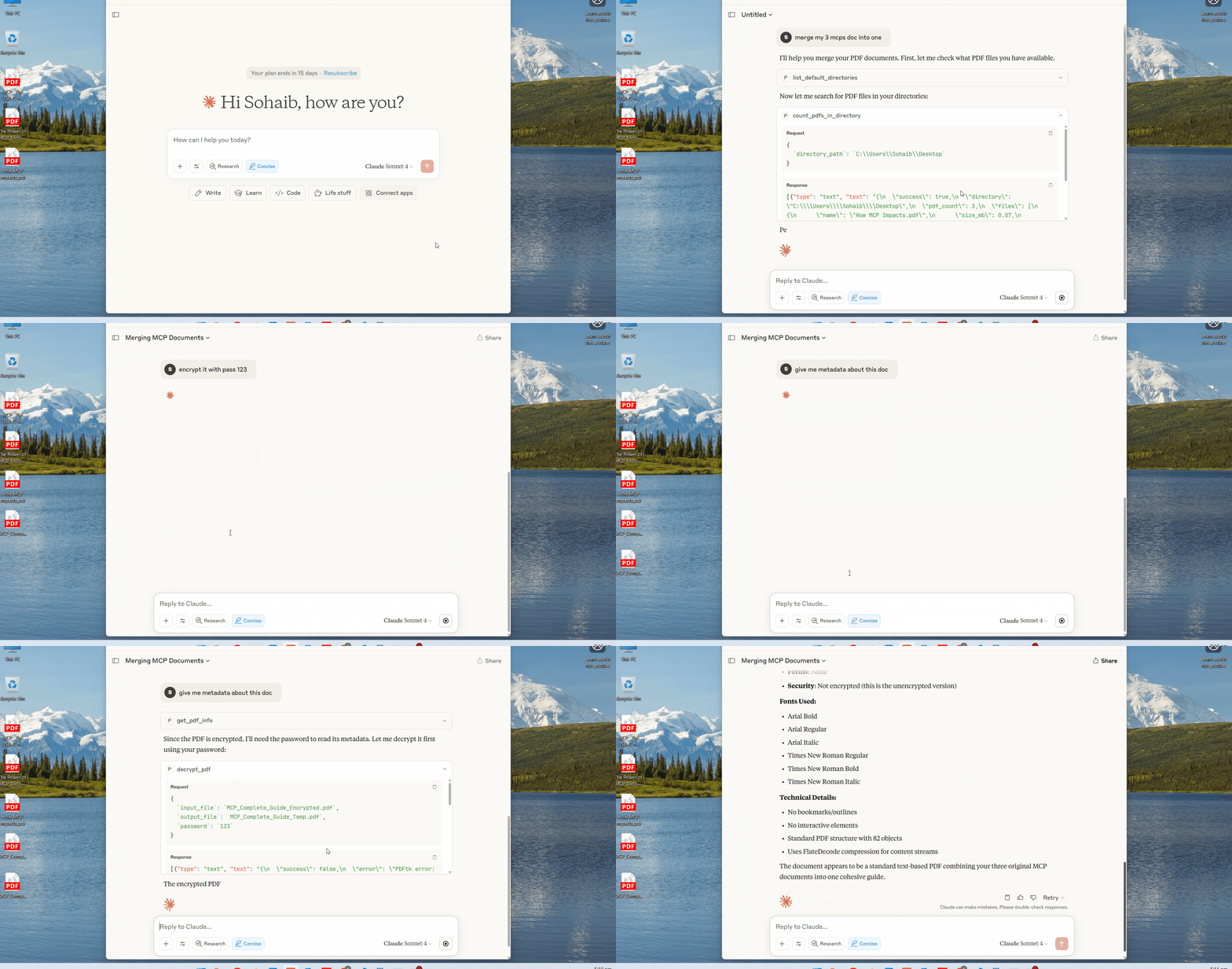
🚀 Quick Start
Clone & Setup
git clone https://github.com/Sohaib-2/pdf-mcp-server.git
cd pdf-mcp-server
Option 1: With Virtual Environment (Recommended)
```bash python -m venv .venvSign in to leave a review
Use Google, GitHub, or an email account so ratings stay tied to real people.
No reviews posted yet.





