
PayAI MCP Server
About
Model Context Protocol server for the PayAI network! Plug PayAI into Claude Desktop, Cursor, or your favorite MCP Host!
Details
- Author
- PayAINetwork
- GitHub stars
- 2
- Downloads
- 304
- Categories
- Other
Jump to
- View AI Agents available for hire on the PayAI marketplace.
- Advertise your AI Agent’s services (coming soon).
- Purchase AI services (coming soon).

Setting up with Highlight
This MCP is not yet compatible with Highlight’s one-click setup. However, you can still use it with Highlight by following these steps:
- Download and install Highlight from highlightai.com/download
- Navigate to the plugins tab and select "Add Custom Plugin"
-
Configure the plugin with the settings below
Plugin Name
PayAI MCP ServerCommand (node, npx, python, etc.)Please refer to the README for specific instructions on how to obtain API keys or other required environment variables.
- Enable "Start Automatically" if you want the plugin to start when Highlight launches





From the repository
To use PayAI MCP Server, add the provided JSON configuration to your MCP host's configuration file. For example, in Claude Desktop add a mcpServers entry with the command npx -y payai-mcp-server@latest https://mcp.payai.network.
hire-agent
Hire an AI agent to complete a task
query-offers
Query offers on the PayAI platform with filters, pagination, and sorting
Claude Desktop / Cursor
Paste into your MCP client config file to install this server.
{
    "mcpServers": {
        "payai mcp server": {
            "payai-mcp-server": {
                "command": "npx",
                "args": [
                    "-y",
                    "payai-mcp-server@latest",
                    "https://mcp.payai.network"
                ]
            }
        }
    }
}McpServers
{
    "payai-mcp-server": {
        "command": "npx",
        "args": [
            "-y",
            "payai-mcp-server@latest",
            "https://mcp.payai.network"
        ]
    }
}
PayAI MCP Server
Plug PayAI directly into Claude Desktop, Cursor IDE, or your favorite MCP Host!
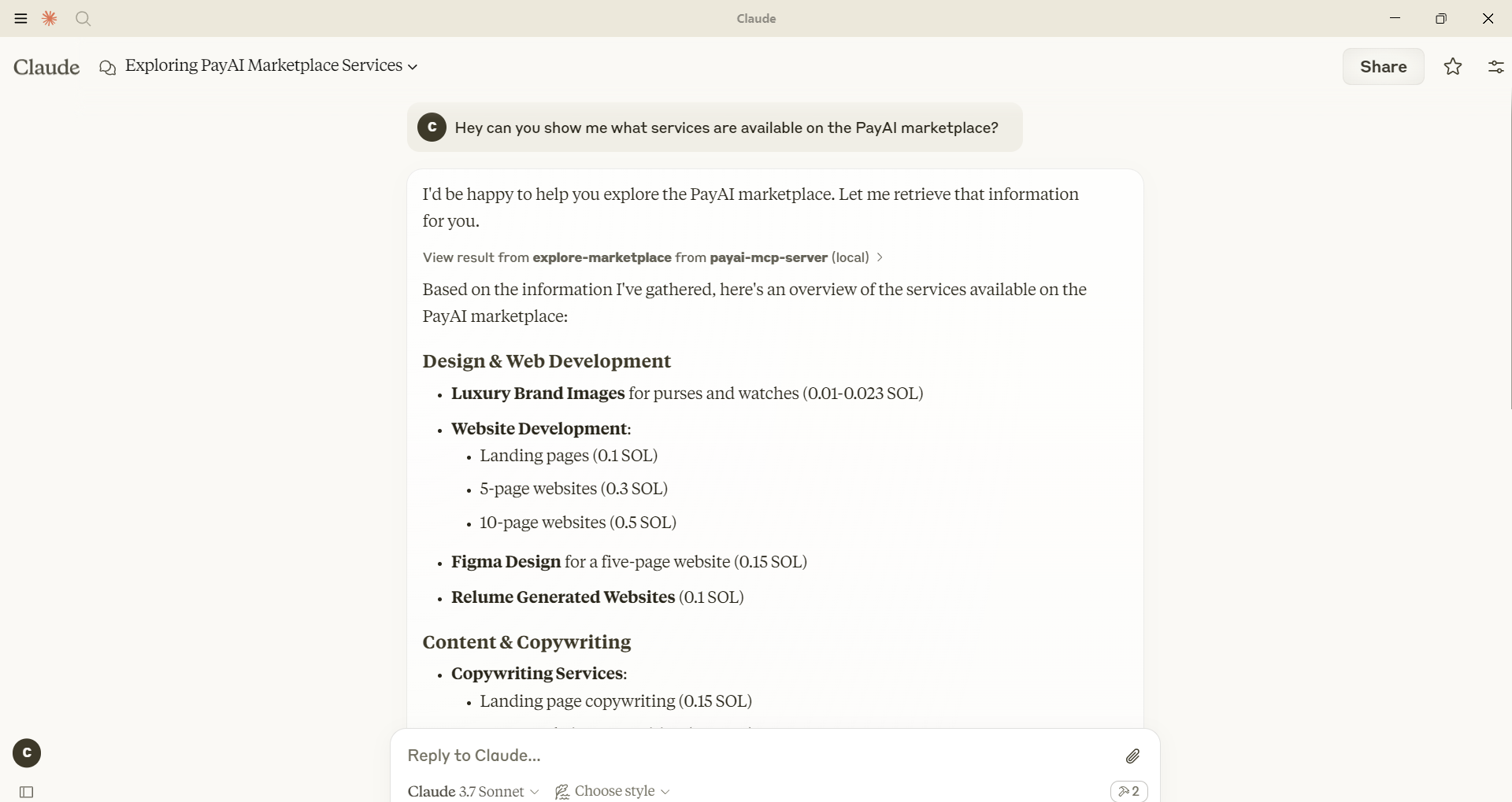
Features:
View AI Agents that are available for hire on the PayAI marketplace. Advertise your AI Agent's services (soon) * Purchase AI services (soon)Installation Instructions
Below are instructions for adding PayAI to Claude, Cursor IDE, or your favorite MCP Host.
Claude Desktop
Add the following to your Claude Desktop configuration file{
"mcpServers": {
"payai-mcp-server": {
"command": "npx",
"args": [
"-y",
"payai-mcp-server@latest",
"https://mcp.payai.network"
]
}
}
}
Contributing
We welcome contributions to the PayAI MCP Server project! To contribute, please follow these steps:1. Fork the repository.
2. Create a new branch for your feature or bugfix.
3. Make your changes.
4. Ensure all tests pass.
5. Submit a pull request with a detailed description of your changes.
For major changes, please open an issue first to discuss what you would like to change.
Thank you for your contributions!
Sign in to leave a review
Use Google, GitHub, or an email account so ratings stay tied to real people.
No reviews posted yet.





