
OSV MCP Server
About
MCP Server for Vulnerabilities based on OSV API
Details
- Author
- ptelang
- Downloads
- 199
- Categories
- Other
Jump to
- Exposes OSV vulnerability data via the MCP protocol
- Provides a query_vulnerabilities tool for LLM invocation
- Simple Python-based setup with uv package manager
- Easily connectable to any MCP‑compatible AI assistant

Setting up with Highlight
This MCP is not yet compatible with Highlight’s one-click setup. However, you can still use it with Highlight by following these steps:
- Download and install Highlight from highlightai.com/download
- Navigate to the plugins tab and select "Add Custom Plugin"
-
Configure the plugin with the settings below
Plugin Name
OSV MCP ServerCommand (node, npx, python, etc.)Please refer to the README for specific instructions on how to obtain API keys or other required environment variables.
- Enable "Start Automatically" if you want the plugin to start when Highlight launches





From the repository
Clone the repository, create a virtual environment with uv, install dependencies using uv sync, and start the server with uv run vulns.py. For use with Claude Desktop, add the server configuration to claude_desktop_config.json specifying the uv command and path to the project.
Claude Desktop / Cursor
Paste into your MCP client config file to install this server.
{
    "mcpServers": {
        "osv mcp server": {
            "osv-mcp-ptelang": {
                "command": "uv",
                "args": [
                    "venv"
                ]
            }
        }
    }
}McpServers
{
    "osv-mcp-ptelang": {
        "command": "uv",
        "args": [
            "venv"
        ]
    }
}
OSV MCP Server
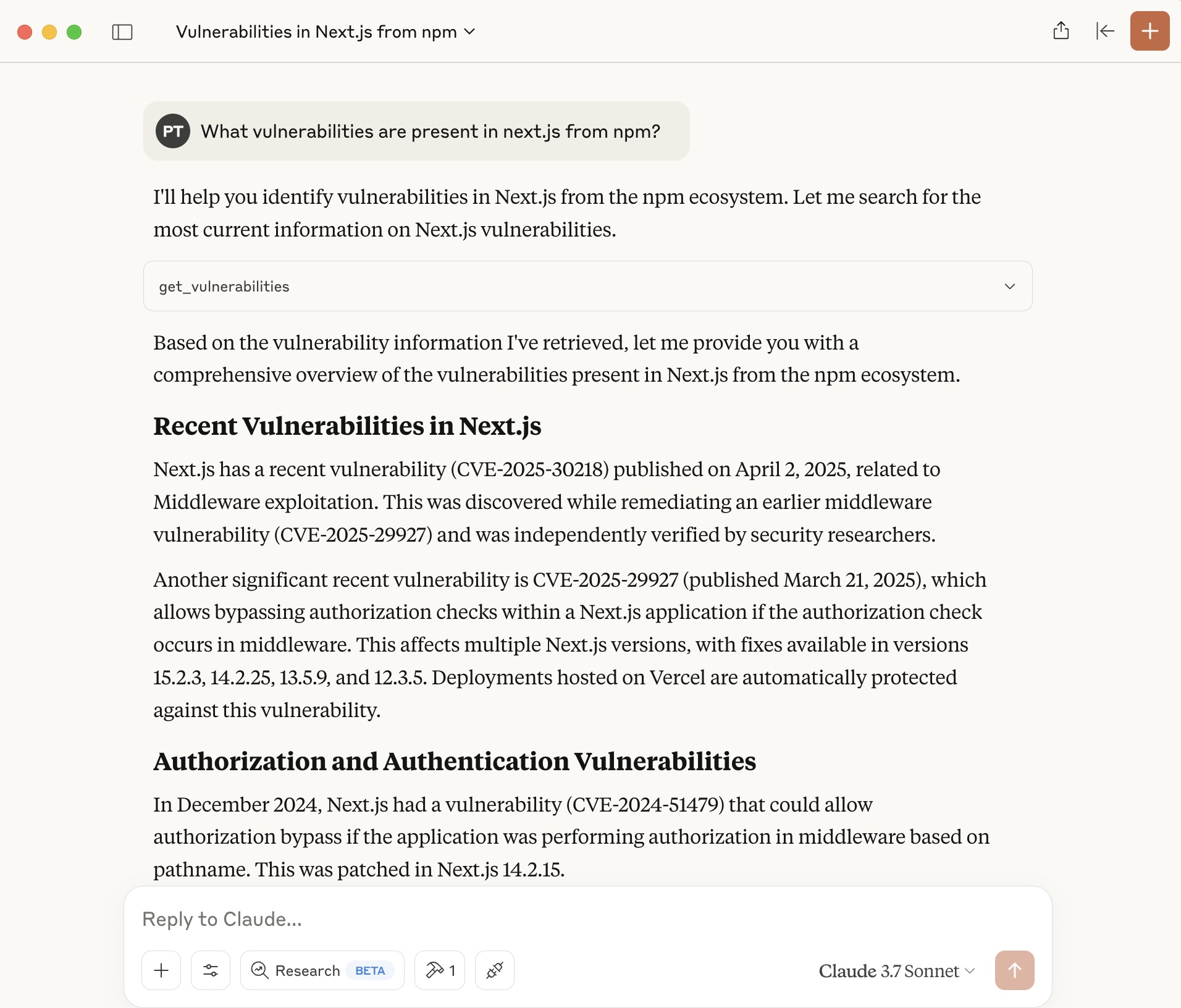
This project provides an MCP (Model Context Protocol) server for integrating OSV (Open Source Vulnerabilities) data and tools with AI assistants or large language models (LLMs). The server is implemented in Python and exposes tools and resources that can be used by LLMs to enhance their workflow and capabilities. Here is a screenshot of Claude Desktop using the OSV MCP Server.
Features
- Exposes OSV-related data via the MCP protocol
- Easily connectable to AI assistants or LLMs that support MCP
- Simple Python-based setup
Prerequisites
- Python 3.8+ installed on your system
- uv (Python package manager, installation instructions)
Setup Instructions
1. Clone the Repository
Clone this repository to your local machine:
git clone https://github.com/your-org/osv-mcp.git
cd osv-mcp
2. Create a Virtual Environment (Recommended)
It is recommended to use a virtual environment to avoid dependency conflicts:
curl -LsSf https://astral.sh/uv/install.sh | sh
uv venv
3. Install Dependencies
Install the required Python packages using uv:
uv sync
4. Start the MCP Server
Run the server using:
uv run vulns.py
Using MCP Servers with AI Assistants and LLMs
MCP servers expose tools and resources over a local or network-accessible API. AI assistants and LLMs that support the Model Context Protocol can connect to one or more MCP servers to extend their capabilities. Once connected, the assistant can invoke the query_vulnerabilities tool.
Consult your AI assistant or LLM's documentation for specific instructions on adding or configuring MCP servers.
Using OSV MCP Server with Claude Desktop
Add the OSV MCP server in claude_desktop_config.json file.
On Mac or Linux, edit: ~/Library/Application\ Support/Claude/claude_desktop_config.json.
On Windows, edit: env:AppData\Claude\claude_desktop_config.json.
Add the OSV MCP server to the config as below.
{
    "mcpServers": {
        "vulns": {
            "command": "uv",
            "args": [
                "--directory",
                "/ABSOLUTE/PATH/TO/PARENT/FOLDER/osv-mcp",
                "run",
                "vulns.py"
            ]
        }
    }
}
Development
- Source code is in vulns.py.
- Project dependencies are managed via pyproject.toml.
License
MIT License (or specify your license here)
---
For further questions or support, please open an issue or contact the maintainers.
Sign in to leave a review
Use Google, GitHub, or an email account so ratings stay tied to real people.
No reviews posted yet.





