
Nworks
About
NAVER WORKS CLI + MCP server. 26 tools for messages, calendar, drive, mail, tasks, and boards. AI agents can manage NAVER WORKS directly.
Details
- Author
- yjcho9317
- Downloads
- 319
- Categories
- Communication, Productivity, Other, Developer Tools, AI
Jump to
- First full MCP server for NAVER WORKS
- 26 MCP tools: messages, calendar, drive, mail, tasks, boards
- CLI with --json support for scripting and AI parsing
- User OAuth and Service Account authentication
- One-time login for all 26 tools — no separate env setup needed
- AI agents can self-configure without prior CLI login

Setting up with Highlight
This MCP is not yet compatible with Highlight’s one-click setup. However, you can still use it with Highlight by following these steps:
- Download and install Highlight from highlightai.com/download
- Navigate to the plugins tab and select "Add Custom Plugin"
-
Configure the plugin with the settings below
Plugin Name
NworksCommand (node, npx, python, etc.)Please refer to the README for specific instructions on how to obtain API keys or other required environment variables.
- Enable "Start Automatically" if you want the plugin to start when Highlight launches





From the repository
Install globally via npm (npm install -g nworks), then run nworks login --user for User OAuth authentication. Use CLI commands like nworks calendar list directly, or add nworks as an MCP server in your Claude Desktop or Cursor configuration to access 26 tools through AI agents.
Claude Desktop / Cursor
Paste into your MCP client config file to install this server.
{
    "mcpServers": {
        "nworks": {
            "nworks": {
                "command": "nworks",
                "args": [
                    "mcp"
                ]
            }
        }
    }
}McpServers
{
    "nworks": {
        "command": "nworks",
        "args": [
            "mcp"
        ]
    }
}
nworks



<p align="center">
</p>
First full MCP server for NAVER WORKS.
NAVER WORKS API를 스크립트나 AI 에이전트에서 쓰기 쉽게 만든 CLI + MCP 서버입니다.
Automate messages, calendar, drive, mail, tasks, and boards — from CLI or AI agents.
Quickstart
npm install -g nworks
nworks login --user
nworks calendar list
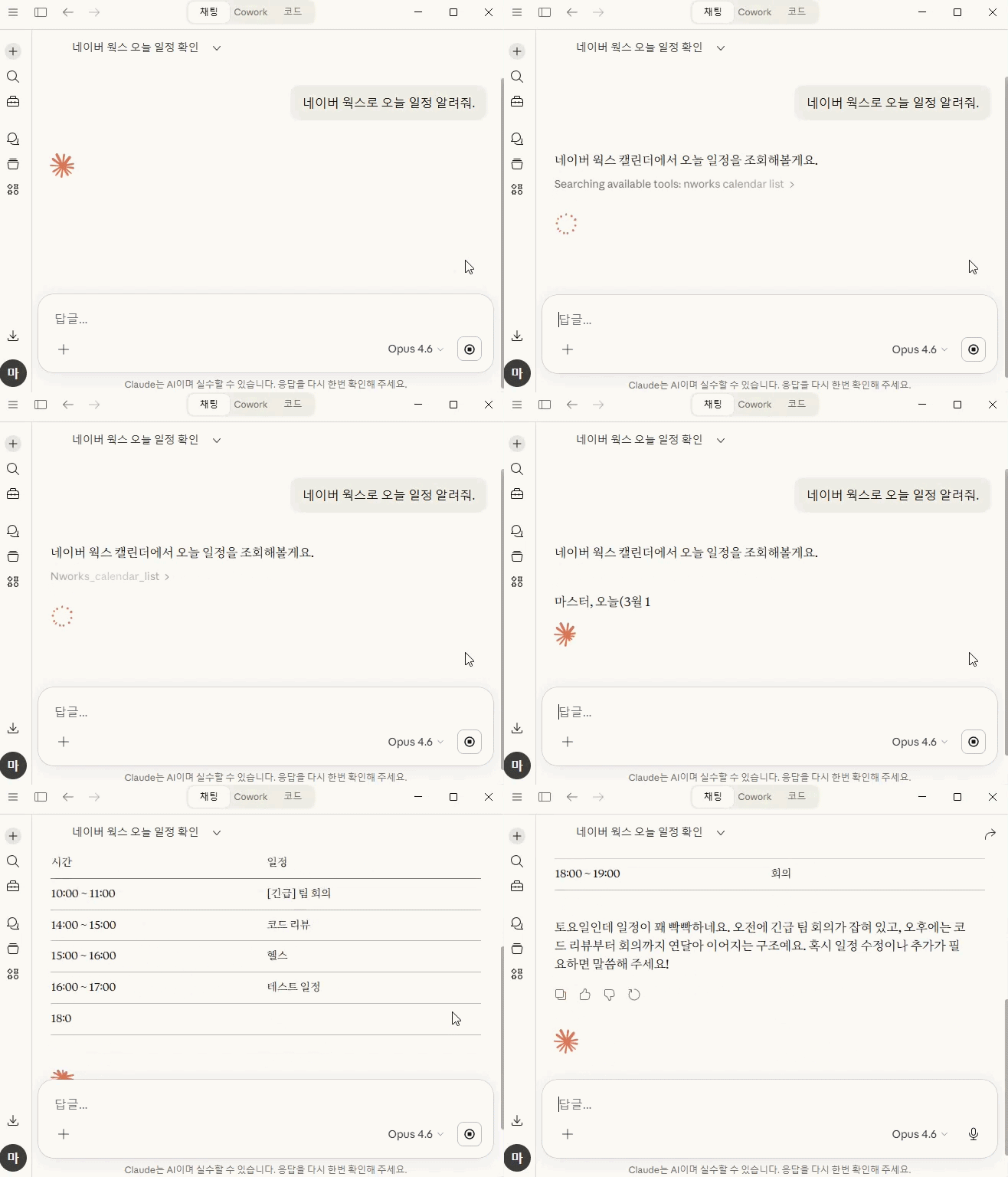
AI 에이전트가 실제로 이렇게 씁니다
User: 오늘 일정 알려줘
Claude → nworks_calendar_list

  → 3건: 스탠드업(10:00), 점심미팅(12:00), 코드리뷰(15:00)
User: 팀 채널에 배포 완료 메시지 보내줘
Claude → nworks_message_send

  { "channel": "C001", "text": "v1.2.0 배포 완료" }

  → 메시지가 전송되었습니다
Install
npx nworks          # 바로 실행
npm install -g nworks  # 글로벌 설치
로그인
```bash
Sign in to leave a review
Use Google, GitHub, or an email account so ratings stay tied to real people.
No reviews posted yet.





