
napi - Better Software Architecture for the AI Age
About
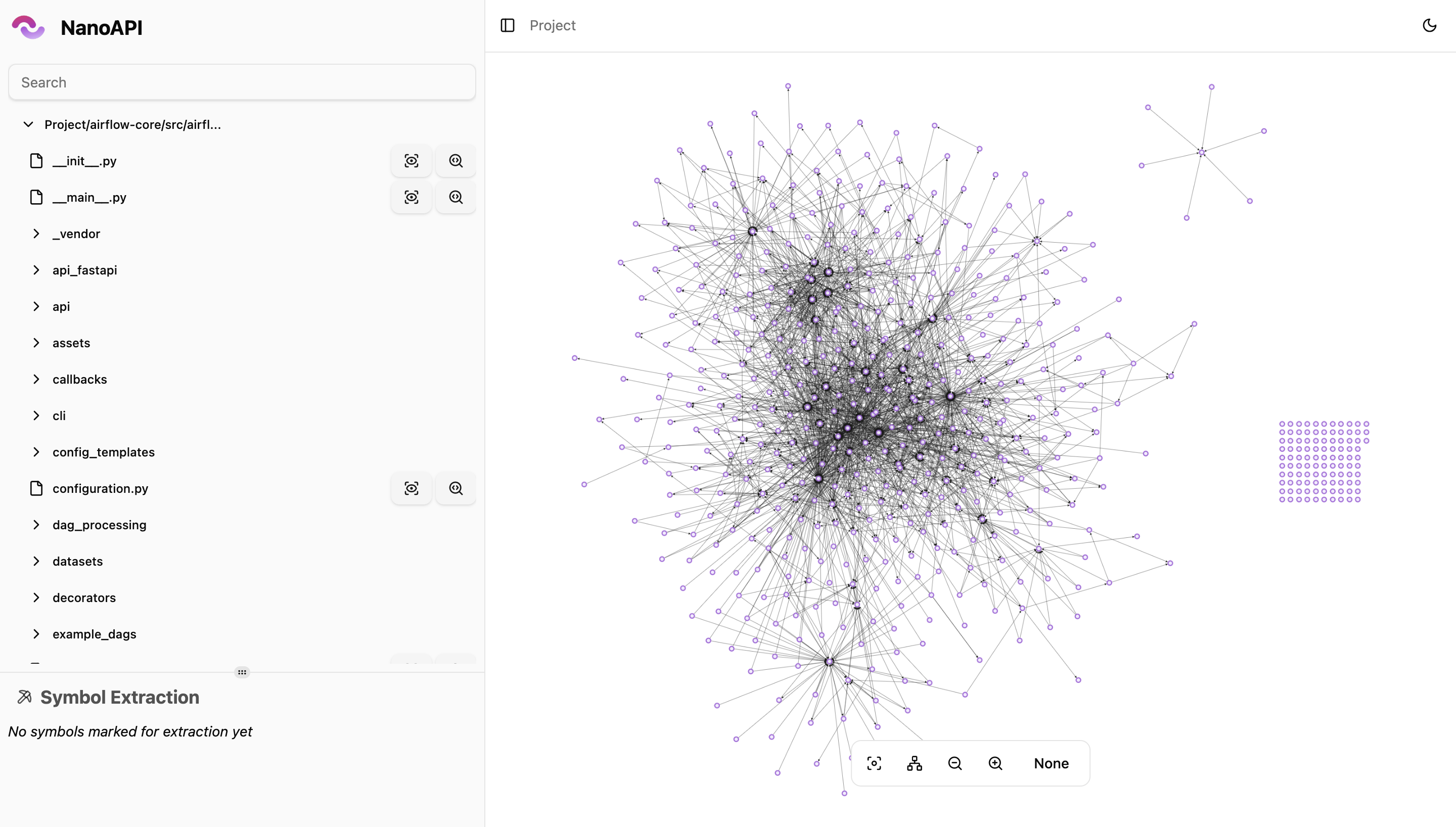
napi is a fully offline CLI that analyzes your codebase's architecture—dependencies, complexity, and structure—then lets you visualize and refactor it, all without sending your code anywhere. It generates dependency manifests from source code, stores them locally, and serves an…
Details
- Author
- nanoapi-io
- GitHub stars
- 321
- Downloads
- 507
- Categories
- Other, Developer Tools, AI
Jump to
- Dependency analysis mapping every file, symbol, and dependency automatically.
- Audit detection for files exceeding complexity, size, or coupling thresholds.
- Interactive visualizer using Cytoscape.js graphs served locally in your browser.
- Symbol extraction of functions, classes, or symbols into standalone files.
- Optional AI labeling with OpenAI, Google, or Anthropic models.
- Fully offline operation with no accounts, servers, or data leaving your machine.

Setting up with Highlight
This MCP is not yet compatible with Highlight’s one-click setup. However, you can still use it with Highlight by following these steps:
- Download and install Highlight from highlightai.com/download
- Navigate to the plugins tab and select "Add Custom Plugin"
-
Configure the plugin with the settings below
Plugin Name
napi - Better Software Architecture for the AI AgeCommand (node, npx, python, etc.)Please refer to the README for specific instructions on how to obtain API keys or other required environment variables.
- Enable "Start Automatically" if you want the plugin to start when Highlight launches





From the repository
Install on Unix via curl -fsSL https://raw.githubusercontent.com/nanoapi-io/napi/refs/heads/main/install_scripts/install.sh | bash or download a binary from GitHub Releases. Use napi init to create a configuration, napi generate to produce a dependency manifest, and napi view to open an interactive visualizer in your browser.
Claude Desktop / Cursor
Paste into your MCP client config file to install this server.
{
    "mcpServers": {
        "napi - better software architecture for the ai age": {
            "napi": {
                "command": "deno",
                "args": [
                    "task",
                    "dev"
                ]
            }
        }
    }
}McpServers
{
    "napi": {
        "command": "deno",
        "args": [
            "task",
            "dev"
        ]
    }
}
napi - Better Software Architecture for the AI Age
napi is a fully offline CLI that analyzes your codebase's architecture --
dependencies, complexity, and structure -- then lets you visualize and refactor
it, all without sending your code anywhere.
It generates dependency manifests from your source code, stores them locally,
and serves an interactive graph visualizer directly from the CLI.
Features
- 🔍 Dependency Analysis: Map every file, symbol, and dependency in your
codebase automatically.
- 🚨 Audit: Detect files and symbols that exceed complexity, size, or
coupling thresholds.
- 📊 Interactive Visualizer: Explore your architecture through Cytoscape.js
graphs served locally in your browser.
- 📝 Symbol Extraction: Extract specific functions, classes, or symbols into
standalone files for refactoring.
- 🏷️ AI Labeling (optional): Use OpenAI, Google, or Anthropic models to
auto-label dependencies.
- ⚙️ CI/CD Ready: Integrates into any pipeline -- generate manifests on
every push and track architecture over time.
- 🔒 Fully Offline: No accounts, no servers, no data leaves your machine.
Supported Languages
| Language | Status |
| -------- | -------------- |
| Python | ✅ Supported |
| C# | ✅ Supported |
| C | ✅ Supported |
| Java | ✅ Supported |
| C++ | 🚧 In Progress |
| PHP | 🚧 In Progress |
| JS/TS | 🚧 In Progress |
Installation
Unix (macOS, Linux)
curl -fsSL https://raw.githubusercontent.com/nanoapi-io/napi/refs/heads/main/install_scripts/install.sh | bash
Or download a binary directly from
GitHub Releases.
Windows
Use WSL to run napi.
Native Windows support is in progress.
Quick Start
```bash
Sign in to leave a review
Use Google, GitHub, or an email account so ratings stay tied to real people.
No reviews posted yet.





