
NAP MCP Server
Description
# NAP MCP Server This is a Model Context Protocol (MCP) server implementation for the NAP API. It provides a standardized way to interact with NAP API endpoints through MCP tools and resources - through prompts ## Features - Create Project, Add Applications, Add Clients & Create…
About
# NAP MCP Server This is a Model Context Protocol (MCP) server implementation for the NAP API. It provides a standardized way to interact with NAP API endpoints through MCP tools and resources - through prompts ## Features - Create Project, Add Applications, Add Clients & Create Workflows through MCP. - Export…
Details
- Author
- alphagroup-ai
- Downloads
- 108
- Categories
- Other
Jump to
- Create projects, applications, clients, and workflows through MCP.
- Import and export workflows between projects.
- Create workflows using prompts.
- Standardized interaction with NAP API via MCP tools and resources.
Clone the repository, install dependencies with pnpm install, copy .env.example to .env, and update the environment variables with your NAP API configuration. In Cursor editor, add a new MCP server with the command node and args ["./nap-mcp-server/index.js"]. After making changes, run npx tsc to compile JavaScript.
NAP MCP Server
This is a Model Context Protocol (MCP) server implementation for the NAP API. It provides a standardized way to interact with NAP API endpoints through MCP tools and resources - through prompts
Features
- Create Project, Add Applications, Add Clients & Create Workflows through MCP.
- Export Workflows from a project & Add to different Project (Import/Export Workflows).
- Create Workflows for a project using Prompts.
Installation
1. Clone the repository
2. Install dependencies:
pnpm install
3. Copy .env.example to .env and update the configuration:
cp .env.example .env
4. Update the environment variables in .env with your NAP API configuration.
Development
1. Navigate to File > Preferences > Cursor Settings
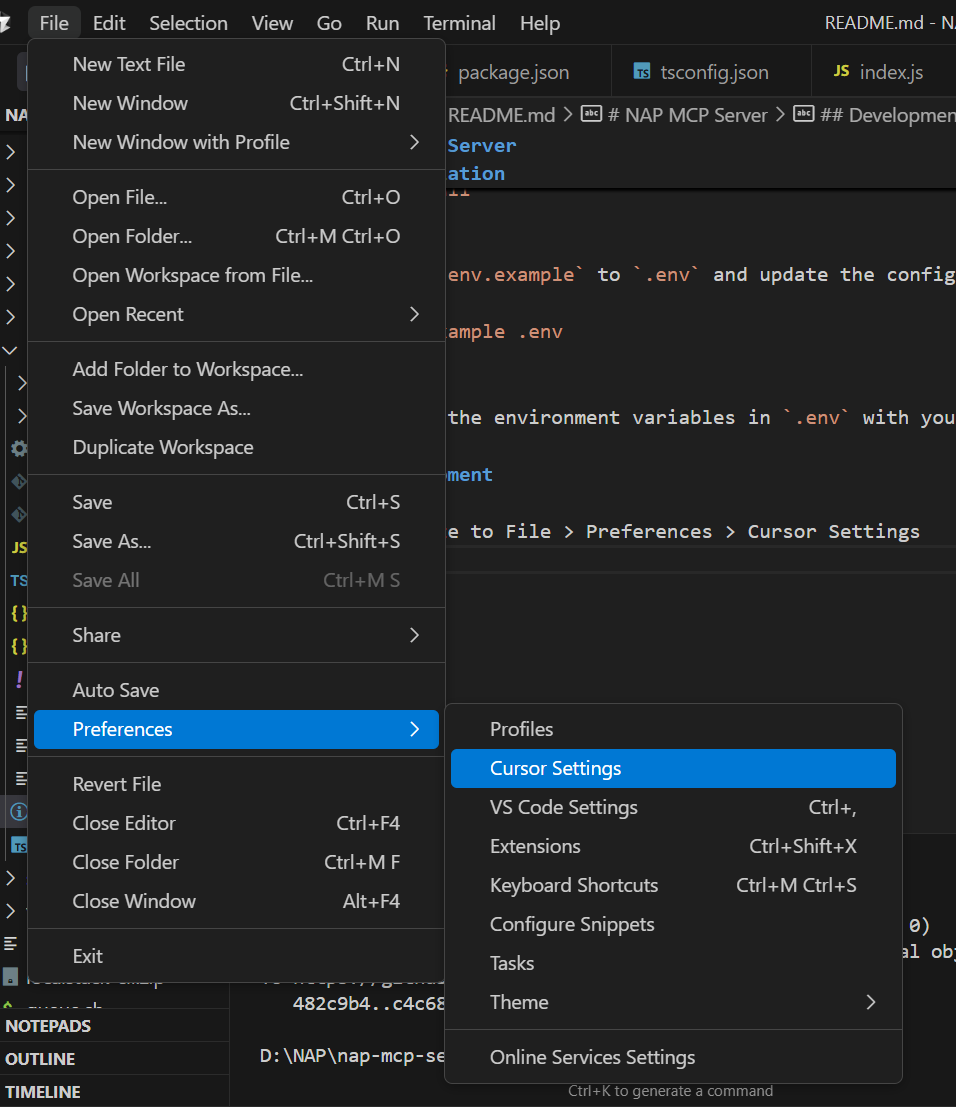
2. Navigate to MCP and create a new Server
3. In the config, Paste the following:
"nap-mcp-server": {
      "command": "node",
      "args": ["./nap-mcp-server/index.js"]
    }
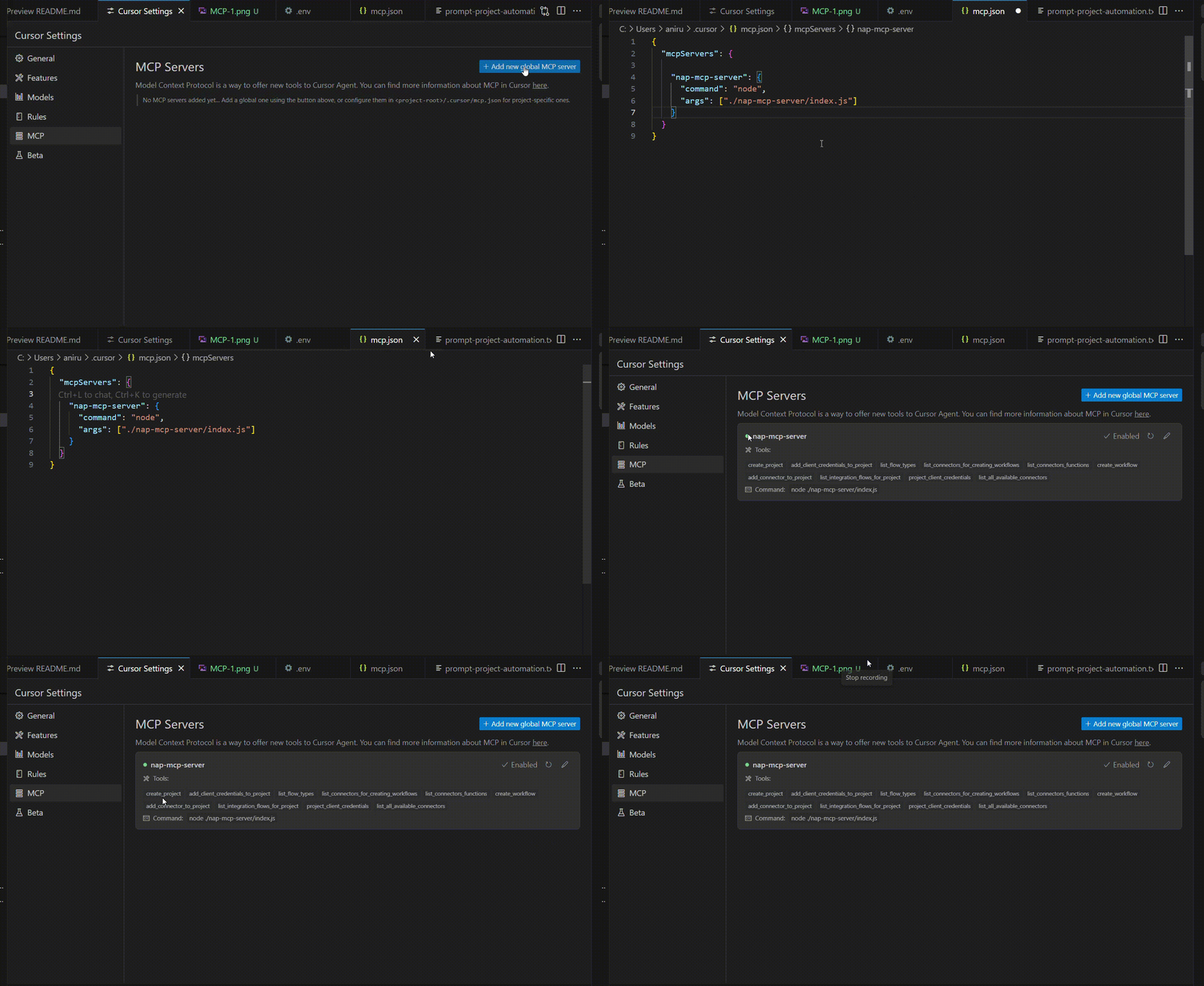
--------------
Note: The server contains path to the index.js file, so if any changes are made by dev, make sure to run `` npx tsc` to compile the javascript code
Common Usage
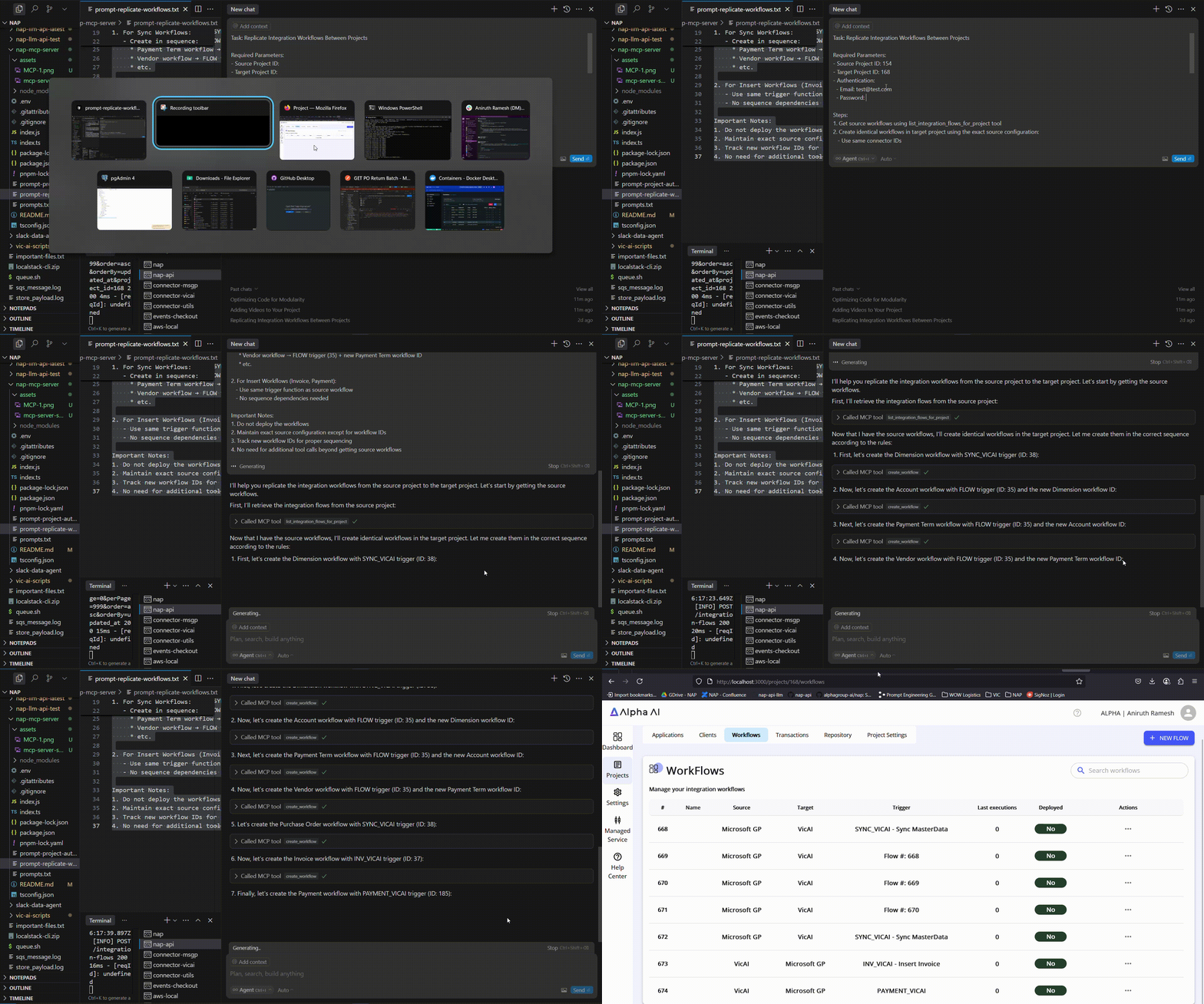
Below Video Demonstrates how to develop using MCP:
1. Import/Export Project:
--> Utilize the prompts mentioned in `prompt-replicate-workflows.txt`` and edit the prompt based on the your requirements.
2. Make sure Agent mode is enabled (if not available, update cursor)
Sign in to leave a review
Use Google, GitHub, or an email account so ratings stay tied to real people.
No reviews posted yet.





