
MySSL MCP Server
About
MySSL MCP Server is a site inspection tool developed by TrustAsia that integrates with LLM models via the Model Context Protocol. It inspects website security certificates and provides results that can be further analyzed and processed by LLMs. It is intended for users who want…
Details
- Author
- trustasia-com
- Downloads
- 218
- Categories
- Other, Security
Jump to
- Integrates site inspection with LLM models via MCP.
- Supports fast scan of website security certificates.
- Provides inspection results for further LLM analysis.
- Developed by TrustAsia, a certificate authority.
- Compatible with Cline, Cursor, and Claude Desktop.

Setting up with Highlight
This MCP is not yet compatible with Highlight’s one-click setup. However, you can still use it with Highlight by following these steps:
- Download and install Highlight from highlightai.com/download
- Navigate to the plugins tab and select "Add Custom Plugin"
-
Configure the plugin with the settings below
Plugin Name
MySSL MCP ServerCommand (node, npx, python, etc.)Please refer to the README for specific instructions on how to obtain API keys or other required environment variables.
- Enable "Start Automatically" if you want the plugin to start when Highlight launches





From the repository
Install the prerequisites (Python 3.12+, UV package manager), clone the repository, then configure the MCP server using the provided JSON snippet. Replace the {{PATH_TO_UV}} and {{PATH_TO_SRC}} placeholders with your system paths. Run the server within an MCP host such as Cline, Cursor, or the Anthropic Claude Desktop app.
Claude Desktop / Cursor
Paste into your MCP client config file to install this server.
{
    "mcpServers": {
        "myssl mcp server": {
            "myssl-mcp-server": {
                "command": "{{PATH_TO_UV}}",
                "args": [
                    "--directory",
                    "{{PATH_TO_SRC}}/myssl-mcp-server-python/myssl-mcp-server",
                    "run",
                    "server.py"
                ]
            }
        }
    }
}McpServers
{
    "myssl-mcp-server": {
        "command": "{{PATH_TO_UV}}",
        "args": [
            "--directory",
            "{{PATH_TO_SRC}}/myssl-mcp-server-python/myssl-mcp-server",
            "run",
            "server.py"
        ]
    }
}
MySSL MCP Server
What is MySSL MCP Server?
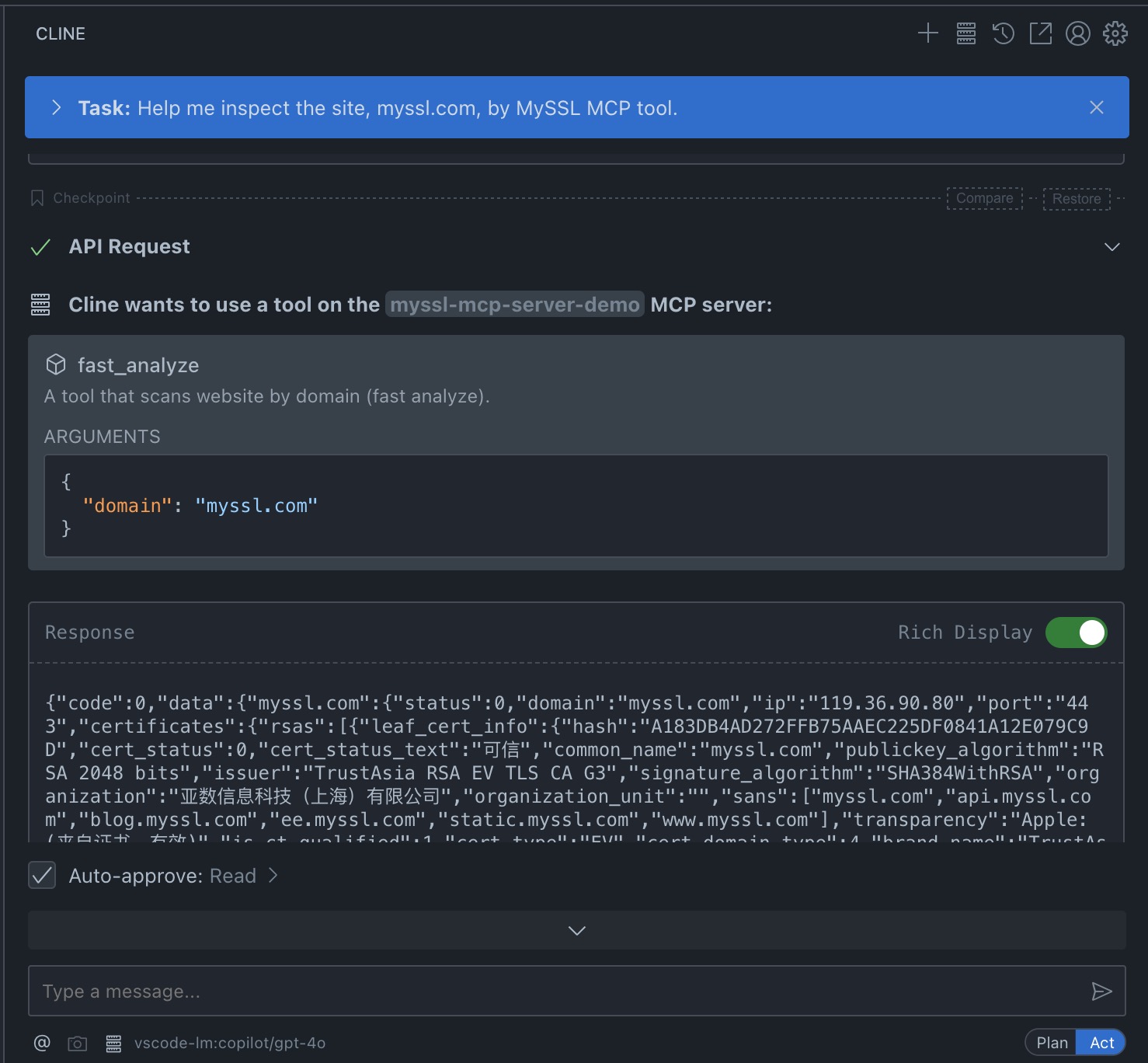
MySSL is a site inspection tool developed by TrustAsia (official website: MySSL), which supports a series of inspections for site security certificates. With MySSL MCP, it is possible to integrate with LLM models. The MySSL MCP inspection tool can inspect sites and provide inspection results for further analysis and processing by LLM models.
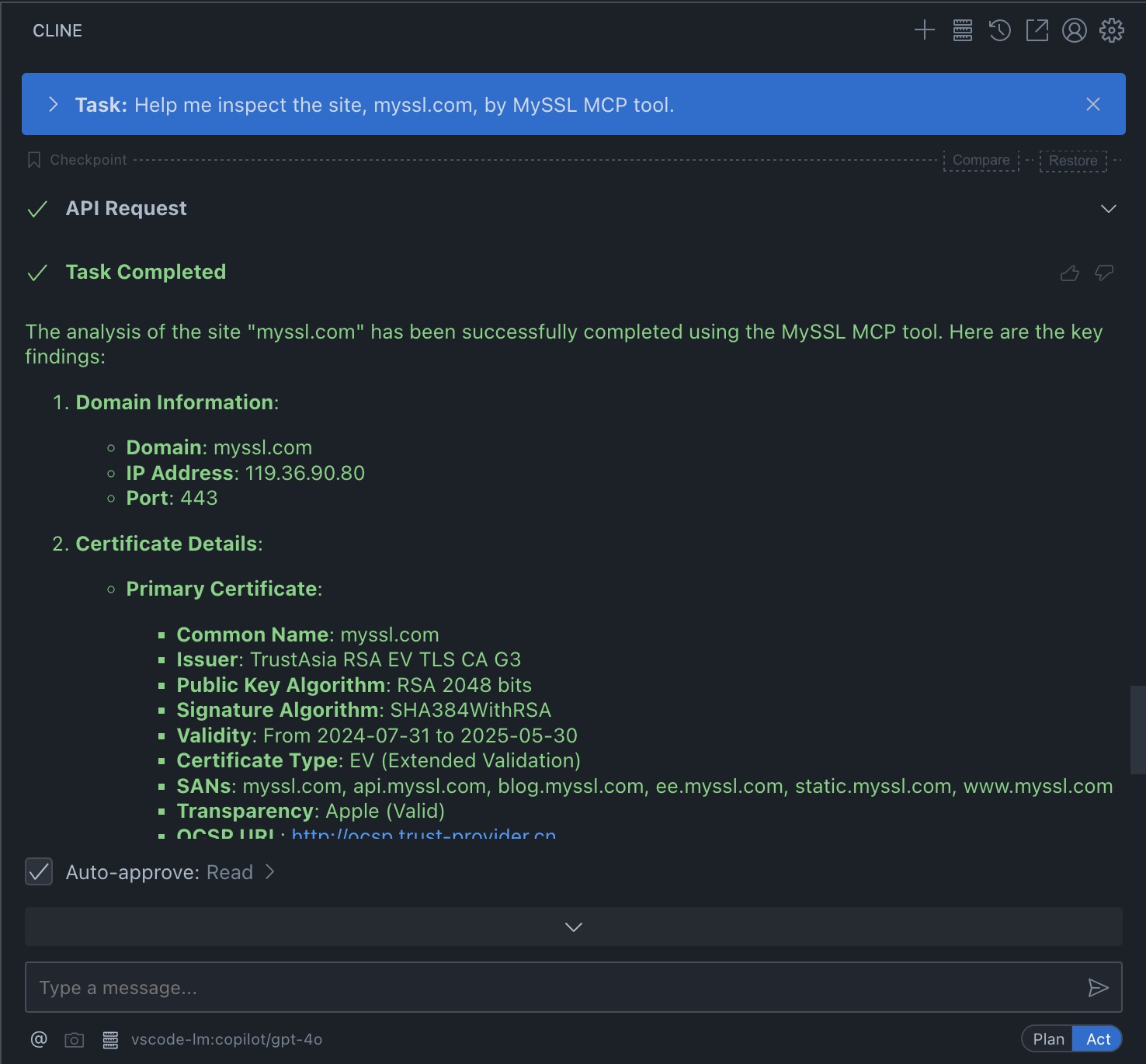
Below is a demonstration of configuring MySSL MCP and performing site inspection using Cline.
Demonstration with Cline
1. Install Cline
Follow the official documentation to install Cline on your VSCode.
2. Configure MySSL MCP
Use the provided JSON configuration file and replace the placeholders ({{PATH_TO_UV}} and {{PATH_TO_SRC}}) with the appropriate paths on your system.
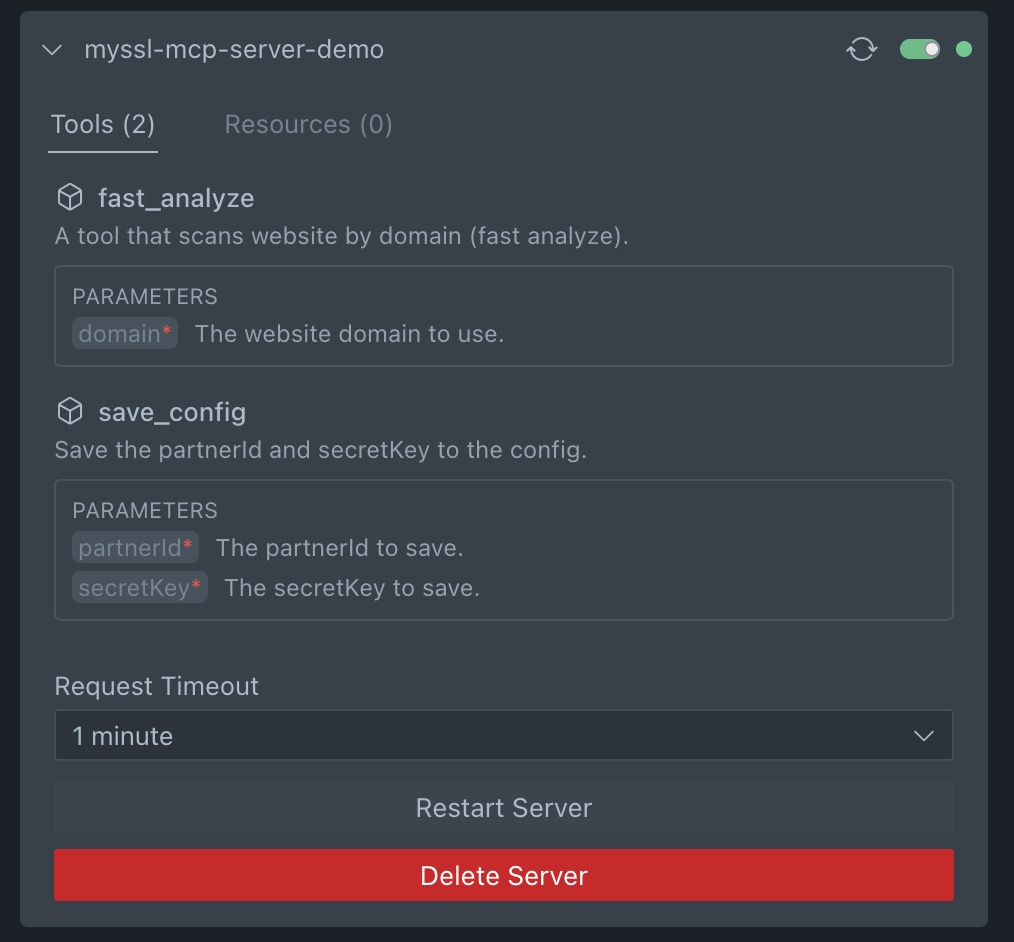
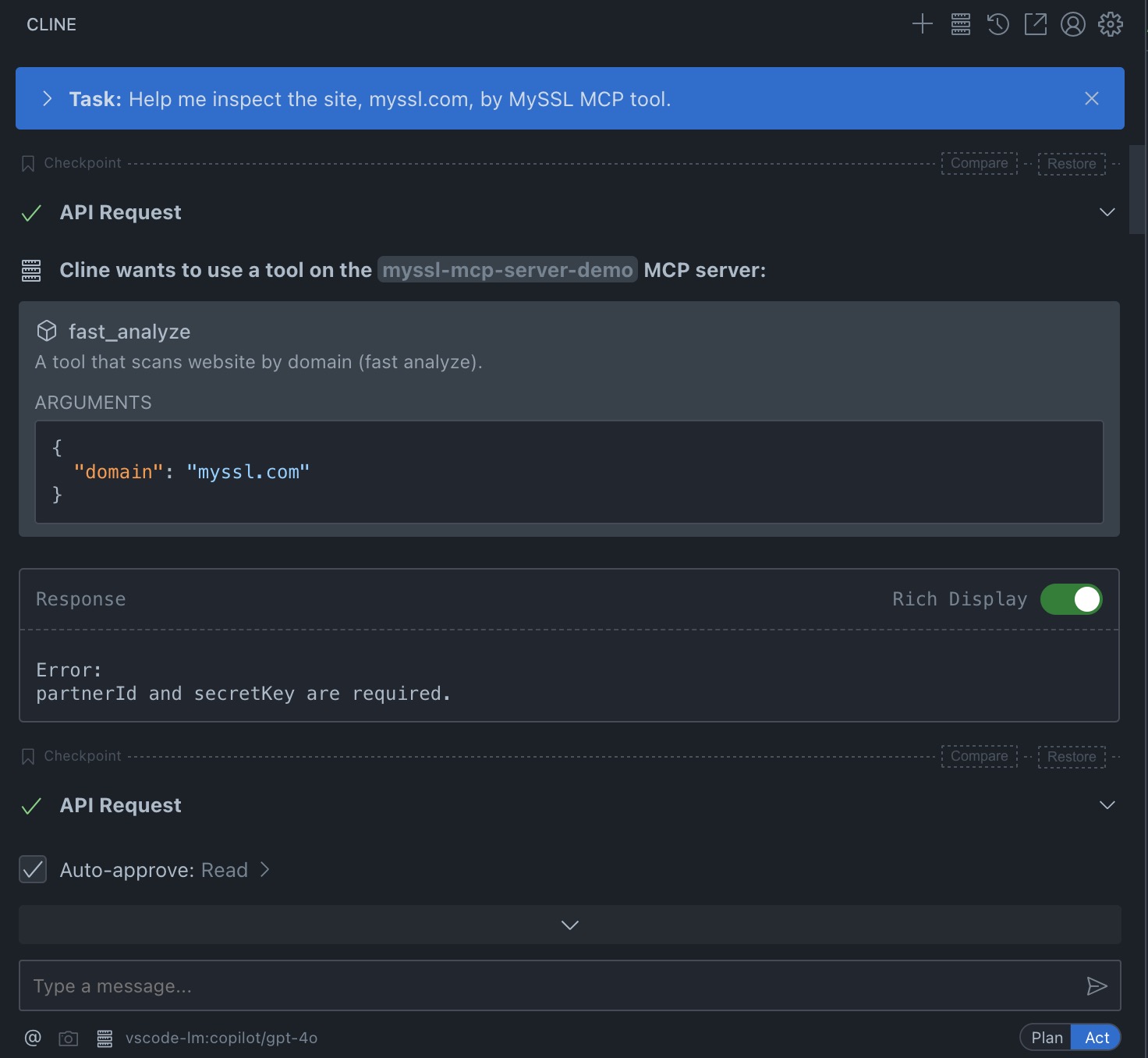
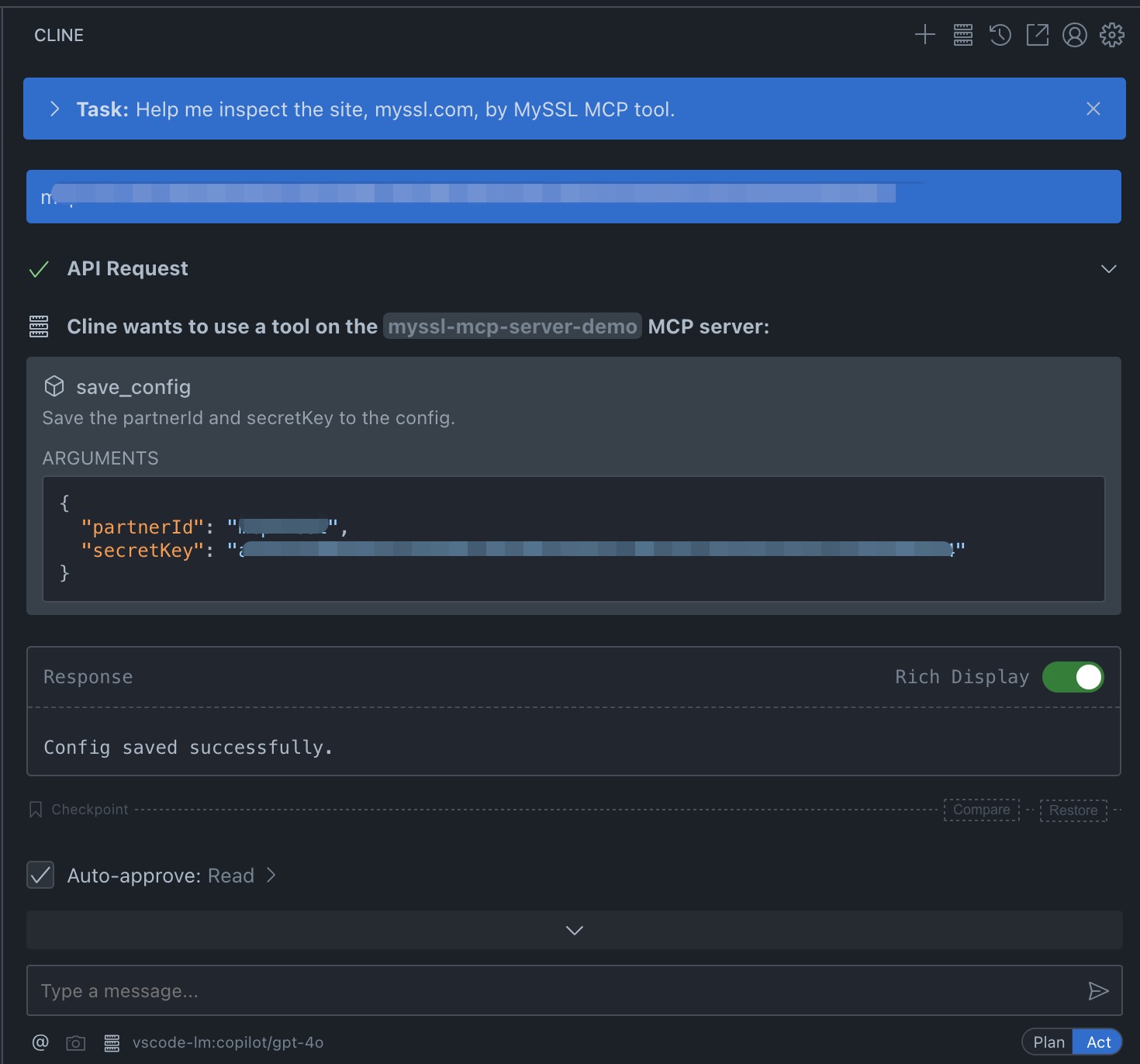
3. Run the Inspection and View Results
Ask Cline to inspect a site (it may request configuration information).
Supportted features
- fast scan
Sign in to leave a review
Use Google, GitHub, or an email account so ratings stay tied to real people.
No reviews posted yet.





