
MIDI MCP Server
About
MIDI MCP Server is a Model Context Protocol (MCP) server that enables AI models to generate MIDI files from text-based music data. This tool allows for programmatic creation of musical compositions through a standardized interface.
Details
- Author
- tubone24
- GitHub stars
- 45
- Downloads
- 333
- Categories
- Other
Jump to
- Two MCP tools: create_midi and parse_chord
- Rich pitch input: MIDI numbers, note names, pitch arrays, or chord names
- Chord library with 25+ chord qualities
- Flexible durations: numeric beats, standard strings, dotted, triplet
- Seven built-in music theory reference documents as MCP resources
- Three transport modes: stdio, HTTP, Cloudflare Workers
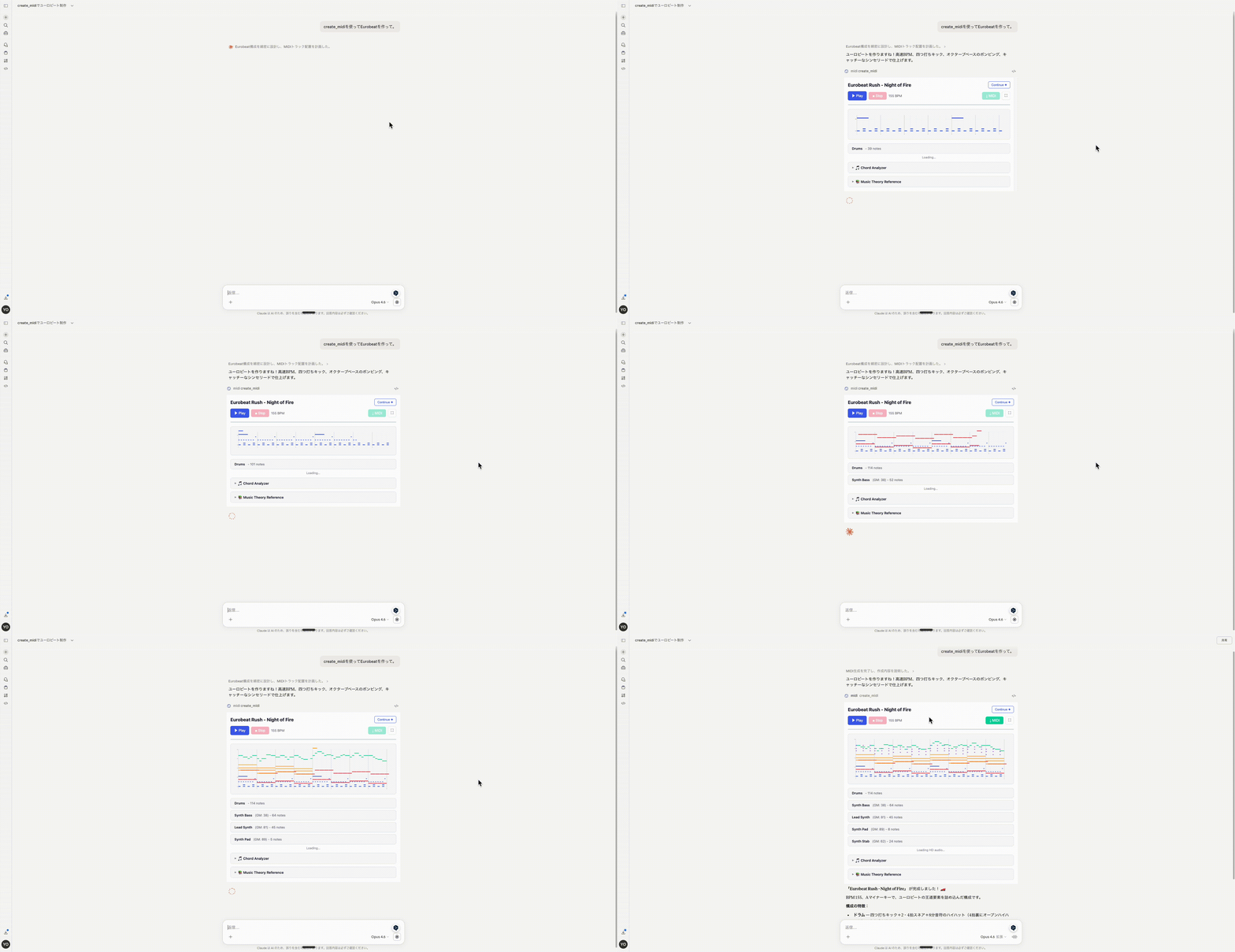
- Interactive piano-roll preview and audio playback in supported MCP clients

Setting up with Highlight
This MCP is not yet compatible with Highlight’s one-click setup. However, you can still use it with Highlight by following these steps:
- Download and install Highlight from highlightai.com/download
- Navigate to the plugins tab and select "Add Custom Plugin"
-
Configure the plugin with the settings below
Plugin Name
MIDI MCP ServerCommand (node, npx, python, etc.)Please refer to the README for specific instructions on how to obtain API keys or other required environment variables.
- Enable "Start Automatically" if you want the plugin to start when Highlight launches





From the repository
Deploy remotely via Cloudflare Workers (https://midi-mcp-server.tubone24.workers.dev/mcp) or run locally as a stdio or HTTP server. Use the create_midi tool to generate a MIDI file from a composition object, and parse_chord to resolve chord names into pitches. See the README for configuration examples for each transport.
Claude Desktop / Cursor
Paste into your MCP client config file to install this server.
{
    "mcpServers": {
        "midi mcp server": {
            "midi-mcp-server": {
                "command": "node",
                "args": [
                    "build/index.js",
                    "--http"
                ]
            }
        }
    }
}McpServers
{
    "midi-mcp-server": {
        "command": "node",
        "args": [
            "build/index.js",
            "--http"
        ]
    }
}
MIDI MCP Server
A Model Context Protocol (MCP) server for AI-driven MIDI composition. Generate MIDI files from structured JSON data, with chord name support, an interactive piano-roll preview UI, and multiple deployment modes.
> Looking for the Agent Skills approach? It composes better songs with less context:
> tubone24/midi-agent-skill
---
Features
- Two MCP tools: create_midi (with interactive preview UI) and parse_chord
- Rich pitch input: MIDI numbers, note name strings ("C4"), pitch arrays, or chord names ("Cmaj7")
- Chord library: 25+ chord qualities — major, minor, dim, aug, 7th, maj7, m7, sus2, sus4, power, and more
- Flexible durations: numeric beats, standard strings ('4', '8'), dotted ('d4'), triplet ('T8')
- Music theory resources: 7 built-in reference documents accessible as MCP resources
- Three transport modes: stdio, HTTP, or Cloudflare Workers (remote)
- MCP App UI: Piano-roll visualization and audio playback rendered directly in the conversation
---
Deployment Options
Option A — Remote (Cloudflare Workers)
A pre-deployed remote server is available:
https://midi-mcp-server.tubone24.workers.dev/mcp
Add it to any MCP client that supports Streamable HTTP (e.g., Claude.ai):
{
  "mcpServers": {
    "midi": {
      "type": "http",
      "url": "https://midi-mcp-server.tubone24.workers.dev/mcp"
    }
  }
}
Option B — Local stdio (recommended for desktop clients)
Build and configure as a local stdio server:
npm install
npm run build
{
  "mcpServers": {
    "musicComposer": {
      "command": "node",
      "args": ["/path/to/midi-mcp-server/build/index.js"]
    }
  }
}
Option C — Local HTTP
Run as a local Streamable HTTP server:
```bash
node build/index.js --http
Sign in to leave a review
Use Google, GitHub, or an email account so ratings stay tied to real people.
No reviews posted yet.





