
Mercari Jp Mcp
About
This is a Model Context Protocol (MCP) server that provides real time data from Japan’s Mercari (jp.mercari.com). It allows you to retrieve information about product and prices (more to come) to be analyzed by LLM.
Details
- Author
- msr2903
- GitHub stars
- 13
- Downloads
- 526
- Categories
- Other
Jump to
- Search Mercari Japan with user-defined queries
- Exclude specific keywords from results
- Filter by minimum and maximum price
- Test via MCP Inspector or interactive script
- Compatible with Claude for Desktop

Setting up with Highlight
This MCP is not yet compatible with Highlight’s one-click setup. However, you can still use it with Highlight by following these steps:
- Download and install Highlight from highlightai.com/download
- Navigate to the plugins tab and select "Add Custom Plugin"
-
Configure the plugin with the settings below
Plugin Name
Mercari Jp McpCommand (node, npx, python, etc.)Please refer to the README for specific instructions on how to obtain API keys or other required environment variables.
- Enable "Start Automatically" if you want the plugin to start when Highlight launches





From the repository
Clone the repository, create a virtual environment with uv, and install dependencies using uv pip install -e .. For development, run uv run server.py to test with MCP Inspector or uv run check_server.py to manually input search parameters. To integrate with Claude for Desktop, add a mercari entry in the claude_desktop_config.json file pointing uv to the repository directory and server.py.
Claude Desktop / Cursor
Paste into your MCP client config file to install this server.
{
    "mcpServers": {
        "mercari jp mcp": {
            "mercari-jp-mcp": {
                "command": "uv",
                "args": [
                    "venv"
                ]
            }
        }
    }
}McpServers
{
    "mercari-jp-mcp": {
        "command": "uv",
        "args": [
            "venv"
        ]
    }
}
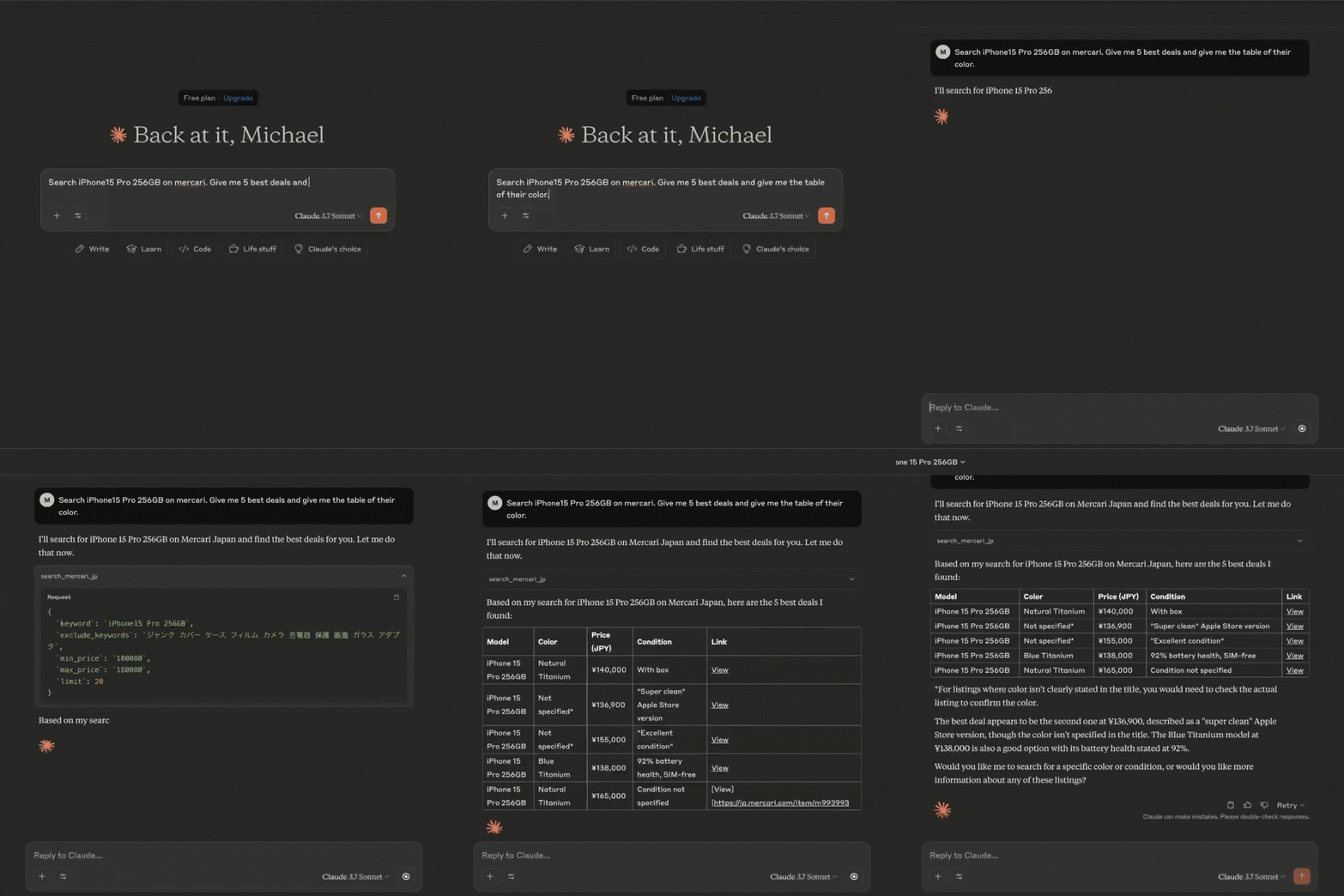
Demo
Requirements
- Python 3.11 or higher
- Dependencies as listed in pyproject.toml, including:
- mcp
- mercari
- pydantic
Pre-setup
1. uv
https://docs.astral.sh/uv/getting-started/installation/
2. Microsoft C++ Build Tools (For Windows)
https://visualstudio.microsoft.com/visual-cpp-build-tools/
Setup
1. Clone this repository:
   git clone https://github.com/msr2903/mercari-jp-mcp.git

   cd mercari-jp-mcp
2. Create and activate a virtual environment and install dependencies:
   uv venv

   source .venv/bin/activate  # On Windows: .venv\Scripts\activate

   uv pip install -e .
Usage
Development Mode
You can test the server with MCP Inspector by running:
uv run server.py
You can also test to input manually the query, exclude keywords, min and max price by running:
uv run check_server.py
This will start the server and allow you to test the available tools.
Integration with Claude for Desktop
To integrate this server with Claude for Desktop:
1. Install Claude for Desktop to your local machine.
2. Install VS Code to your local machine. Then run the following command to open the claude_desktop_config.json file:
- MacOS: code ~/Library/Application\ Support/Claude/claude_desktop_config.json
- Windows: code $env:AppData\Claude\claude_desktop_config.json
3. Edit the Claude for Desktop config file, located at:
- macOS:
     {

       "mcpServers": {

         "mercari": {

           "command": "uv",

           "args": [

             "--directory",

             "/ABSOLUTE/PATH/TO/PARENT/FOLDER/mercari-jp-mcp",

             "run",

             "server.py"

           ]

         }

       }

     }
- Windows:
     {

       "mcpServers": {

         "mercari": {

           "command": "uv",

           "args": [

             "--directory",

             "C:\\ABSOLUTE\\PATH\\TO\\PARENT\\FOLDER\\mercari-jp-mcp",

             "run",

             "server.py"

           ]

         }

       }

     }
- Note: You may need to put the full path to the uv executable in the command field. You can get this by running which uv on MacOS/Linux or where uv on Windows.
4. Restart Claude for Desktop
Thanks
This work would not have been possible without amazing open source projects, including (but not limited to):- jlowin/fastmcp (https://github.com/jlowin/fastmcp)
- marvinody/mercari (https://github.com/marvinody/mercari/)
Thank you to the authors of these projects for making them available to the community!
Sign in to leave a review
Use Google, GitHub, or an email account so ratings stay tied to real people.
No reviews posted yet.





