
memory-bank-loader-mcp
About
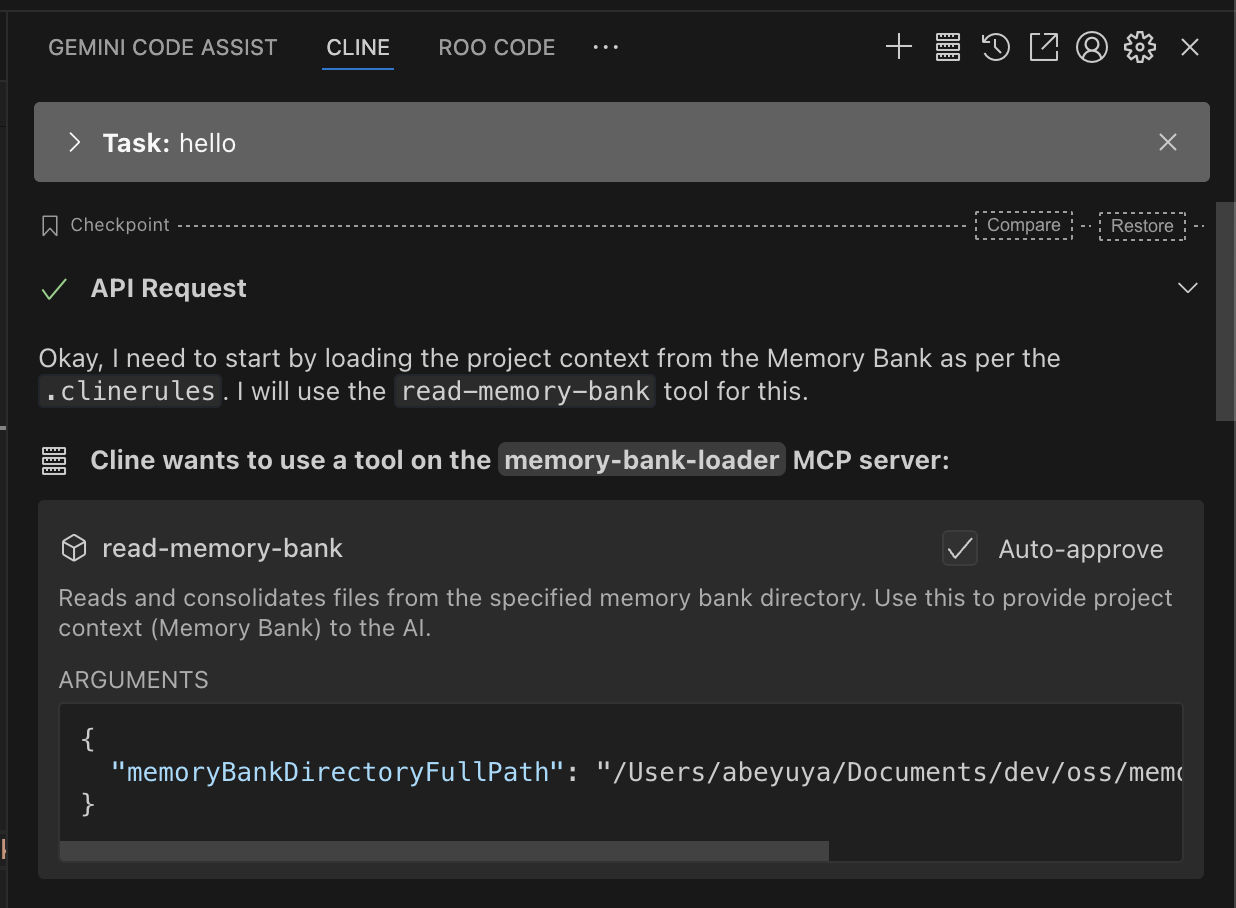
This is an MCP server for retrieving all files in the memory-bank directory at once. Its purpose is to reduce AI tool invocation frequency when loading memory-bank, saving both time and money.
Details
- Author
- abeyuya
- GitHub stars
- 4
- Downloads
- 164
- Categories
- Knowledge Base
Jump to
- Recursively reads all files from a specified directory.
- Sorts files with a defined priority order: root files first, then priority files, then alphabetically.
- Optimized for providing clear and structured context to AI models.
- Consolidates multiple file reads into a single tool call.

Setting up with Highlight
This MCP is not yet compatible with Highlight’s one-click setup. However, you can still use it with Highlight by following these steps:
- Download and install Highlight from highlightai.com/download
- Navigate to the plugins tab and select "Add Custom Plugin"
-
Configure the plugin with the settings below
Plugin Name
memory-bank-loader-mcpCommand (node, npx, python, etc.)Please refer to the README for specific instructions on how to obtain API keys or other required environment variables.
- Enable "Start Automatically" if you want the plugin to start when Highlight launches





From the repository
Configure the MCP client with the server using npx -y memory-bank-loader-mcp@latest or by building locally and pointing to the built index.js. Then invoke the read-memory-bank tool, providing the required memoryBankDirectoryFullPath parameter (full absolute path to the memory bank directory).
read_memory_bank
Always use this tool to load the Memory Bank at the start of a task.
Claude Desktop / Cursor
Paste into your MCP client config file to install this server.
{
    "mcpServers": {
        "memory-bank-loader-mcp": {
            "memory-bank-loader": {
                "command": "npx",
                "args": [
                    "-y",
                    "memory-bank-loader-mcp@latest"
                ]
            }
        }
    }
}McpServers
{
    "memory-bank-loader": {
        "command": "npx",
        "args": [
            "-y",
            "memory-bank-loader-mcp@latest"
        ]
    }
}
memory-bank-loader-mcp
This is an MCP server for retrieving all files in the memory-bank directory at once.
Its purpose is to reduce AI tool invocation frequency when loading memory-bank, saving both time and money.
Features
- Recursively reads all files within the specified directory (e.g., a 'memory-bank' directory).
- Sorts files with a specific priority order:
1. Root-level files come first.
2. Specific priority files (projectbrief.md, etc.) within the root are ordered first.
3. All other files (non-priority root and all subdirectory files) are sorted alphabetically by relative path.
- Optimized for providing clear and structured context to AI models.
Tools
- read-memory-bank
- Read and consolidates files from the specified memory bank directory. Use this to provide project context (Memory Bank) to the AI.
- Input:
- memoryBankDirectoryFullPath (string, required): The full, absolute path to the directory containing the memory bank files.
- Returns:
- Read file list.
Setup
NPX
{
  "mcpServers": {
    "memory-bank-loader": {
      "command": "npx",
      "args": [
        "-y",
        "memory-bank-loader-mcp@latest",
      ],
    }
  }
}
Build
$ npm run build
{
  "mcpServers": {
    "memory-bank-loader": {
      "command": "node",
      "args": [
        "/full/path/to/memory-bank-loader-mcp/build/index.js"
      ]
    }
  }
}
License
MIT
Sign in to leave a review
Use Google, GitHub, or an email account so ratings stay tied to real people.
No reviews posted yet.





