
Memex - Giving Claude a memory
About
One searchable memory of your Claude.ai chats and Claude Code sessions, served over MCP. Local-first MCP server that indexes your full Claude.ai history and your Claude Code / terminal sessions, then exposes them to Claude Code (stdio) and to Claude.ai (remote connector). Hybrid
Details
- Author
- dioniipereyraa
- Downloads
- 294
- Categories
- AI, Productivity
Jump to
- Hybrid search (vector + FTS5 BM25) across all indexed chats.
- Live capture via Chrome extension for new claude.ai chats.
- Local-first: data stored in SQLite + sqlite-vec, no cloud dependency.
- Embeddings via fastembed (zero-config) or optional local Ollama.
- Auto-summaries and chat ↔ repo association.
- One-command cross-platform setup (macOS, Linux, Windows).
- Remote MCP connector for claude.ai with GitHub OAuth and IP‑level tunnel.

Setting up with Highlight
This MCP is not yet compatible with Highlight’s one-click setup. However, you can still use it with Highlight by following these steps:
- Download and install Highlight from highlightai.com/download
- Navigate to the plugins tab and select "Add Custom Plugin"
-
Configure the plugin with the settings below
Plugin Name
Memex - Giving Claude a memoryCommand (node, npx, python, etc.)Please refer to the README for specific instructions on how to obtain API keys or other required environment variables.
- Enable "Start Automatically" if you want the plugin to start when Highlight launches





From the repository
Install Memex with a single command (curl/sh or PowerShell script), which runs memex setup to wire it into Claude Code, install the always-on capture service, and print a pairing token. Then install the Memex Chrome extension, paste the token, and click “Backfill claude.ai history.” For a manual path, clone the repo, run uv sync, then uv run memex ingest (or memex ingest from a pip install). Start the MCP server with uv run memex-mcp and add a .mcp.json config to Claude Code. Searches are also available from the CLI via memex search.
Claude Desktop / Cursor
Paste into your MCP client config file to install this server.
{
    "mcpServers": {
        "memex - giving claude a memory": {
            "memex": {
                "command": "uvx",
                "args": [
                    "--from",
                    "memex-chats",
                    "memex-mcp"
                ]
            }
        }
    }
}McpServers
{
    "memex": {
        "command": "uvx",
        "args": [
            "--from",
            "memex-chats",
            "memex-mcp"
        ]
    }
}
Memex


Your Claude.ai chats and your Claude Code sessions live in two worlds that never talk. Memex makes them one memory you can search from both.
Local-first MCP server that indexes your Claude.ai chat history and your local Claude Code / terminal sessions, and exposes them to Claude Code (stdio) and Claude.ai (remote MCP connector).
Status: alpha, 0.3.1 on PyPI. Phases 0 to 7 closed, security-audited (plus four adversarial red-team rounds). Shipped: hybrid search, live capture, auto-summaries, chat ↔ repo association, the Claude.ai remote connector (GitHub OAuth), Claude Code / terminal ingestion with secret redaction, one-command setup, cross-platform autostart, and one-click claude.ai history backfill.
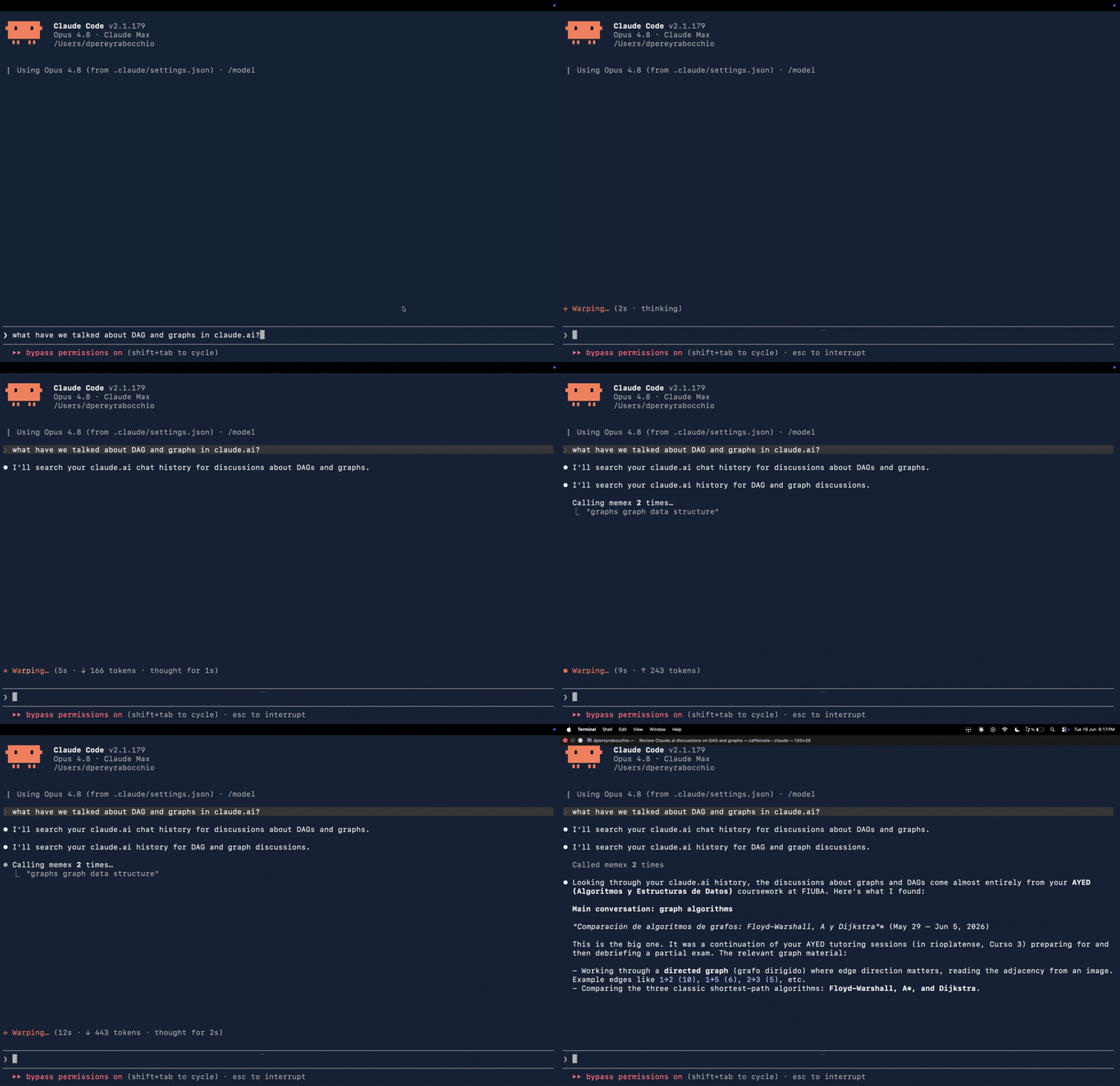
End-to-end demo: from Claude Code, you ask about something you discussed on claude.ai. Memex searches your chat history (search_chats) and Claude answers from the real conversation. No copy-paste, no manual context handoff.
Install
One command installs uv + Memex and runs memex setup (registers the MCP server, installs the always-on capture service, indexes your local sessions, prints the pairing token):
```bash
Sign in to leave a review
Use Google, GitHub, or an email account so ratings stay tied to real people.
No reviews posted yet.




