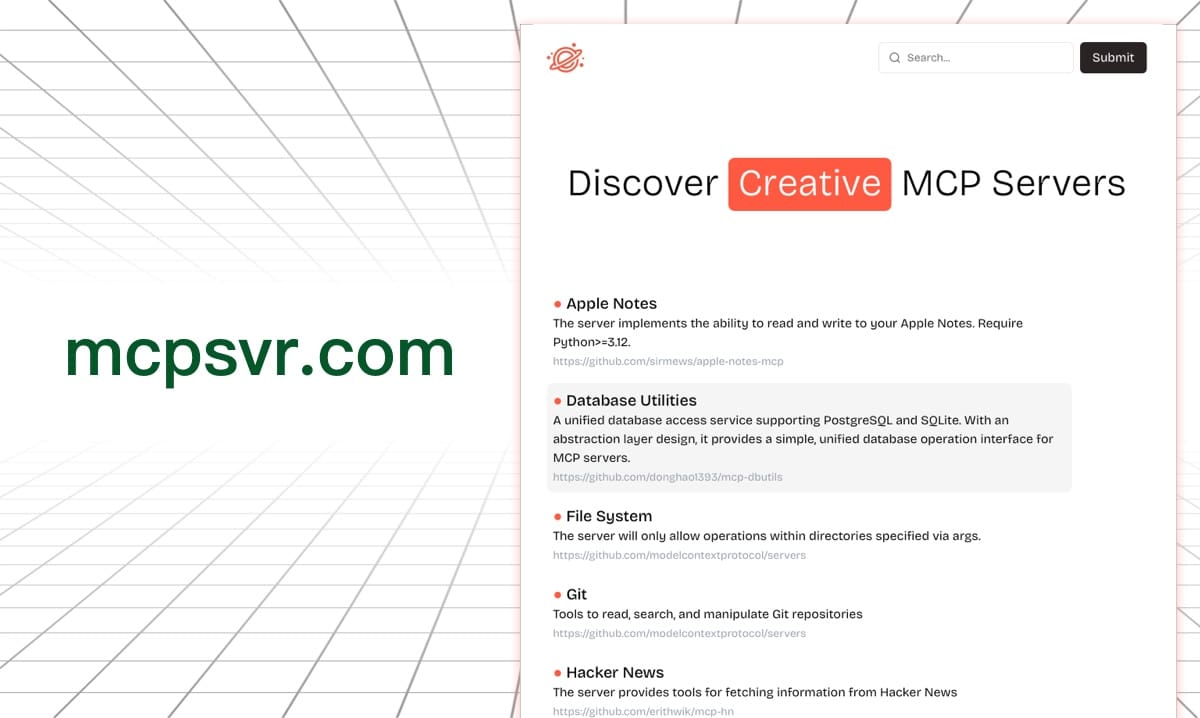

Discover Exceptional MCP Servers
About
Discover Exceptional MCP Servers (MCPSvr) is a community-driven web directory for discovering, reviewing, and contributing Model Context Protocol (MCP) servers. It hosts a curated public/servers.json registry that developers and MCP clients (such as 5ire) can use to browse…
Details
- Author
- nanbingxyz
- GitHub stars
- 307
- Downloads
- 292
- Categories
- Other
Jump to
- Centralized registry of MCP servers in public/servers.json
- Browse servers and review commands, arguments, and environment variables
- Contribute new entries or improve metadata via pull requests
- Supports parameter placeholders for user‑provided inputs
- Reusable by MCP clients that support direct installation
- Lightweight Next.js 15 project with a clean browsing interface
You can browse the directory online or run it locally with Node.js 18+ by cloning the repository, running npm install, then npm run dev to start at http://localhost:3000. To contribute a new server, fork the repo, add an entry to public/servers.json, and open a pull request.
MCPSvr
> A community-driven directory for discovering, reviewing, and contributing MCP servers.
<p align="center">
<a href="https://github.com/nanbingxyz/mcpsvr/stargazers">
<a href="https://github.com/nanbingxyz/mcpsvr/commits/master">
</p>


MCPSvr is a lightweight web directory for Model Context Protocol servers. It helps developers browse available servers, understand how each one is configured, and contribute new entries through pull requests.
The repository centers on a curated public/servers.json registry, so MCP clients such as 5ire can install and run supported servers directly.
https://github.com/user-attachments/assets/3d1ec8db-2041-4f2d-b72c-eb8ae17ab31c
Table of Contents
- Why MCPSvr - What You Can Do - Project Structure - Run Locally - How to Add a Server - Server Schema - Parameter Placeholders - Contribution NotesWhy MCPSvr
MCP servers are growing fast, but good discovery is still fragmented. MCPSvr gives the ecosystem a simple shared registry with enough metadata for humans to evaluate tools and for clients to automate setup.
What You Can Do
- Discover MCP servers from a single browsable directory
- Review runtime commands, arguments, environment variables, and homepage links
- Contribute new servers or improve existing metadata via pull requests
- Reuse the registry in MCP clients that support direct installation
Project Structure
.
├── app/                # Next.js app router pages
├── components/         # Reusable UI components
├── lib/                # Utility helpers
├── public/
│   ├── logo.png
│   └── servers.json    # Central MCP server registry
└── README_cn.md        # Chinese README
Run Locally
Prerequisites
- Node.js 18+ - npm (or another package manager compatible withpackage-lock.json)
Install
npm install
Start the development server
npm run dev
Then open http://localhost:3000.
Build for production
npm run build
npm run start
How to Add a Server
All registered MCP servers are maintained in public/servers.json. To contribute a new entry:
1. Fork the repository
2. Add or update a server object in public/servers.json
3. Keep keys consistently ordered
4. Open a pull request with links to the project homepage or docs
Server Schema
{
  "name": "Server Identifier",
  "key": "Unique alphanumeric identifier",
  "description": "Concise implementation overview",
  "command": "Execution environment specifier (for example uvx, npx, python, node)",
  "args": [
    "Required runtime arguments"
  ],
  "env": {
    "ENVIRONMENT_VARIABLE": "Value assignment"
  },
  "homepage": "Official documentation URL"
}
Field Guidelines
-key must be unique, alphanumeric, and start with a letter
- name is optional and falls back to key when omitted
- env and homepage are optional but strongly recommended
- Keep descriptions short and practical so clients can display them cleanly
Parameter Placeholders
When a server needs user-provided input, use the placeholder format below:
{{paramName@paramType::paramDescription}}
Example:
{
  "name": "File System Access Control",
  "key": "FileSystem",
  "command": "npx",
  "description": "Enforces directory-level operation restrictions through specified arguments",
  "args": [
    "-y",
    "@modelcontextprotocol/server-filesystem",
    "{{dirs@list::directories you are about to access, include trailing slash}}"
  ],
  "homepage": "https://github.com/modelcontextprotocol/servers"
}
Supported placeholder types include string, list, and number.
Contribution Notes
- Prefer accurate metadata over marketing copy
- Double-check command arguments before submitting
- Include a homepage or docs link whenever possible
- If you add a new field in the future, keep the schema backwards compatible for downstream clients
Sign in to leave a review
Use Google, GitHub, or an email account so ratings stay tied to real people.
No reviews posted yet.





