
Mcp日程表server
About
配套MCP日程表(VSCode插件拓展) 使用的一个MCP Server, 实现日程的自然语言描述增,查,删。
Details
- Author
- Damon-law
- Downloads
- 199
- Categories
- Other
Jump to
- add-schedule:添加日程或提醒,未指定结束时间时默认加一小时。
- get-current-date:获取当前日期,便于日程操作前同步时间。
- get-schedules:根据时间区间查询日程。
- delete-schedule:删除指定日程。
- 支持一次性日程和循环日程(每日/每周等)。

Setting up with Highlight
This MCP is not yet compatible with Highlight’s one-click setup. However, you can still use it with Highlight by following these steps:
- Download and install Highlight from highlightai.com/download
- Navigate to the plugins tab and select "Add Custom Plugin"
-
Configure the plugin with the settings below
Plugin Name
Mcp日程表serverCommand (node, npx, python, etc.)Please refer to the README for specific instructions on how to obtain API keys or other required environment variables.
- Enable "Start Automatically" if you want the plugin to start when Highlight launches





From the repository
1. 安装VSCode插件“MCP日程表”(作者damonliu)。
2. 克隆本仓库到本地,执行 npm install 或 pnpm install,然后 npm run build 或 pnpm build。
3. 在IDE的MCP配置中添加如下JSON(需替换实际路径和端口,默认3001):
{
"mcpServers": {
"schedules": {
"command": "node 你的路径\\mcp_server_for_schedules\\build\\index.js --port 3001"
}
}
}
4. 在IDE的Chat中直接使用自然语言(如“增加日程”、“明天三点提醒我开会”)操作日程。
Claude Desktop / Cursor
Paste into your MCP client config file to install this server.
{
    "mcpServers": {
        "mcp\u65e5\u7a0b\u8868server": {
            "schedules": {
                "command": "node \u4f60\u7684\u8def\u5f84\\mcp_server_for_schedules\\build\\index.js --port 3001"
            }
        }
    }
}McpServers
{
    "schedules": {
        "command": "node \u4f60\u7684\u8def\u5f84\\mcp_server_for_schedules\\build\\index.js --port 3001"
    }
}
MCP日程表 Server README
这是与[VSCode插件/Trae/Cursor/Lingma]MCP日程表 配套使用的 MCP Server 端。
MCP Server 端用于VSCode/Trae/Cursor/Lingma 端大模型通过http请求的方式和MCP日程表插件实现 增、删、查取插件端日程的功能。
插件地址:
MCP日程表 - Visual Studio Marketplace
或在VSCode搜索MCP日程表(作者:damonliu) 安装
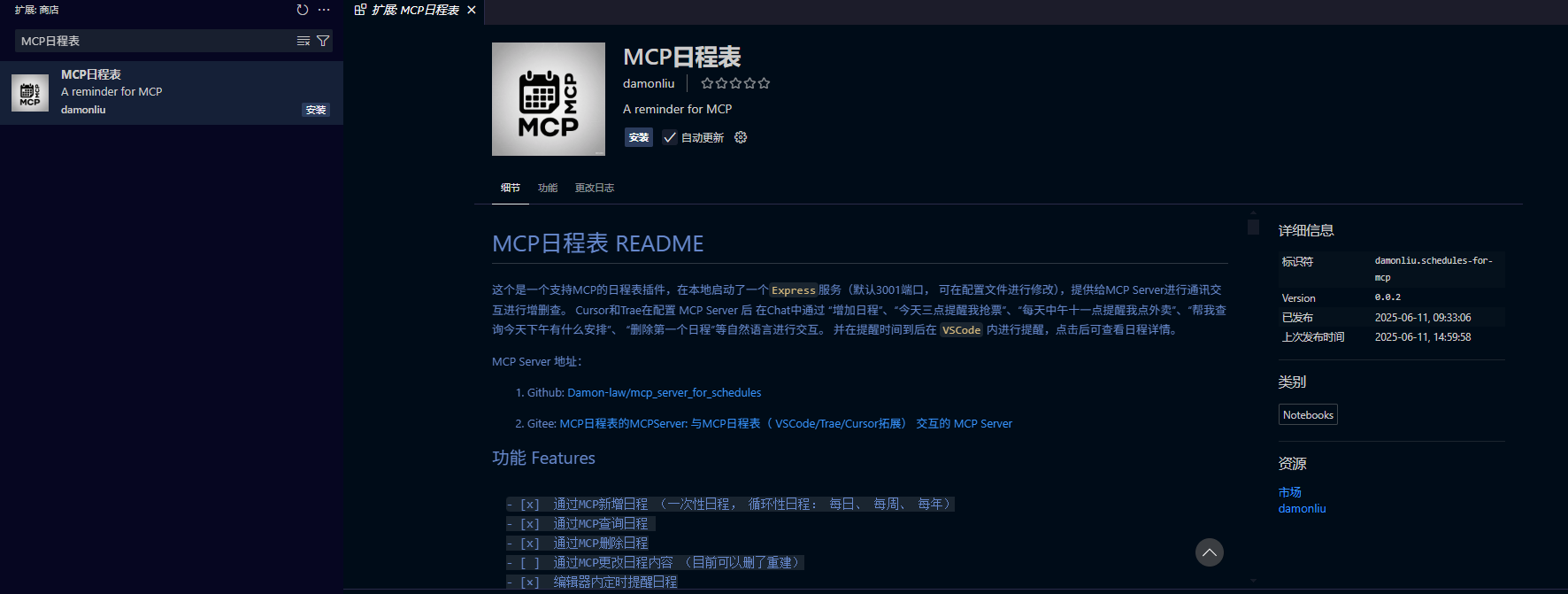
Trae 中导入 VSCode 插件的 方式可见:
使用教程:
1. 安装插件后
2. 克隆项目到本地
3. 安装依赖:npm install 或 pnpm install
4. 运行项目:npm run build 或 pnpm build
5. 在对应的IDE或编辑器中配置`
           {

            "mcpServers": {

                "schedules": {

                // 配置了fnm的情况下, 先指定你使用的node版本 --port为指定端口,VSCode插件需与MCP Server 请求端口一致, 默认3001

                "command": "fnm exec --using=20.10.0 node 你的路径\\mcp_server_for_schedules\\build\\index.js --port 3001",

                // 正常node

                "command": "node 你的路径\\mcp_server_for_schedules\\build\\index.js --port 3001"

                }

            }

        }


6. 在对应的中通过“增加日程”、“今天三点提醒我抢票”、“每天中午十一点提醒我点外卖”、“帮我查询今天下午有什么安排”、 “删除第一个日程”等自然语言进行交互。 并在提醒时间到后在 VSCode 内进行提醒,点击后可查看日程详情。
Tool 工具
目前提供了一下tool:
- [x] add-schedule: 添加日程或提醒,如果用户没有指定结束时间: end,则默认结束时间为开始时间: start或提醒时间: reminder加一小时get-current-date
- [x] : 获取当前日期,进行日程操作时先执行这个更新日期 get-schedules
- [x] : 根据时间区间获取当前日程delete-schedule
- [×] : 删除日程
- [ ] ...
常见编辑器简易使用教程:
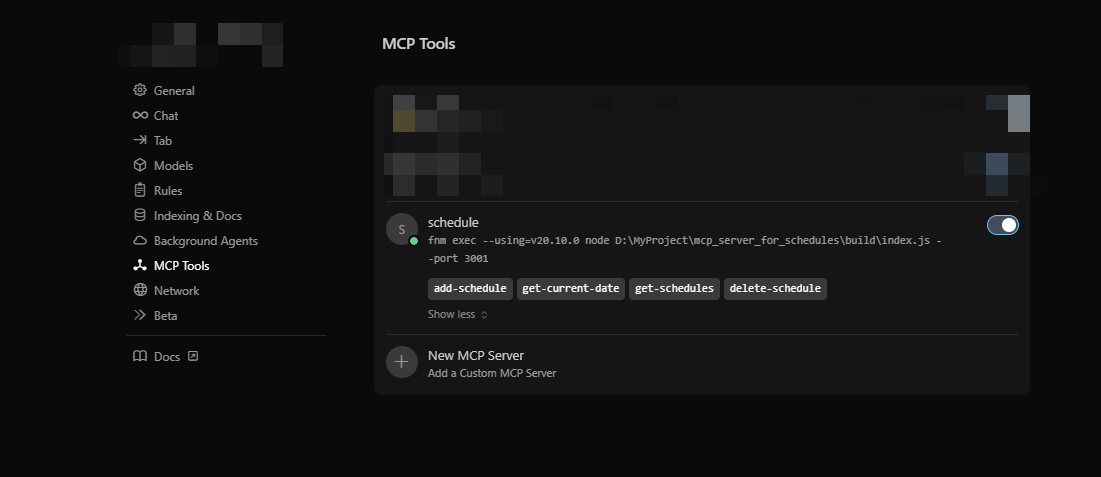
Cursor中使用
Cursor中使用方法: 1. 安装插件 2. 配置MCP Server {
"mcpServers": {
"schedules": {
// 配置了fnm的情况下,先指定你使用的node版本, --port为指定端口,VSCode插件需与MCP Server 请求端口一致, 默认3001
"command": "fnm exec --using=20.10.0 node 你的路径\\mcp_server_for_schedules\\build\\index.js --port 3001"
// 正常node
"command": "npx 你的路径\\mcp_server_for_schedules\\build\\index.js --port 3001"
}
}
}
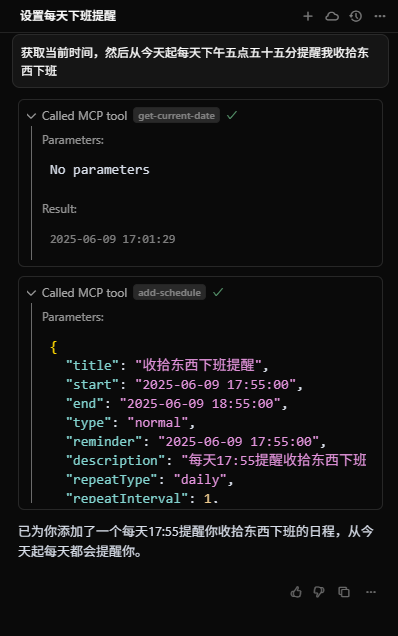
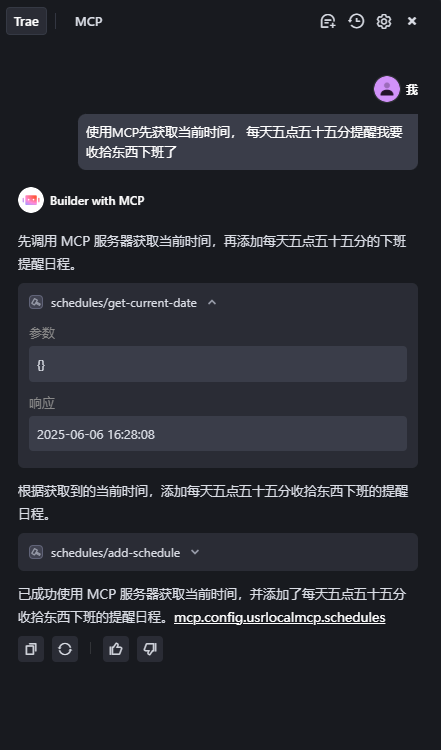
3. 新增循环日程
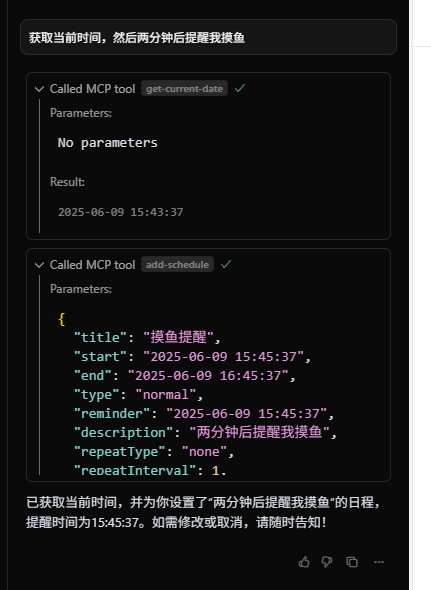
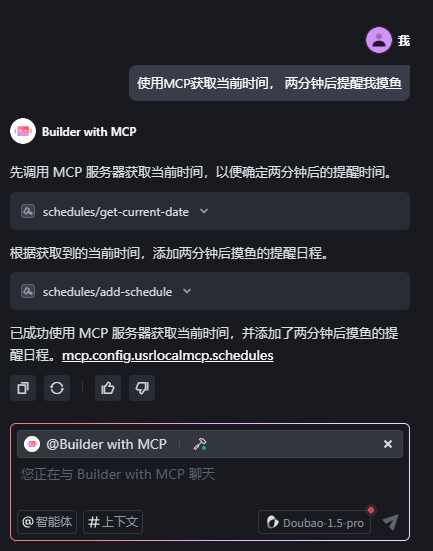
4. 新增一次性日程
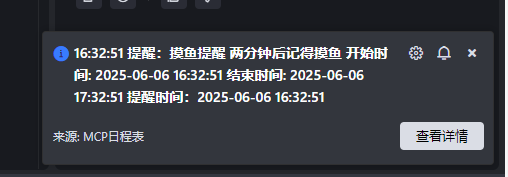
5. 到时间显示提醒
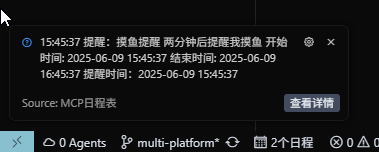
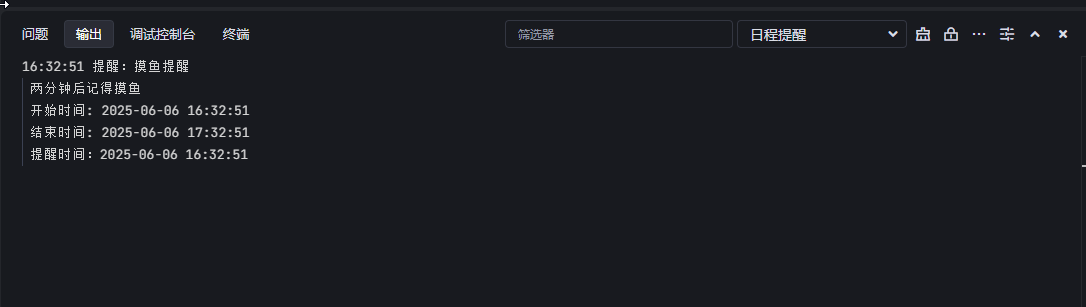
6. 查看提醒详情
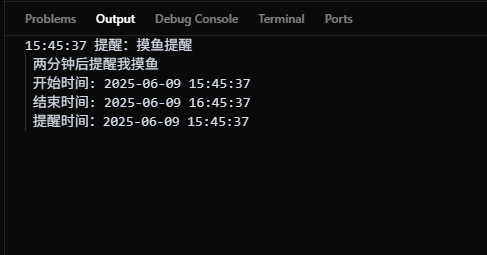
7. 查询日程
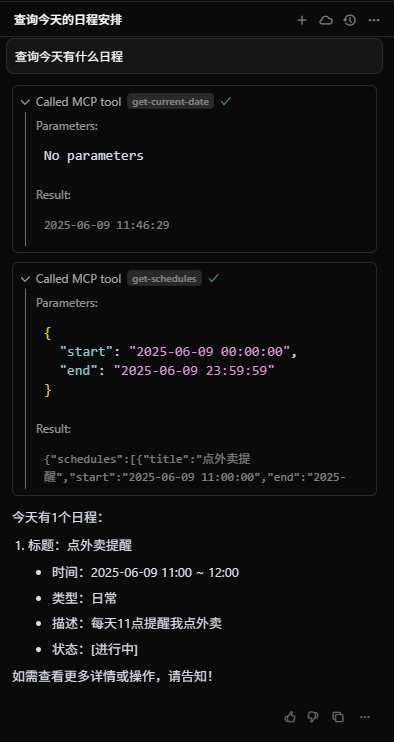
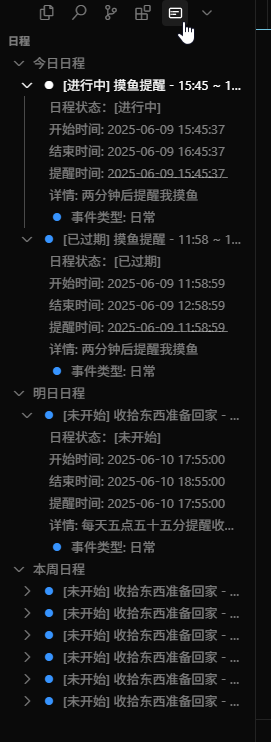
8. 删除日程
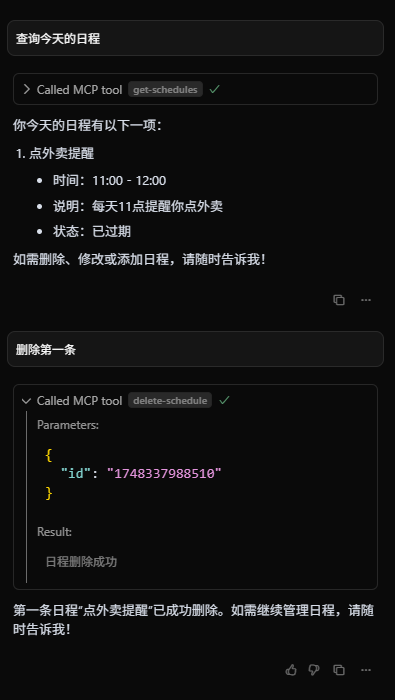
Trae中使用
Trae中使用方法:
Trae 中的 通知好像是默认设置为勿打扰模式,需要手动打开通知:
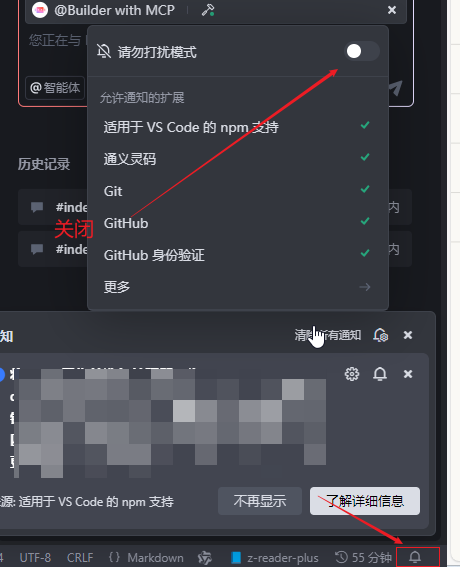
1. 安装插件
2. 配置MCP Server
        {
            "mcpServers": {
                "schedules": {
                // 配置了fnm的情况下,先指定你使用的node版本, --port为指定端口,VSCode插件需与MCP Server 请求端口一致, 默认3001
                "command": "fnm exec --using=20.10.0 node 你的路径\\mcp_server_for_schedules\\build\\index.js --port 3001"
                // 正常node
                "command": "npx 你的路径\\mcp_server_for_schedules\\build\\index.js --port 3001"
                }
            }
        }
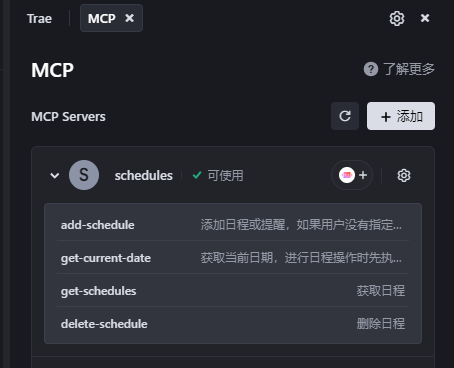
3. 再对下中选择智能体MCP即可使用
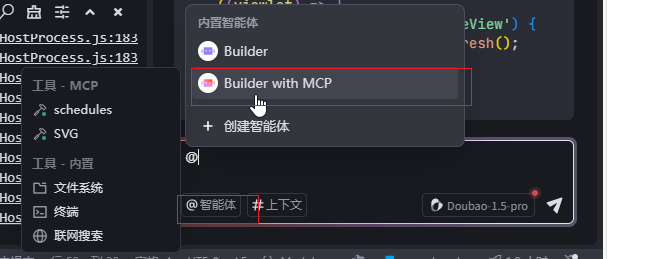
4. 新增循环日程
5. 新增一次性日程
6. 到时间显示提醒
7. 查看提醒详情
8. 查询日程

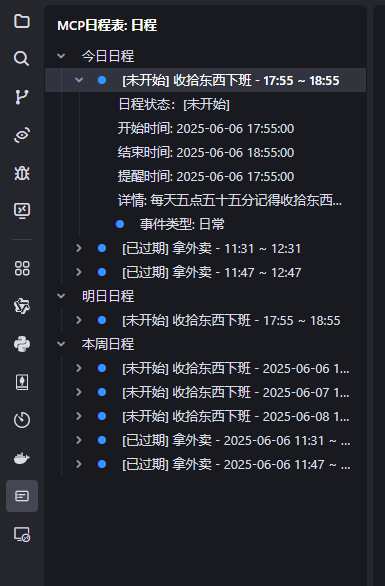
9. 删除日程
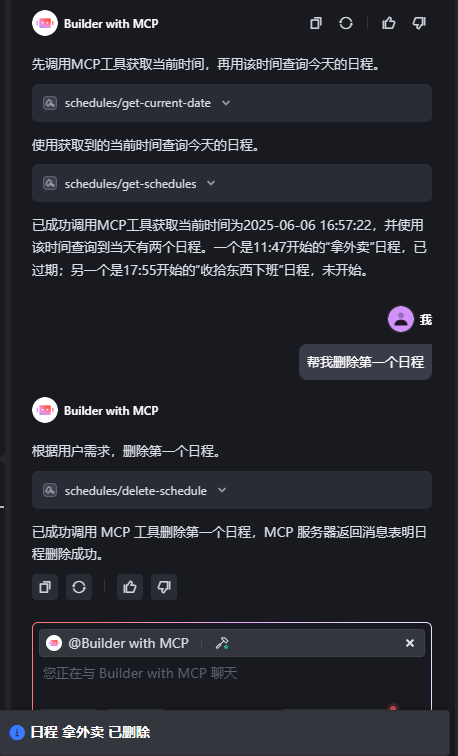
更多 More
拓展开源。
MCP日程表`仓库地址:
1. gitte: MCP日程表的MCPServer: 与MCP日程表( VSCode/Trae/Cursor拓展) 交互的 MCP Server
2. github: schedules-extension-for-mcp
详细内容和开发可查看掘金:
Sign in to leave a review
Use Google, GitHub, or an email account so ratings stay tied to real people.
No reviews posted yet.





