
Rdkit Chemical Informatics
Description
[](https://mseep.ai/app/s20ss-mcp-rdkit) # MCP RDKit Project ## Overview The `mcp_rdkit` project integrates the RDKit library with the MCP (Model Context Protocol) framework to provide advanced…
About
[](https://mseep.ai/app/s20ss-mcp-rdkit) # MCP RDKit Project ## Overview The `mcp_rdkit` project integrates the RDKit library with the MCP (Model Context Protocol) framework to provide advanced chemical informatics tools. It includes…
Details
- Author
- s20ss
- GitHub stars
- 3
- Downloads
- 267
- Categories
- Developer Tools
Jump to
- Generate images of molecules using RDKit.
- Compute molecular descriptors (e.g., molecular weight, logP).
- Communicate with an MCP server for chemical informatics tasks.
- Runs as a stdio-based MCP server.
- Includes helper functions for PIL-to-base64 conversion.

Setting up with Highlight
This MCP is not yet compatible with Highlight’s one-click setup. However, you can still use it with Highlight by following these steps:
- Download and install Highlight from highlightai.com/download
- Navigate to the plugins tab and select "Add Custom Plugin"
-
Configure the plugin with the settings below
Plugin Name
Rdkit Chemical InformaticsCommand (node, npx, python, etc.)Please refer to the README for specific instructions on how to obtain API keys or other required environment variables.
- Enable "Start Automatically" if you want the plugin to start when Highlight launches





From the repository
Install the package via pip install mcp-rdkit, then run python -m mcp_rdkit to start the MCP server in stdio mode. Add the provided JSON configuration to your MCP config file to connect the server.
Claude Desktop / Cursor
Paste into your MCP client config file to install this server.
{
    "mcpServers": {
        "rdkit chemical informatics": {
            "rdkit": {
                "command": "python",
                "args": [
                    "-m",
                    "mcp_rdkit"
                ]
            }
        }
    }
}McpServers
{
    "rdkit": {
        "command": "python",
        "args": [
            "-m",
            "mcp_rdkit"
        ]
    }
}
MCP RDKit Project
Overview
The mcp_rdkit project integrates the RDKit library with the MCP (Model Context Protocol) framework to provide advanced chemical informatics tools. It includes functionalities for molecular visualization, descriptor calculation, and interaction with an MCP server.
Features
- Molecular Visualization: Generate images of molecules using RDKit.
- Descriptor Calculation: Compute molecular descriptors such as molecular weight, logP, and more.
- MCP Server Integration: Communicate with an MCP server for advanced chemical informatics tasks.
Project Structure
- mcp_rdkit/
- __main__.py: Entry point for the application. It initializes the MCP server and runs it in "stdio" mode.
- rdkit_helper.py: Contains helper functions for RDKit operations, including:
- Converting PIL images to base64.
- Interfacing with the MCP server.
- Utilizing RDKit for chemical computations.
- setup.py: Configuration for packaging and distribution.
Requirements
- Python 3.8 or higher
- RDKit library
- MCP framework
Installation
1. Install the package using pip:
pip install mcp-rdkit
2. Run the application:
python -m mcp_rdkit
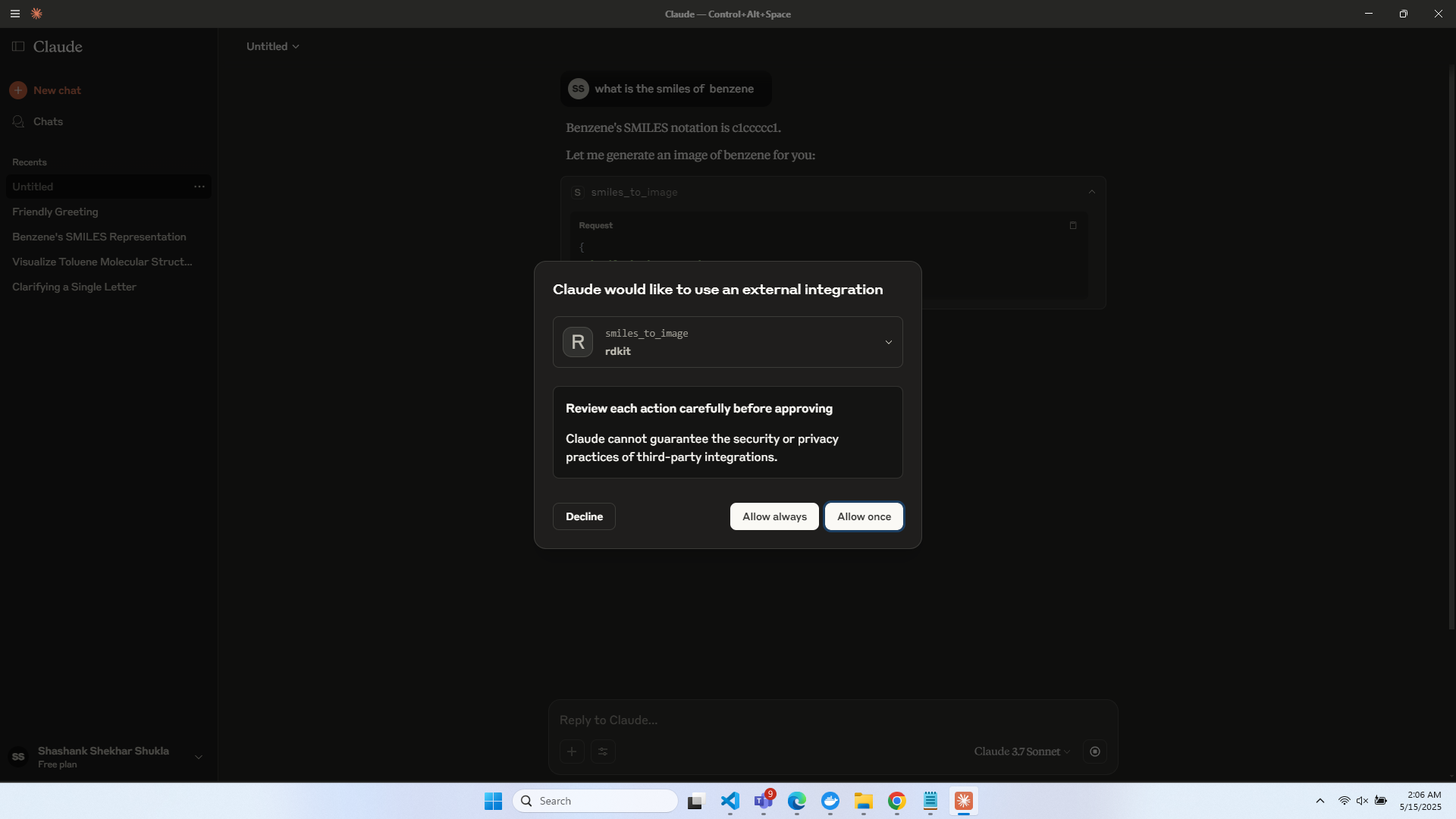
Demo
You can integrate this directly into Claude App:


Usage
- Run the MCP server:
The application starts an MCP server that can process chemical informatics tasks.
- Generate molecular images:
Use the RDKit helper functions to visualize molecules.
- Calculate descriptors:
Leverage RDKit's descriptor calculation tools for chemical analysis.
MCP Configuration Example
To use the RDKit server with MCP, add the following configuration to your mcp config file:
"rdkit-server": {
  "type": "stdio",
  "command": "python",
  "args": [
    "-m",
    "mcp_rdkit"
  ]
}
RDKIT MCP is certified and indexed by MCP Review

Sign in to leave a review
Use Google, GitHub, or an email account so ratings stay tied to real people.
No reviews posted yet.





