
MCP TS Quickstart
About
Build-less TypeScript quickstart for an MCP server implementation
Details
- Author
- cephalization
- Downloads
- 246
- Categories
- Other
Jump to
- Basic MCP server using stdio transport
- Fetches top stories from Hacker News
- Written in TypeScript without a build step
- Requires Node v23
- Easily extendable by adding new tools
- Integrated with MCP Inspector for local testing
Clone the repository, install dependencies with nvm and pnpm, then add the server to Claude Desktop using a JSON configuration that points to Node v23 and the src/index.ts file. Alternatively, run pnpm start to launch the server with the MCP Inspector UI for development and testing.
MCP TS Quickstart
This is a quickstart for MCP in TypeScript.
It includes a basic MCP server implementation that uses the stdio transport,
and fetches the top stories from Hacker News.
It is written in TypeScript and works without a build step by utilizing Node v23.
Based on the example provided in the MCP documentation.
Usage
The snippet below requires git, nvm, and pnpm.
git clone git@github.com:cephalization/mcp-ts-quickstart.git
cd mcp-ts-quickstart
nvm install && nvm use
pnpm install
Once cloned and dependencies installed, you can add this server to Claude Desktop with a config similar to the following:
{
  "mcpServers": {
    "hacker-news": {
      "command": "/Users/tony/.nvm/versions/node/v23.6.0/bin/node",
      "args": ["/Users/tony/repos/mcp/src/index.ts"]
    }
  }
}
See the MCP documentation for more information on how to use Claude Desktop as a client.
Development
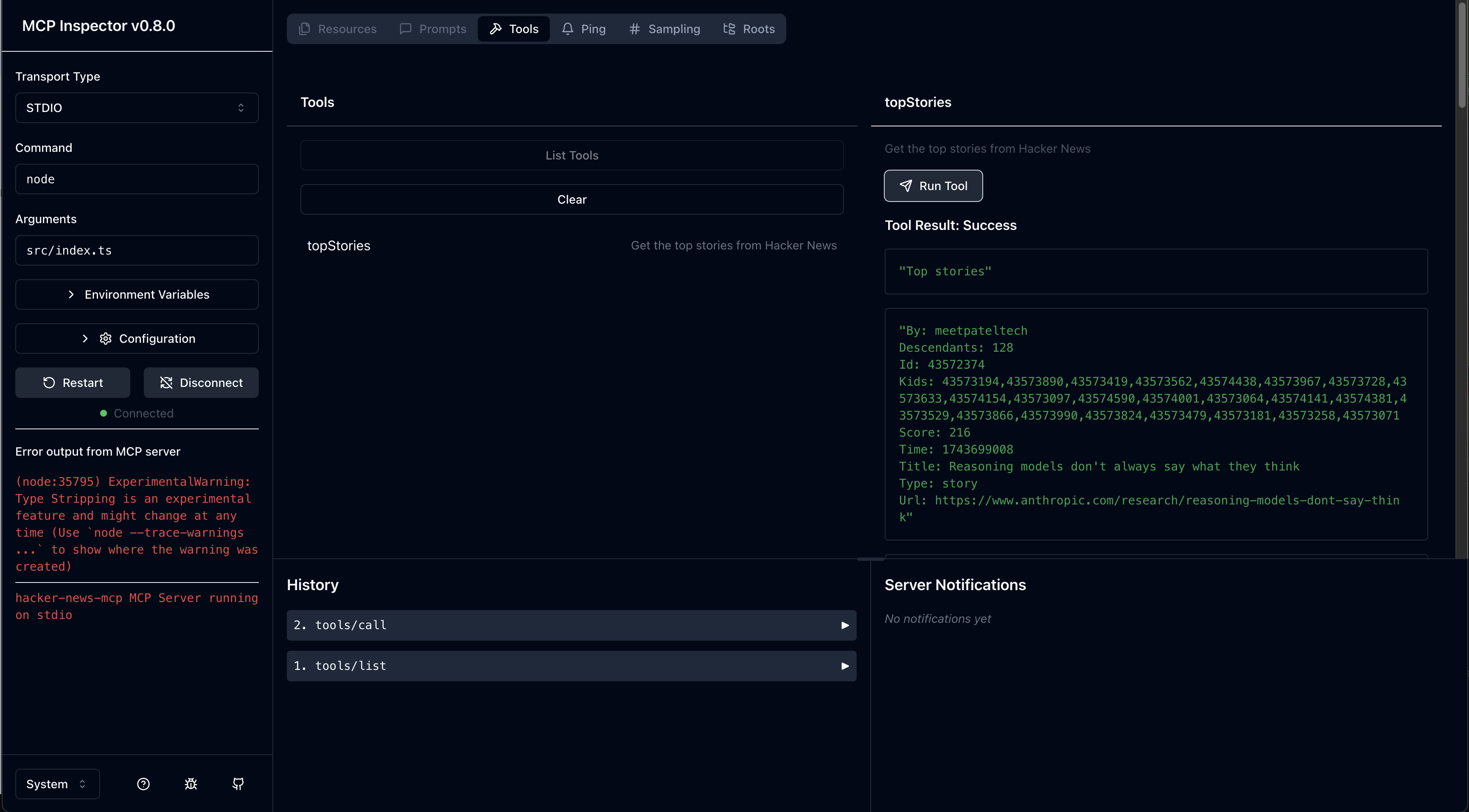
The following commands will install the dependencies, and then start the MCP server with the MCP Inspector UI as a client.
nvm install && nvm use
pnpm install
pnpm start
Because the server is build-less, you can simply "restart" the server inside of the inspector UI by pressing the "Restart" button.
Extending the server
The server is implemented in src/index.ts.
The topStories tool is implemented in src/tools.ts.
To add a new tool, you can copy the topStories tool and modify it.
When importing local src files, make sure to use the .ts extension so that node can resolve it.
When importing types, make sure to add the type keyword in front of the import so that node can strip it out at runtime.
When importing libraries, make sure to import the actual source file extension, if it does not provide an exports mapping.
MCP Inspector
The MCP Inspector is a UI for interacting with MCP servers.
When run, it will be available at http://localhost:6274.
Sign in to leave a review
Use Google, GitHub, or an email account so ratings stay tied to real people.
No reviews posted yet.





