
Remote MCP Server for Analyzing Tokens using CoinGecko Market Data
About
MCP Server for Analyzing Tokens using the Coin Gecko API. Includes RSI, EMA, MACD, Bollinger Bands, Golden-Cross and Death-Cross.
Details
- Author
- Charged-Particles
- Downloads
- 303
- Categories
- Search
Jump to
—
Clone the repository, install dependencies with npm install, and build the server with npm run build. Then configure Claude Desktop by editing its configuration file (claude_desktop_config.json) to point to the built server's index.js and the Node.js executable.
Remote MCP Server for Analyzing Tokens using CoinGecko Market Data
Develop locally
nvm use
npm install
npm run build
Connect Claude Desktop to your local MCP server
Follow Anthropic's Quickstart and within Claude Desktop go to Settings > Developer > Edit Config to find your configuration file.
code /Users/[_you_username_here_]/Library/Application\ Support/Claude/claude_desktop_config.json
Open the file in your text editor and replace it with this configuration:
{
  "mcpServers": {
    "token-analyzer": {
      "command": "/Users/[_you_username_here_]/.nvm/versions/node/v20.17.0/bin/node",
      "args": [
        "/Users/[_absolute_path_to_working_dir_here_]/build/index.js"
      ]
    }
  }
}
<div align="center">
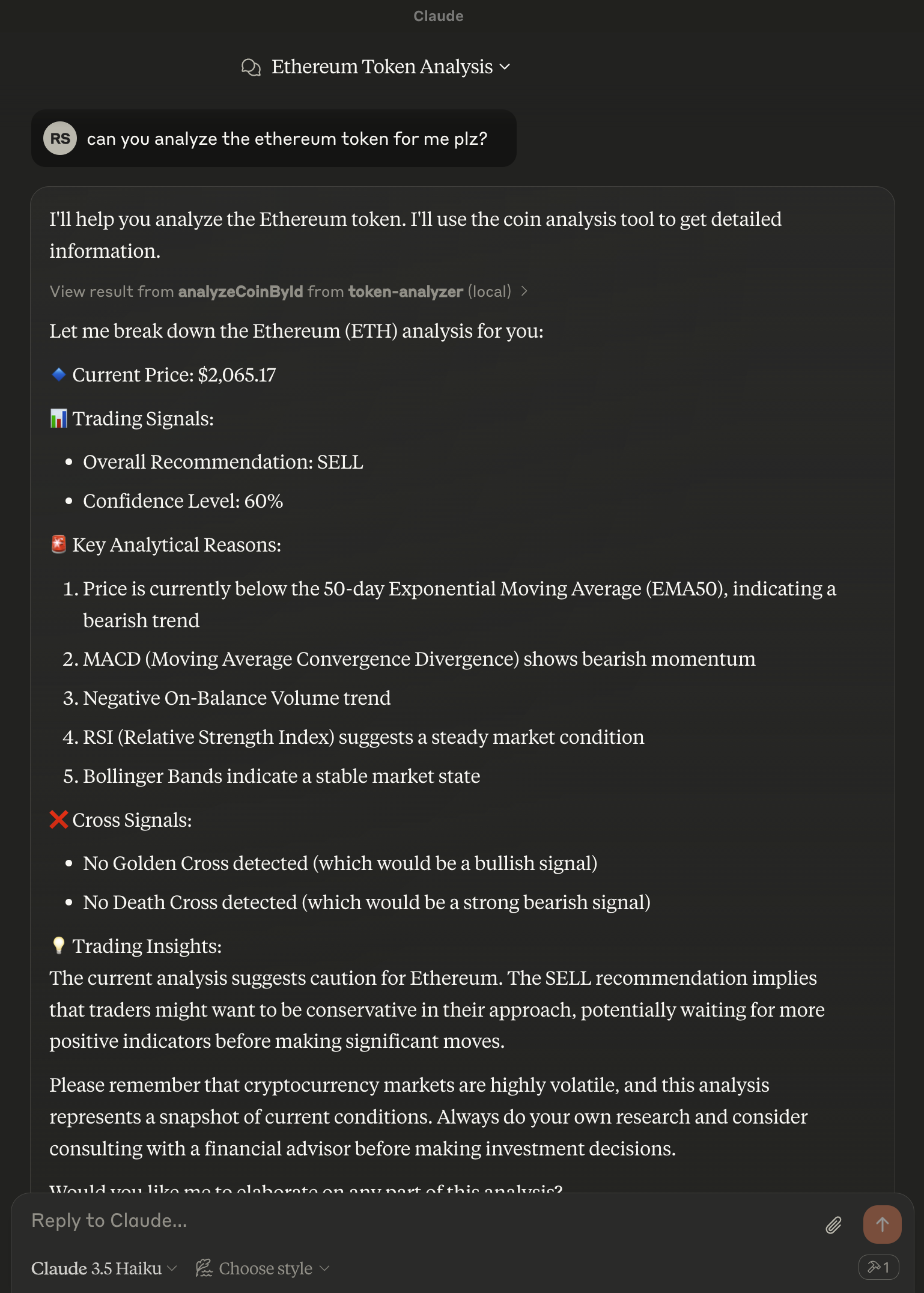
</div>
Sign in to leave a review
Use Google, GitHub, or an email account so ratings stay tied to real people.
No reviews posted yet.





