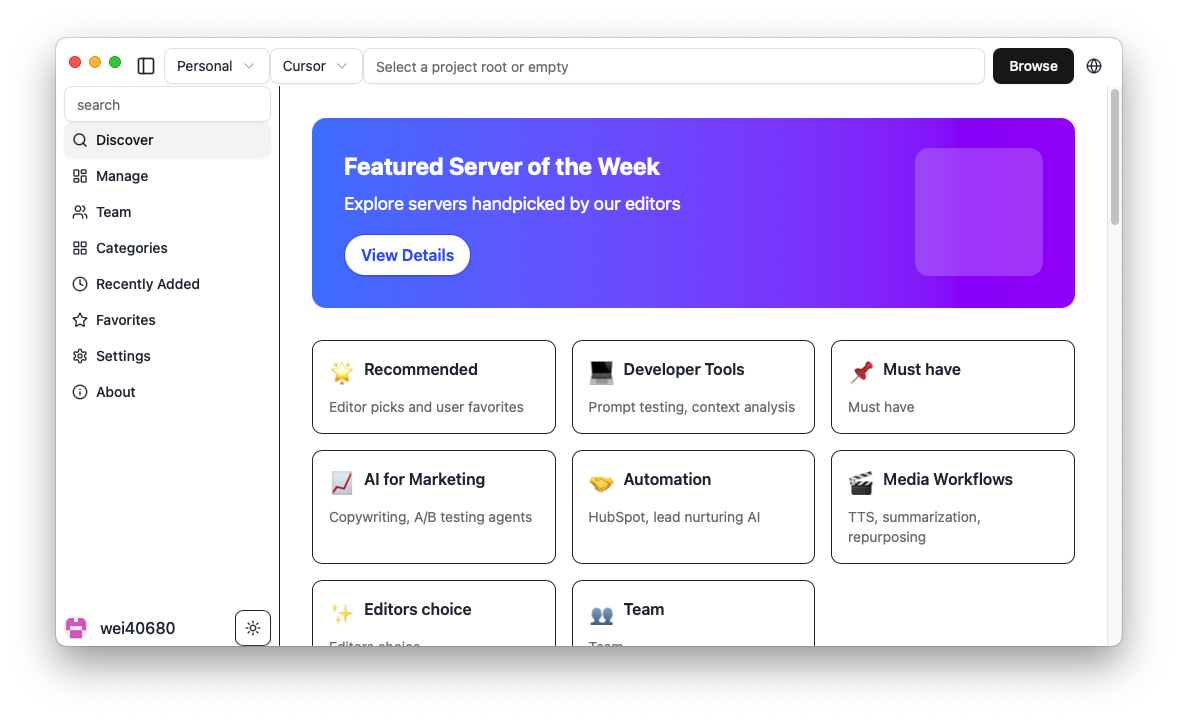

MCP Store
About
mcp store manager, add & syncs MCP server configurations across clients like Claude code, Cursor💡mcphub
Details
- Author
- milisp
- GitHub stars
- 316
- Downloads
- 947
- Categories
- Developer Tools
Jump to
- One-click add and sync MCP servers across AI clients
- Built-in marketplace with 600+ curated MCP servers
- Supports Claude Desktop/Code, Cursor, VS Code, Cline, Windsurf, Codex, Roo Code
- Cross-platform: macOS, Windows, Linux
- Auto-detects Python, Node.js, and uv environments
- Optional encrypted cloud sync across devices (Pro plan)
Install via Homebrew (macOS), AUR (Arch Linux), or direct download from the latest releases. Launch the app, browse the marketplace, click “Get” on a server to view configuration, then “Add” to install it to your selected AI client.
MCP Linker




🌐 Languages: 中文 | 🌍 Other Languages
One-click add and sync MCP servers across AI clients — No LLM calls needed, Built-in marketplace
> [!TIP]
> ⭐ Star the repo and follow milisp on Twitter and GitHub for more!
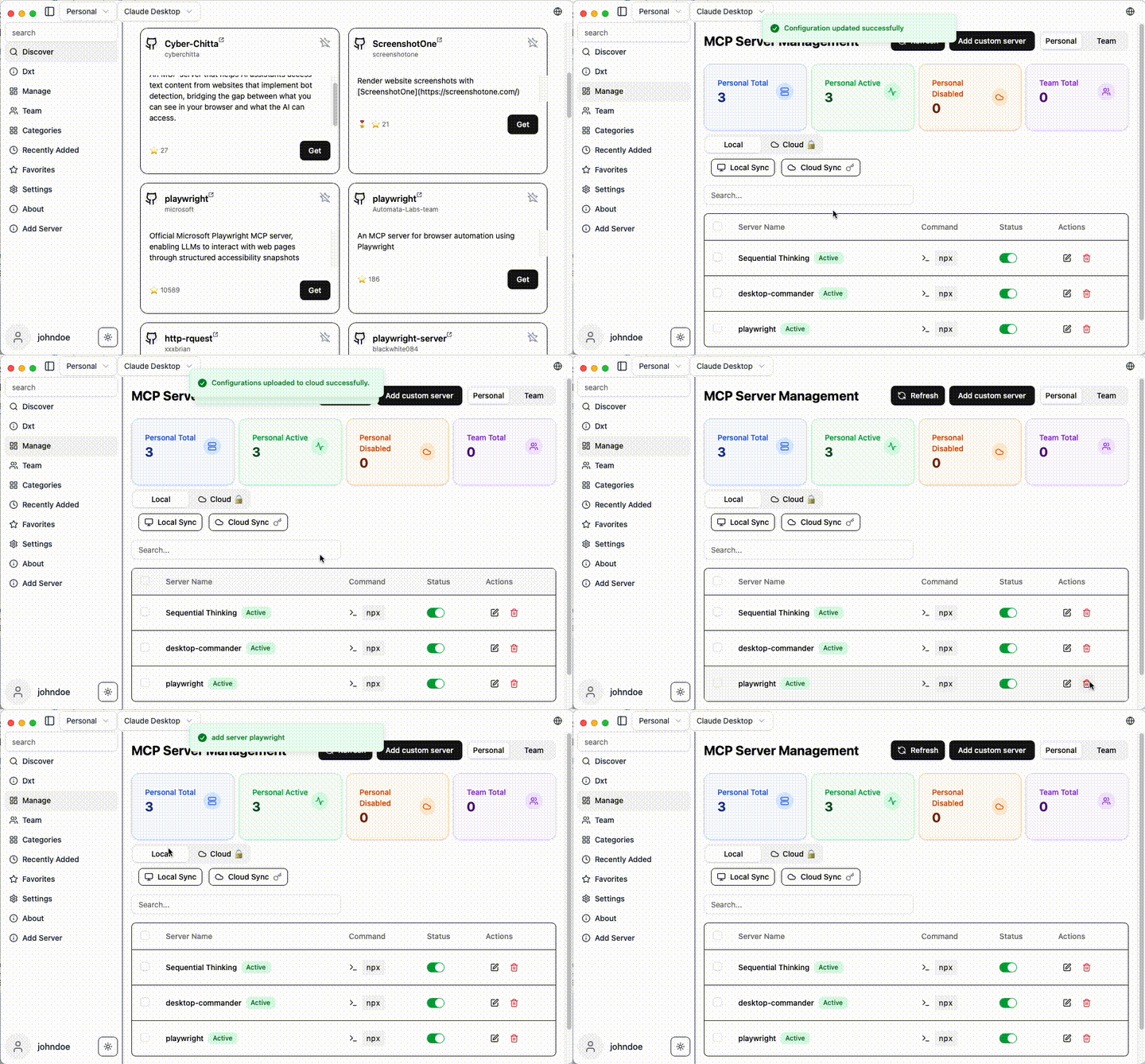
🚀 Why MCP Linker?
- ⚡ Instant — Add MCP servers in seconds
- 🧠 Multi-Client Support(paid plan) — Works with all major AI clients
✨ Features
- Local Sync — Sync MCP server configs across multiple clients
- 600+ Curated MCP Servers — Built-in marketplace with sequential-thinking, desktop-commander, and more
- Multi-Client Support — Claude Desktop/Code, Cursor, VS Code, Cline, Windsurf, Codex, Roo Code. see Detail
- Cross-Platform — macOS, Windows, Linux
- Smart Detection — Auto-detect Python, Node.js, uv environments
- Cloud Sync — Optional encrypted sync across devices (Pro)
- GUI for OpenAI Codex CLI — based on Codexia
🚀 Quick Start
Installation
Arch Linux (AUR)
yay -S mcp-linker-bin
macOS (Homebrew)
brew tap milisp/mcp-linker

brew install --cask mcp-linker
Windows / Linux / macOS (Direct Download)
Download the: 📥latest Releases
> [!Note]
> If you have subscribed, please relaunch the app after logging in for the first time.
Getting Started
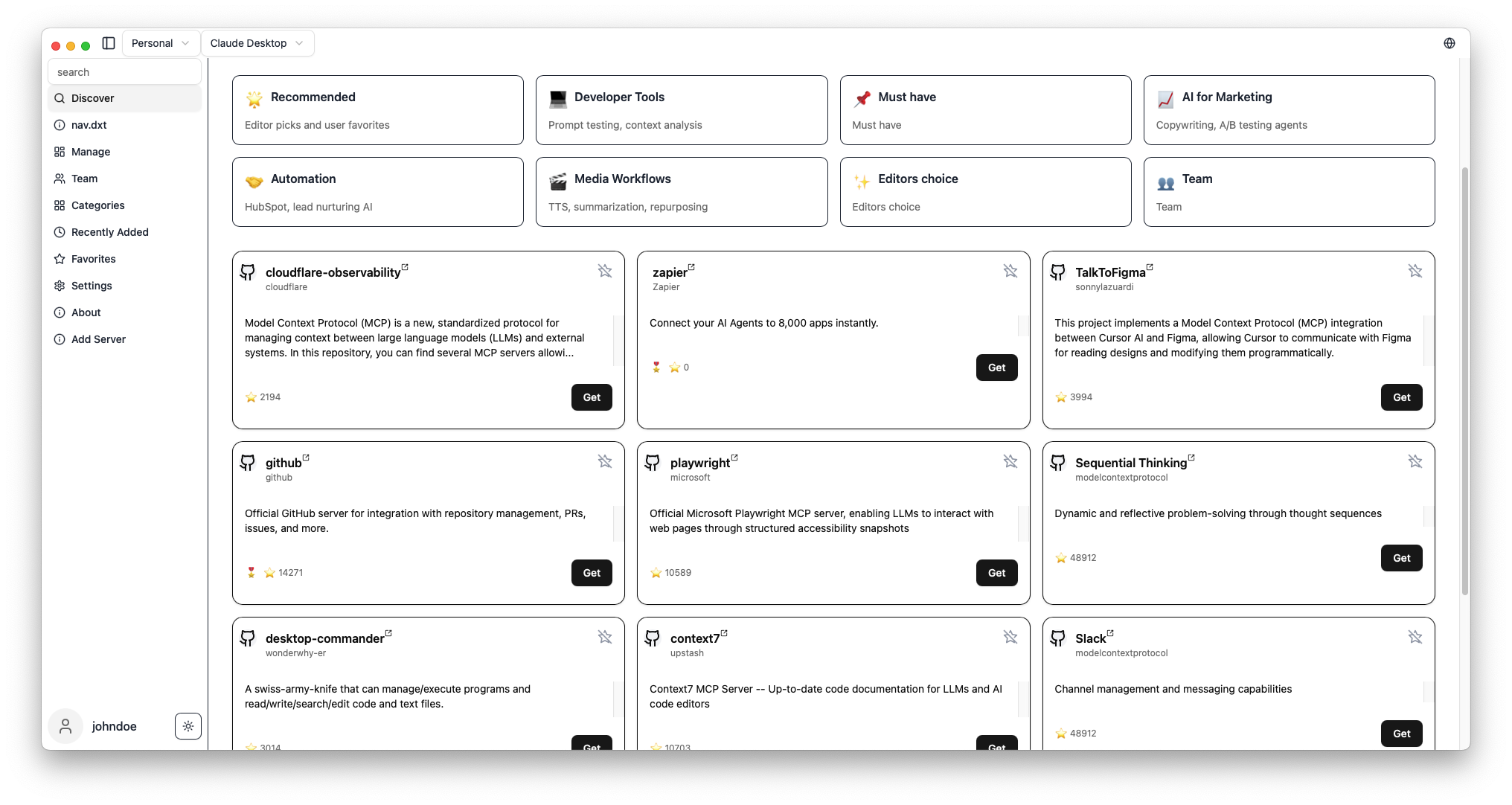
1. Browse MCP servers in the built-in marketplace
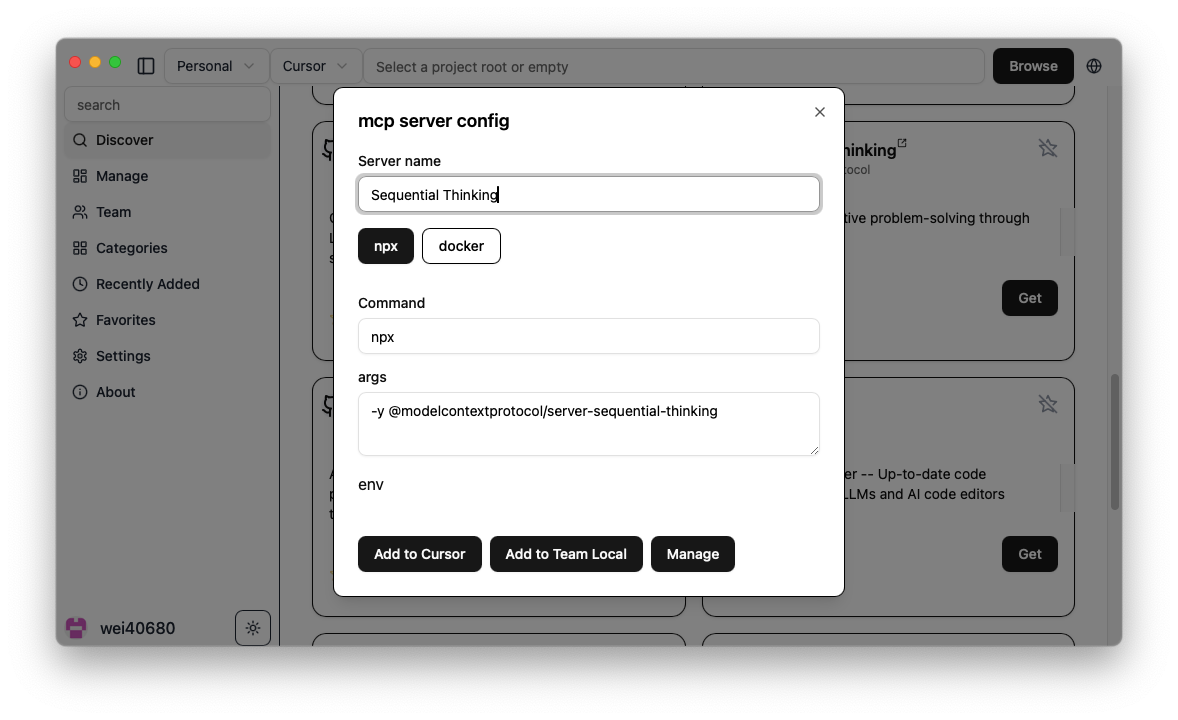
2. Click "Get" to show configuration
3. Click "Add" to install to your selected client
4. Done! Start using new AI capabilities immediately
Screenshots
| Server Discovery | Add Configuration |
|-----------------|-------------------|
|  |
|  |
|
What's MCP?
Model Context Protocol is like USB-C for AI — a standard way to connect AI models to different data sources and tools.🧭 Related Projects
- milisp/codexia - The missing GUI for the OpenAI Codex CLI, (FileTree + notepad + git diff + plan mode) all in a lightweight Tauri desktop app.
- awesome-claude-dxt — a curated list of Claude Desktop Extensions (dxt), tools, and resources
- claw-army/claude-node — Python subprocess bridge for Claude Code CLI, giving Python code direct access to Claude Code native capabilities via stream-json.
💬 Community & Support
- 💬 Join Discussions
- 🐛 Report Issues
- ☁️ Pro Plans — Cloud sync starting at coffee price/month
🛠️ Development
For development commands, and contribution guidance, see CONTRIBUTING
🔍 Troubleshooting
see the Wiki
💖 Contributors
Thanks to all our wonderful contributors!
<a href="https://github.com/milisp/mcp-linker/graphs/contributors">
</a>
License
MCP Linker is dual-licensed under AGPL-3.0 and a Commercial License.
- AGPL-3.0 — for open-source use.
- Commercial License — required for closed-source, proprietary, hosted, or SaaS use.
---
Found this helpful? Please ⭐ the project!
📈 Star History
Sign in to leave a review
Use Google, GitHub, or an email account so ratings stay tied to real people.
No reviews posted yet.





