
Mcp Sql Server
About
A Model Context Protocol server that provides comprehensive access to SQL databases, starting with MSSQL support. It enables AI assistants to inspect database schemas, execute queries, and perform database operations with enterprise‑grade security and performance monitoring.
Details
- Author
- ryudg
- Downloads
- 363
- Categories
- Database
Jump to
- Full MSSQL support (MySQL and PostgreSQL coming soon)
- Schema inspection and metadata extraction
- Safe SQL execution with parameterized queries
- Performance monitoring and real‑time metrics
- SQL injection prevention and connection encryption
- Batch operations and transaction management
- Connection pooling with configurable settings
- Native integration with Claude Desktop, Cursor, and others

Setting up with Highlight
This MCP is not yet compatible with Highlight’s one-click setup. However, you can still use it with Highlight by following these steps:
- Download and install Highlight from highlightai.com/download
- Navigate to the plugins tab and select "Add Custom Plugin"
-
Configure the plugin with the settings below
Plugin Name
Mcp Sql ServerCommand (node, npx, python, etc.)Please refer to the README for specific instructions on how to obtain API keys or other required environment variables.
- Enable "Start Automatically" if you want the plugin to start when Highlight launches





From the repository
Install globally via npm install -g @donggyunryu/mcp-sql or run with npx -y @donggyunryu/mcp-sql. Create a .env file with your MSSQL credentials (DB_HOST, DB_PORT, DB_DATABASE, DB_USER, DB_PASSWORD). Then add the server configuration to your MCP‑compatible assistant (e.g., Claude Desktop, Cursor) using the provided JSON settings. Restart the assistant and start with natural‑language queries like “Show me all tables in my database.”
Claude Desktop / Cursor
Paste into your MCP client config file to install this server.
{
    "mcpServers": {
        "mcp sql server": {
            "mcp-sql": {
                "command": "npx",
                "args": [
                    "-y",
                    "@donggyunryu/mcp-sql"
                ],
                "env": {
                    "DB_HOST": "<localhost>",
                    "DB_PORT": "1433",
                    "DB_DATABASE": "<your_database>",
                    "DB_USER": "<your_username>",
                    "DB_PASSWORD": "<your_password>",
                    "DB_ENCRYPT": "false",
                    "DB_TRUST_SERVER_CERTIFICATE": "true"
                }
            }
        }
    }
}McpServers
{
    "mcp-sql": {
        "command": "npx",
        "args": [
            "-y",
            "@donggyunryu/mcp-sql"
        ],
        "env": {
            "DB_HOST": "<localhost>",
            "DB_PORT": "1433",
            "DB_DATABASE": "<your_database>",
            "DB_USER": "<your_username>",
            "DB_PASSWORD": "<your_password>",
            "DB_ENCRYPT": "false",
            "DB_TRUST_SERVER_CERTIFICATE": "true"
        }
    }
}
MCP SQL Server




<!--  -->
-->
A Model Context Protocol server that provides comprehensive access to SQL
databases, starting with MSSQL support. This server enables AI assistants to
inspect database schemas, execute queries, and perform database operations with
enterprise-grade security and performance monitoring.
Current Status: MSSQL fully supported. _MySQL and PostgreSQL support coming_
in future releases.
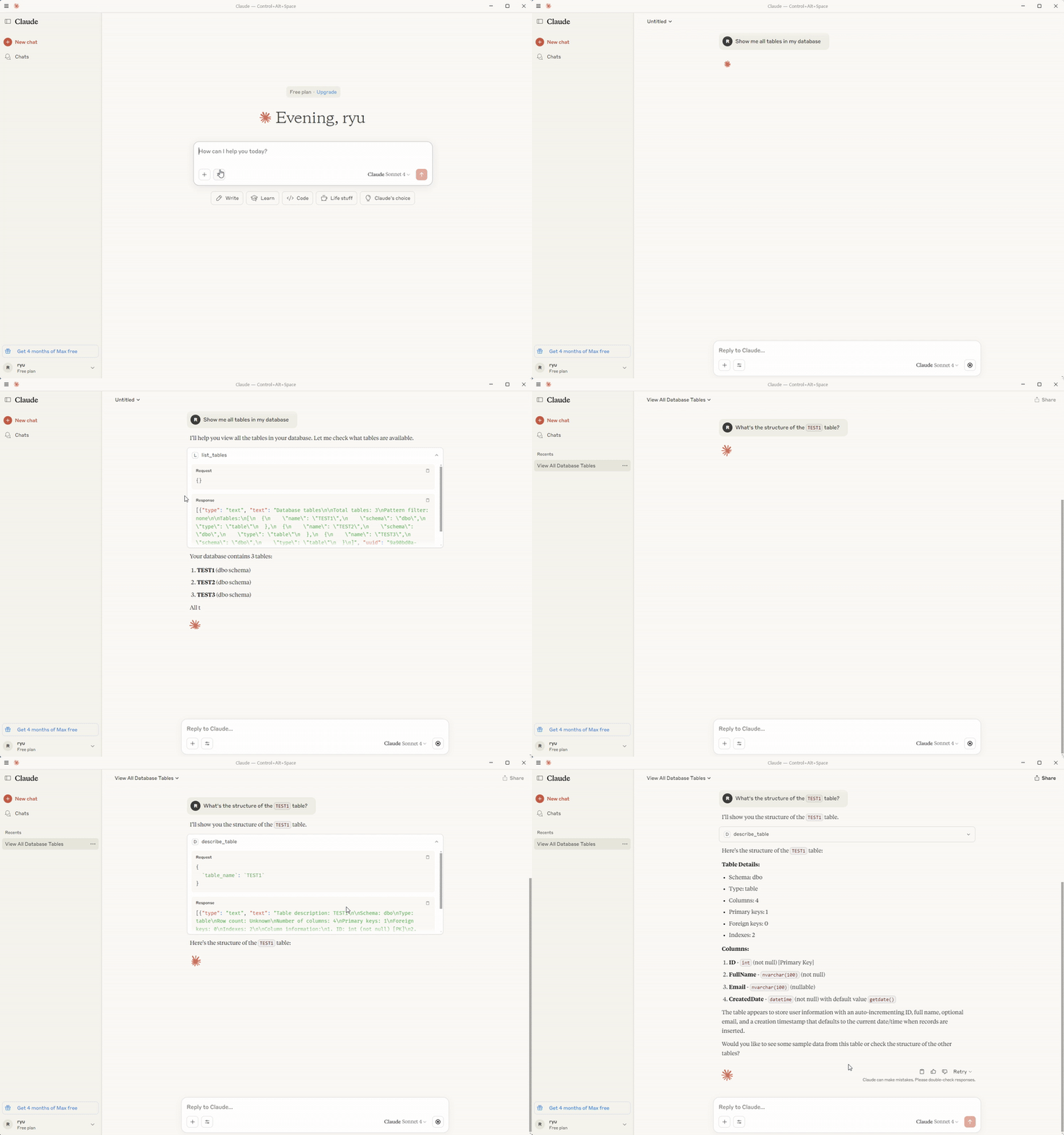
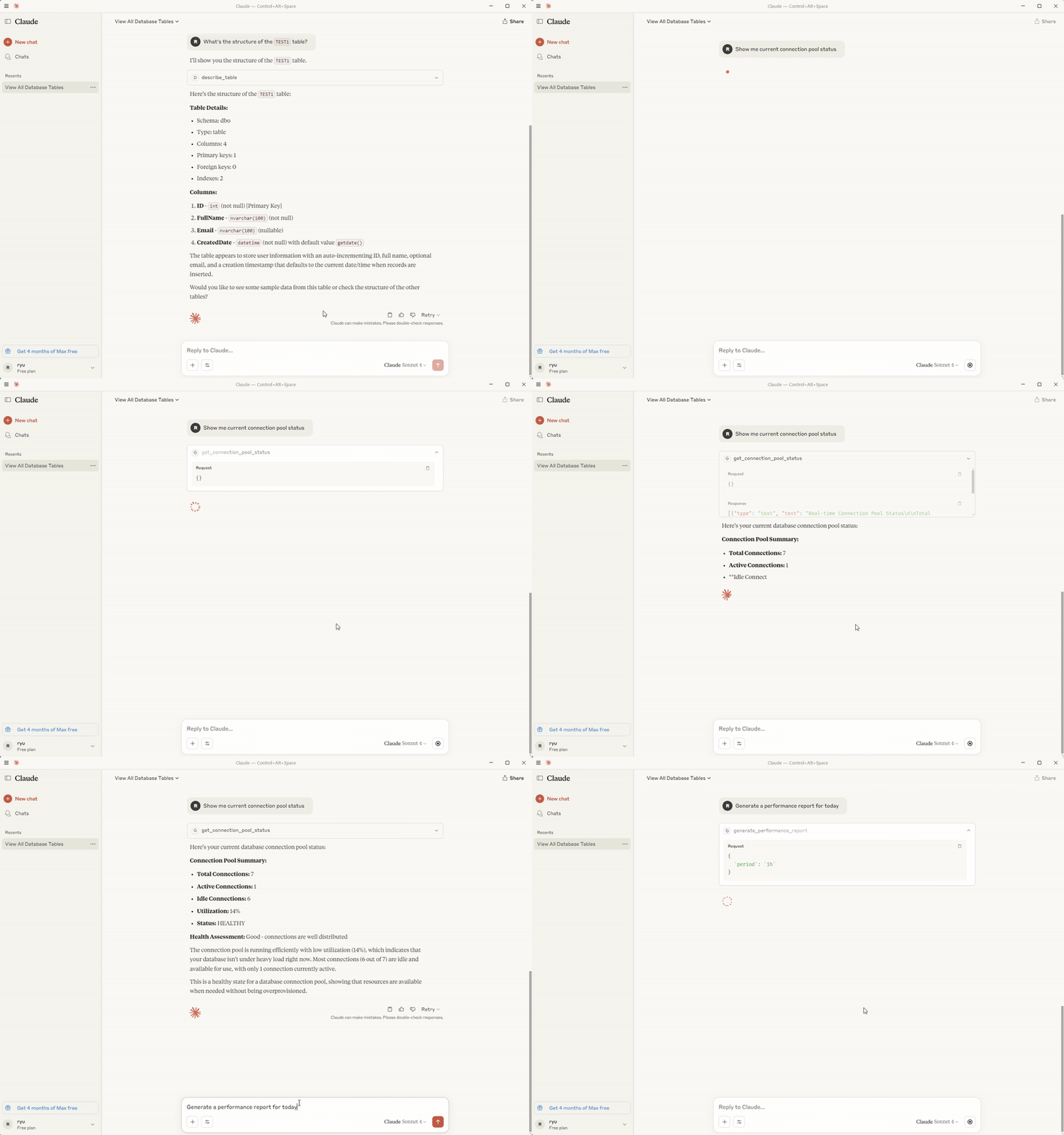
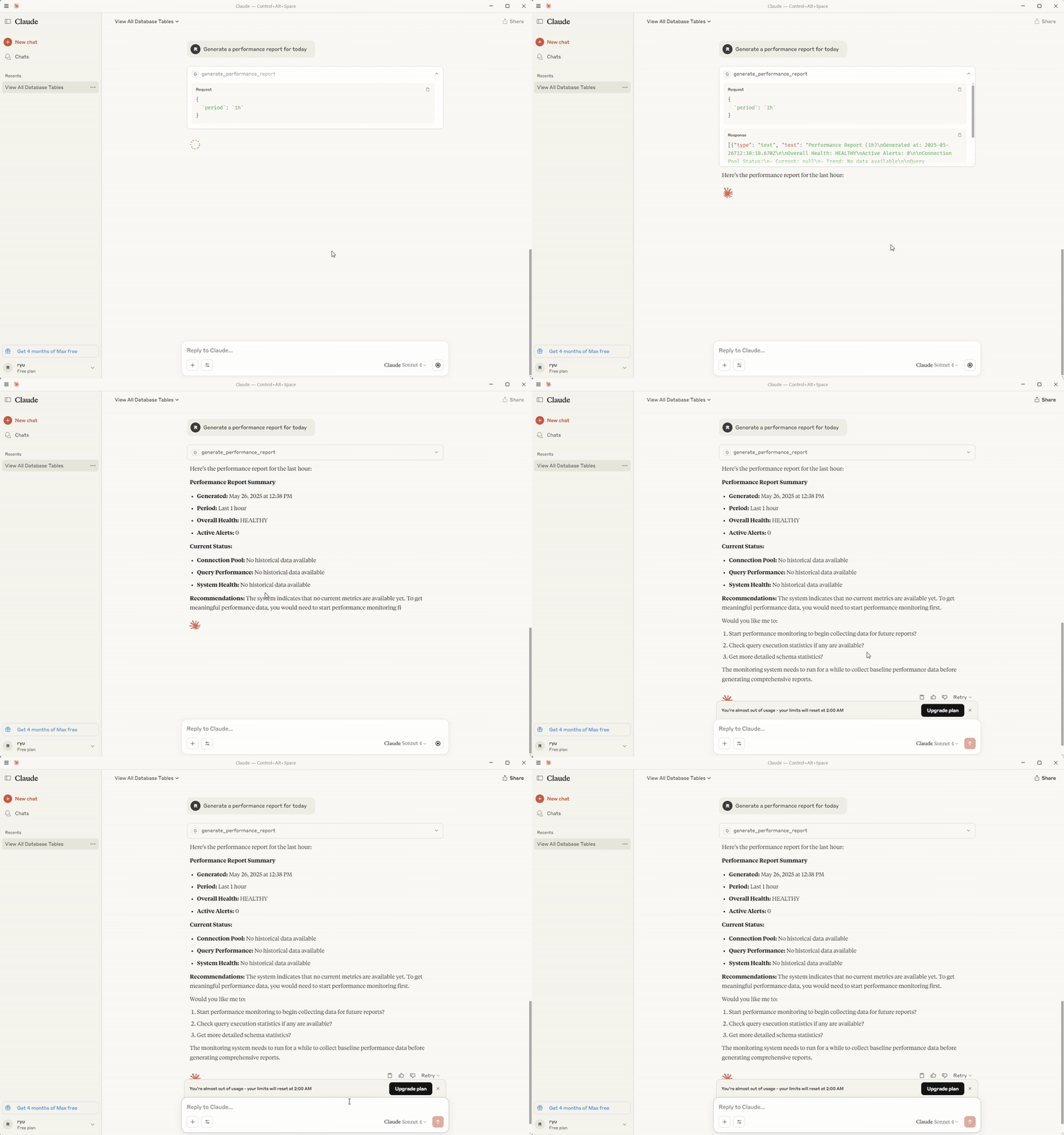
✨ Key Features
<!-- 
 -->
-->
- Database Support: Full MSSQL support (MySQL and PostgreSQL coming soon)
- Schema Inspection: Comprehensive database structure analysis and metadata
extraction
- Query Execution: Safe SQL execution with parameterized queries and result
formatting
- Performance Monitoring: Real-time metrics, query statistics, and
performance reports
- Security First: SQL injection prevention, connection encryption, and
access controls
- Batch Operations: Efficient bulk query execution and transaction
management
- Connection Pooling: Optimized connection management with configurable pool
settings
- MCP Integration: Native support for Claude Desktop, Cursor, and other
MCP-compatible tools
📦 Installation & Setup
Prerequisites
- Node.js 18.0.0+ - Download here
- Database Server: Microsoft SQL Server (MSSQL)
- AI Assistant: Claude Desktop, Cursor, or any MCP-compatible tool
> Note: Currently only MSSQL is supported. MySQL and PostgreSQL support will
> be added in future releases.
Quick Installation
```bash
Sign in to leave a review
Use Google, GitHub, or an email account so ratings stay tied to real people.
No reviews posted yet.





