
Mcp Spine
About
Context Minifier & State Guard — Local-first MCP middleware proxy that reduces token waste by 61%, prevents context rot, and adds security hardening
Details
- Author
- Donnyb369
- GitHub stars
- 8
- Downloads
- 295
- Categories
- Developer Tools, Productivity, Automation, Security, Other
Jump to
- Security proxy with rate limiting, secret scrubbing, and path jails
- Semantic router using local embeddings (no API calls)
- Schema minifier achieving 61% token savings at default level
- Human-in-the-loop confirmation for destructive tools
- Prompt injection detection in tool responses
- Multi-user audit trail with session tagging
- Web dashboard for live monitoring and analytics

Setting up with Highlight
This MCP is not yet compatible with Highlight’s one-click setup. However, you can still use it with Highlight by following these steps:
- Download and install Highlight from highlightai.com/download
- Navigate to the plugins tab and select "Add Custom Plugin"
-
Configure the plugin with the settings below
Plugin Name
Mcp SpineCommand (node, npx, python, etc.)Please refer to the README for specific instructions on how to obtain API keys or other required environment variables.
- Enable "Start Automatically" if you want the plugin to start when Highlight launches





From the repository
Install with pip install mcp-spine (add [ml] for semantic routing). Run mcp-spine init for an interactive setup wizard, then start the proxy with mcp-spine serve --config spine.toml. Replace individual MCP server entries in your client configuration with a single Spine entry pointing to the proxy.
Claude Desktop / Cursor
Paste into your MCP client config file to install this server.
{
    "mcpServers": {
        "mcp spine": {
            "spine": {
                "command": "python",
                "args": [
                    "-m",
                    "spine.cli",
                    "serve",
                    "--config",
                    "/path/to/spine.toml"
                ],
                "cwd": "/path/to/mcp-spine"
            }
        }
    }
}McpServers
{
    "spine": {
        "command": "python",
        "args": [
            "-m",
            "spine.cli",
            "serve",
            "--config",
            "/path/to/spine.toml"
        ],
        "cwd": "/path/to/mcp-spine"
    }
}
MCP Spine


The middleware layer MCP is missing. Security, routing, token control, and compliance — between your LLM and your tools.
MCP Spine is a local-first proxy that sits between Claude Desktop (or any MCP client) and your MCP servers. One config, one entry point, full control over what goes in, what comes out, and what gets logged.
57 tools across 5 servers. One proxy. Zero tokens wasted.
The Problem
You've connected Claude to GitHub, Slack, your database, your filesystem. Now you have 40+ tools loaded, thousands of tokens burned on schemas every turn, no audit trail, no rate limits, and no way to stop the LLM from reading your boss's DMs. MCP gives agents power. Spine gives you control.
What It Does
| Layer | What it solves |
|---|---|
| Security Proxy | Rate limiting, secret scrubbing, path jails, HMAC audit trail |
| Semantic Router | Only relevant tools reach the LLM — local embeddings, no API calls |
| Schema Minifier | 61% token savings by stripping unnecessary schema fields |
| State Guard | SHA-256 file pins prevent the LLM from editing stale versions |
| Token Budget | Daily limits with warn/block enforcement and persistent tracking |
| Plugin System | Custom middleware hooks — filter, transform, block per tool |
| HITL Confirmation | Destructive tools pause for human approval before executing |
| Injection Detection | Scans tool responses for prompt injection before they reach the LLM |
| Multi-User Audit | Session-tagged audit trail for shared deployments |
| Tool Caching | LRU cache for read-only tools — skip redundant downstream calls |
| Webhook Alerts | Slack/Discord/JSON notifications on security events and budget warnings |
| Web Dashboard | Browser-based monitoring with live stats, latency tracking, request log |
Demo
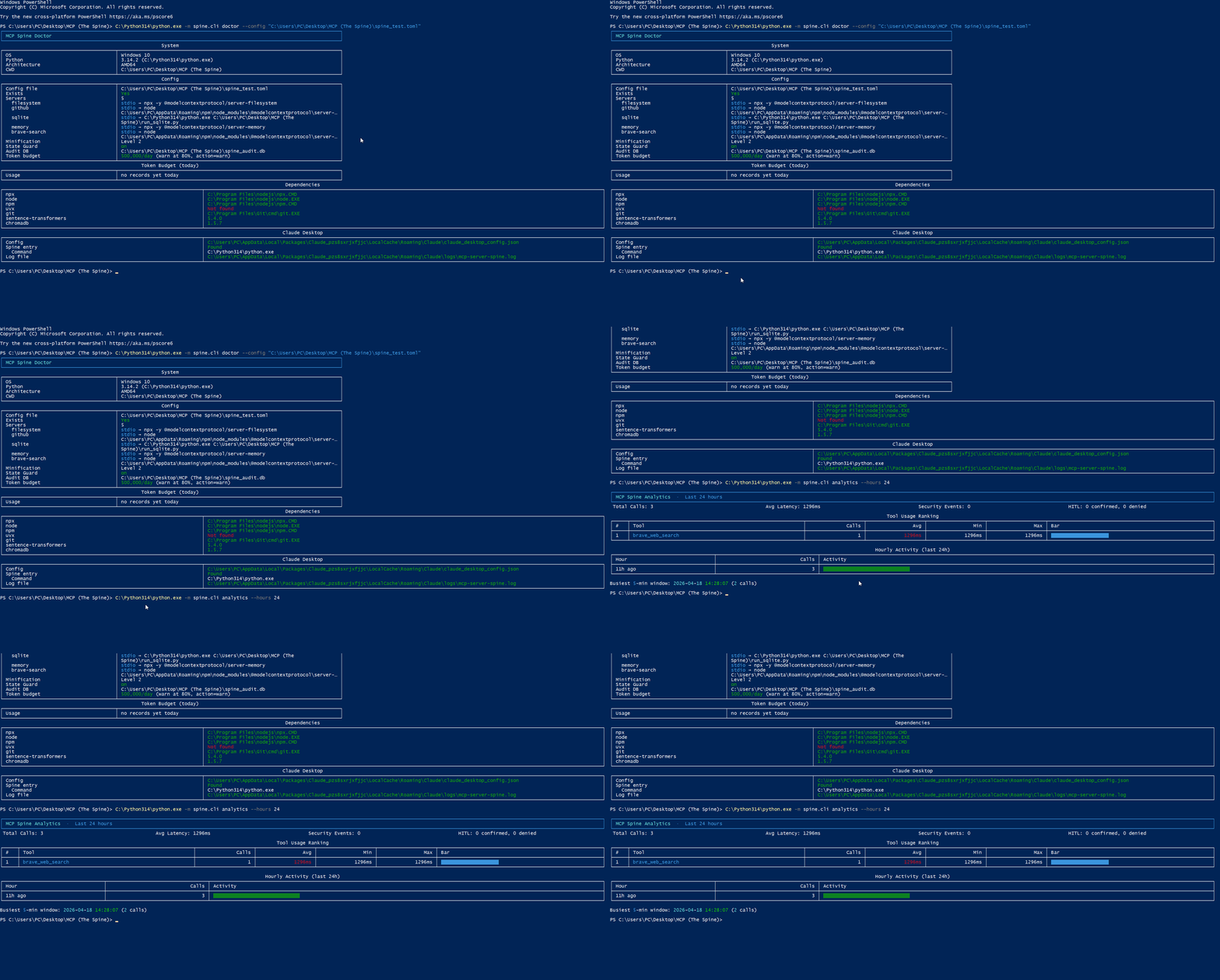
Runs on Windows, macOS, and Linux. CI tested across all three.
Web Dashboard
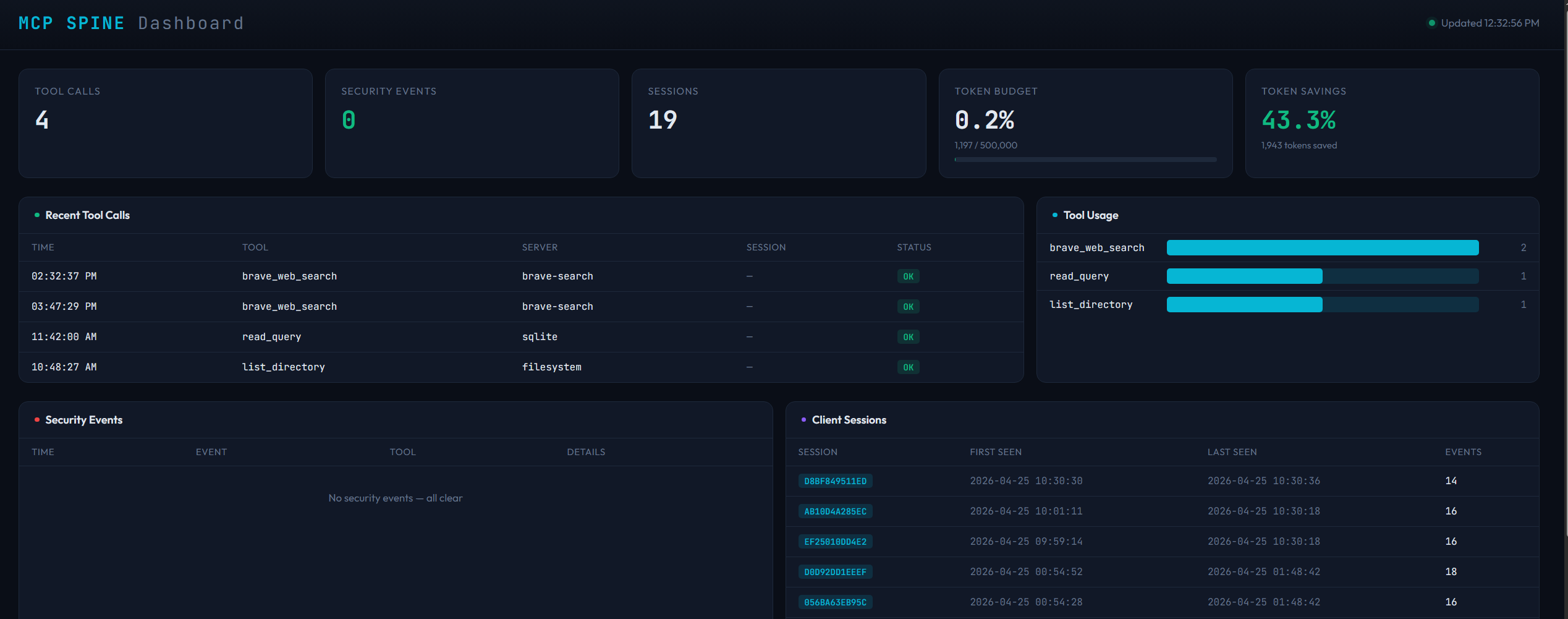
mcp-spine web --db spine_audit.db
Install
```bash
pip install mcp-spine
Sign in to leave a review
Use Google, GitHub, or an email account so ratings stay tied to real people.
No reviews posted yet.




