
Malaysia Prayer Time for Claude Desktop
About
A Model Context Protocol (MCP) server for Malaysia Prayer Time data
Details
- Author
- amanasmuei
- Downloads
- 215
- Categories
- Productivity
Jump to
- Location-based prayer times for any Malaysian city or district
- Support for latitude/longitude coordinates
- Direct query using JAKIM zone codes (e.g., SGR03)
- Complete daily prayer schedule (Fajr, Sunrise, Dhuhr, Asr, Maghrib, Isha)
- Current and next prayer status detection
- Seamless integration with Claude Desktop via MCP

Setting up with Highlight
This MCP is not yet compatible with Highlight’s one-click setup. However, you can still use it with Highlight by following these steps:
- Download and install Highlight from highlightai.com/download
- Navigate to the plugins tab and select "Add Custom Plugin"
-
Configure the plugin with the settings below
Plugin Name
Malaysia Prayer Time for Claude DesktopCommand (node, npx, python, etc.)Please refer to the README for specific instructions on how to obtain API keys or other required environment variables.
- Enable "Start Automatically" if you want the plugin to start when Highlight launches





From the repository
Install the server from GitHub using Python 3.10+ and pip or uv, then configure Claude Desktop by editing claude_desktop_config.json with the server’s absolute path and command. Once configured, restart Claude Desktop and ask questions like “What are the prayer times for Kuala Lumpur today?” or “List all prayer time zones in Malaysia.”
Claude Desktop / Cursor
Paste into your MCP client config file to install this server.
{
    "mcpServers": {
        "malaysia prayer time for claude desktop": {
            "mcp-server-waktu-solat": {
                "command": "python",
                "args": [
                    "-m",
                    "venv",
                    ".venv"
                ]
            }
        }
    }
}McpServers
{
    "mcp-server-waktu-solat": {
        "command": "python",
        "args": [
            "-m",
            "venv",
            ".venv"
        ]
    }
}
<div align="center">
</div>
<p align="center">
<a href="#features">Features</a> •
<a href="#installation">Installation</a> •
<a href="#configuration">Configuration</a> •
<a href="#usage">Usage</a> •
<a href="#api-reference">API Reference</a> •
<a href="#troubleshooting">Troubleshooting</a> •
<a href="#contributing">Contributing</a> •
<a href="#license">License</a>
</p>
---
Overview
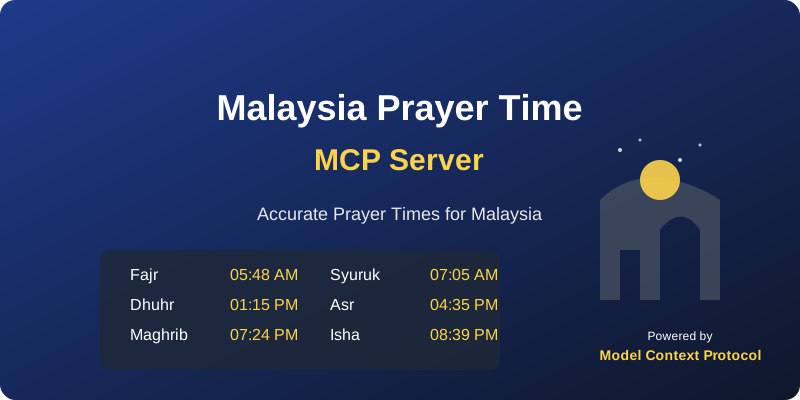
Malaysia Prayer Time MCP Server provides accurate Islamic prayer times for locations throughout Malaysia. This server implements the Model Context Protocol (MCP) to seamlessly integrate with Claude Desktop, delivering real-time prayer schedules directly through your AI assistant.
The server utilizes the waktusolat.app API to retrieve JAKIM-verified prayer times and supports searching by city, zone code, or coordinates.
Features
✅ Location-Based Times: Get prayer times for any city or district in Malaysia
✅ Coordinate Support: Find prayer times using latitude and longitude coordinates
✅ Zone Code Access: Directly query using JAKIM zone codes (e.g., SGR03 for Kuala Lumpur)
✅ Complete Prayer Schedule: Retrieve all daily prayer times (Fajr, Sunrise, Dhuhr, Asr, Maghrib, Isha)
✅ Current Prayer Status: Determine the current and next prayer times
✅ Robust Error Handling: Graceful handling of network issues and API changes
✅ Seamless Claude Integration: Clean integration with Claude Desktop via MCP
Installation
Prerequisites
- Python 3.10 or higher
- Claude Desktop (latest version)
- pip or uv package manager
Option 1: Installation from GitHub
# Clone the repository
git clone https://github.com/yourusername/mcp-server-malaysia-prayer-time.git
cd mcp-server-malaysia-prayer-time
Create and activate a virtual environment
python -m venv .venv
source .venv/bin/activate  # On Windows: .venv\Scripts\activate
Install dependencies
pip install -e .
Option 2: Using uv (Recommended)
# Clone the repository
git clone https://github.com/yourusername/mcp-server-malaysia-prayer-time.git
cd mcp-server-malaysia-prayer-time
Create and activate a virtual environment using uv
uv venv
source .venv/bin/activate  # On Windows: .venv\Scripts\activate
Install dependencies
uv pip install -e .
Configuration
Configure Claude Desktop
1. Create or edit the Claude Desktop configuration file:
macOS:
mkdir -p ~/Library/Application\ Support/Claude/

nano ~/Library/Application\ Support/Claude/claude_desktop_config.json
Windows:
mkdir -p %APPDATA%\Claude

notepad %APPDATA%\Claude\claude_desktop_config.json
2. Add the following configuration (adjust paths according to your setup):
{
    "mcpServers": {
        "malaysia-prayer-time": {
            "command": "/absolute/path/to/your/.venv/bin/python",
            "args": [
                "main.py"
            ],
            "cwd": "/absolute/path/to/mcp-server-malaysia-prayer-time"
        }
    }
}
3. Restart Claude Desktop completely
Usage
Once configured, you can interact with prayer times through Claude Desktop using natural language queries:
Examples
Get Prayer Times by City/Zone
- "What are the prayer times for Kuala Lumpur today?"
- "Show prayer times for Ipoh, Malaysia"
- "Get prayer times for PRK02" (using zone code)
Get Prayer Times by Coordinates
- "What are the prayer times at coordinates 3.1390, 101.6869?"
- "Show prayer schedule for location 5.4141, 100.3288"
List Available Zones
- "List all prayer time zones in Malaysia"
- "Show me all available JAKIM zone codes"
API Reference
Available Tools
The MCP server exposes the following tools to Claude:
get_prayer_times
Retrieves prayer times for a specific city or zone code in Malaysia.
Parameters:
- city (string, default: "kuala lumpur"): City name or zone code (e.g., "SGR03")
- country (string, default: "malaysia"): Currently only supports "malaysia"
- date (string, default: "today"): Date in YYYY-MM-DD format or "today"
get_prayer_times_by_coordinates
Retrieves prayer times based on geographic coordinates.
Parameters:
- latitude (float): Latitude coordinate
- longitude (float): Longitude coordinate
- date (string, default: "today"): Date in YYYY-MM-DD format or "today"
list_zones
Lists all available prayer time zones in Malaysia with their corresponding codes.
Prayer Time Information
The server provides these prayer times:
- Imsak (pre-dawn meal time, if available)
- Fajr (dawn prayer)
- Syuruk/Sunrise
- Dhuhr (noon prayer)
- Asr (afternoon prayer)
- Maghrib (sunset prayer)
- Isha (night prayer)
Zone Coverage
The server currently supports all JAKIM zones in Malaysia. The coordinate-based lookup supports these major areas:
- Kuala Lumpur/Selangor: SGR01-SGR04
- Perak: PRK01-PRK04
- Penang: PNG01
- Johor: JHR01
- Kedah: KDH01
- Terengganu: TRG01
- Kelantan: KTN01
- Melaka: MLK01
Troubleshooting
Common Issues
Claude Cannot Connect to the Server
1. Verify configuration paths are absolute and correct
2. Check Claude logs:
   # macOS

   tail -f ~/Library/Logs/Claude/mcp.log


   # Windows

   type %APPDATA%\Claude\Logs\mcp.log
3. Test the server directly:
   cd /path/to/mcp-server-malaysia-prayer-time

   python main.py
No Prayer Times Available
1. Verify internet connectivity
2. Check if the zone code is valid (use list_zones)
3. The API may be temporarily unavailable - try again later
City Not Found
Try using a different spelling, a nearby major city, or the appropriate zone code
Contributing
Contributions are welcome! Here's how you can contribute:
1. Fork the repository
2. Create a feature branch: git checkout -b feature/amazing-feature
3. Commit your changes: git commit -m 'Add some amazing feature'
4. Push to the branch: git push origin feature/amazing-feature
5. Open a Pull Request
Development Setup
# Clone your fork
git clone https://github.com/yourusername/mcp-server-malaysia-prayer-time.git
cd mcp-server-malaysia-prayer-time
Set up development environment
python -m venv .venv
source .venv/bin/activate
pip install -e ".[dev]"  # Installs dev dependencies
Run tests
pytest
License
This project is licensed under the MIT License - see the LICENSE file for details.
Acknowledgments
- waktusolat.app - For providing the prayer time data API
- Model Context Protocol - For the MCP framework
- JAKIM - For the official prayer times
- Claude Desktop - For the AI integration platform
---
<div align="center">
<p>Created by <a href="https://github.com/amanasmuei">abdul rahman m asmuei</a></p>
<p>amanasmuei@gmail.com</p>
</div>
Sign in to leave a review
Use Google, GitHub, or an email account so ratings stay tied to real people.
No reviews posted yet.





