
Mcp-server-v2ex
About
MCP server for V2EX API 2.0, exposing notifications, tokens, nodes, topics, comments, and daily summaries for MCP-compatible agents.
Details
- Author
- funnythingfunnylove
- GitHub stars
- 6
- Downloads
- 411
- Categories
- Other
Jump to
- Fetch latest notifications from V2EX
- Manage API tokens (create, inspect)
- Look up member profiles by API token
- Browse nodes and list topics under a node
- Retrieve topic details and comments
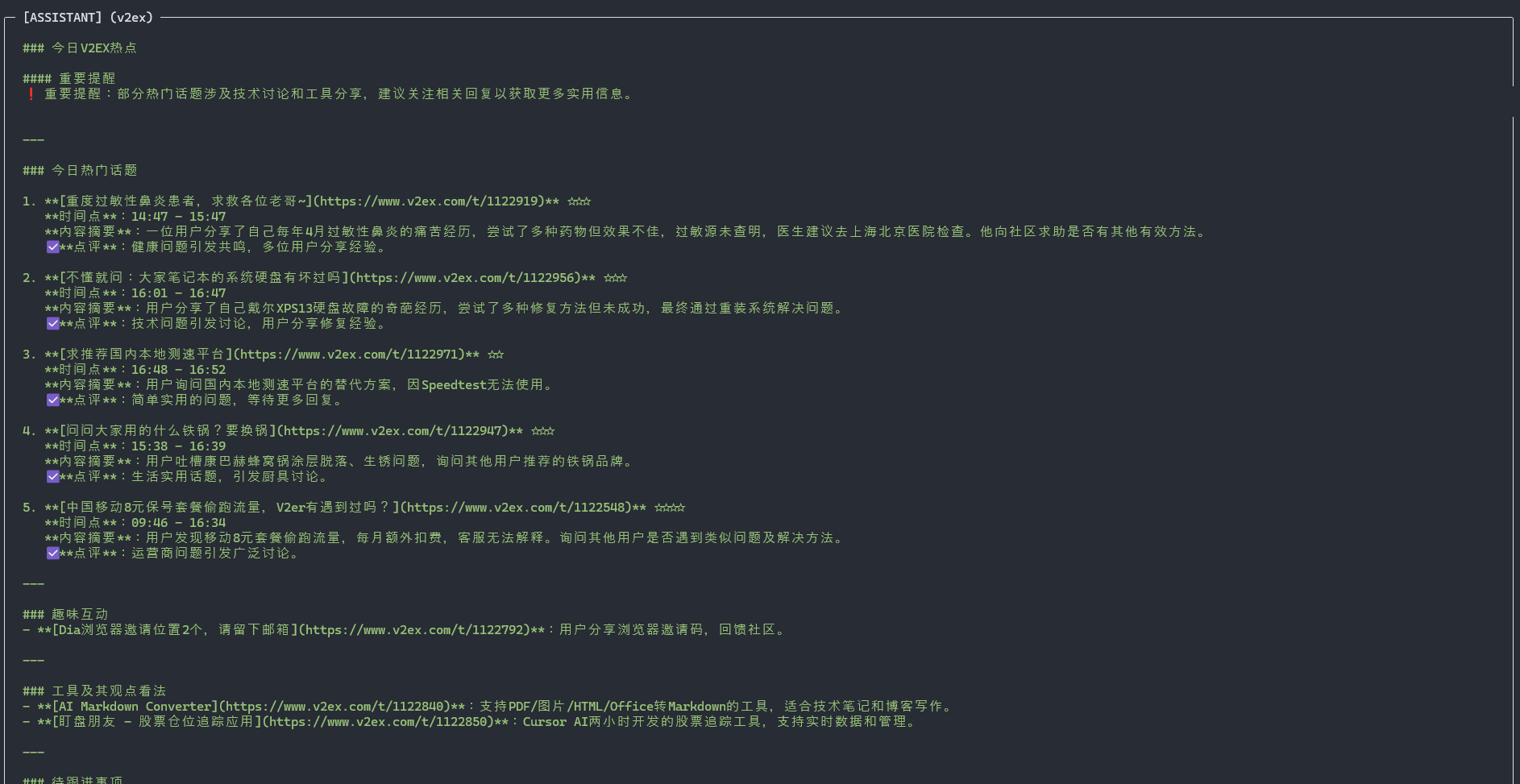
- Generate daily summaries of hot topics
Install the npm package globally, then configure an MCP client with the path to the server binary and the environment variable V2EX_API_KEY set to your V2EX API token. Example configuration is provided for Claude Desktop or Codex.
mcp-server-v2ex
Description
mcp-server-v2ex is an MCP server that wraps the V2EX API 2.0 for MCP-compatible agents and developer tools. It exposes structured operations for notifications, token management, member profile lookup, node browsing, topic retrieval, comment retrieval, and daily hot-topic summaries.
The project is designed as a reusable integration layer for general-purpose agents rather than a client-specific plugin, so it can be connected to Claude Desktop, Codex, and other tools that support the Model Context Protocol.
For Chinese documentation, see README.zh-CN.md.
Available tools
-notifications: Fetch the latest notifications
- delete_notifications: Delete selected notifications
- member_profile: Get the profile of the user associated with the API token
- token: Inspect the current API token
- create_token: Create a new API token
- nodes: Get node information
- node_topics: List topics under a specific node
- topic_detail: Get the content of a topic
- topic_comments: Get replies for a topic
- daily_summary: Generate a summary of recent hot topics
Installation
Install the package from npm:npm install -g mcp-server-v2ex
Configuration
First, create or retrieve a V2EX API token from V2EX token settings.Example MCP client configuration:
{
  "v2ex": {
    "command": "%APP_DATA%\\Local\\nvm\\v22.14.0\\node.exe",
    "args": [
      "%APP_DATA%\\Local\\nvm\\v22.14.0\\node_modules\\mcp-server-v2ex\\dist\\index.js"
    ],
    "env": {
      "V2EX_API_KEY": "your-token-here",
      "NODE_TLS_REJECT_UNAUTHORIZED": "0"
    }
  }
}
NODE_TLS_REJECT_UNAUTHORIZED=0 is only useful in special local networking setups, such as MITM proxy tooling. Do not enable it unless you understand the security tradeoff.
Changelog
-v0.1.1 / 2025-04-02
- Added daily hot-topic summaries
-  -
- v0.1.0
- Initial feature-complete release
Roadmap
- Improve daily hot-topic summarization for agent-driven workflows - Expand documentation for broader MCP client integrationsSign in to leave a review
Use Google, GitHub, or an email account so ratings stay tied to real people.
No reviews posted yet.





