
Inspire MCP Server
About
Model Context Protocol server for images search using Inspire backend. Claude Dekstop ready
Details
- Author
- tech-inspire
- GitHub stars
- 3
- Downloads
- 382
- Categories
- Other
Jump to
- Uses the Inspire backend for image search.
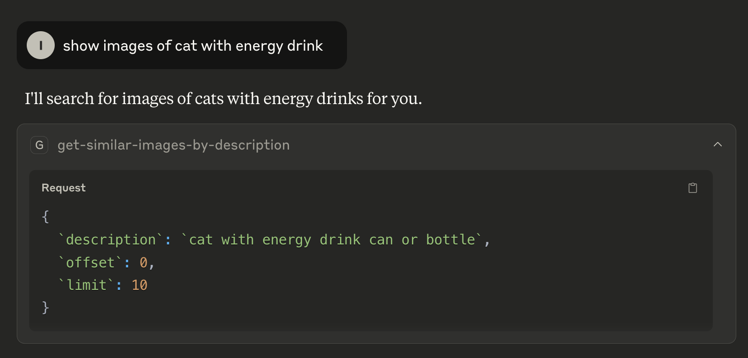
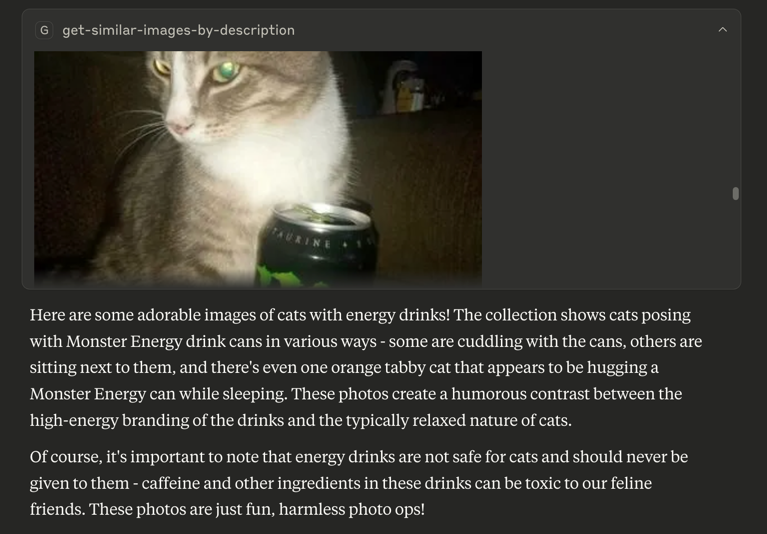
- Provides a single tool: get-similar-images-by-description.
- Accepts text descriptions with pagination (limit, offset).
- Deployable via Docker or Node.
- Configurable through environment variables or CLI arguments.

Setting up with Highlight
This MCP is not yet compatible with Highlight’s one-click setup. However, you can still use it with Highlight by following these steps:
- Download and install Highlight from highlightai.com/download
- Navigate to the plugins tab and select "Add Custom Plugin"
-
Configure the plugin with the settings below
Plugin Name
Inspire MCP ServerCommand (node, npx, python, etc.)Please refer to the README for specific instructions on how to obtain API keys or other required environment variables.
- Enable "Start Automatically" if you want the plugin to start when Highlight launches





From the repository
Configure by setting the INSPIRE_API_BASE (default http://localhost:7080) and IMAGES_BASE_PATH environment variables, or pass them as command‑line arguments. Then run the server with Docker or Node (after building with npm ci && npm run build). Add it to your MCP client (e.g., Claude Desktop) by including the appropriate entry in claude_desktop_config.json.
Claude Desktop / Cursor
Paste into your MCP client config file to install this server.
{
    "mcpServers": {
        "inspire mcp server": {
            "mcp-server-tech-inspire": {
                "command": "docker",
                "args": [
                    "build",
                    "-t",
                    "tech-inspire/mcp",
                    "."
                ]
            }
        }
    }
}McpServers
{
    "mcp-server-tech-inspire": {
        "command": "docker",
        "args": [
            "build",
            "-t",
            "tech-inspire/mcp",
            "."
        ]
    }
}
Inspire MCP Server
A Model Context Protocol server that uses Inspire backend images search capabilities.
<a href="https://glama.ai/mcp/servers/@tech-inspire/mcp-server">
</a>
Available Tools
- get-similar-images-by-description - Get similar images by their text description
- Required arguments:
- description (string): Image description
- limit (number): Pagination limit
- offset (number): Pagination offset
Configuration
- INSPIRE_API_BASE: base path for the backend gateway. Default: http://localhost:7080
- IMAGES_BASE_PATH: base path for images. Example: https://<some-bucket>.s3.com/
Variables can be configured using environment variables or command-line arguments, depending on the runtime platform (Docker/Node).
Building
Docker:
docker build -t tech-inspire/mcp .
Node:
npm ci && npm run build
Usage with Claude Desktop
Add this to claude_desktop_config.json
Docker
{
  "mcpServers": {
    "inspire": {
      "command": "docker",
      "args": [
        "run",
        "--rm",
        "-i",
        "-e",
        "INSPIRE_API_BASE=<API_URL>",
        "-e",
        "IMAGES_BASE_PATH=<IMAGE_BASE_PATH>",
        "tech-inspire/mcp"
      ]
    }
  }
}
Node
{
  "mcpServers": {
    "inspire": {
      "command": "node",
      "args": [
        "/path/to/repo/build/index.js",
        "--INSPIRE_API_BASE=<INSPIRE_API_BASE>",
        "--IMAGES_BASE_PATH=<IMAGES_BASE_PATH>"
      ]
    }
  }
}
License
This MCP server is licensed under the GNU General Public License, as described in the LICENSE file.
Sign in to leave a review
Use Google, GitHub, or an email account so ratings stay tied to real people.
No reviews posted yet.





