
Stability AI MCP Server
About
MCP Server integrating MCP Clients with Stability AI-powered image manipulation functionalities: generate, edit, upscale, and more.
Details
- Author
- tadasant
- GitHub stars
- 83
- Downloads
- 229
- Categories
- Developer Tools, AI, Other
Jump to
- Generate images from text prompts with sensible defaults
- Remove backgrounds, outpainting, and search-and-replace objects
- Upscale images by 4x or up to 4K quality
- Translate sketches into production-grade images
- Control image generation by style or structure references
- Automatic metadata logging for request tracking

Setting up with Highlight
This MCP is not yet compatible with Highlight’s one-click setup. However, you can still use it with Highlight by following these steps:
- Download and install Highlight from highlightai.com/download
- Navigate to the plugins tab and select "Add Custom Plugin"
-
Configure the plugin with the settings below
Plugin Name
Stability AI MCP ServerCommand (node, npx, python, etc.)Please refer to the README for specific instructions on how to obtain API keys or other required environment variables.
- Enable "Start Automatically" if you want the plugin to start when Highlight launches





From the repository
Install the server via npm or configure it in your MCP client (e.g., Claude Desktop) by setting the STABILITY_AI_API_KEY environment variable and optionally IMAGE_STORAGE_DIRECTORY. Invoke tools like generate-image, remove-background, or upscale-fast by describing the desired action in natural language through the client. All generated images are saved automatically to the configured local directory.
Claude Desktop / Cursor
Paste into your MCP client config file to install this server.
{
    "mcpServers": {
        "stability ai mcp server": {
            "mcp-server-stability-ai": {
                "command": "npx",
                "args": [
                    "@smithery/cli",
                    "install",
                    "mcp-server-stability-ai",
                    "--client",
                    "claude"
                ]
            }
        }
    }
}McpServers
{
    "mcp-server-stability-ai": {
        "command": "npx",
        "args": [
            "@smithery/cli",
            "install",
            "mcp-server-stability-ai",
            "--client",
            "claude"
        ]
    }
}
<div align="center">
<h1> <br/>Stability AI MCP Server</h1>
<a href="https://smithery.ai/server/mcp-server-stability-ai"></a>
</div>


<br/>
<div align="center">
<a href="https://www.pulsemcp.com/servers/tadasant-stability-ai"></a>
</div>
<br/>
Haven't heard about MCP yet? The easiest way to keep up-to-date is to read our weekly newsletter at PulseMCP.
---
This is an MCP (Model Context Protocol) Server integrating MCP Clients with Stability AI's latest & greatest Stable Diffusion image manipulation functionalities: generate, edit, upscale, and more.
Stability AI is a leading AI model provider and this server connects directly to their hosted REST API. You will need to sign up for an API Key from stability.ai to get started.
They provide 25 credits for free. Afterward, pay-as-you-go pricing is very reasonable: $0.01/credit, where 3 credits gets you an image generation on their Core model. So 100 high quality images = just $3.
This project is NOT officially affiliated with Stability AI.
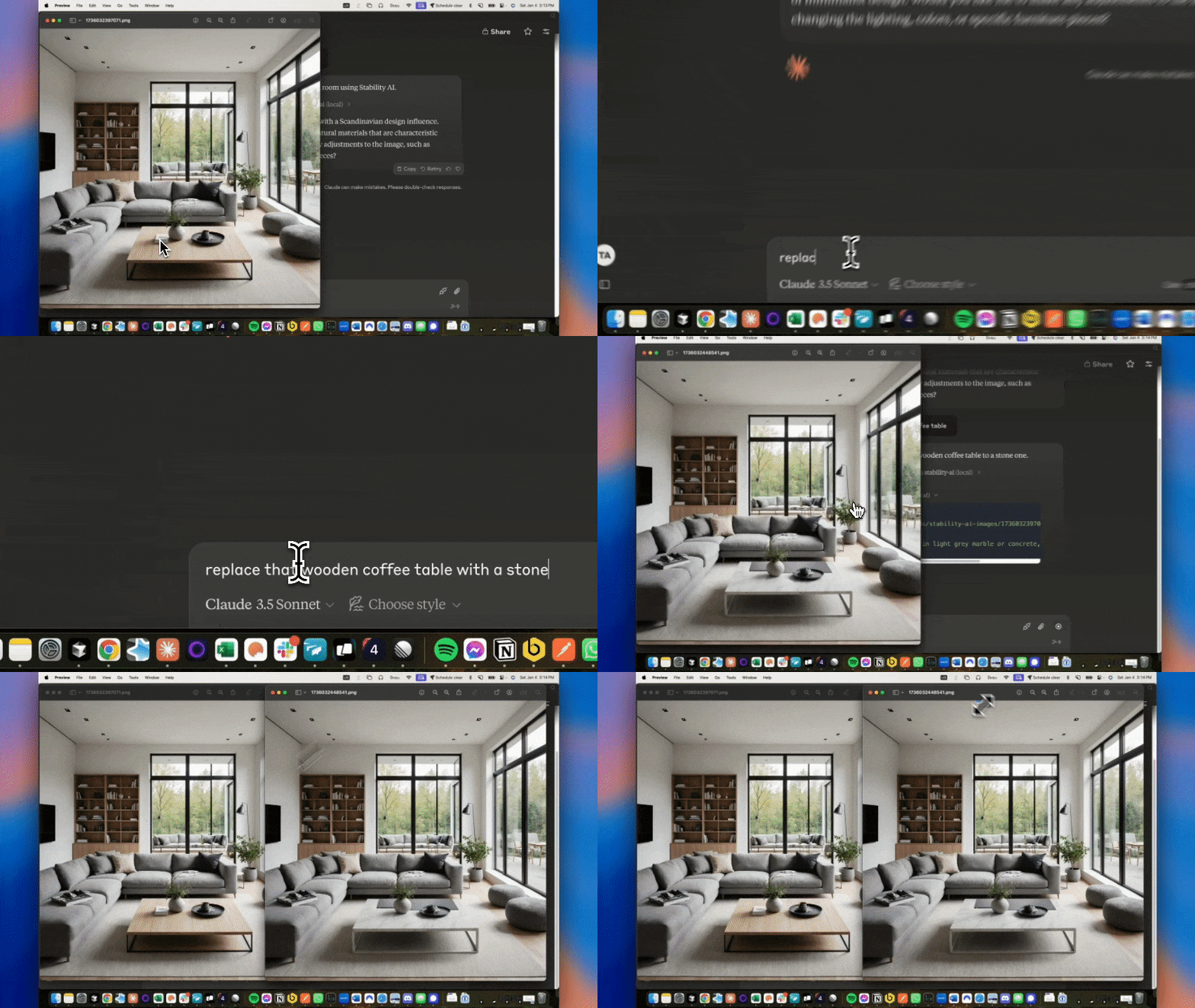
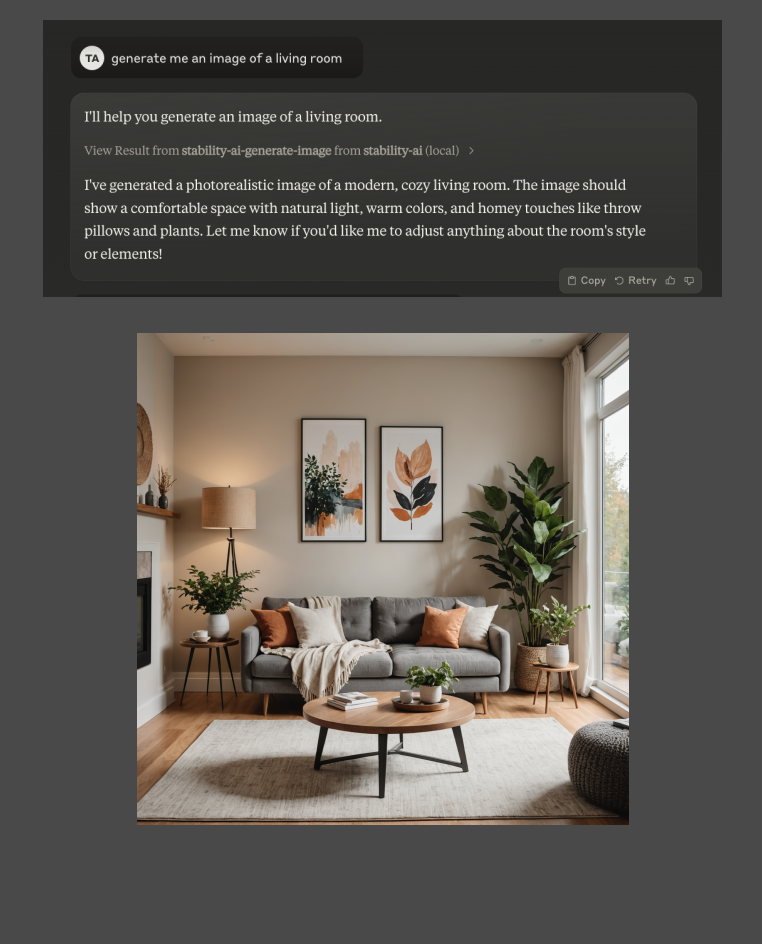
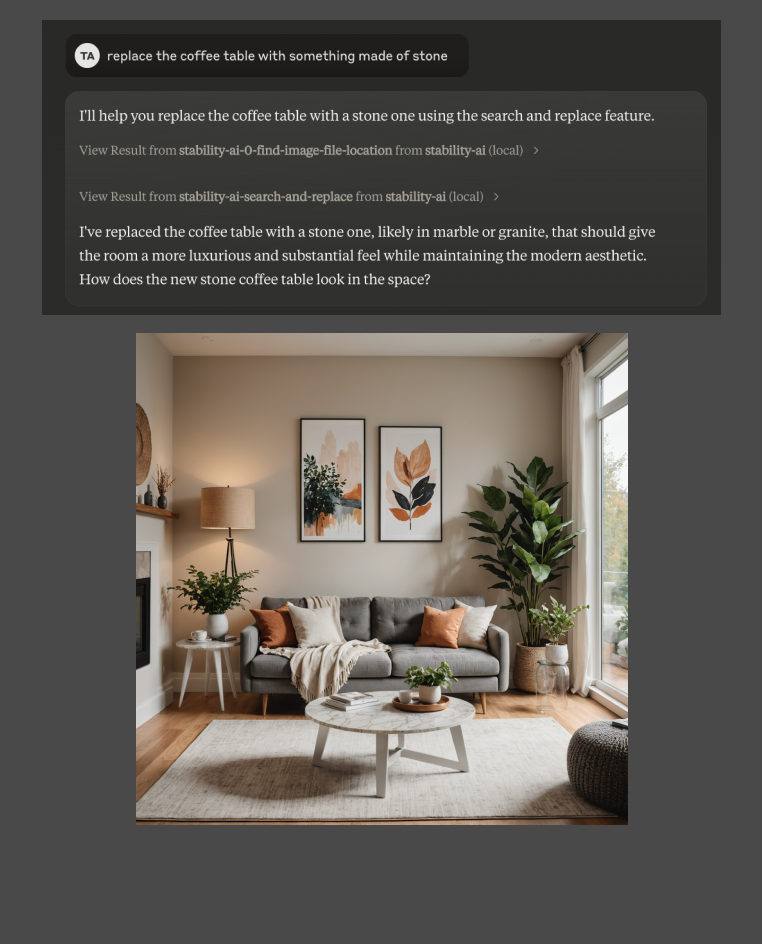
Demo video, and a teaser here:
<div style="display: flex; flex-direction: row;">
</div>
<br/>
Table of Contents
- Highlights
- Capabilities
- Usage Tips
- Examples
- Setup
- Cheatsheet
- Claude Desktop
- Manual Setup
Highlights
No learning curve: This server is designed to use sensible defaults and provide simple, smooth UX for the most common actions related to generating and manipulating image files. You don't need to be technical or understand anything about image models to use it effectively.
Chain manipulations: You can generate an image, then replace an item within it, then remove the background... all in a single Claude conversation.
Minimal configuration: All you need to get started is a Stability AI API key. Set environment variables for that and a local directory path to store output images, and you're ready to go.
Leverage the best in class image models: Stability AI is the leading provider of image models exposed via API. Using this server integrates them into Claude or another MCP client - head and shoulders above an experience like using DALL-E models in ChatGPT.
Capabilities
This server is built and tested on macOS with Claude Desktop. It should work with other MCP clients as well.
| Tool Name | Description | Estimated Stability API Cost |
| -------------------------------- | -------------------------------------------------------------------------------------------------- | ---------------------------- |
| generate-image | Generate a high quality image of anything based on a provided prompt & other optional parameters. | $0.03 |
| generate-image-sd35 | Generate an image using Stable Diffusion 3.5 models with advanced configuration options. | $0.04-$0.07 |
| remove-background | Remove the background from an image. | $0.02 |
| outpaint | Extend an image in any direction while maintaining visual consistency. | $0.04 |
| search-and-replace | Replace objects or elements in an image by describing what to replace and what to replace it with. | $0.04 |
| upscale-fast | Enhance image resolution by 4x. | $0.01 |
| upscale-creative | Enhance image resolution up to 4K. | $0.25 |
| control-sketch | Translate hand-drawn sketch to production-grade image. | $0.03 |
| control-style | Generate an image in the style of a reference image. | $0.04 |
| control-structure | Generate an image while maintaining the structure of a reference image. | $0.03 |
| replace-background-and-relight | Replace the background of an image and relight it. | $0.08 |
| search-and-recolor | Search for and recolor objects in an image. | $0.05 |
Usage Tips
- All processed images are automatically saved to IMAGE_STORAGE_DIRECTORY, opened for preview, and made available as resources
- Do _not_ try to copy/paste or upload image files to Claude. Claude does not store images anywhere, so we cannot work with those with the MCP server. They have to be "uploaded" (saved to) the IMAGE_STORAGE_DIRECTORY and then they will show up as resources available in the chat.
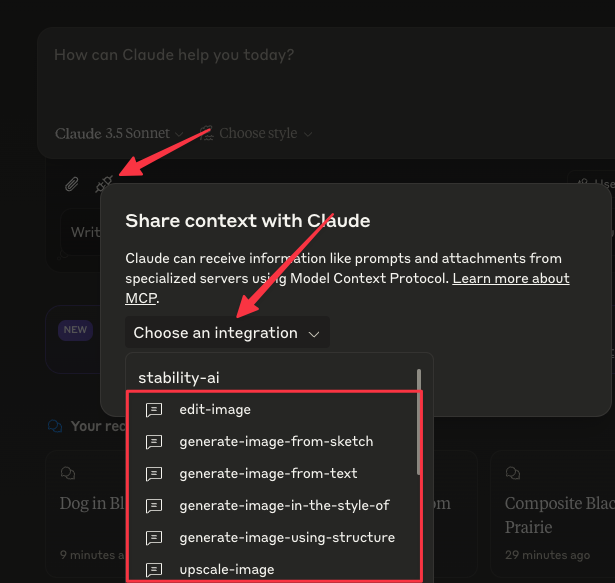
- You can use Prompts that come preloaded instead of writing your own verbiage:
Examples
Generate an image
1. Generate an image of a cat
2. Generate a photorealistic image of a cat in a cyberpunk city, neon lights reflecting off its fur, 16:9 aspect ratio
3. Generate a detailed digital art piece of a cat wearing a space suit floating through a colorful nebula, style preset: digital-art, aspect ratio: 21:9
Generate an image with SD3.5
1. Generate an image of a woman with cybernetic wolf ears using the SD3.5 model, with the "neon-punk" style preset
2. Generate an image of a futuristic city using the SD3.5 Large Turbo model, with aspect ratio 16:9
3. Generate an image of an astronaut on mars using the SD3.5 Large model, with cfg scale 7.5, "analog-film" style preset, and seed 42
Remove background
1. Remove the background from the image I just generated
2. Remove the background from product-photo.jpg to prepare it for my e-commerce site
3. Remove the background from group-photo.png so I can composite it with another image
Outpaint (Uncrop)
1. Extend vacation-photo.jpg 500 pixels to the right to include more of the beach
2. Extend family-portrait.png 300 pixels up to show more of the mountains, and 200 pixels right to include more landscape
3. Extend artwork.png in all directions to create a wider fantasy forest scene that matches the original environment
Search and Replace
…
Sign in to leave a review
Use Google, GitHub, or an email account so ratings stay tied to real people.
No reviews posted yet.





