
Polarion MCP
About
MCP server for Polarion ALM — read and write documents, work items, test runs, traceability links, and comments from any MCP-compatible AI assistant
Details
- Author
- devemberx
- Downloads
- 170
- Categories
- Developer Tools, Project Management, Other
Jump to
- 24 tools covering read and write across documents, work items, links, and comments.
- Render documents and work items as Markdown for AI consumption.
- Search with Lucene queries or SQL via recipes.
- Create, update, and manage work items, documents, links, and comments.
- Safe writes with dry_run parameter and pre-write validation.
- All list tools support pagination (page_size 1–100).

Setting up with Highlight
This MCP is not yet compatible with Highlight’s one-click setup. However, you can still use it with Highlight by following these steps:
- Download and install Highlight from highlightai.com/download
- Navigate to the plugins tab and select "Add Custom Plugin"
-
Configure the plugin with the settings below
Plugin Name
Polarion MCPCommand (node, npx, python, etc.)Please refer to the README for specific instructions on how to obtain API keys or other required environment variables.
- Enable "Start Automatically" if you want the plugin to start when Highlight launches





From the repository
Requires Polarion 2506 or higher, Python 3.13+, and the uv package manager. Set environment variables POLARION_URL and POLARION_TOKEN, then run via uvx mcp-server-polarion. For Claude Code use claude mcp add; for other clients (VS Code, Claude Desktop, Cursor) add a configuration entry with the same environment variables.
Claude Desktop / Cursor
Paste into your MCP client config file to install this server.
{
    "mcpServers": {
        "polarion mcp": {
            "mcp-server-polarion": {
                "command": "uvx",
                "args": [
                    "mcp-server-polarion"
                ],
                "env": {
                    "POLARION_URL": "https://polarion.example.com",
                    "POLARION_TOKEN": "your-personal-access-token"
                }
            }
        }
    }
}McpServers
{
    "mcp-server-polarion": {
        "command": "uvx",
        "args": [
            "mcp-server-polarion"
        ],
        "env": {
            "POLARION_URL": "https://polarion.example.com",
            "POLARION_TOKEN": "your-personal-access-token"
        }
    }
}
mcp-server-polarion
<!-- mcp-name: io.github.devemberx/mcp-server-polarion --> A Model Context Protocol (MCP) server for Polarion ALM. Lets AI assistants read documents, work items, and traceability links — and create, update, and reorganize work items — directly from your Polarion instance.


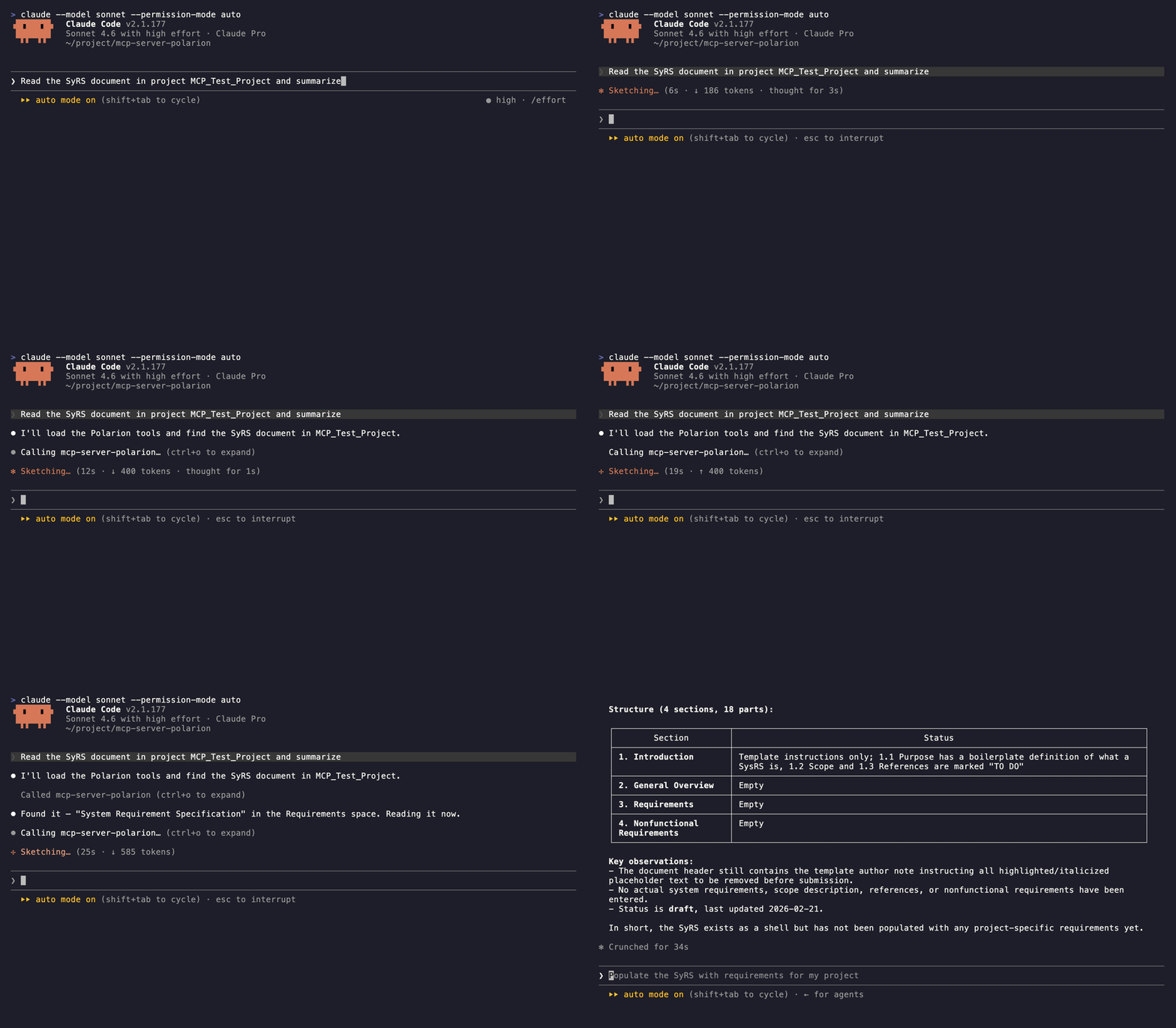
Features
- 24 tools covering read and write across documents, work items, traceability links, and comments. - Read — render documents as Markdown, search with Lucene or SQL, walk incoming/outgoing links, resolve enum options. - Write — create and update work items and documents, manage links, reorganize document structure, post comments. - Safe writes — every write tool supportsdry_run, and pre-write guards validate fields, enum values, and link targets before hitting Polarion.
- Built for LLMs — strict async, fully typed, pagination on every list tool, docstrings written as the assistant's manual.
Quickstart
Requires uv (see Prerequisites). Fastest path — Claude Code: ``bash
claude mcp add mcp-server-polarion \
-e POLARION_URL=https://polarion.example.com \
-e POLARION_TOKEN=your-personal-access-token \
-- uvx mcp-server-polarion
`
Other clients (VS Code, Claude Desktop, Cursor) — see Setup.

Prerequisites


> Polarion 2506 or higher is required. Earlier versions lack REST API endpoints this server depends on.

This server is distributed as a Python package and requires uv to run.

Install uv (if not already installed):
``bashSign in to leave a review
Use Google, GitHub, or an email account so ratings stay tied to real people.
No reviews posted yet.





