
MCP Prompt Templates Server
About
This server allows you to create, organize, and serve prompt templates that can be used by MCP clients for various tasks like meeting analysis, content summarization, and blog post creation.
Details
- Author
- tubone24
- Downloads
- 203
- Categories
- Other
Jump to
- Dynamic template loading from a templates directory
- YAML-based configuration for metadata and arguments
- Support for runtime argument substitution using Mustache syntax
- Type-safe implementation with TypeScript
- Implements the standard MCP prompts primitive
Install with npm install, build with npm run build, and start with npm start. Configure an MCP client (e.g., Claude Desktop) by adding the server to its MCP settings JSON, pointing to the compiled dist/server.js or using tsx during development. Templates are loaded from the templates directory automatically.
MCP Prompt Templates Server
A Model Context Protocol (MCP) server that provides a "prompts" primitive for managing and serving customizable prompt templates. This server allows you to create, organize, and serve prompt templates that can be used by MCP clients for various tasks like meeting analysis, content summarization, and blog post creation.
Features
- Dynamic Template Loading: Automatically loads prompt templates from the templates directory
- YAML Configuration: Each template uses YAML for configuration, making it easy to define metadata and parameters
- Argument Support: Templates support dynamic arguments that can be replaced at runtime
- Type-Safe Implementation: Built with TypeScript for improved reliability and developer experience
- Standard MCP Prompts: Implements the MCP prompts primitive, making it compatible with any MCP client
Demo
This MCP server provides "prompts" that can be used directly in Claude Desktop. Here's how it works:
1. Viewing Available Prompts
When the MCP server is configured, you can see the list of available prompts by clicking "+" icon in Claude:
The server dynamically loads all templates from the templates directory and makes them available as prompts.
2. Using a Prompt
Select a prompt (e.g.,today_city_weather_forecast) to see its required arguments:
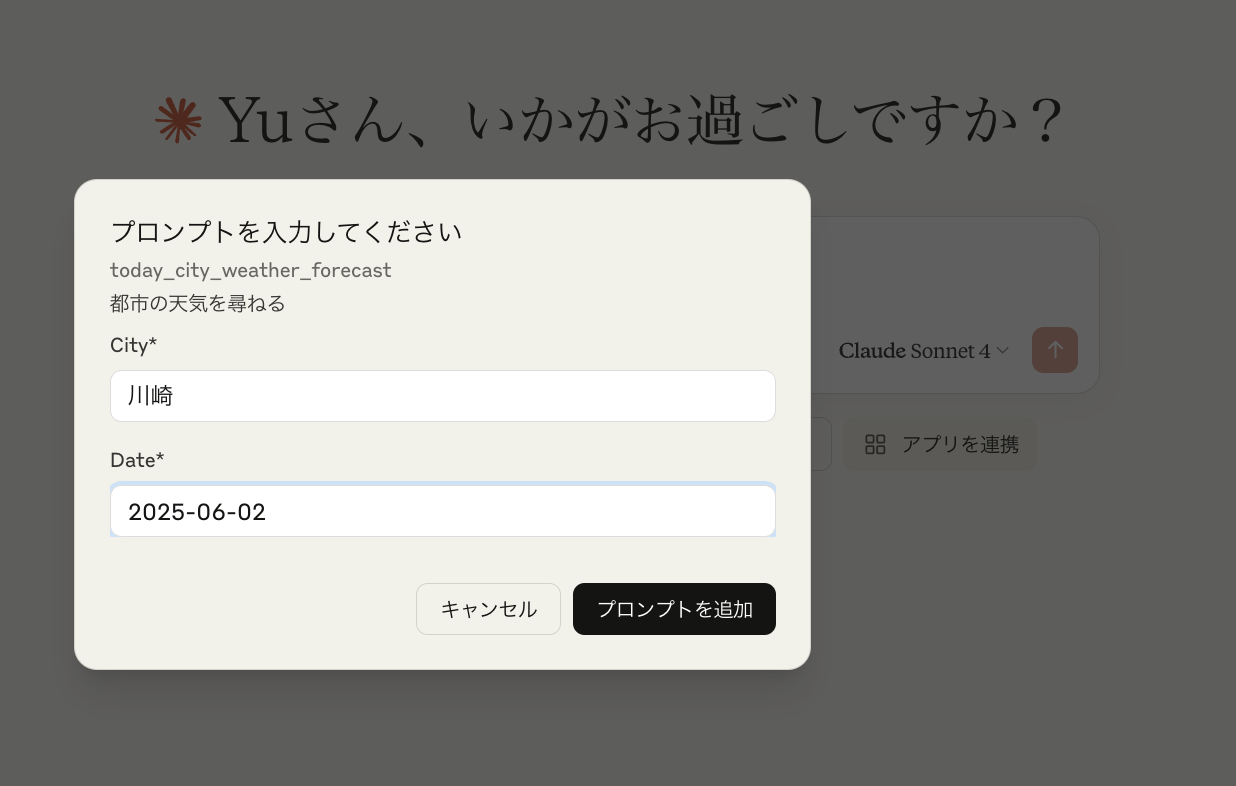
Fill in the required fields:
- City: Enter the city name (e.g., "川崎" for Kawasaki)
- Date: Enter the date for the forecast (e.g., "2025-06-02")
3. Prompt Execution
After clicking "プロンプトを追加" (Add Prompt), the template is processed with your arguments: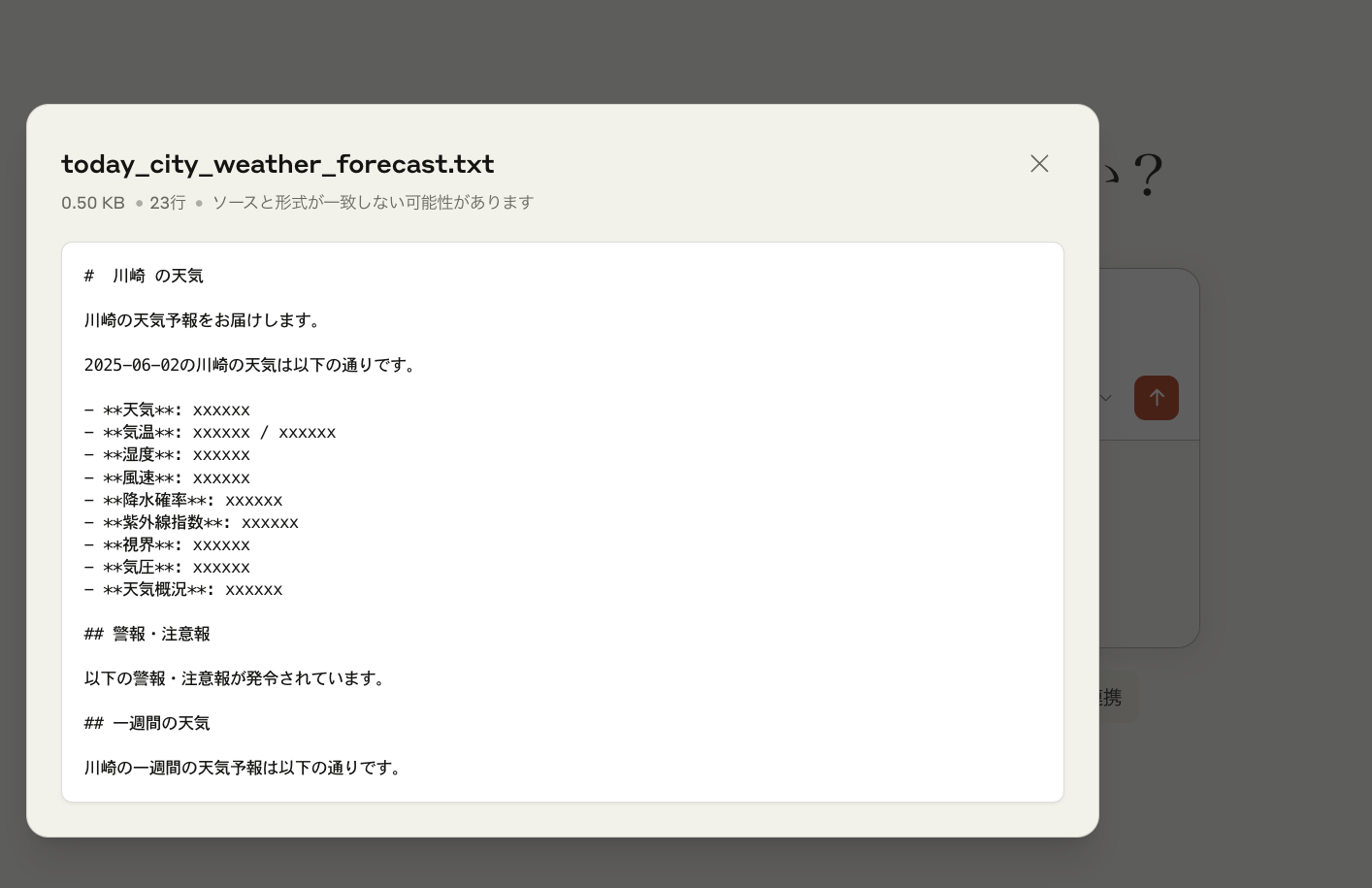
The server replaces the placeholders in the template with your provided values and returns the formatted prompt.
4. Claude's Response
Claude then processes the generated prompt and provides a response based on the template's instructions: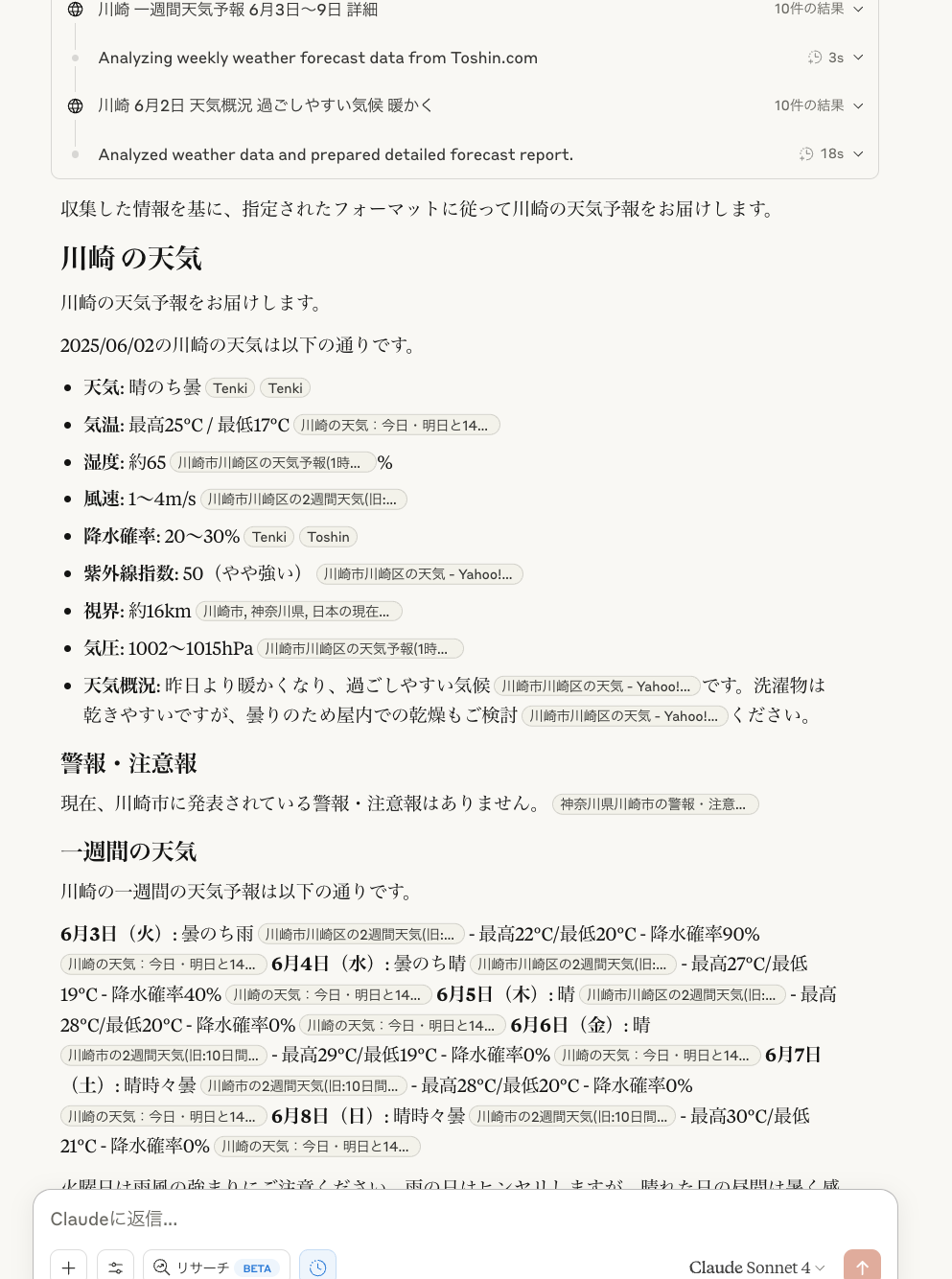
In this example, Claude analyzes weather data and provides a detailed weather forecast for the specified city and date, following the format defined in the template.
Installation
npm install
Quick Start
1. Build the project:
npm run build
2. Start the server:
npm start
For development with hot-reloading:
npm run dev
Creating Templates
Templates are organized in the templates directory. Each template requires:
- A directory with a descriptive name (e.g., business_team_minutes_template)
- A config.yaml file defining metadata and arguments
- A template.md file containing the prompt template
Template Structure
templates/
└── your_custom_template/
    ├── config.yaml
    └── template.md
Configuration Format (config.yaml)
description: "A detailed description of what this template does"
version: "1.0"
arguments:
  - name: "argument_name"
    description: "Description of this argument"
    required: true
  - name: "optional_argument"
    description: "This argument is optional"
    required: false
metadata:
  tags:
    - tag1
    - tag2
  suggested_use: "When and how to use this template"
  output_format: "markdown"
Template Format (template.md)
Templates use Mustache-style placeholders for arguments:
```markdown
Sign in to leave a review
Use Google, GitHub, or an email account so ratings stay tied to real people.
No reviews posted yet.





