# Namecheap Domains MCP for Cursor A [Cursor MCP](https://docs.cursor.com/context/model-context-protocol/) (Model Context Protocol) integration for Namecheap Domains API that allows you to check domain availability, get pricing information, and register domains directly through…
About
# Namecheap Domains MCP for Cursor A [Cursor MCP](https://docs.cursor.com/context/model-context-protocol/) (Model Context Protocol) integration for Namecheap Domains API that allows you to check domain availability, get pricing information, and register domains directly through the Cursor AI interface.  (Model Context Protocol) integration for Namecheap Domains API that allows you to check domain availability, get pricing information, and register domains directly through the Cursor AI interface.

YouTube Walkthrough:
[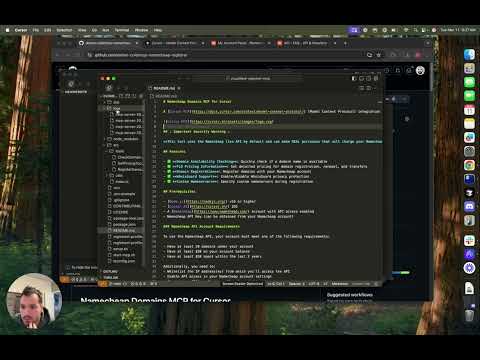](https://www.youtube.com/watch?v=vRWy1tf5EHM "Namecheap Registrar MCP Server Integration for Cursor 🚀")
## ⚠️ Important Security Warning ⚠️
**This tool uses the Namecheap live API by default and can make REAL purchases that will charge your Namecheap account.** Always double-check domain registration commands before confirming purchases.
## Features
- ✅ **Domain Availability Checking**: Quickly check if a domain name is available
- ✅ **TLD Pricing Information**: Get detailed pricing for domain registration, renewal, and transfers
- ✅ **Domain Registration**: Register domains with your Namecheap account
- ✅ **WhoisGuard Support**: Enable/disable WhoisGuard privacy protection
- ✅ **Custom Nameservers**: Specify custom nameservers during registration
## Prerequisites
- [Node.js](https://nodejs.org/) v16 or higher
- [Cursor AI](https://cursor.sh/) IDE
- A [Namecheap](https://www.namecheap.com/) account with API access enabled
- Namecheap API Key (can be obtained from your Namecheap account)
### Namecheap API Account Requirements
To use the Namecheap API, your account must meet one of the following requirements:
- Have at least 20 domains under your account
- Have at least $50 on your account balance
- Have at least $50 spent within the last 2 years
Additionally, you need to:
- Whitelist the IP address(es) from which you'll access the API
- Enable API access in your Namecheap account settings
- Generate an API key from your Namecheap dashboard
For more details, see the [Namecheap API FAQ](https://www.namecheap.com/support/knowledgebase/article.aspx/9739/63/api-faq/).
## Setup Instructions
1. **Clone the repository**
```bash
git clone https://github.com/yourusername/namecheap-domains-mcp.git
cd namecheap-domains-mcp
```
2. **Install dependencies**
```bash
npm install
```
3. **Create environment configuration**
Copy the example environment file and edit it with your Namecheap API credentials:
```bash
cp .env.example .env
```
Edit the `.env` file and add your Namecheap credentials:
```
NAMECHEAP_USERNAME=your_username
NAMECHEAP_API_KEY=your_api_key
NODE_ENV=production # Use 'sandbox' for testing without real purchases
```
4. **Create a registrant profile**
Copy the example registrant profile and customize it with your information:
```bash
cp registrant-profile.example.json registrant-profile.json
```
Edit `registrant-profile.json` with your contact details that will be used for domain registrations.
5. **Build the project**
```bash
npm run build
```
## Adding to Cursor as an MCP Server
To add this as an MCP server in Cursor:
1. Open Cursor
2. Go to **Settings** (gear icon in the bottom left)
3. Select **MCP** from the settings menu
4. Click on **New Server**
5. Choose the **Command** option
6. Enter the command to start your MCP server:
```
/path/to/this/repo/start-mcp.sh
```
(Replace `/path/to/this/repo/` with the actual path to where you cloned this repository)
7. Give your server a name (e.g., "Namecheap Domains")
8. Click **Add Server**
Once added, you can use the MCP tools directly in Cursor's AI interface.
## Usage Examples
### Checking Domain Availability
In Cursor, use the `check_domain` tool:
Example Prompt:
```
is bingbang1234.com available?
```
Example Response:
```
I'll check if bingbang1234.com is available for registration.
...
Good news! The domain bingbang1234.com is available for registration.
Would you like to:
Get pricing information for this domain?
Register this domain?
Check availability of other domains?
Let me know how you'd like to proceed.
```
### Getting TLD Pricing
To get pricing information for a specific TLD:
Example Prompt:
```
What is the price of bingbang1234.com?
```
Example Response:
```
I'll check the pricing information for the .com TLD, which will show you how much bingbang1234.com would cost.
...
Here's the pricing information for bingbang1234.com:
Registration Pricing:
1 year: $9.98
2 years: $24.96
3 years: $39.94
4 years: $54.92
5 years: $69.90
6 years: $84.88
7 years: $99.86
8 years: $114.84
9 years: $129.82
10 years: $144.80
Future Renewal:
1 year renewal: $12.98
Transfer:
Transfer cost: $9.98
Would you like to register this domain? I can help you with that process, or if you have any other domains or TLDs you'd like to check, I can assist with that as well.
```
### Registering a Domain
Domain registration is a two-step process for safety:
1. First, check domain details and pricing:
2. If you're sure you want to purchase, confirm the purchase:
Example Prompt:
```
register bingbang1234.com
```
Example Response:
```
I'll start the domain registration process for bingbang1234.com. This is the first step, which will show you the registration details without actually purchasing the domain yet.
...
Domain bingbang1234.com is available for registration!
Pricing: $9.98 for 1 year
Registration details:
Domain: bingbang1234.com
Period: 1 year
Default nameservers will be used
WhoisGuard Privacy: Enabled
Contact information from your registrant profile:
Name: John Doe
Address: 123 Main St
City: Anytown
State/Province: CA
Postal Code: 12345
Country: US
Phone: +1.5555555555
Email: email@example.com
To complete the registration, you need to confirm the purchase.
⚠️ Important: Your Namecheap account will be charged $9.98 for this purchase if you confirm. ⚠️
Would you like to proceed with the purchase, or would you like to modify any details such as the registration period or nameservers?
```
Optional parameters:
- `nameservers`: Comma-separated list of custom nameservers
- `enableWhoisPrivacy`: Boolean to enable/disable WhoisGuard (default: true)
## Sandbox Mode
For testing without making real purchases, set `NODE_ENV=sandbox` in your `.env` file. This will use Namecheap's sandbox API environment.
⚠️ Note: You'll need separate sandbox API credentials from Namecheap.
## Testing
Run the included test script to verify all functionality works correctly:
```bash
node test-features.js
```
## Troubleshooting
### Common Issues
1. **API Authentication Failures**
- Ensure your API key and username are correct
- Check that your IP address is whitelisted in Namecheap
2. **Registrant Profile Not Found**
- Verify that `registrant-profile.json` exists in the project root
- Ensure the file contains valid JSON with all required fields
3. **Domain Registration Failures**
- Check your Namecheap account balance
- Verify the domain is actually available
- Ensure your registrant profile has all required fields
## License
This project is licensed under the MIT License - see the [LICENSE](LICENSE) file for details.
## Contributing
Contributions are welcome! Please see [CONTRIBUTING.md](CONTRIBUTING.md) for details on how to contribute to this project.
## Acknowledgments
- [Cursor AI](https://cursor.sh/) for the MCP framework
- [Namecheap](https://www.namecheap.com/) for providing the domain API
No reviews yet — be the first
Sign in to leave a review
Use Google, GitHub, or an email account so ratings stay tied to real people.
Social sign-in isn’t configured yet. You can still create an account with email below, or ask an admin to add Google/GitHub/Discord OAuth credentials.
Sequential Thinking is an MCP server that provides a tool for dynamic and reflective problem-solving through a structured, step-by-step thinking process. It is…
Filesystem is a Node.js server that implements the Model Context Protocol (MCP) for filesystem operations. It enables AI assistants to read, write, and manage…
A one-of-a-kind resume builder that keeps your privacy in mind. Completely secure, customizable, portable, open-source and free forever. Try it out today!
A collection of reference implementations for the Model Context Protocol (MCP), demonstrating secure and controlled access to tools and data sources for Large…












